Tag: auditing

  • The Future of Auditing

    This editorial was originally published on Dec 5, 2013. Is it being re-run as Steve is on holiday.

    I was reading Captain’s Share the other day and enjoying a quiet afternoon at home. It’s a science fiction book about one man’s journey in the future as a captain of a space freighter. It’s an interesting series from Nathan Lowell that I’ve enjoyed and recommended to other science fiction fans. In the book, there’s a scene where the main character is leaving his old ship as first mate and moving to a new ship as the captain. However he notes that the formal process is to deactivate his records on the old ship and ensuring they will be read only forever. The book notes they can’t be deleted because they are a part of the ship’s records, log entries, etc.

    That seems to be a far cry from the way auditing takes place in current computer systems. Auditing of systems is under the control of the sysadmins (who are sometimes hackers) and can be altered, changed, etc. We, as software designers, haven’t done a good job of ensuring the integrity and longevity of log records. In some sense, it seems to be a fundamental flaw in OS and software design to not have separated out the auditing and recording of actions from the administration and rights of the rest of the system.

    I’d hope that we would recognize that auditing actions and preserving this data is something that ought to be tightly linked to, but separate from, the rest of system operation. I’d like to think that fundamental changes and actions taken on the system should be written separately to an area that is easily marked as readable by non-sysadmins that are designated to review the information. I know we have the challenges of managing the space and the problems of spurious actions being generated to fill (or rollover) logs, but I’d think after 50+ years of computing we would have considered some sort of event log that isn’t under the control of the people whose actions it is recording.

    SQL Server has improved its auditing features and capabilities, but far too much is still linked invariably to the sysadmin, often the same person the auditing should be watching. This is certainly one area that I hope matures in future versions as the need grows to track and review actions taken by privileged accounts.

  • Who’s Touching My Database

    Abstract:

    As databases become more critical to the operation of our organizations, we are being asked to audit and report on access to both data and the configuration of our systems. SQL Server has a number of features that can help you comprehensively audit your system, including SQL Audit, Extended Events and the default trace. Come learn how you can configure and incorporate detailed auditing into your reporting to management.

    Level: 200 – Should have some basic knowledge of SQL Server, database security, and T-SQL.

    Demos:

    • Using Logon Triggers
    • Looking at the default trace
    • Using SQL Audit to track logins
    • Using Extended Events to track logins
    • Checking permissions at the server and database level
    • Watching database activity using DML triggers
    • Watching database activity using SQL Audit
    • Watching database activity using Extended Events

    Downloads:

  • Finding out Who’s Touching Your Database at DevConnections

    I’ve got a session this fall at the IT/DevConnections conference (Oct 10-13, 2016) called “Who’s Touching My Database?” This is something I’ve worked on for a few years, but never really gotten it to the point where I was ready to deliver it.

    Earlier this year, with all the security issues I’ve seen across the last couple years, and having had some questions from customers of Redgate, I decided to finish this talk off. I submitted it to DevConnections and started trying to focus the talk down to showing ways in which you can audit the activity on your database server.

    I’ve worked in a few environments where security was taken very seriously and auditing was critical to proving we were properly managing our systems. These days I slowly see the importance of security and auditing growing to all industries, becoming more and more important. I hope to showcase the flexibility and possibilities (As well as drawbacks) of tracking activity on your database servers.

    If you’re looking for some training, some inspiration, and are a full-stack developer, or multi-technology IT worker, think about coming out to DevConnections. There are a slew of technologies being covered (VS, ASP.NET, C#7, Azure, PowerShell, AWS, SQL Server, Sharepoint, Exchange, Hyper-V and more).

    Register today, use 500SPKR to save $500, and I’ll see you in Las Vegas this October.

  • T-SQL Tuesday #81–Sharpening Skills

    This is an interesting month for T-SQL Tuesday. The challenge is from Jason Brimhall to Sharpen Something, and learn something new. However, his challenge isn’t just a simple “learn something.” Instead, he writes:

    “This month I am asking you to not only write a post but to do a little homework – first. In other words, plan to do something, carry out that plan, and then write about the experience.”

    I didn’t see the original invite, but I saw the reminder, and so had less than a week to actually try something. Fortunately I was starting something new, so I decided to incorporate that into my post.

    The Plan

    I have been doing a little work with auditing, as part of trying to better understand security around SQL Server. With that in mind, I’ve been meaning to do more Extended Events work. I’ve done a little, inspired by Erin Stellato, and as I read the invitation, I thought this would be a good time to tackle something. My plan:

    I know there are potential issues with the matching of events here, but this is an experiment, and the chance to learn.

    The Actions

    Last week my daughter had a volleyball tournament during the week. As a result, I was working remotely, in coffee shops and gym bleachers, trying to get work done. The day after starting this plan, my laptop started to die, with no good outlets nearby. At least not where I could see my daughter.

    So I started Erin’s course. While I saw pieces of a few sets, I also watched the first 3 modules in the course, and even made a few notes in Evernote of things to try. The next day I finished the course late in the afternoon.

    Part 1 done.

    Now on to actually practicing.  I downloaded the exercise files from the course and started to work through some of them. The first XE sessions are simple, but worth setting up to get a feel for the code. I could do things in the GUI, but I wanted to play with code a bit.

    I ran a few items, trying to remember how they worked, and I realize that I needed to review a few things.

    Testing Myself

    The challenge for myself is to create a new session that does event matching, but looking for those transactions started, but not ended. I decided to use the GUI to do this, mainly because I was pressed for time. It’s been a busy week, and weekend, so I didn’t have as much time to experiment as I’d like.

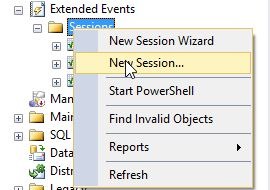
    I started with a new session:
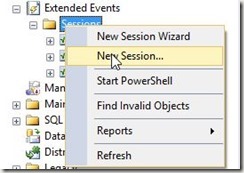
     2016-08-08 16_46_23-SQLQuery8.sql - (local)_SQL2014.Sandbox (PLATO_Steve (66))_ - Microsoft SQL Serv

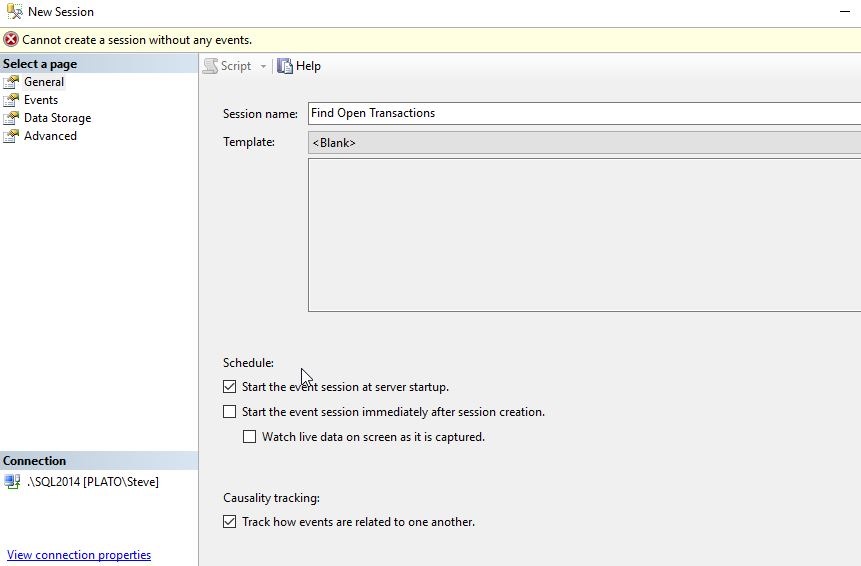
    I gave this a simple, descriptive name, and selected to start on server startup, and also to track causality. My understanding is that since I want to pair up events, I’ll need this. I might be wrong, as I’m certainly not an XE person, but let’s see.
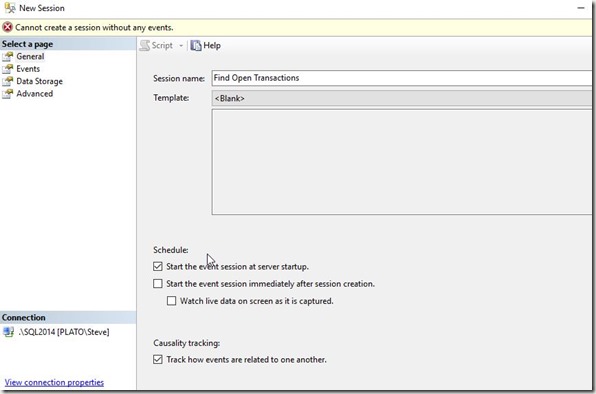
    2016-08-08 16_46_55-New Session

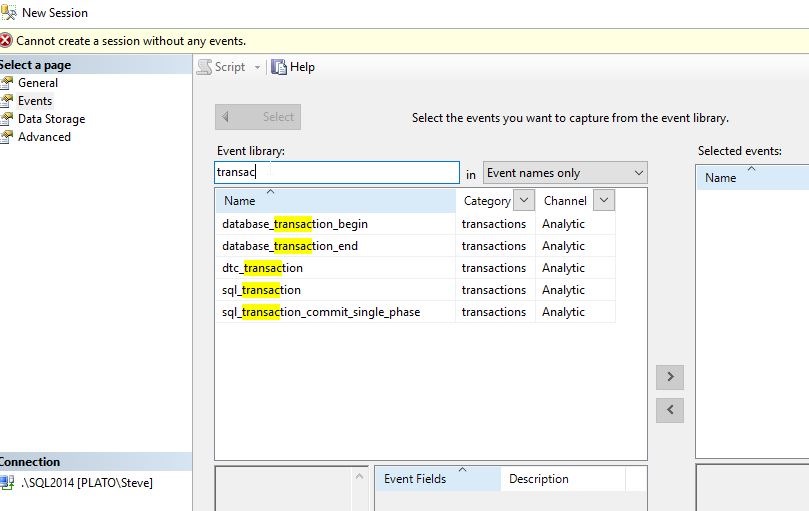
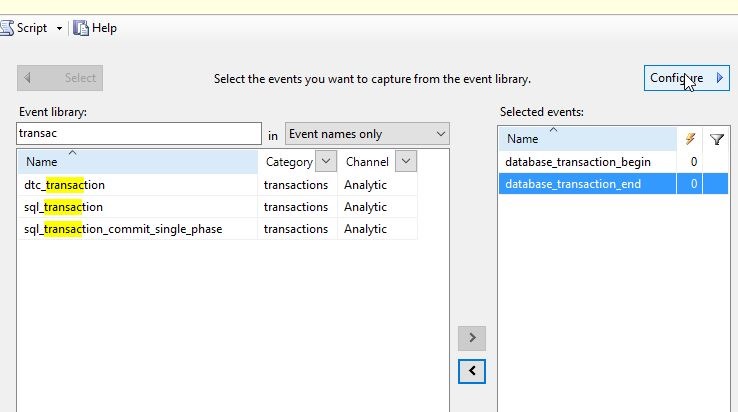
    Now we need events. Let’s use the Search, as Erin mentioned, to find those events with “transac” in them. This screen alone is worth leaving Profiler and Trace.
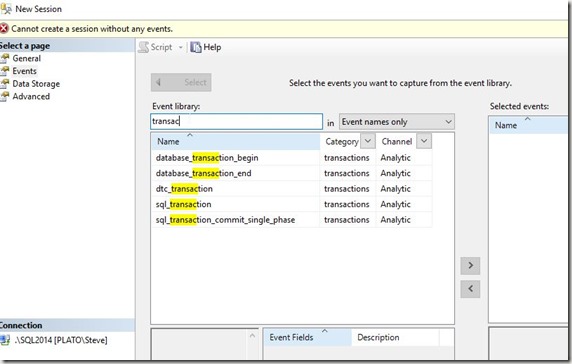
    2016-08-08 16_48_36-New Session

    As you can see below, I’ll add these events and then click “Configure” in the upper right.
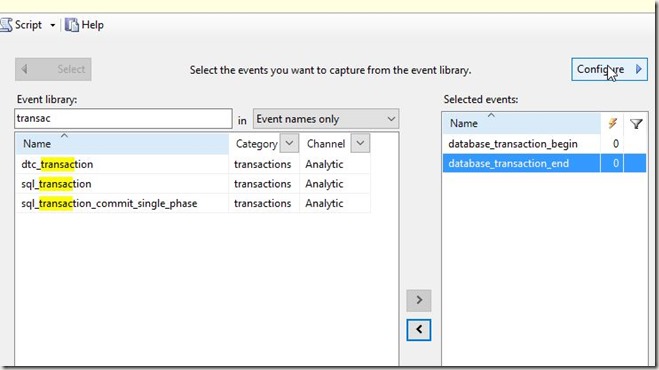
    2016-08-08 16_49_44-New Session

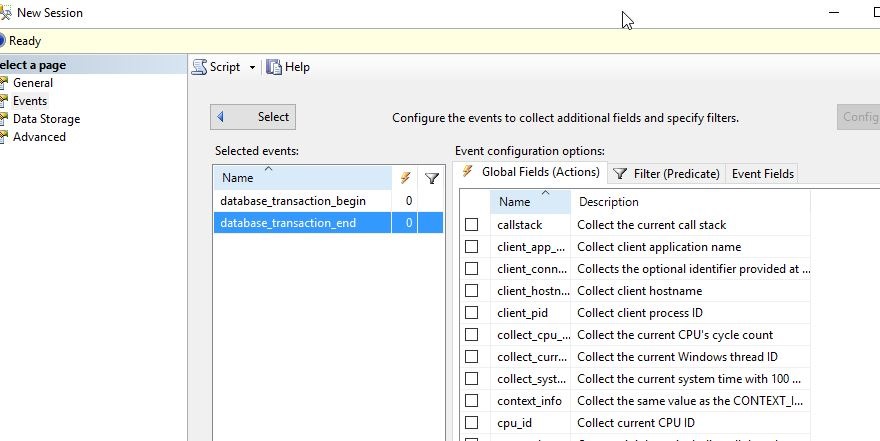
    This slides the pane over and I can see my Actions, Predicates, and Fields.
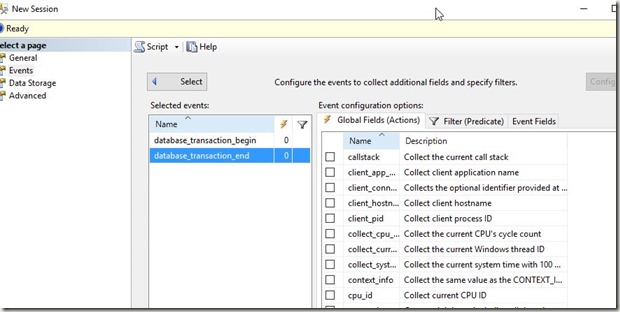
    2016-08-08 16_50_41-New Session

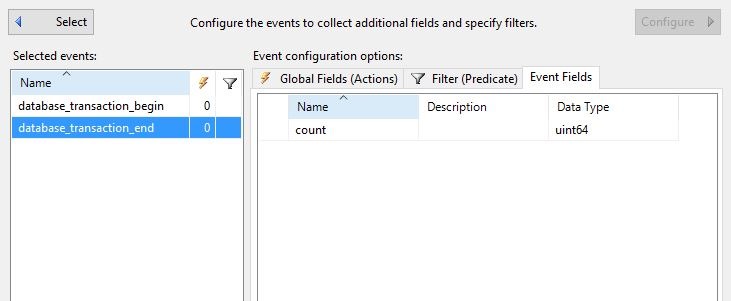
    As Erin did, I want to start with the Event Fields. Let’s see what’s available.
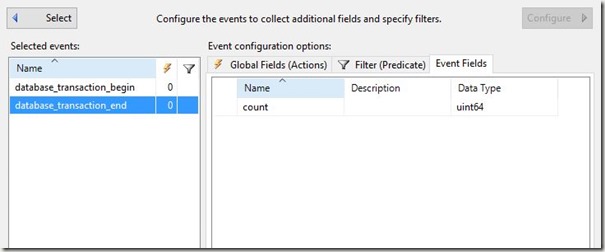
    2016-08-08 16_51_08-New Session

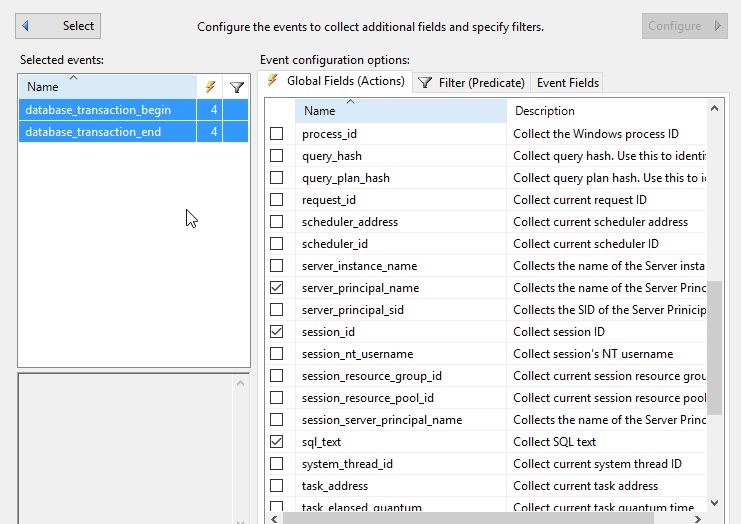
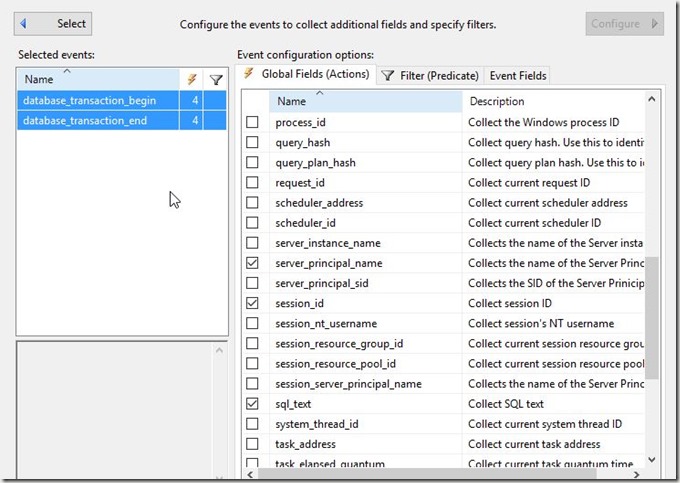
    Essentially nada. This won’t help. So let’s go to the Actions, which I know is something I want to avoid, and get a few fields. I’ll select both events and click a few items that seem useful.
    2016-08-08 16_51_46-New Session

    I’ll want to compare the events based on the session and database, to find those items that have a begin, but no end.

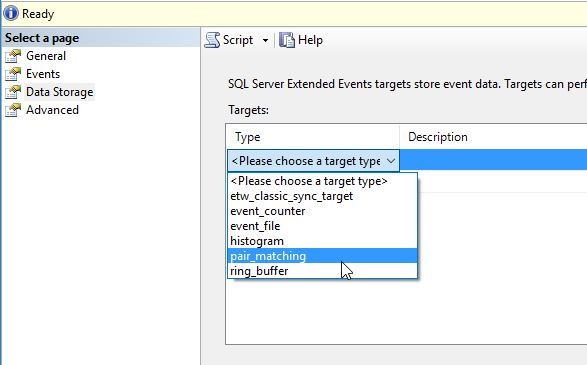
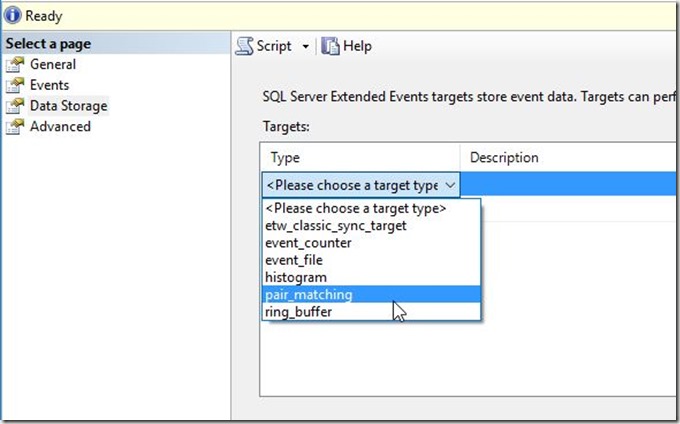
    Let’s now match. In the Data Storage pane, I’ll pick the pair matching target.
    2016-08-08 16_53_32-New Session

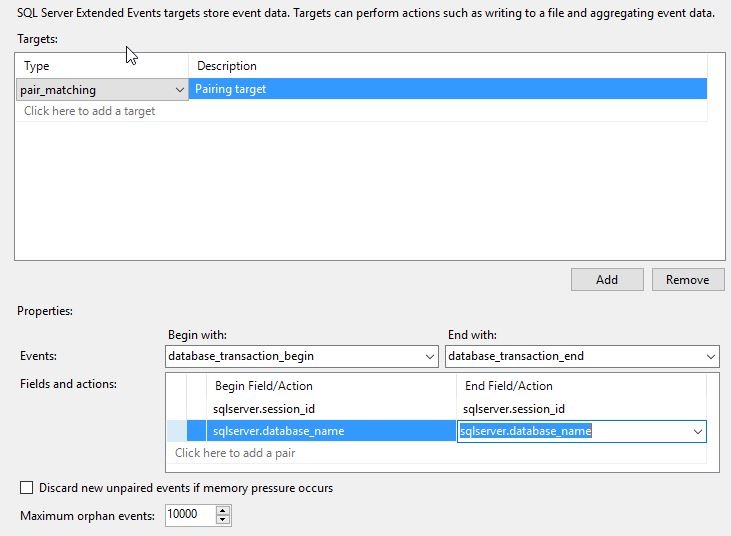
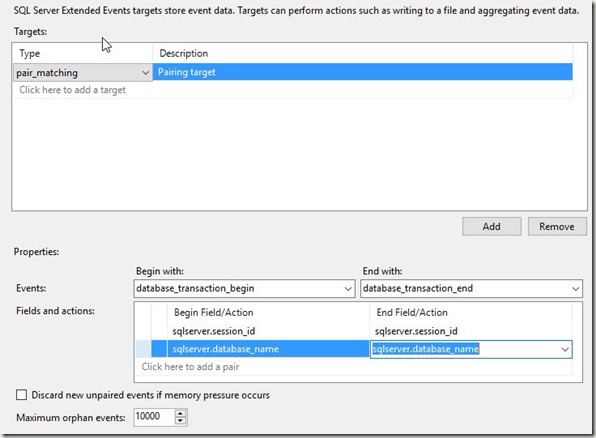
    Once I pick this target, I need to pick the events I use in my matching, along with the fields. I’ll do that here. I’m going to match the begin with the end on session and database. Session might be enough, but let’s go ahead and try to separate out those sessions that might do something silly in two databases.
    2016-08-08 16_54_25-New Session

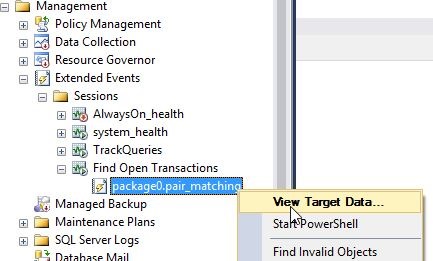
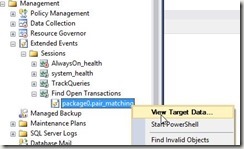
    That’s it for me. I’ll click OK and then start the session. Once I do that, I see the session and the target, which I can view data for.
    2016-08-08 16_55_53-SQLQuery8.sql - (local)_SQL2014.Sandbox (PLATO_Steve (66))_ - Microsoft SQL Serv

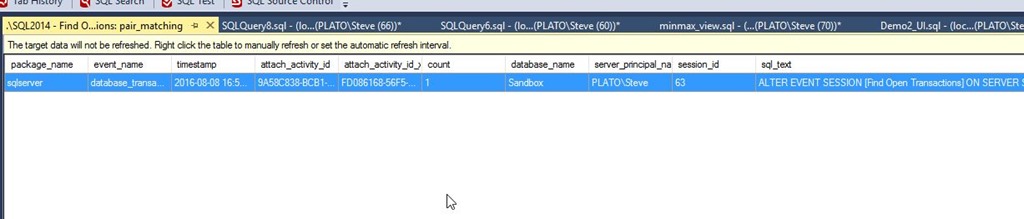
    I see the ALTER EVENT item, which I’m guessing is the start of a transaction inside SQL Server. Note this data isn’t refreshed by default, so I’ll need to right click and do that.
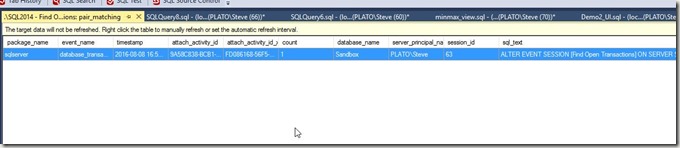
    2016-08-08 16_56_37-._SQL2014 - Find Open Transactions_ pair_matching - Microsoft SQL Server Managem

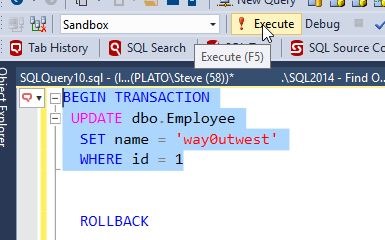
    Now let’s make a transaction. I’ll run this:
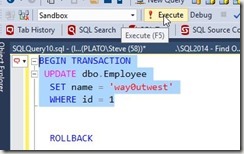
    2016-08-08 17_07_21-SQLQuery8.sql - (local)_SQL2014.Sandbox (PLATO_Steve (66))_ - Microsoft SQL Serv

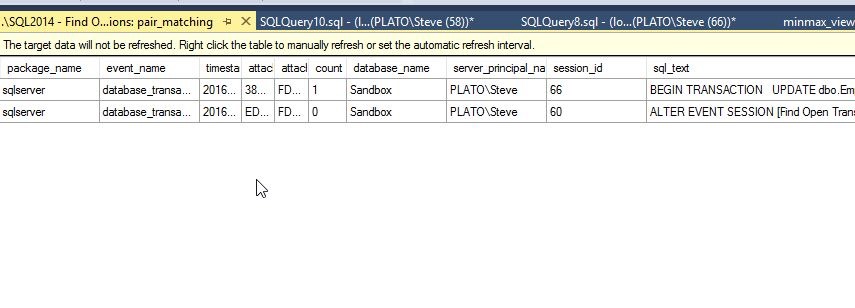
    Once I do this, I have an open transaction. My session id is 60 for this transaction. If I refresh my data, I see the item.

    2016-08-08 17_09_31-._SQL2014 - Find Open Transactions_ pair_matching - Microsoft SQL Server Managem

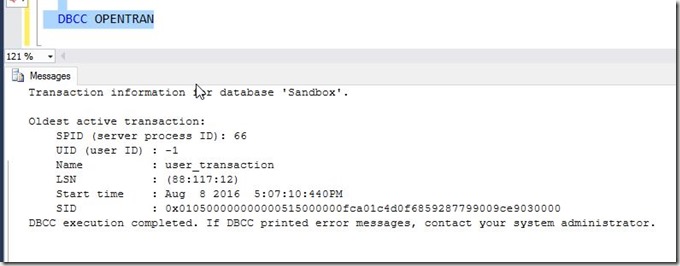
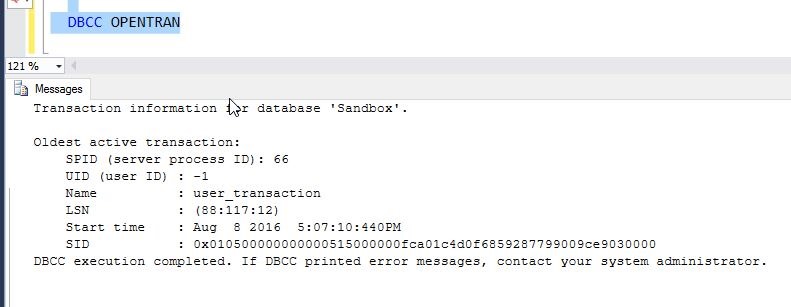
    I can also see the open transaction.

    2016-08-08 17_07_32-SQLQuery8.sql - (local)_SQL2014.Sandbox (PLATO_Steve (66))_ - Microsoft SQL Serv

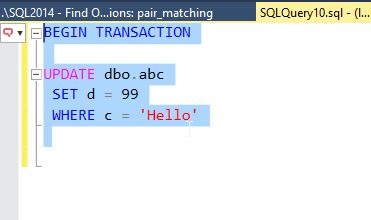
    Let’s try another one. I’ll start another new transaction, this time for session id = 58.
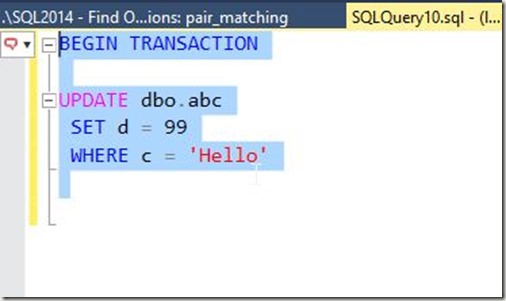
    2016-08-08 17_10_45-SQLQuery10.sql - (local)_SQL2014.Sandbox (PLATO_Steve (58))_ - Microsoft SQL Ser

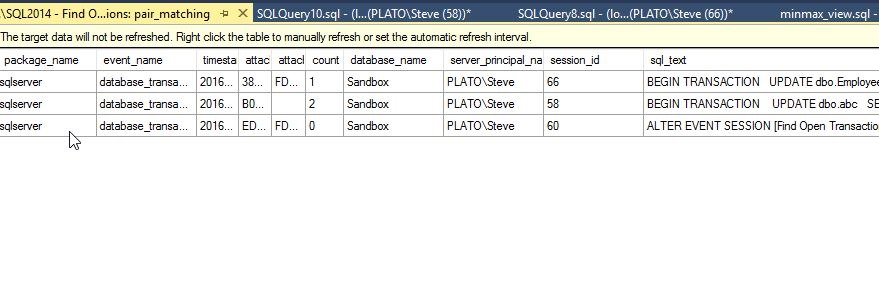
    Sure enough, I see another open transaction. 
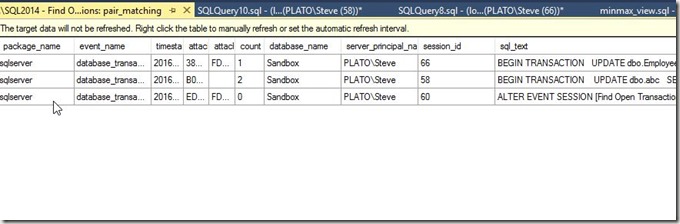
    2016-08-08 17_11_13-._SQL2014 - Find Open Transactions_ pair_matching - Microsoft SQL Server Managem

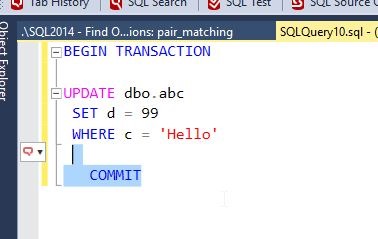
    Now let’s commit the second transaction, the UPDATE dbo.abc.
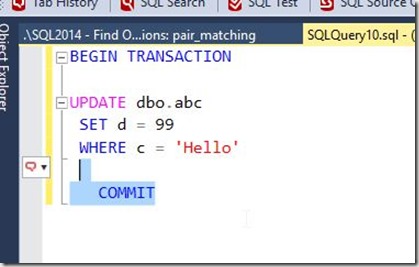
    2016-08-08 17_11_48-SQLQuery10.sql - (local)_SQL2014.Sandbox (PLATO_Steve (58))_ - Microsoft SQL Ser

    My transaction goes away from the pair match.
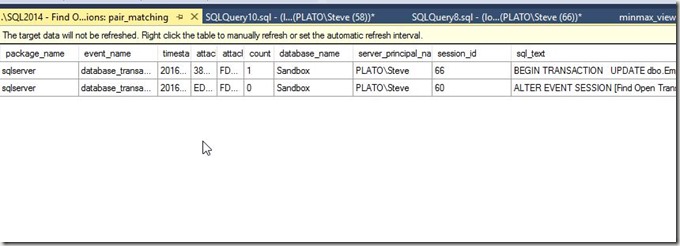
    2016-08-08 17_12_00-._SQL2014 - Find Open Transactions_ pair_matching - Microsoft SQL Server Managem

    The Results

    The third part of the invitation was to write this. I covered what I did, and some of what I learned. I’ll add a bit more here.

    I certainly was clumsy working with XE, and despite working my way through the course, I realize I have a lot of learning to do in order to become more familiar with how to use XE. While I got a basic session going, depending on when I started it and what I was experimenting with, I sometimes found myself with events that never went away, such as a commit or rollback with no corresponding opening transaction.

    This was a good challenge, and it forced me to work through a bit more than I might have done this past week, given a busy schedule. However, I’m glad it did, and I might challenge any of you writing about this in the future for your own T-SQL Tuesday #81 post to limit yourself to a week and force yourself to learn and try something.