Tag: data

  • Increasing the Accuracy of Data We Rely On

    When I was a kid, we used physical maps and verbal directions. That, with a good memory and sense of direction helped me navigate across the US on my bike and through many cities in Europe on my bicycle.

    Near the turn of the millennium, we got a number of mapping sites, like MapQuest, which were really designed to replace a paper map with a route drawn in. Since then, the capabilities of GPS combined with the advances of mobile phone OS and app improvements, much of the world depends on GPS working correctly.

    The GPS systems, of which there are many run by different governments, have been in place for years, and have been upgraded at different times. The US government is looking to upgrade GPS (their system) with GPS III, with stronger signals and a longer lifespan. There are a few other items, better security among them.

    There is a lot of GPS data that many of us take for granted. We may not worry about the actual data values, but we may use apps or include integration with services like Google Maps or Apple Maps, and we depend on this data being accurate and available.

    There could be similar types of data that our applications and systems need, where availability, accuracy, and more affect the usefulness and value of some application. I think things like master data and data classification fall into these areas. The problem is that often those projects, or the idea of a project, don’t have a large government agency with a big budget working on them. As a result, they rarely move forward.

    Steve Jones

  • AI Data

    At the Microsoft Ignite conference recently, I saw a talk that mentioned the Microsoft Garage Project, Trove, which is designed to help people provide data for AI projects in a new way. You can read more about it and get the app for Android mobile devices.

    Trove is built to help AI researchers find images and use them in projects. However, the data they get is provided by users, who make the choice to include their data. This is different than many AI projects, where anyone doing AI work often just gets data from various sources, sometimes without permissions, but often without the individuals who own the data understanding where their data is being used or for what purposes.

    I like the idea here of people specifically giving permission for their data to be used. It’s a good way for volunteers to provide data, and have some control over how the information you provide might be used and where it is used. That doesn’t mean this is necessarily a good model for the future. First, I’m not sure we can easily verify that the images someone submits are their own. I could see that if there are payments made, I’m sure people will try to game this and earn more money by using images they don’t own. We already have problems with people publishing content they didn’t create. I’m sure we’ve have plenty more with something like Trove.

    The other issue, and likely the biggest one I think is a problem, is that trying to understand what data is collected and how it’s used by many companies is a challenge. Even when there is some disclosure, it can be difficult to understand what is being released. Even while reading this document on SQL Server data collection, I’m not sure what might be collected on my system that could be an issue.

    I don’t think this is malicious or deceitful on Microsoft’s part, I’m just not sure I can understand the implications. That is where I feel we, as a society, and certainly with regards to regulations, are woefully immature. We don’t have good controls, but I’m not sure we really know what we’d want.

    This is a thorny problem, and one I know we need to find better solutions to over time. Especially as we use more and more data for large scale research and applications in areas such as Artificial Intelligence and Machine Learning.

    Steve Jones

    Listen to the podcast at Libsyn, Stitcher or iTunes.

  • Data Cleanup for WordPress Tags without a Plugin

    Over the years I’ve had this blog, I’ve added lots of tags. In 15 years and 4,600+ posts, you can guess that I’ve made some typos and mistakes. I’ve also changed how I classify posts, or names of products/technologies have changed.

    Recently I wanted to do some tag cleanup as I discovered I had an “administration” tag and an “adminstration” one (missing an i). Apparently there is no easy way to do this in the EAV structure of WordPress, though there is a plugin that will help.

    Unfortunately, I use wordpress.com for my blog and they don’t allow plugins without a business (and much more expensive) plan. Makes sense, I understand, and I’m not complaining, but how can I clean up tags?

    Slowly

    The way to do this is manual, and slow. I am surprised that the WordPress base package doesn’t allow for this, but I also think they made some poor database decisions they’re living with and this means I must as well.

    If I look at tags, I’ll see things like this:

    2020-07-23 08_47_17-Window

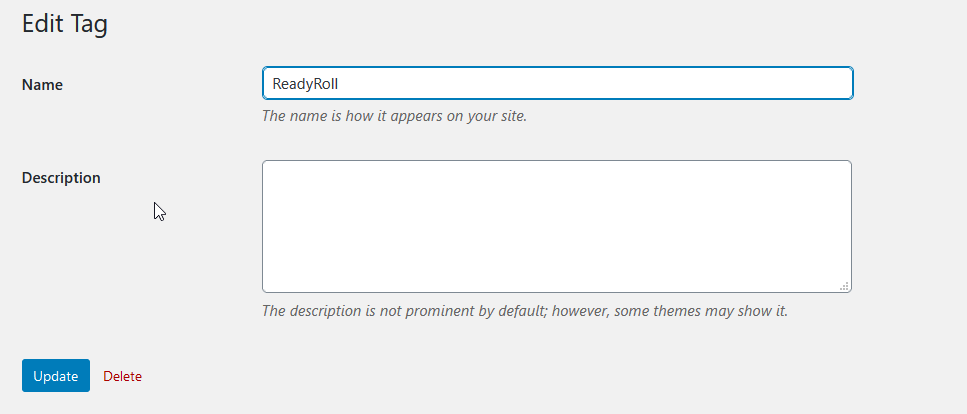
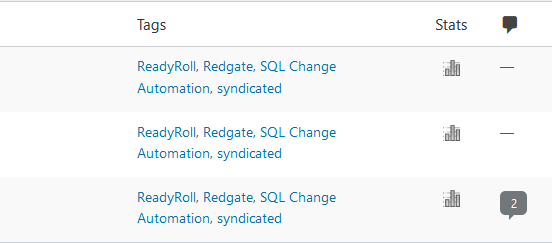
    ReadyRoll has been renamed, and this tag is really obsolete. Some of the posts still make sense, and I don’t want to delete them. I do want to get rid of this tag. I’ve already started using “SQL Change Automation”, which is the new name, so what I want to do is fix tags.

    If I click Edit above, I only get a few choices.

    2020-07-23 08_47_21-Window

    Nothing here to merge. If I rename this tag, I’ll have two tags with the same name, which is another whole issue. However, over on the right side, I can see how many posts have this tag.

    2020-07-23 10_50_42-Window

    If I click the “””3”, I go to a page with those posts.

    2020-07-23 10_51_25-Window

    For this set of posts, they’re already dual tagged. I think I added the SQL Change Automation tag when the product changed.

    Now I can quick edit each of these, and remove the tag for ReadyRoll. When I complete that, I go back to the tag and I see there isn’t anything using this.

    2020-07-23 08_52_31-Window

    Now I can just delete the tag.

    A Chore

    This isn’t easy, simple, and it is incredibly manual. I don’t have a ton of tags that I need to change, but I did find 4 or 5 that were typos and I have worked on those across a few days, as I need a break from other work.

    I also have a number of tags with 1-2 posts, so I have been thinking about consolidating those, or re-tagging with something else, but I haven’t decided.

    Data cleanup is a pain, and not being able to do this in a lookup table in a database and quickly fix things is annoying. It’s not an enjoyable chore, but it also gives me perspective as someone that has built software for the tooling that users would like to see, as well as the struggles when we don’t account for tasks they will perform, like consolidating tags.

  • Better Garmin Data Backup with MapMyRun

    I don’t know that I want to do this every day, but it’s good to know I can grab my Garmin workout data and save it elsewhere. While Garmin was having issues, I went on a test walk with my dog. Actually, a therapeutic walk as she’s recovering from surgery. In any case, I did a short one, tracking the activity. While it didn’t upload, I did back up my data.

    As of a few days later, Garmin still wasn’t syncing data, but I found that MapMyRun will accept the data. After seeing someone else note Strava and other services accept Garmin data, I decided to test it out.

    On the main page, I usually do a “Log my workout” and manually enter some data after each activity. I’m not looking for details, just the date, activity, and duration. I don’t worry getting too specific. However, I noticed there is an “Import” to the right.

    2020-07-27 09_18_35-MapMyRun

    If I click that, I see a few services listed. The one I want is the “Import Workout” button (again).

    2020-07-27 11_50_07-MapMyRun

    When I click that, I get the option to pick a file.

    2020-07-27 11_50_14-MapMyRun

    I uploaded my file, and I see lots of data, including the route and altitude info overlaid with my heart rate.

    2020-07-27 09_14_17-Walked 0.11 mi on 07_24_20 on 07_24_2020 _ RUNNING Training Log Entry _ MapMyRun

    I may have to try doing this with a few other workouts and see how they do. While entering a little data isn’t bad, it might be nice to see my heart rate over here across time, just in case I have some sort of other issue with Garmin.