Tag: data

  • Saving My Garmin Data

    With the Garmin outage, I was a little worried about my data. As a result, I wanted to ensure I could get information off of my device and at least save files. I posted a note on Twitter, and got a link to the DC RainMaker, with a procedure to get your files from a device. Since I have a watch that connects to a mobile, I wasn’t sure which device to connect, so here’s the experience of getting my data.

    First, what’s the extent of the issue. I started a walk workout on my watch when I took the dogs out. This was a short one, and I was able to complete and save the workout.

    When I got back to my desk, I opened the app on the old mobile. I saw the data for my heart and steps, which matched the watch, but no workout.
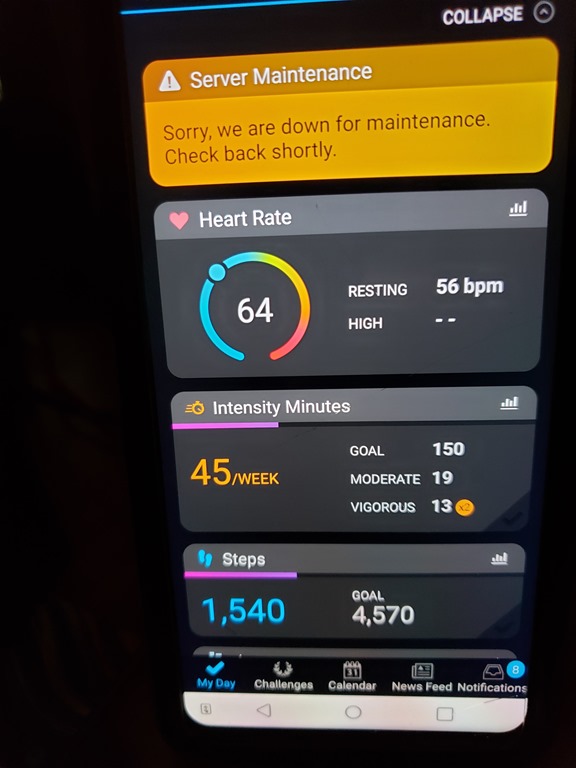
    20200724_133805

    I then went to my watch and clicked “sync”. I got this for awhile, and while it said that things were being transferred, I don’t have any way of knowing this is working.
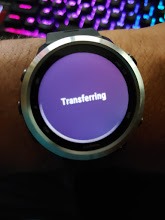
    20200724_133745

    My understanding is that this data goes to Garmin Connect and then that syncs with my phone, rather than going through my phone and then to Garmin Connect. Since there are people that might not use the app on their phone, this makes sense.

    I know I can’t get data at Garmin Connect.

    2020-07-24 13_41_53-Window

    I also don’t see any updates on their blog.
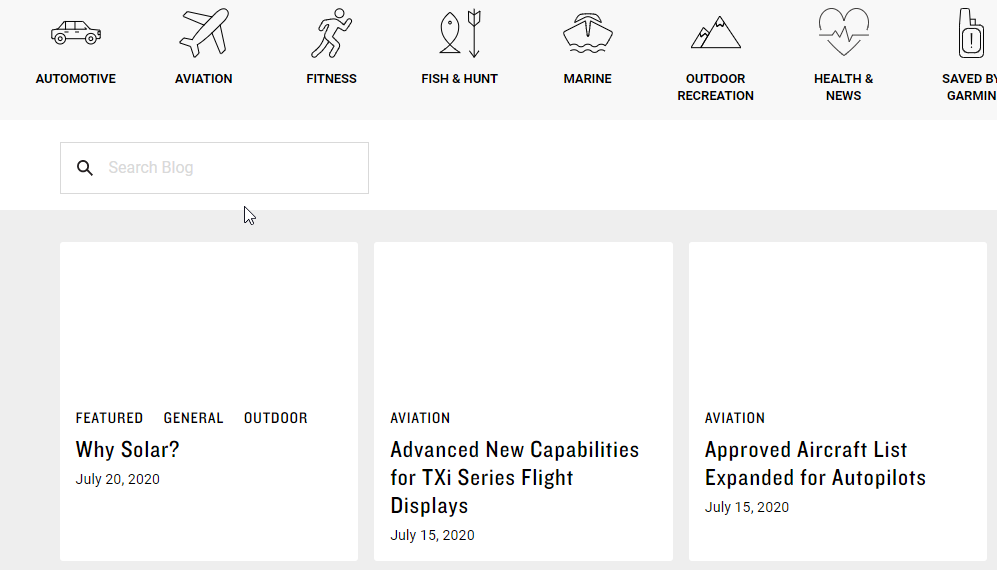
    2020-07-24 13_42_47-Window

    OK, I know what I can’t do. What can I do?

    Connecting My Watch

    I’ve never connected the watch to this computer. I’m not likely to get the Garmin app to work if I install it, so let’s get the cable that came with my watch. I connect it to my computer and …

    Nothing. Nothing detected as a device. No new USB devices. No notifications.

    This was with a USB hub, so let’s take that out of the equation. I do connect some data devices through here, but why not try something. I get up, walk around, and plug the watch into the motherboard USB slot.

    2020-07-24 13_59_23-Window

    That’s interesting. Glad I tried that. Next I browse and find two storage areas.
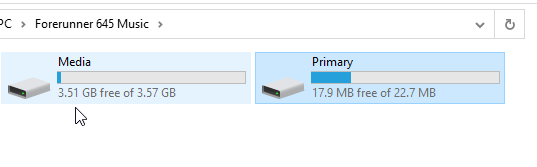
    2020-07-24 14_00_09-Window

    I tried media first, since that’s the first one. Nope, no activities under Garmin.
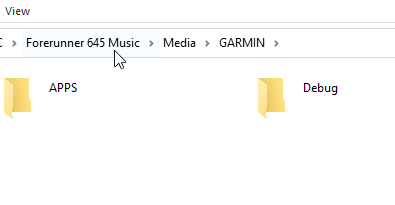
    2020-07-24 14_00_15-Window

    Let’s try the primary storage. This looks more promising.
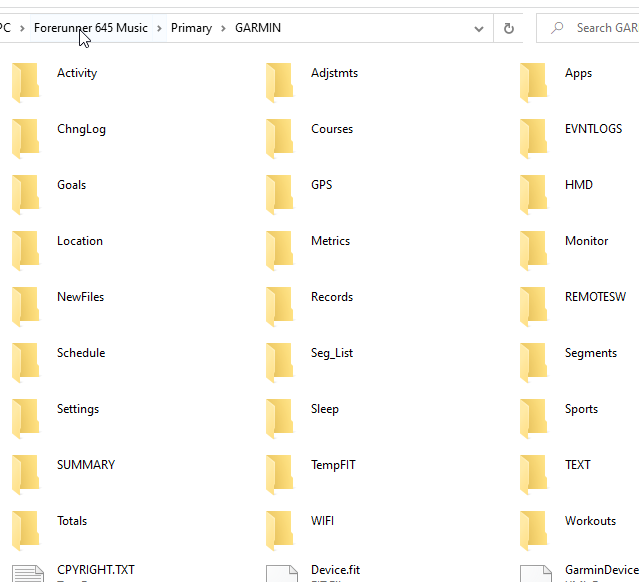
    2020-07-24 14_10_21-Window

    I don’t see Activities, as in the DC Rainmaker post, but I do see “Activity”. In there, I find the fit files.
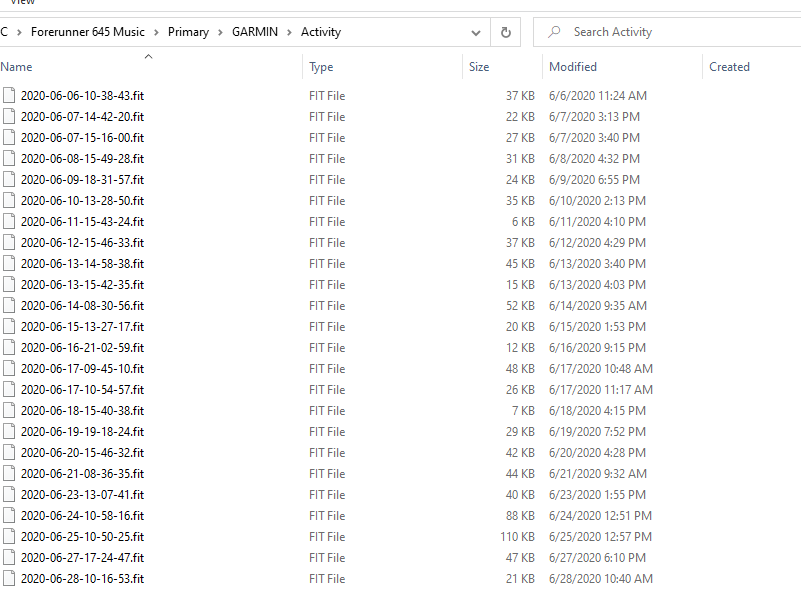
    2020-07-24 14_10_36-Window

    These are binary files, so there goes any quick SSIS/ADF upload of data somewhere else.
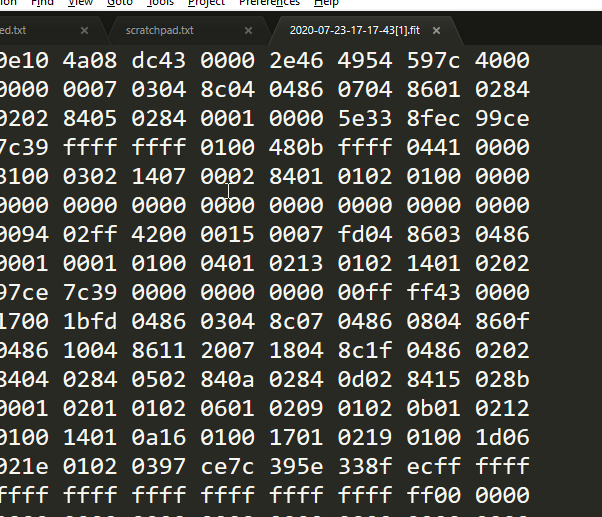
    2020-07-24 14_12_03-Window

    I suspect there’s a way of doing this and a few searches show some libraries that might help, but those are for another day.

  • The Pyramid of Data

    Data is an important part of our world, and arguably the most important asset in computing. All the rest of the devices, platforms, and technologies we use are designed to work with data, by manipulating, storing, accessing, and presenting data in new ways. We need devices and operating systems to host software, and applications to work with data, but the data is the key to fuel for every engine.

    I see there being a pyramid of data, with various technologies that are used to store and work with data. This is roughly how I see things, with various sources that store data as the foundation, and then systems to summarize and aggregate data, a new layer of analytics with Data Science, and the ever present ways of interacting with the data in order to use it for insights and decisions.

    (SSRS) (Visualizations) (Excel) (Power BI)
    (Data Science) (Artificial Intelligence) (Machine Learning)
    (Data Warehouses) (Data Marts) (ETL) (Data Streams) (Linked Data Sources)
    (SQL Server) (Oracle) (CosmosDB) (ElasticSearch) (Redis) (HDFS) (MongoDB) (PostgreSQL)

    That’s been my traditional view of the data pyramid, but cloud computing, the orchestration of containers, and better ways of analyzing data without moving it lead me to think that this is becoming more of a mesh inside the pyramid that multiplexes connections between layers. While I do think AI and ML systems will become more and more useful to a wider variety of applications and organizations, I do think the adoption will move more slowly than the hype suggests. Likewise, I think containers will grow slowly as there is a need to rearchitect many applications.

    Certainly cloud computing is becoming more and more commonplace. I especially am starting to see more smaller organizations taking advantage of cloud platforms that build SaaS, not for large scales, but for very small scale organizations. The platforms themselves are constantly lowering the cost of engaging with the cloud at small scales, and making it more feasible for application developers to deliver tremendous value and capabilities to very small organizations that aren’t, and don’t want to be, software companies. They just need services and capabilities without a lot of effort. The Power platform from Microsoft is likely to accelerate this with easy development for any semi-skilled software developer.

    Steve Jones

    Listen to the podcast at Libsyn, Stitcher or iTunes.

  • Fragmented or Centralized Data

    I read a piece recently that talks about the hassles of copying data multiple times for different applications. In my experience, I haven’t seen this to be the main problem with data. It’s not often that we might replicate, in a general sense, data across different data stores to support different applications. Certainly lots of ETL jobs exist to copy data to new stores for different purposes, which perhaps is what the author is implying.

    The idea of protecting data is one that is becoming a greater concern for many organizations. In fact, I’d argue that a number of the recent high profile data breaches in the last couple years involve copying data from some RDBMS store to an ElasticSearch server that isn’t secure. Any movement of sensitive data, whether to warehouse or Power BI report, should be in a secure way.

    For years we’ve had minor issues with data security in Excel worksheets; a similar problem continues to exist with both data stores and reporting tools that might contain copies of data. In some sense, this is actually no different than the problems of losing paper reports in the distant past.

    The solution given in the article is to share data from a single store among more applications. That’s been the practice in many places I’ve worked, with the challenges of additional load and performance concerns on the data store. Modern distributed SQL Servers can use AGs or (after SQL Server 2017), Kubernetes, to scale out and potentially handle the loads, but those choices aren’t without their own resource costs and challenges.

    Ultimately, we aren’t going to get away from moving data around. Certainly we have needs to deal with dev/test environments even if we don’t have any other data movement. While I do think the future of large data workloads will involve less movement, we aren’t going to eliminate movement.  We may build more applications that connect to a single data store, which is likely as our platforms become more powerful and enable scale-out capabilities to meet workload growth.

    We also need to ensure that copies of data made for different purposes as well protected. Most businesses need to develop better skills and habits to limit sensitive data in dev and test environments, as well as proper access controls for data copies that are used in production environments.

    Steve Jones

    Listen to the podcast at Libsyn, Stitcher or iTunes.

  • Is Data the Future of the Vibrant Web?

    Data privacy is a fascinating subject. Since the GDPR was passed, I’ve had a lot of conversations with people about the GDPR and the way different people feel varies dramatically. Moreover, the way an individual feels often varies depending on the situation. I know plenty of people that want their own data completely private, but they also want no restrictions on what they do with data inside their organization. Others feel the exact opposite.

    One type of data that many people don’t think about is the cookie data that is used by Google and Facebook (among others) to track a user across many browsing sessions. This tracking is one reason that I see Redgate ads on a movie site or a new site. If I happened to search for SQL Compare, which I do sometimes to get a link, I might later see related ads on a site that has nothing to do with technology or SQL Server.

    Apple, Firefox, and Microsoft have been experimenting with ways to give you some tracking protection in your browser. This should allow less data about individuals being captured, stored, analyzed, and then it couldn’t get lost/stolen/hacked.

    Google has a different approach, and one that I think benefits them and their paying customers more than the rest of us. The idea is to have some sort of data cap for types of information, above which the browser would return generic information. Potentially it could return inaccurate information, but I can’t see that passing any sort of business relationship test with Google customers.

    The goals here are relevant ads, and of course, information about you in order to serve relevant ads. While I think this goal will be met, I’m not sure it’s much more private than the situation today.

    Data privacy means allowing users to decide what data a company, including a tracking company, is willing to share. The way browsers have changed in the last few decades is complex and confusing. I have no idea what information they track from my system(s), and I’m not sure I would even understand the implications of enabling certain rights. While most of us wouldn’t want to share our email, there are lots of other data that we might not be sure of the way it might be used.

    Like most of the data privacy issues, I have no idea what to do here. The issues are complex and confusing. I would hope that Google would remember its “do no evil” origins and help us increase our ability to keep data private.

    Steve Jones

    Listen to the podcast at Libsyn, Stitcher or iTunes.