I’ve got another webinar tomorrow. This one in conjunction with Clear Measure, who work with companies to build better software. This should be interesting as Jeffrey Palermo and I talk about the characteristics of organizations that are getting better at delivering software in general, with some specific focus on the testing and data side of ensuring your software works.
Recently I was doing a demo and a customer asked how I had linked my commit in Azure DevOps to the work item that existed. It’s easy, and tldr; it’s with the commit comment. This post shows how that works.
I’ve been working with Flyway Desktop for work more and more as we transition from older SSMS plugins to the standalone tool. This series looks at some tips I’ve gotten along the way.
Creating an Issue
Many people use GitHub and adding issues is easy. You go to the Issues tab, click “New” and enter details. What is required might vary by project. I have a public demo project here: https://github.com/way0utwest/FlywayNorthwind
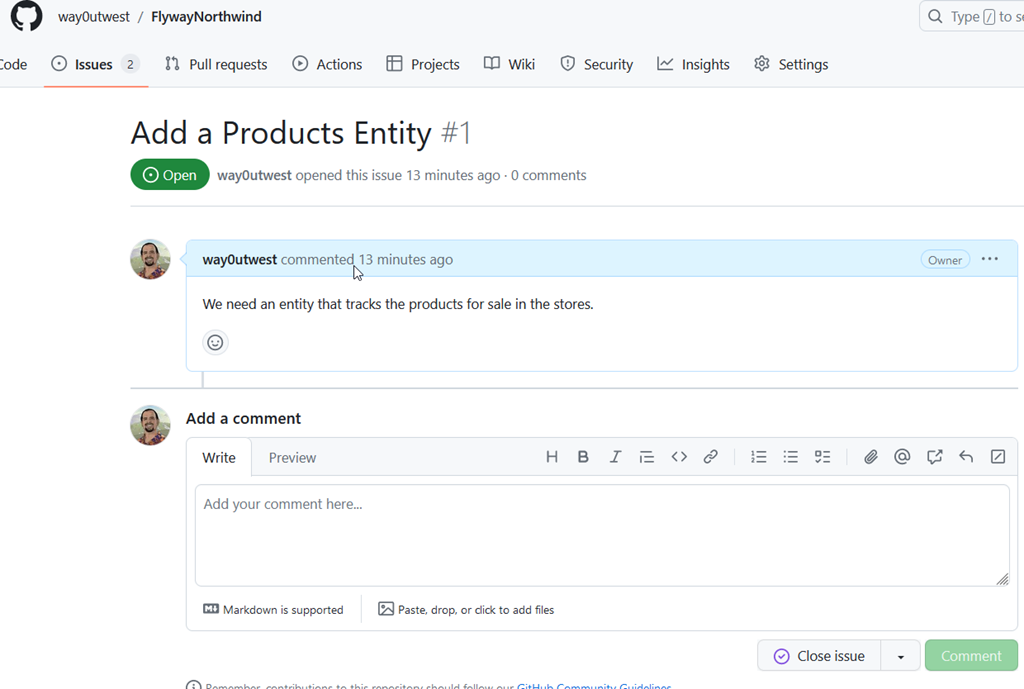
My issues tab has a few items, but you can see one of the issues below. Note, I’m not proud of this, as I just added this for a demo. I didn’t really add enough detail for anyone to work off this. I’ll do better with other issues.
In any case, the thing to note is I have a #1 at the top, meaning this is issue #1. If I type a comment or note anywhere in this project and include #1, a link is created to this issue.
Linking A Commit in FWD
This is very similar to the technique I showed in Azure DevOps. Actually, it’s the same. I’ll make some changes for a products table and generate a migration script. When I go to the Version Control blade, I see the changes and I commit them with a message that includes #1.
In the GitHub code tab, I see my commit message, and the #1 is hyperlinked. If I hover over it, I see the issue.
In the Issue itself, I see a flow with the commit listed.
Now I’m not only tracking discussion and comments of the issue, I’m linking commits as well.
This is less a Flyway Desktop feature than a GitHub one, but you can access this from Flyway Desktop by writing good commit messages with Issue numbers.
Try Flyway Desktop out today. If you haven’t worked with Flyway Desktop, download it today. There is a free version that organizes migrations and paid versions with many more features.
Recently I was doing a demo and a customer asked how I had linked my commit in Azure DevOps to the work item that existed. It’s easy, and tldr; it’s with the commit comment. This post shows how that works.
I’ve been working with Flyway Desktop for work more and more as we transition from older SSMS plugins to the standalone tool. This series looks at some tips I’ve gotten along the way.
Creating a Work Item
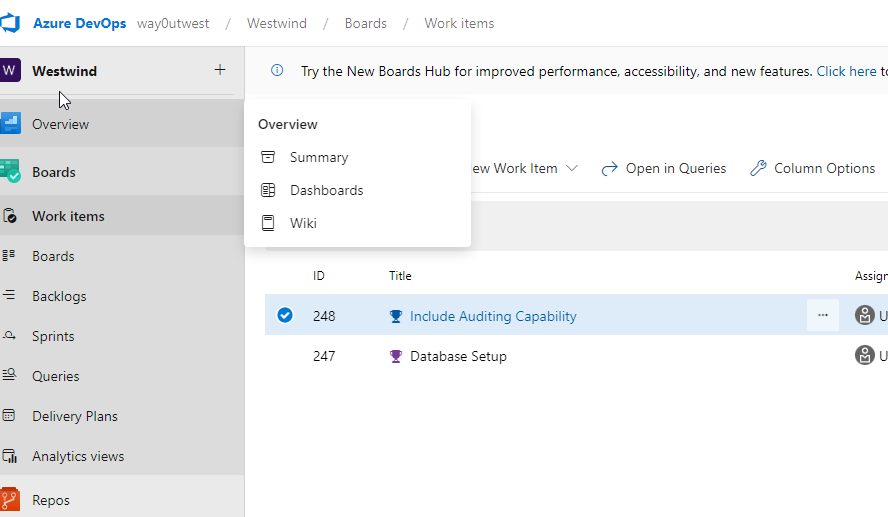
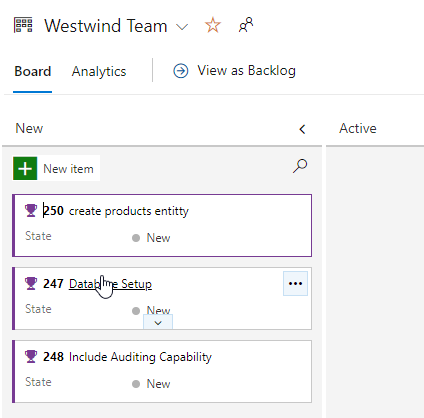
In Azure DevOps, there is a board menu. Under here, one of the subitems is Work Items. You can see these below:
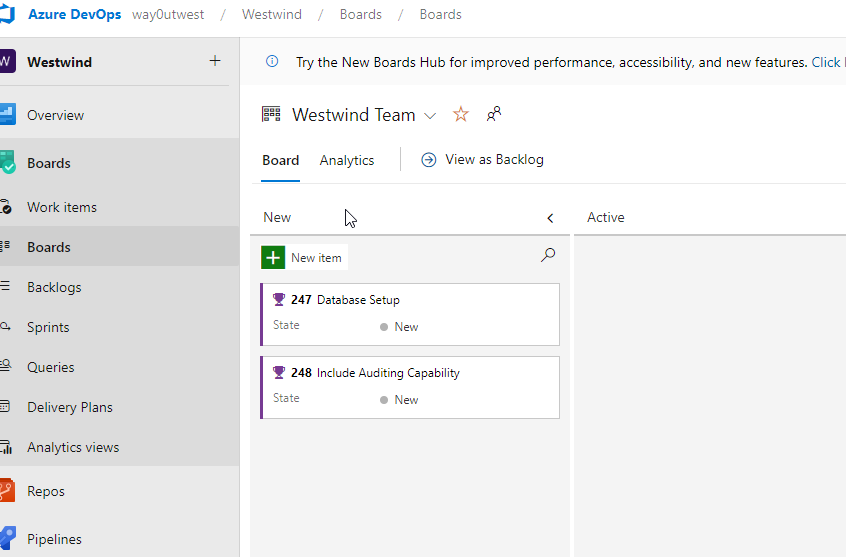
I tend to work from the “Boards” item, which looks like this:
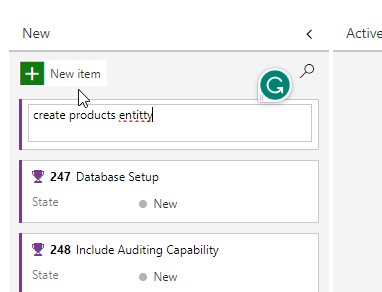
Let’s assume we have a new item, so I’ll click the “New Item” at the top of the left column. This gives me an edit box, which I’ll type in a name.
When I hit enter, this gives me a new work item, which you see below, as 250 create products entitty.
Since I don’t want to leave a spelling error, I’ll edit the title to look better. Now I have a work item.
Linking A Commit in FWD
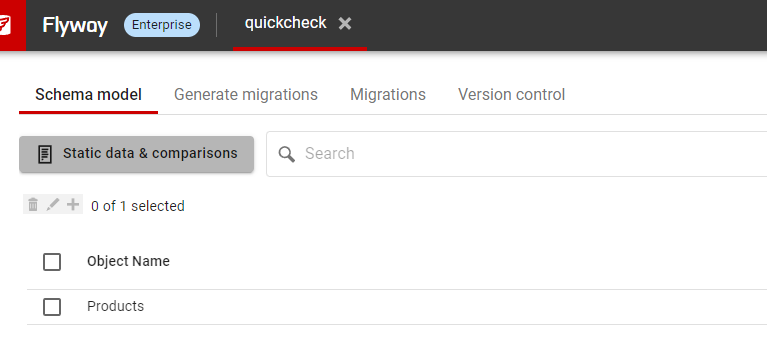
In SSMS, I’ll create the products table. Once I do this, I’ll go to Flyway Desktop and refresh the schema model. When I do this, I see my change. I’ll select this and save to the file system.
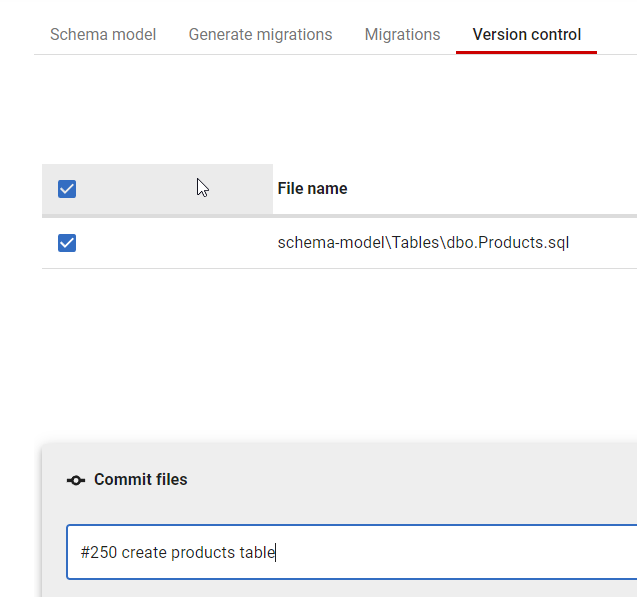
Once this is done, I’ll go to the Version Control tab, and I again see my file changed. Here my file is selected, and I’ll enter a commit message, but I’ll include the work item number after a #. This creates a link.
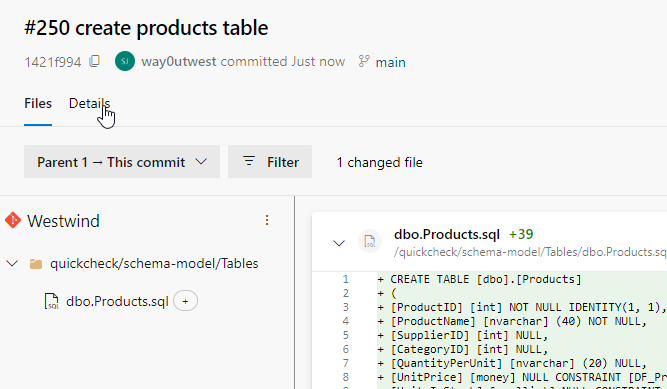
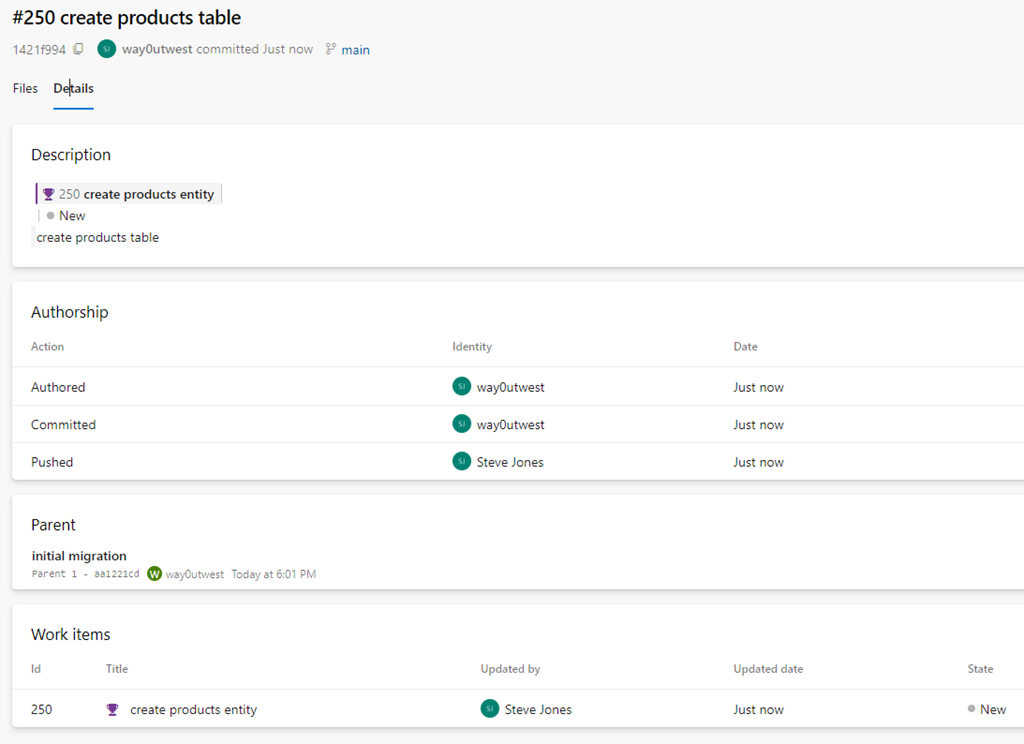
I now click commit and push. In Azure DevOps, in the Repos –> Commit item, I see my commit.
Note the details item under my cursor. If I click that, I see commit details and near the bottom, a link to the work item.
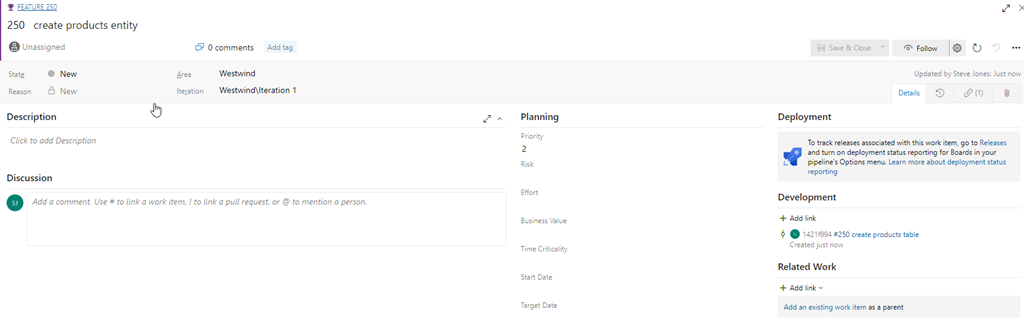
If I click through to the work item, or I access the work item from Boards, I will see my commit linked on the far right of the work item.
This is very handy to have your actual code linked to the work that it relates to. If I have PRs or multiple commits, as long as you use the #nnn, where nnn is the work item, you’ll have everything linked together.
This is less a Flyway Desktop feature than an Azure DevOps one, but you can access this from Flyway Desktop by writing good commit messages with work item numbers.
Try Flyway Desktop out today. If you haven’t worked with Flyway Desktop, download it today. There is a free version that organizes migrations and paid versions with many more features.
I work with a lot of customers that are trying to find better ways to build and deploy database code. Some of them use a state or model method with SQL Compare or another Redgate product, and some want to use Flyway and its hybrid migration-based framework. It’s always interesting to me how customers lean one way or the other, for various reasons.
No matter which choice people make, we know that using migrations is more effort than a state-based approach. However, I think that it’s a better approach, especially because no matter how simple or smooth you think your development process is, at some time there will be a situation that needs a more complex approach. a migrations-based framework allows you to handle the complexity smoothly, without depending on a person to sort out the issues.
It’s not just me, but many developers feel the same way. There’s an interesting article from a developer that gives some examples of why using migrations work well in different situations. It also acknowledges that the effort is high, but by using migrations you can accomplish complex tasks across time. something I try to get more developers to do. Don’t big-bang-deploy-everything, but break things into chunks.
It’s not just a simple change. There are a few reasons that migrations are hard, one of which I loved. The author compares migrations to working with live electrical wires. Imagine hanging a ceiling lamp and wiring it up without turning off the power (note: don’t try that).
One of the best reasons I have for migrations is that lots of work isn’t done at the same time, especially in a team. If each team or each piece of work is broken into separate migrations, choosing which ones to move over from developer is much easier than if all the changes are captured in a state-ful model. You still have to be aware of dependencies between migrations, but having them all separate at the beginning (and hopefully tagged to pieces of work) makes this easier.
The other reason to choose migrations is that I can stage future changes. Imagine I need to make a change to add something in one migration and remove it later. Suppose we add a new tax column and then after Jan 1, we remove the old tax column. With migrations I can pre-write the removal and create a pull request with the “Tax Removal – DO NOT MERGE UNTIL 2024 JAN 1” title, which should be obvious to anyone. I like keeping things simple, which helps when I never know who might need to handle this work in the future.