I delivered a talk today on database deployment best practices at the Denver Dev Days 2024. This is a great event, and I have been lucky enough to attend a few and speak.
Recently the Flyway Desktop (FWD) team release support for state-based deployments. These are similar to SQL Compare deployments, but with your code source control, which is where you want it. This post looks at how this works.
I’ve been working with Flyway Desktop for work more and more as we transition from older SSMS plugins to the standalone tool. This series looks at some tips I’ve gotten along the way.
State-based Projects
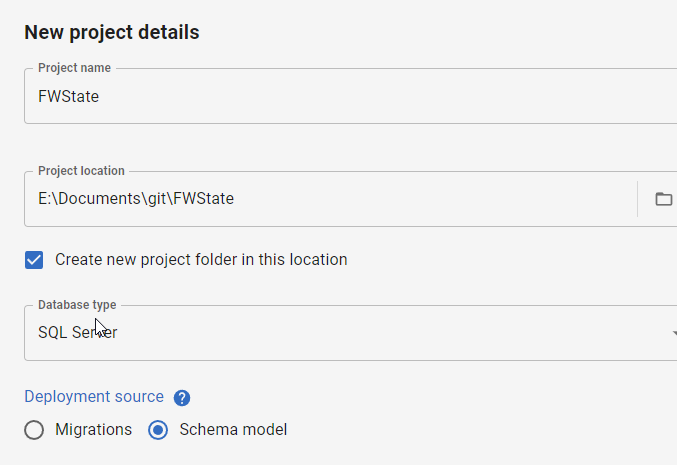
When I create a new project, I now have a choice: migrations or schema model (state-based). You can see the choice below.
I’ll demonstrate this now by creating a new project. I give it a name, folder, type, and then I pick the Schema model deployment source.
Once that is complete, the project is set up and I need to link a development database. I’ll do that first, picking a database with a few objects. In this case, I’ve picked my FWState_1_Dev database.
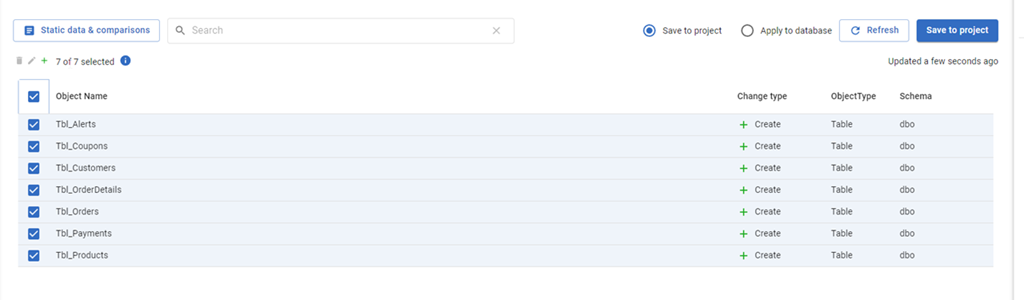
Once this is linked, the FWD tool will read the database, compare to my filesystem and tell me which objects have changed. Since this is a new project, all the objects are new and show up. I’ll select them all and click “Save to project”.
This gets all the code for my objects into the file system (and a VCS). I won’t commit these now in this demo, but normally I would save this code.
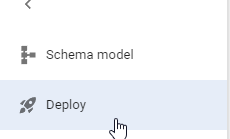
The main change in FWD is the change on the left side menu. Where we have “Generate migration scripts” and “Migration scripts” as options for a migration based project, for a state-based project, we have just a “Deploy” option. I’ll select that.
Once this happens, I have to pick a target. I haven’t configured anything (this is a new project), so I’ll select the “Manage environments” in the upper right section of FWD.
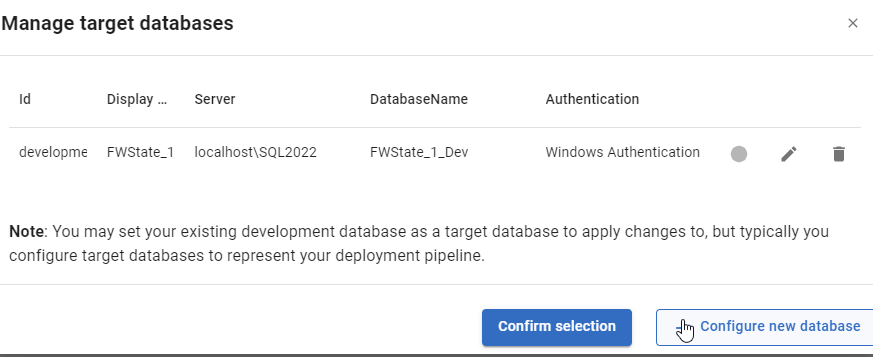
When I do this, I see the environments I’ve configured. So far, I’ve only configured a development environment, but I can click “Configure new database” to add a downstream target.
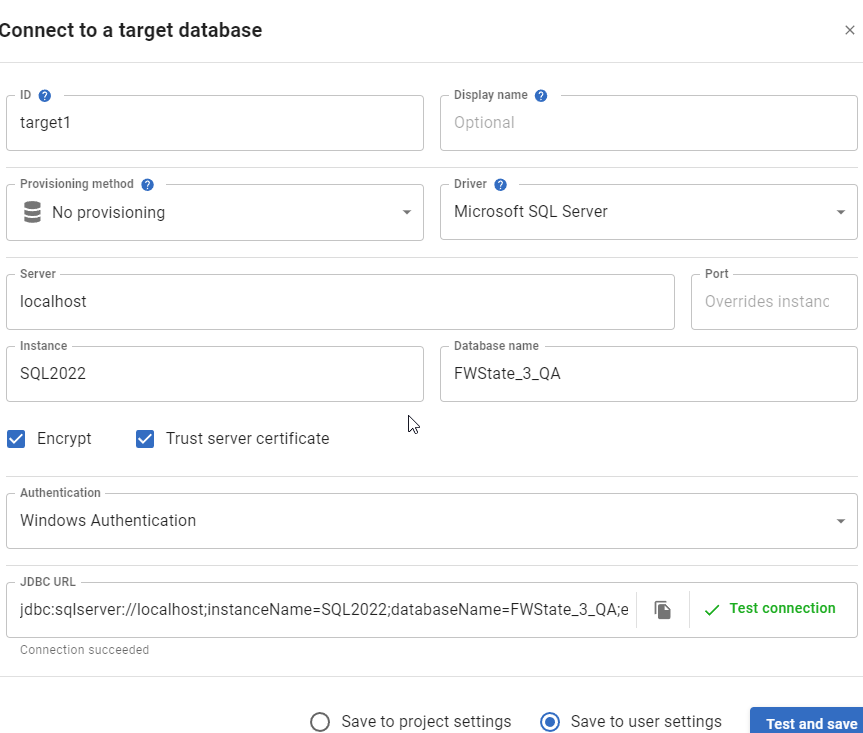
I get the standard FWD connection dialog, and I’ll enter details for my QA database. I usually also click “Test” to ensure I haven’t typo’d something. You can see I didn’t make a mistake below.
Once this is added, it is selected by default. However, I can always click the radio button in the Manage environments dialog and click “Confirm”.
This brings me back to the FWD screen where I see the changes that exist in the project, but haven’t been deployed to the target. In this case, it’s everything (QA is empty). I’ll just click the tbl_Customers table.
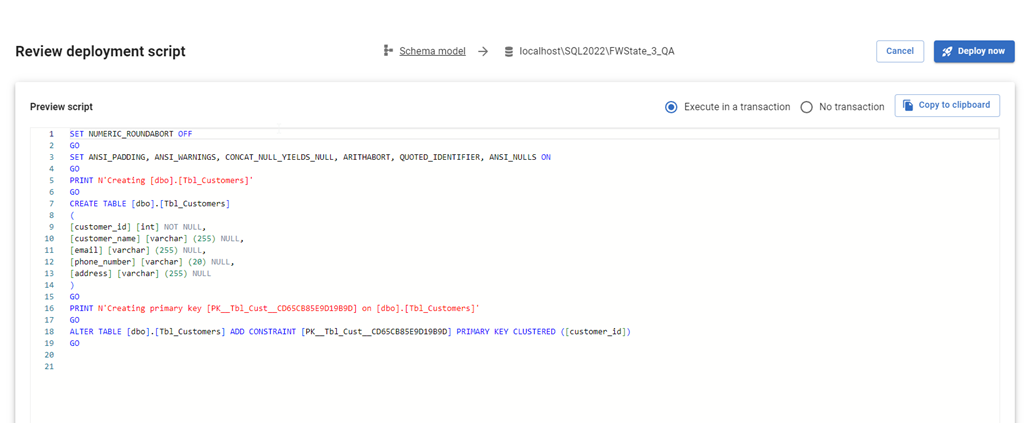
When I click Deploy, the script is generated just as it would be in SQL Compare to update the target with the code from the source. I can review the script, as well as change options. I can add an explicit transaction around all changes, or let them run with the default implicit transaction for each statement. I can also copy the script to the clipboard if I want.
If I check QA, I see no tables.
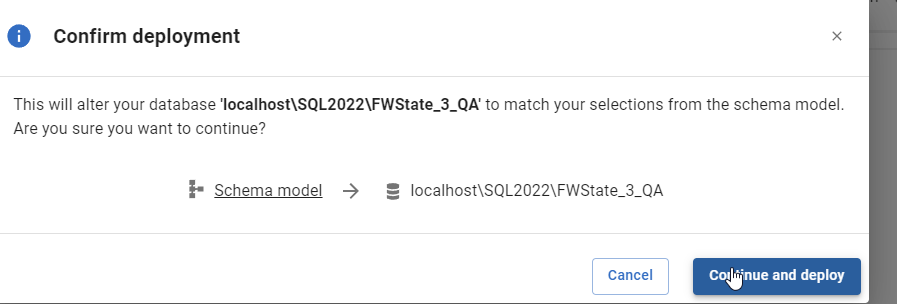
I’ll click “Deploy now” in FWD and the deployment starts. I confirm this is what I want to do.
Once this is done, FWD returns to the screen of objects. Note that tbl_Customers is no longer listed. The project and the target are in sync for this object.
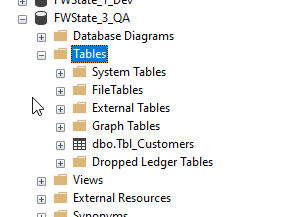
If I go back and refresh QA in SSMS, I see the table exists.
Summary
This short post shows how FWD and the Flyway system can be used to perform state based deployments, similar to SQL Compare or SQL Source Control. If you are used to working in SQL Source Control, this is an easy transition for you to a more modern tech, which will also support Oracle, PostgreSQL, and MySQL.
Try Flyway Enterprise out today. If you haven’t worked with Flyway Desktop, download it today. There is a free version that organizes migrations and paid versions with many more features.
If you use Flyway Community, download Flyway Desktop and get a GUI for your migration scripts.
This article has a concept I’ve never heard about: invisible downtime. This is the idea that there are problems in your application that the customer sees. Your servers are running, but the application doesn’t work correctly or is pausing with a delay that impacts customers. From an IT perspective, the SLA is being met and there aren’t any problems. From a customer viewpoint, they’re ready to start looking at a competitor’s offering.
Lots of developers and operations people know there are issues in our systems. We know networks go down or connectivity to some service is delayed. We also know the database gets slow, or at least, slower than we’d like. We know there are poor-performing code and under-sized hardware, running with storage that doesn’t produce as many IOPs as our workload demands. We would also like time to fix these issues, but often we aren’t given any resources.
The current buzzword among executives and senior IT leaders is observability. It’s the goal of looking at how our entire system, application, database, and network, are linked and performing with an eye on improving performance. Not because they want to spend time or money here, but because customers are becoming more fickle and quick to move to another offering. Leaders know that degraded application performance (another phrase for invisible downtime) can have real bottom-line impacts on revenue.
There are a lot of products in this space, application performance monitoring (APM), designed to look at lines of code and determine how well each is performing. They can help you spot issues in application code, but they lack insight into database and network details, at least at a level that the experts need. As a result, digging into performance issues and root cause analysis of problems usually means pulling data from multiple sources and correlating log entries.
This is likely an area where AI/ML technologies can help, especially across large estates, though I think in many cases, what we need is just a pointer to poor-performing code. C#, Java, SQL, whatever. We need to know where the bad code is and then we need to train developers to write more efficient code. That might be the best way to improve application and database performance.
We’ll also have one of Redgate’s amazing Solution Engineers, Huxley Kendall. He’ll be there to answer in-depth questions on the products and solutions that Redgate offers.
This is a great chance to get exposure to the solutions Redgate offers for building and managing your database code, as well as ask questions about the challenges you face and how we might tackle them.
Register today and join us for a great day in one of these cities.