Tag: encryption

  • Creating a Symmetric Key in SQL Server

    Symmetric keys in SQL Server are recommended for encrypting data in columns. They are a good balance of security and resource usage, much better than asymmetric keys. Creating a symmetric key is fairly simple, using DDL that’s easy to understand.

    One note before I show this is that symmetric keys are deterministic when created, meaning that the same parameters run in different databases will result in the same key. That means that the same key in a different database (or instance) can decrypt data that was encrypted in your production instance. Keep control of the parameters used to create symmetric keys and secure them. That means watch out for storage of these items in source control, in installation files, upgrade scripts, etc.

    Creating a Key

    The creation DDL used is the CREATE SYMMETRIC KEY statement. This command has a number of parameters that you can change. The important ones for most people are:

    • the algorithm
    • the encryption mechanism
    • the key source
    • the identity value

    You should try to use the most secure algorithm you can, which is AES_256 in SQL Server 2012. It’s the same back to SQL Server 2005. You should avoid the RC4 algorithms, since they are not terribly secure. Even the DES ones you might avoid, but do some research to understand if you have a need to use anything less than AES_256.

    The encryption mechanism provides protection for the key. You can use a password (secure it) or you can use another key. The common way to secure the symmetric key is with an asymmetric key (or a certificate). However if you have the option to use a hardware module with the extensible key management (EKM) system, use that. You can use multiple encryption mechanisms if needed, which might be useful for separating the access to this key for different users.

    The key source provides a way to seed the key. This is a parameter you need to regenerate the key.

    The identity value is optional, but provides more a passphrase to tag a key. Useful for temporary keys.

    To actually build a key, let’s create one here using a few parameters, and securing it with a password:

    -- create a symmetric key
    create symmetric key MySalaryProtector
     WITH ALGORITHM=AES_256
        , IDENTITY_VALUE = 'Salary Protection Key'
        , Key_SOURCE = N'Keep this phrase a secr#t'
      ENCRYPTION BY PASSWORD = 'Us#aStrongP2ssword';
    go
    

    That’s it, once you have executed this, you have created a key. You can see your symmetric keys by querying sys.symmetric_keys

    SELECT * FROM sys.symmetric_keys

    sym_key_a


    That’s all you need to do. There’s not backup or restore of a key; if you need to recreate it, supply the same parameters and you’ll get the same key. The keys are stored in the backup of a database, so if you restore from backup, you’ll have them back as well.

    In another post, I’ll look at actually encrypting data with a key.
  • Key Storage

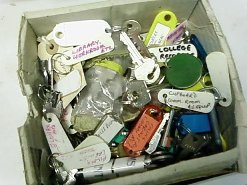
    keys
    Hopefully your digital key storage is more organized and secure than this.

    One of the issues with encryption, perhaps the biggest issue, is the management of the keys that protect the encrypted data. I have been an advocate of keeping the backup of the keys far away from the backup of the encrypted data.I usually want them on separate media, or a separate tape, just so that a loss of my backup of the data (or the data itself), doesn’t include the key.

    However this presents a problem in a DR situation, especially over time. If I make a backup, and lose my server in a year, can I easily find the copies of the asymmetric keys or certificates? Can I easily match up the proper key with the encryption if I rotate keys periodically? There hasn’t been a great solution I’ve seen to solving this issue.

    Recently I saw a talk on security, and the speaker mentioned they kept copies of their certificates on the backup tape with the backup of the data. This person felt that since a password was needed for the certificate, that this was secure enough. Perhaps, but you still have the problem of securing that password over time as well. This week, I wanted to ask those of you that use encryption, how do you handle the issue.

    Would you store a secure asymmetric key protected with a password on your backup drive or tape?

    If so, then how do you handle the security of the password? If not, then what other solution do you have? I know key management is a struggle in many organizations, but if you have something that works for you, let us know how it works.

    Steve Jones


    The Voice of the DBA Podcasts

    We publish three versions of the podcast each day for you to enjoy.

  • Hashing Collisions

    One of the problems with hashing is that you can have collisions from values that are not very similar. This means that if you are using hashing as a way to identify similar values, you need to make further checks with the original data after the hash matches are gathered.

    This post will show a few examples of the collisions that can occur if you use the CHECKSUM() or BINARY_CHECKSUM() functions.

    If we examine this code:

    -- Checksum
    declare 
      @i varchar(200)
    , @j varchar(200);
    
    select @i = 'LE';
    select @j = 'AAAAAAAAAAAAAAAALE';
    
    select 
      Plaintext = @i
    , checksum = CHECKSUM(@i)
    UNION ALL 
    SELECT
      Plaintext = @j
    , checksum = CHECKSUM(@j);
    GO
    

    This returns a result like this:

    hashing2

    Note that these two values are the same as far as the checksum hash goes.

    If we switch to BINARY_CHECKSUM(), we can get similar results.

    -- binary_checksum is no better
    declare 
      @i varchar(200)
    , @j varchar(200)
    , @k varchar(200);
    
    
    select @i = 'LE'
    select @j = 'Ou'
    select @k = 'MU'
    
    select 
      Plaintext = @i
    , BINARY_CHECKSUM(@i)
    UNION ALL 
    SELECT
      Plaintext = @j
    , BINARY_CHECKSUM(@j)
    UNION ALL 
    SELECT
      Plaintext = @k
    , BINARY_CHECKSUM(@k)
    GO


    hashing3

    While these two functions can be useful, you do have to be careful with the results. A matching hash from these functions does not mean that the source data is the same.

  • The Encryption Primer

    This talk deals with SQL Server encryption options. I have given a few variations, and you can get the different decks below.

    SQL Server has a number of encryption features that allow you to better secure your data. This session will examine the basics of encryption and cover the various ways in which you can encode and decode your data to protect it from unauthorized access. Cell level encryption, Transparent Data Encryption, and backup encryption will all be discussed. This session is designed for those who want to learn the basics of how to protect their data.

    This talk looks at the encryption options in SQL Server that are available, including the changes in SQL Server 2012. The agenda is:

    • What is Encryption
    • Encryption in SQL Server
    • Transparent Data Encryption
    • Hashing
    • Symmetric Keys
    • Asymmetric Keys
    • Certificates
    • SSL Communications

    The presentation features basic demos of how these features are implemented in SQL Server.

    Level: 200

    Length: 60-75 minutes

    Demo code:

    Slides:

    Presentation Schedule

    You can view the my speaking schedule here. The upcoming and past deliveries of this session are:

    1. Apr 27, 2013 – SQL Saturday #175 – Fargo
    2. Apr 10-12, 2013 – SQL Intersection, Las Vegas, NV
    3. Apr 9, 2013 – SQL Saturday #197
    4. Mar 9, 2013 – SQL Saturday #187
    5. Mar 7, 2013 – Richmond SQL Server User Group
    6. Nov 15, 2012 – Denver SQL Server Users Group
    7. Nov 13, 2012 – Boulder SQL Server Users Group
    8. Nov 5, 2012 – SQL in the City Seattle, WA 2012
    9. July 28, 2012 – SQL Saturday #144 Sacramento, CA
    10. June 9, 2012 – SQL Saturday #132 – Pensacola
    11. Apr 28, 2012 – SQL Saturday #131 – Phoenix
    12. Mar 26-29 – SQL Connections, Spring 2012

    Related Blog Posts