Tag: misc

  • The Test of Time

    This editorial was originally published on June 25, 2011. It is being re-run as Steve is out of town.

    IBM turns 100, and in , they brag about bench pressing more other companies half its age. That’s a great headline, and I still remember when IBM was not only the premier hardware vendor of the computer world, but also the largest software maker as well. The “Smarter Planet” ads that IBM puts out there are great, and they are a diverse company, covering so many different industries and locations that it’s hard to comprehend everything they are working on.

    The culture and mission of IBM has changed in 100 years, but it’s still amazing that the company has survived. I think back to the tech companies of my youth, and many of them are gone. Who remembers 3COM? Anyone set up a Wellfleet router? DEC becoming Compaq, and now HP. Apple is still around, but Sun Microsystems is disappearing into Oracle. Microsoft is only 30 years old.

    I once worked for a hundred year old company, one that embraced and remembered it’s history, even as it evolved in the modern world. The President of the company had worked there for his whole career, taking over for his father that had worked there almost his whole life and still came into the office a few days a week at age 80. There was a sense of history, tradition, and pride that kept people working there, with the vast majority of the company having worked there over a decade when I was hired.

    The modern world is fast paced, rapidly changing, and evolving quickly, but there is something to be said for adapting to fit in, while maintaining your mission and ideals. I hope that more companies would look beyond their next quarter or year and make the attempt to build a business that they are proud of, and can survive a hundred years into the future.

    Steve Jones

  • What Not To Say

    This editorial was originally published on Jan 26, 2011. It is being re-run as Steve is out of town.

    This article on 8 things your boss doesn’t want to hear made me smile. There are a few phrases listed that I would definitely recommend not using if you want to succeed in your current place of employment.

    Having managed a few DBAs in my career, I thought of a few more that I thought might fit the data professionals out there as “things not to say” to your boss:

    I’m not sure if more memory will help: You could substitute CPU or disk drives for memory in this one, but it’s your job to know. If you don’t, learn how to tell what your bottlenecks are and make appropriate recommendations.

    That additional memory didn’t help: The only thing worse than not being able to make a good recommendation is making one that doesn’t improve performance after your boss has approved the purchase. Now you look bad, and you’ve made your boss look bad.

    Company X has offered me $yyyyy. Will you match it? You can get away with this once at a job, or maybe once a decade. If you want to go to your boss with this one, be ready to quit if you don’t get it, and be ready to shine if you receive the raise. No one wants to be put in a corner, and I would be likely to let you move on if you came to me, unless I felt you deserved it. Even then, the second time you ask, I’m showing you the door.

    I downloaded this software off the Internet and it crashed the server: You can’t trust stuff you download, no matter what the Open Source crowd says. Test, test, test. Preferably on a test machine.

    It works on my machine: I have always wanted to answer this with a “Who gives a <insert four letter expletive here>?” My actual responses haven’t been that far away if it’s an important project and you give me this excuse.

    Feel free to add your own “things not to say” to the comments below.


  • Who Am I?

    I saw Brent Ozar updating his About Me slide, and thought it was interesting. Not sure if I like what he’s done, but it’s different, which usually attracts attention.

    I updated mine last year, with some help from the people at Red Gate. Here’s my slide.

    2015-05-26 18_30_25-CI for Databases.pptx - Microsoft PowerPoint

    No description of jobs, what I’ve done, my age, company, etc. No MVP or other awards or certifications.

    I wasn’t sure about this early on, but I like it. I can tailor the talk about me to the situation, making it short or long. I also include the information on the right at the end of the deck as the last slide, so people can grab it there.

    I’m not sure if this works, but I have seen a bit more traffic to my blog and more Twitter/LinkedIn activity.

    I also get some fun comments when I’m actually wearing this shirt at a talk.

  • Quick Installs with Chocolatey–Screen Capture

    I have been looking for a new screen capture tool. I used to use Snagit, but it felt too heavyweight and buggy for me. I just need to snag part of a screen for my job and blog. I used Quick Screen Capture, but in Win 8 it didn’t want to accept my license key. I’d tried a few more, but none really worked well.

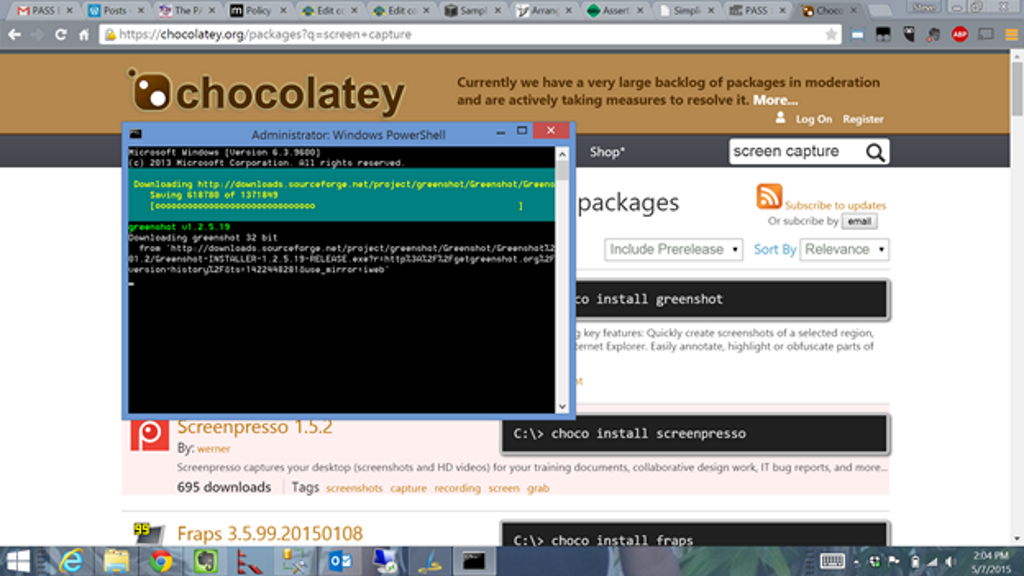
    I mentioned this to Andy Warren on the phone the other day and he told me to try Green something. I decided to do that today, and couldn’t remember the name, so I surfed over to chocolatey.org and searched for screen captures. Sure enough, Greenshot popped up first.

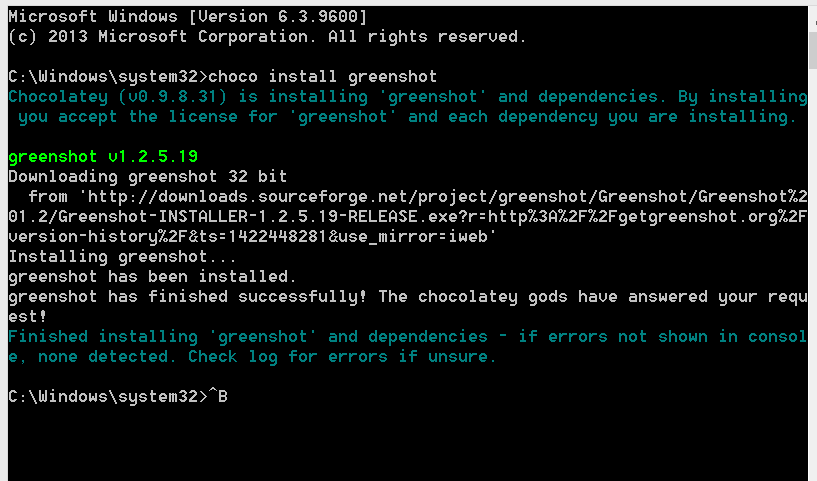
    I quickly opened an administrative level command prompt and typed “choco install greenshot” and went along with my work.

    Chocolatey is an amazing package manager and it started the install for me in the background.

    chocolatey_install

    A few minutes later I noticed the browser pop the greenshot website as the final part of the install. The program was set up with its install defaults and running on my system.

    2015-05-07 14_06_26-Administrator_ Command Prompt

    Chocolatey is amazing and I urge you to look at it for installing software on your system, especially if you’re a developer or consultant that regularly moves hardware or systems.

    If you’re a software developer, get your stuff packaged into here.