Tag: powershell

  • The (Former) Complexity of PowerShell

    When I first looked at PowerShell, it was v1.0, and I was in a TechEd presentation. The language seemed a mile past the VBScript I was using when T-SQL didn’t function well. The ability to access the .NET namespace, work with objects, and program with error handling was exciting. I played with the language a little, but didn’t find that many places to use it at the time.

    Certainly file operations were much easier with PowerShell, and I built scripts to copy backup files around the network. AD operations were easy in PoSh. However, when I tried accessing SQL Server, I thought the code was complex. In fact, whether I was running a stored procedure, or performing a restore, the PowerShell code required was cumbersome. A good example is shown at the beginning of Aaron Nelson’s recently updated post on querying with PoSh. The complexity shown to just make a connection to PoSh made me think I should just write that kind of code in C#, with all the debugging and other software support available in Visual Studio. Building quick utilities with PoSh was something I’d like to avoid.

    When I heard that SQL Server Powershell was being updated, I wasn’t too excited. I had visions of there being newer versions of cmdlets, but a similar level of effort to work with SQL Server. However, as I’ve played with the new cmdlets, along with the dbatools module, I see PoSh becoming easier to use than T-SQL in some cases. In fact, I’ve started to keep a command line window open (with ConEmu) and access that to perform lots of quick tasks that aren’t based on simple queries of data. Even a backup with Backup-SqlDatabase seems as simple as it might be in T-SQL, perhaps more so if I don’t have an SSMS connection open.

    I know there can be a debate over whether you need PoSh as a DBA or you can get by with just T-SQL. I don’t want to take a side here, and no matter how you feel, if you can get work done, then you are successful. Your job depends on you being able to reliably write code to perform some task over and over. The language doesn’t matter.

    My view is that I think there are cases where PoSh seems a better fit and places where T-SQL works really well. I want to improve my skills in both so that I can decide what works best in any particular situation, and feel comfortable in building a solution either way.

    Steve Jones

    The Voice of the DBA Podcast

    Listen to the MP3 Audio ( 3.6MB) podcast or subscribe to the feed at iTunes and Libsyn.

  • Using Out-GridView To Pick Parameters–#SQLNewBlogger

    Another post for me that is simple and hopefully serves as an example for people trying to get blogging as #SQLNewBloggers.

    I was editing an article on PoSh and learned something cool. I can use Grid-View to surface an object in a pipeline and then change the items passed through to the next command.

    Here’s how it works. Suppose I have a simple comment, like Get-SqlDatabase. I can run this and get a series of database. (command and output shown here).

    Get-SqlDatabase –ServerInstance .\SQL2014

    2017-01-03 12_50_20-powershell

    I get a bunch of data, but I don’t want all the items. For example, maybe I just want the “SimpleTalk” databases.

    Get-SqlDatabase -ServerInstance .\SQL2014 | Where-Object { $_.Name -like ‘SimpleTalk*’}

    2017-01-03 12_51_42-powershell

    I don’t want to edit this Where-Object clause all the time. I want something simple to easily fix this.

    Enter Out-GridView

    Instead of changing my filter, I can do this graphically. I can pipe my output to Out-Gridview, and I’ll get this.

    2017-01-03 12_54_44-Get-SqlDatabase -ServerInstance ._SQL2014 _ Out-GridView

    All of my output data appears. No big deal, right? Is this useful? It sure is. Look at the filter item above. I can type in there, and my data is filtered.

    2017-01-03 12_55_29-Get-SqlDatabase -ServerInstance ._SQL2014 _ Out-GridView

    How can I use this? Suppose my code is this:

    PS SQLSERVER:\SQL\Plato\SQL2016\Databases> Get-SqlDatabase -ServerInstance .\SQL2014 | Out-GridView -PassThru | Backup-SqlDatabase -CompressionOption Default –Script

    Here I’m getting a list of databases, passing them to Out-GridView, and then sending the results to Backup-SqlDatabase, which will return a script to back up all my databases.

    I’ll run this, and then enter a filter in the grid.

    2017-01-03 12_57_47-Get-SqlDatabase -ServerInstance ._SQL2014 _ Out-GridView -PassThru _ Backup-SqlD

    I can now highlight all these rows (if that’s what I want).

    2017-01-03 12_59_11-Get-SqlDatabase -ServerInstance ._SQL2014 _ Out-GridView -PassThru _ Backup-SqlD

    This time I have an “OK” button in the lower right corner of the grid.

    2017-01-03 12_58_23-Movies & TV

    When I click “OK”, my filtered list is returned to the pipeline and send to the backup command.

    2017-01-03 12_59_32-powershell

    This is a quick way to work with the parameters in your pipeline in an ad hoc way. Use Out-GridView to filter and select the rows you want to return to the rest of your script.

  • Easy Database Space with dbatools

    One of the things that I’ve seen DBAs query for is free space in a database. In fact, this is one of the most common questions posted on SQLServerCentral by newbies that are trying to manage their instances and ensure they don’t use too much space or run out of space.

    The most common way to do this is with sp_spaceused. This system stored procedure has been around for a long time and is commonly used. However, it’s cumbersome to me. I get two result sets, I get data formatted in both MB and KB, it’s hard to use for multiple databases, and incorporating it with some automated tracking gets annoying. Not hard, just annoying.

    Get-DbaDatabaseFreespace

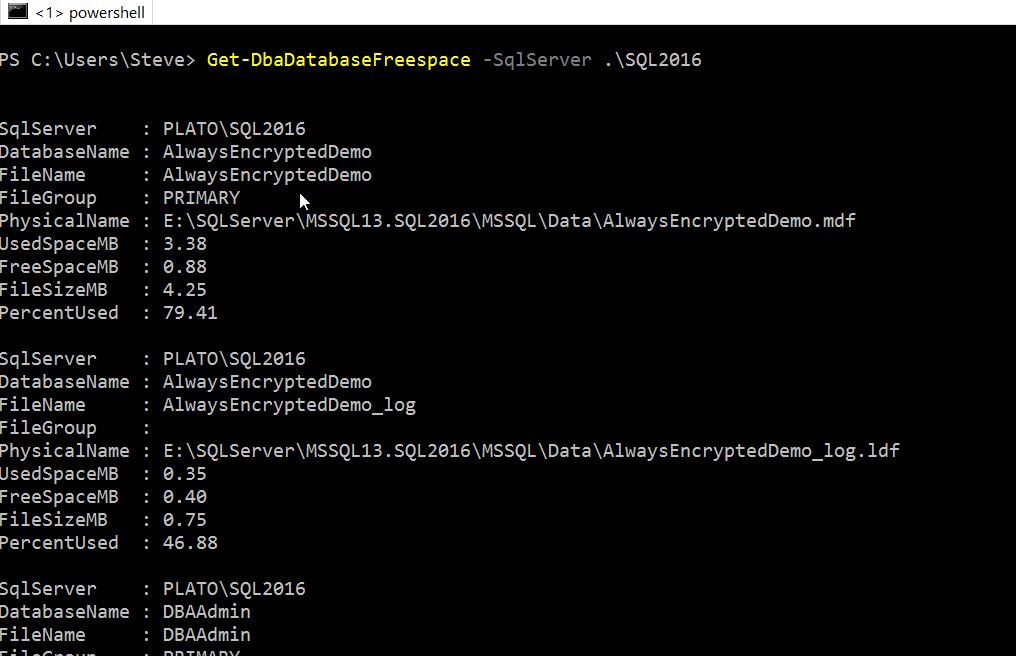
    Enter dbatools. One of the cmdlets included is Get-DbaDatabaseFreespace and this does exactly what you’d expect. This takes the name of an instance as a parameter, and when you run it, you get a bunch of information about your databases and their space usage.

    2016-12-29 09_17_01-powershell

    These are good numbers, but with PoSh, I can easily just get the data I want. For example, I can add a –Databases parameter and see specific databases.

    2016-12-29 09_31_21-powershell

    I can also limit reformat the data in a table and limit what’s returned:

    2016-12-29 09_32_29-powershell

    This flexibility to easily see data is one thing that I like about PosH. I could pipe this into a filter and look for those items that are of a certain size, or have a certain percentage value.

    Putting this into a report, or even an alert that might get sent to DBAs is a great way to keep an eye on space and ensure that you don’t run out of space. Of course, tracking this over time is easier with a tool like SQL Monitor, but for quick checks, this dbatool is very handy.

    If you haven’t played with these, I’d recommend you do this. This collection makes working with SQL Server and PoSh much easier.

  • Easily Move Databases with Copy-SqlDatabase

    One of the things that people have asked to be implemented for many years is an easy way to copy databases. SSIS has the Copy Database Task, but that has been problematic over time. As a result, while easy, it’s cumbersome to take a backup of a database, copy it to a new instance, and restore it. Or use the detach/copy/attach/attach method.

    dbatools gives us a nice, easy Posh command to perform this task: Copy-SqlDatabase. I made a quick test recently to see how this works. Using the –Whatif option, I tried to copy a database from one instance to another on my main computer.

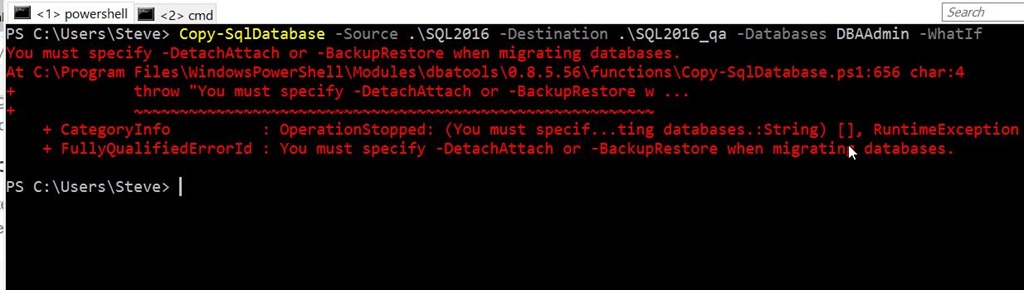
    My first attempt didn’t do well.

    2016-11-22 10_32_58-powershell

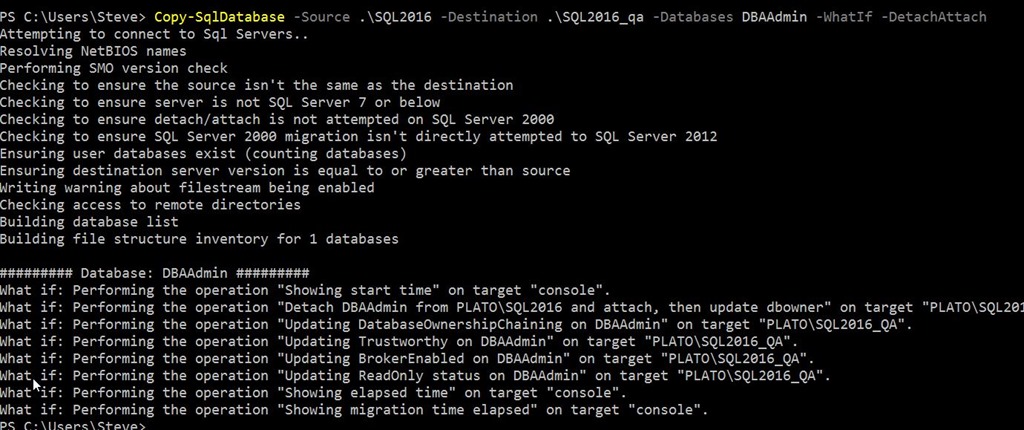
    I was thinking there would be a default method, but there isn’t. You must specify using the backup/restore method or the detach/attach method. I decided to try the detach/attach method.

    2016-11-22 10_31_08-powershell

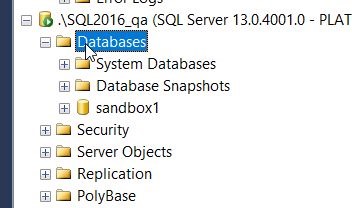
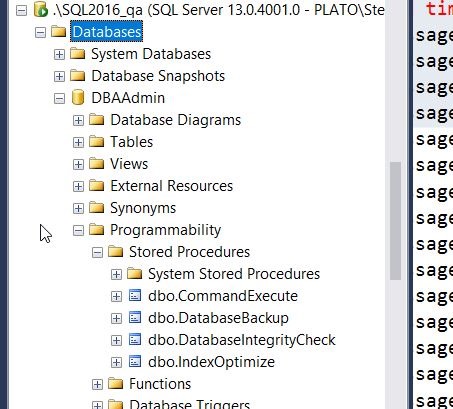
    As you can see, this looks to detach and then reattach the database, so let’s try it. First, check my QA instance. There is no DBAAdmin database.

    2016-11-22 10_31_42-SQLQuery1.sql - localhost_SQL2016.DBAAdmin (PLATO_Steve (67))_ - Microsoft SQL S

    This is a small database with just a few procs and tables in it. When I remove the –Whatif option, it works.

    2016-11-22 10_31_28-powershell

    I saw the green PoSh flash in the middle as the file was copied from one location to the next using the BITS method. When I looked in my SQL2016_qa instance, I saw the database and objects.

    2016-11-22 10_31_54-SQLQuery1.sql - localhost_SQL2016.DBAAdmin (PLATO_Steve (67))_ - Microsoft SQL S

    All in all, this took about two minute for me to move this database. Certainly that is about the time of a backup, but I did this with one command, and it felt much, much easier.

    There was a downside for me. I need to double check this, but I didn’t get the database re-attached at the source, and I had to do that myself. The files were there, just not attached. Perhaps it’s just me, so I’ll retest when I get the chance, but it seems to be a minor bug.

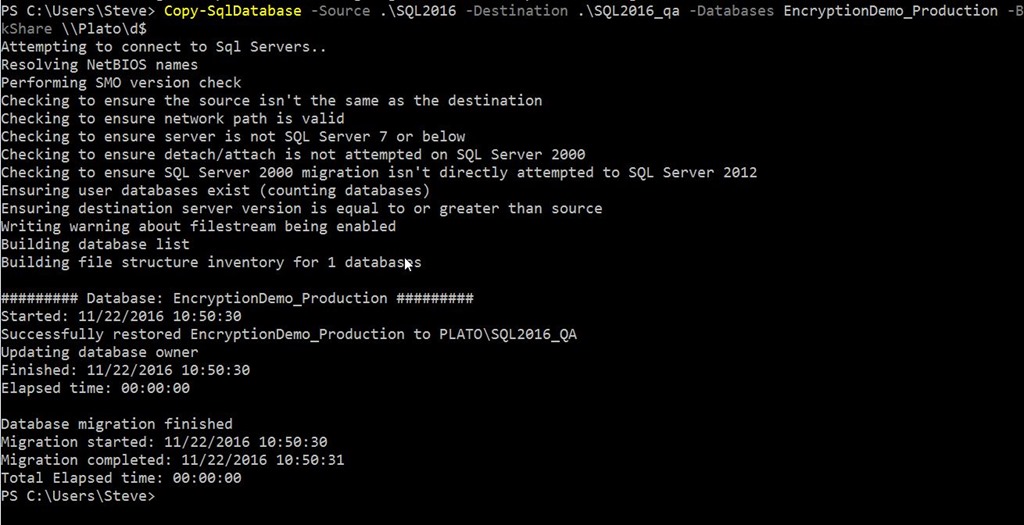
    I also tried the backup/restore option here. I had to provide a fileshare, which I chose to be my local D: drive. Note, this has to be provided or a popup will appear. This also has to be \\server\share, not d:

    2016-11-22 10_51_03-powershell

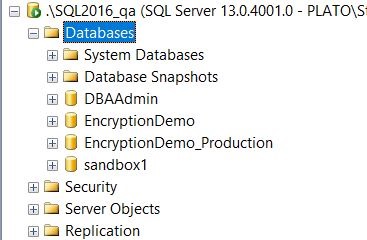
    This worked, with the new database appearing on my second instance.

    2016-11-22 10_50_47-SQLQuery5.sql - localhost_SQL2016.sandbox (PLATO_Steve (63)) - Microsoft SQL Ser

    The backup was also removed from my drive:

    2016-11-22 10_51_25-EVO850_500 (D_)

    Overall, this is handy, and I’ll likely use this as my default method for moving databases between instances.