 Recently I mentioned that having a smartphone has made me much more productive. I’m on the move fairly often, and the ability to respond to emails and keep in touch with people, take notes, and check on SQLServerCentral from almost anywhere in the world has become very valuable to me. It certainly is a double edged sword as it is also hard to get away from work. Setting those boundaries is important, and smartphone or not, I would encourage you to make sure you have some boundaries with your employer.
The iPad is a new device that changes the game in terms of what we can do with mobile devices. It handles remote connectivity in a way unlike smartphones, but is less cumbersome than a laptop and works in many situations where you might not want to carry, or power up, a laptop.
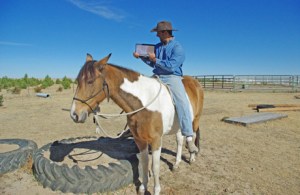
Back in October, I got an email from my employer, Red Gate Software. Wibke, in the Marketing department, asked for people with iPads to take pictures of themselves using the new SQL Monitor software to remotely monitor servers. It seemed fun to my wife, who got me on a horse for the picture you see here.
It was contrived, after all, I couldn’t really check on the SQLServerCentral servers from a horse. The ranch is too large, and my wireless signal won’t reach out to the far side of the barn. That doesn’t mean I wouldn’t monitor my servers from outside if I had wireless connectivity. You, however, can see how the SQLServerCentral database cluster is running by connecting to the remote demo instance of SQL Monitor and see in real-time how our servers are performing.
The idea of using an iPad to monitor your servers, and even get work done, however, isn’t contrived. I used my iPad to show off SQL Monitor at SQL Saturday #59in New York City, and I have a friend that manages many of his Windows servers using iTap, a remote RDP program for the iPad. At SQL Connections this year, I was surprised to see quite a few people checking their email in Outlook using RDP technology from an iPad. I asked a few people what they thought and while it was more limited than using a laptop, most of these geeks thought the iPad was more convenient in a remote environment.
But I Don’t Have an iPad?
Not many people have iPads, and most of my geek friends find them to be an expensive toy. I mostly agree, but I have found you can definitely use these devices for work. So I’m going to give you a chance to have your own iPad and let me know if you agree.
Red Gate has decided to sponsor three contests, all of them related to SQL Monitor, and all designed to get you an iPad in time for Christmas. I have 10 iPads to give away, along with 10 licenses of SQL Monitor to install on a server and let you begin using your iPad for work right away. That’s decimal ten, not binary 10, so there will be quite a few winners.
Actually there will be 30 winners, since Brent Ozar and Grant Fritchey are running their own SQL Monitor/iPad contests and each giving away ten bundles of their own. You can read about Brent’s contest on BrentOzar.com, and Grant’s contest at ScaryDBA.com. Brent is asking where you might go and use an iPad for monitoring while Grant is asking about how this might help you find a better work/life balance.
My contest is asking a little different question. I’d like you to think a little bit about how you could create new synergies with the iPad. How could you do your job better, a little quicker, or in a new way if you had a small, lightweight tablet with a large screen that gives you the connectivity to reach other computing resources. I’m looking for some creativity and a thoughtful way of freeing yourself from a desk and at the same time bringing some additional value to your employer.
Think about it a bit and write me an interesting paragraph in the discussion for this editorial. I’ll judge the entries submitted before Friday , Dec 17, 2010 and ship off some iPads to the ten best over the weekend.
Good luck and send me an interesting note. You can only enter one of the three contests, so think about which one make the most sense for you:
The fine print rules:
- The contest is open to professionals with SQL Server monitoring responsibility. Entrants must be 18 years old or over.
- Entries must be received by Friday, December 17, 2010. The contest organizers accept no responsibility for corrupted or delayed entries.
- Employees of Red Gate, the contest organizers and their family members are not eligible to participate in the contest.
- Entries are limited to one per person across the three simultaneous contests hosted on www.sqlservercentral.com,www.brentozar.com, and www.scarydba.com.
- The organizers reserve the right, within their sole discretion, to disqualify nominations.
- The organizers’ decisions are final.
- Red Gate Software and those involved in the organization, promotion, and operation of the contest and in the awarding of prizes explicitly make no representations or warranties whatsoever as to the quality, suitability, merchantability, or fitness for a particular purpose of the prizes awarded and they hereby disclaim all liability for any loss or damage of any kind, including personal injury, suffered while participating in the contest or utilizing any prizes awarded.
Important dates
- Deadline for entries: Friday, December 17, 2010.
- Winner announced in week commencing Monday, December 20, 2010.
Good Luck to you all and leave me a comment in the discussion for your chance to win. (hint, I talk a touch more in the podcast for what I’m looking for)
Steve Jones


