One of the things that people don’t think about often is whether the changes made in development actually get to production. Usually this is because most changes go, and unless it’s a big change that causes a problem for a large number of customers (or a large customer), we often just deal with mistakes as we can.
That’s not ideal, and certainly not what I’d like to see as a developer. I’d like to get changes to customers quickly enough that I get feedback. In this post I want to look at how DLM Dashboard can help here.
Tracking Changes
There’s a disconnect in traditional software development. Developers write code to meet some spec, and often drop that into some storage spot, hopefully a Version Control System (VCS) and eventually that code gets deployed to production. Whether a web site, client local app, mobile, database, etc., that code tends to move in batches.
Developers typically haven’t been concerned about the overall packaging of all the code, mostly because code gets pulled from multiple people, so it’s hard to track this. We depend on project manager or some deployment person to ensure all changes get deployed.
For the database, because people often manually build, or at least edit, scripts, I find there are more changes for a particular line of code to get left out. That can be bad, and maybe really bad if you deploy the database in advance, such as a day or week before other code.
How do we track changes?
How can we track changes? In a VCS things are easy to see. However, we really need to see a bundle of changes. Having a version of the database, not just the latest version, becomes important. Let’s look at an example.
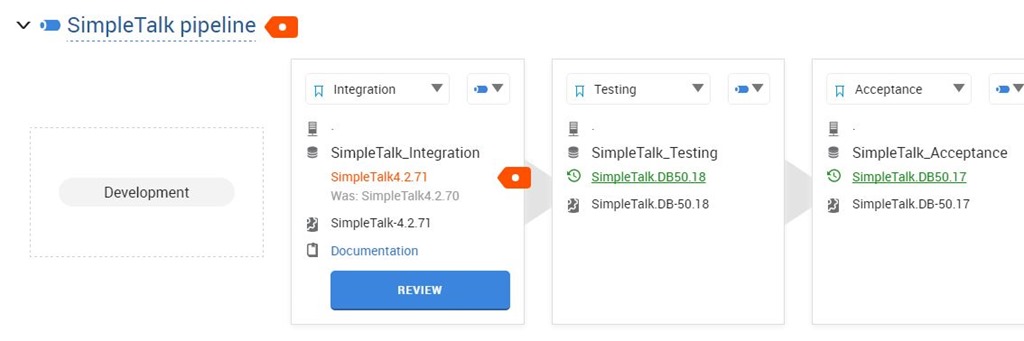
I’ve made some changes in development, and my CI process pushed them to my integration environment. This shows my current database pipeline like the image below:
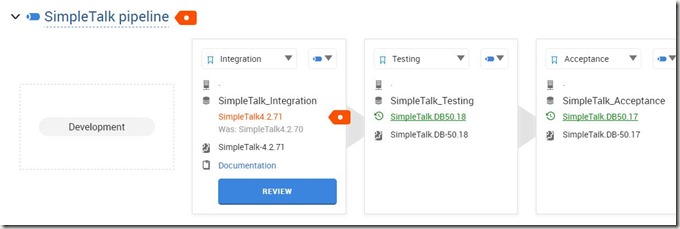
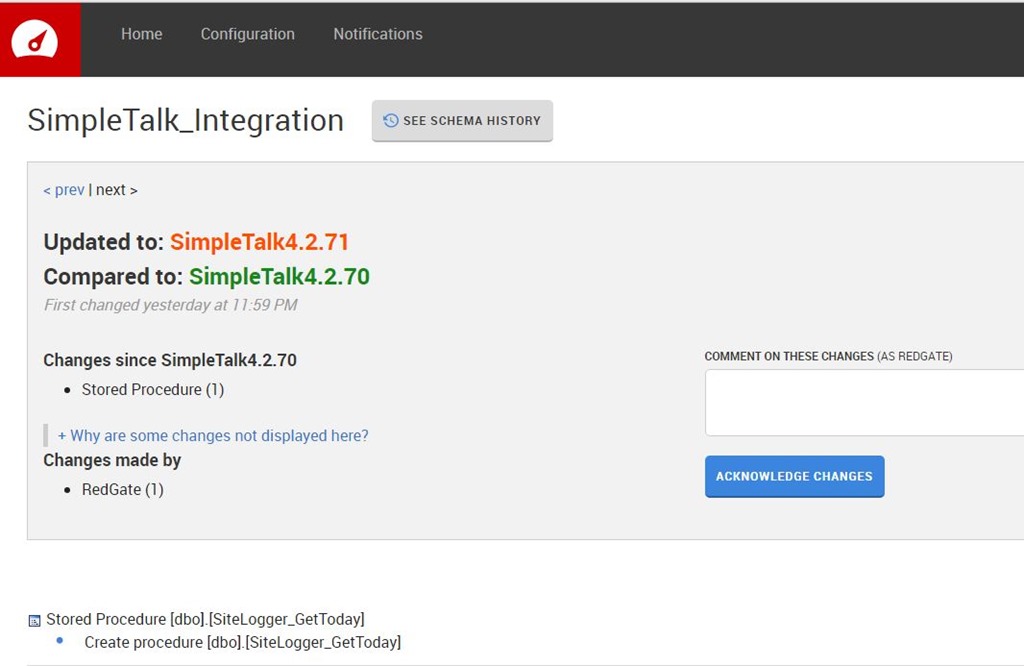
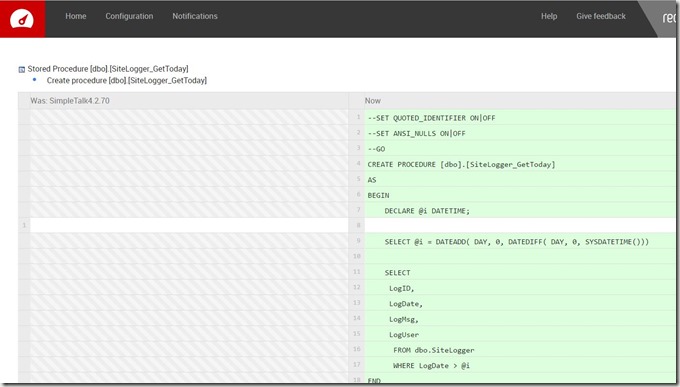
In this case, I’ll get a close-up of the details, but I’ve moved my Integration environment from a database v of 4.2.70 to 4.2.71. This is from a new stored procedure, as you can see below.

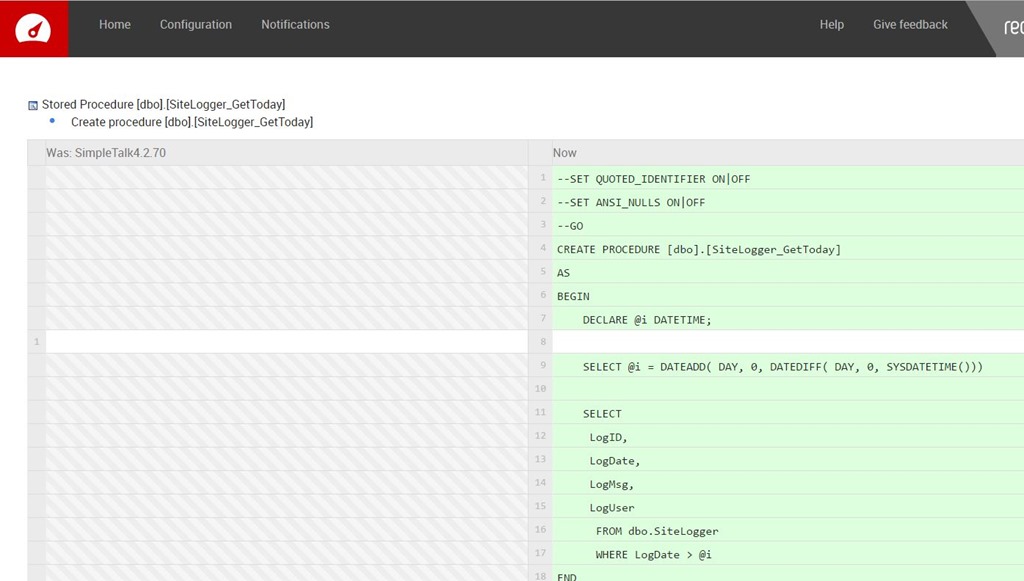
I can see the details of the procedure, as I’ve shown here.
I typically might not look at each CI build, though perhaps as a DBA I’d go through a series of changes across some period of time. That’s a post for another day. In this case, I usually would approve all the changes occurring in Integration environments. Eventually I’ll end up with quite a few changes. I’ll make a few more, with a few more commits and up the version a few numbers after marking this version as reviewed.
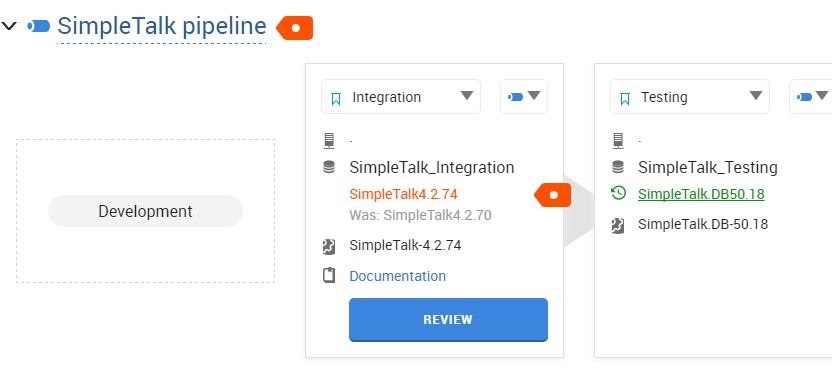
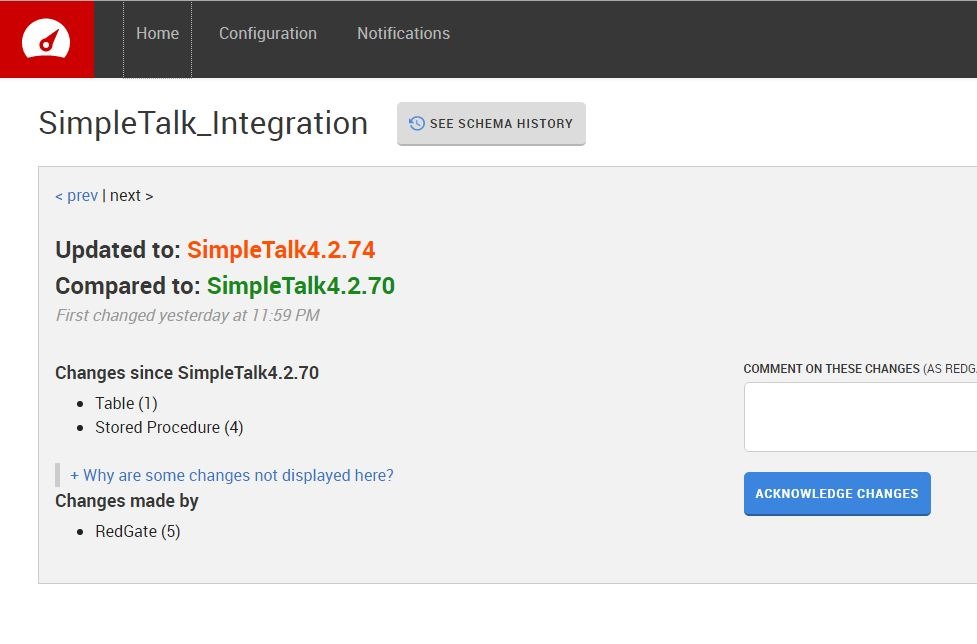
I’ve made four separate commits, and now see this in my dashboard.
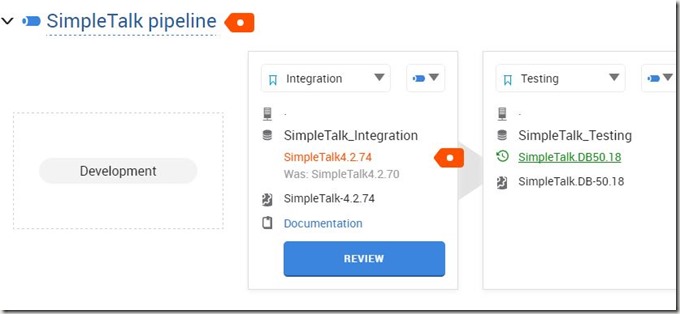
As you can see, the CI process has updated the integration database to 4.2.74 from 4.2.70. However, as I dig in, I can see details. The “Review” button only gets me the changes from the most recent commit.
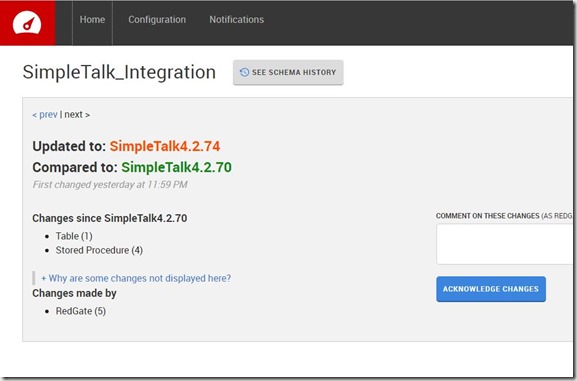
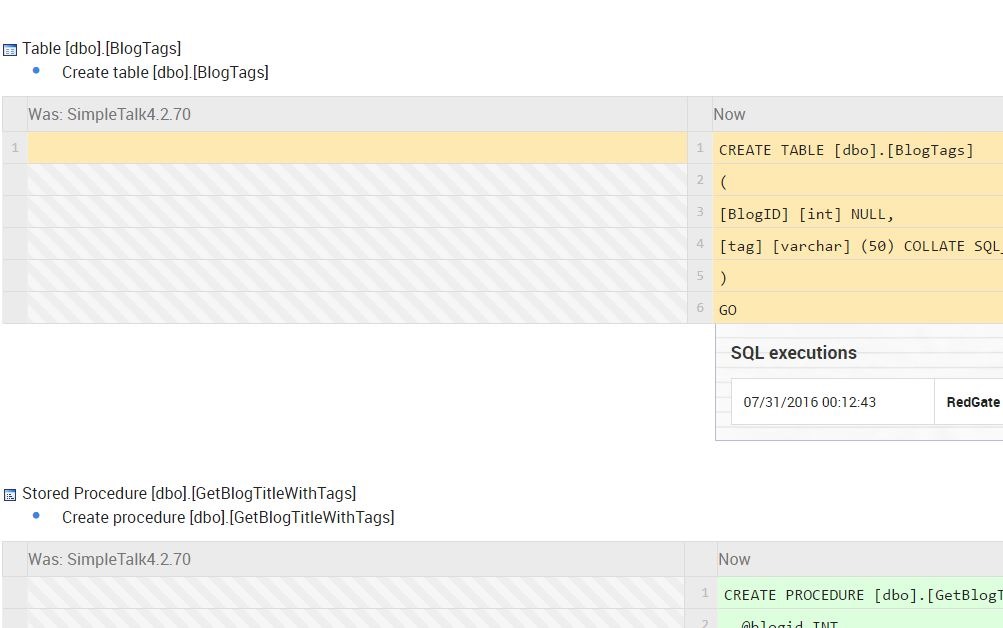
However, I can click “See Schema History” at the top and then click the particular version to see all the changes. Here are the first two.
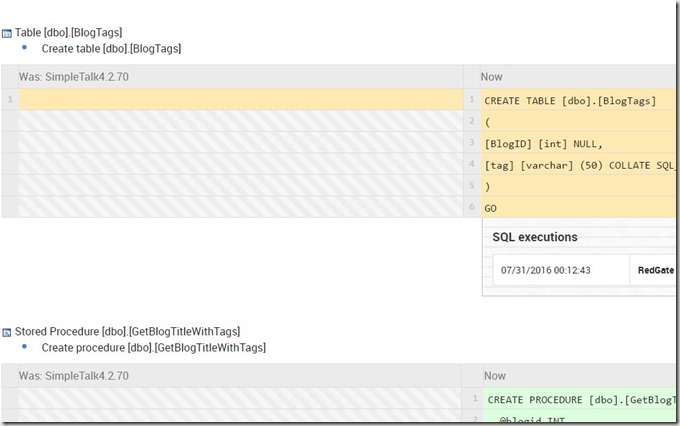
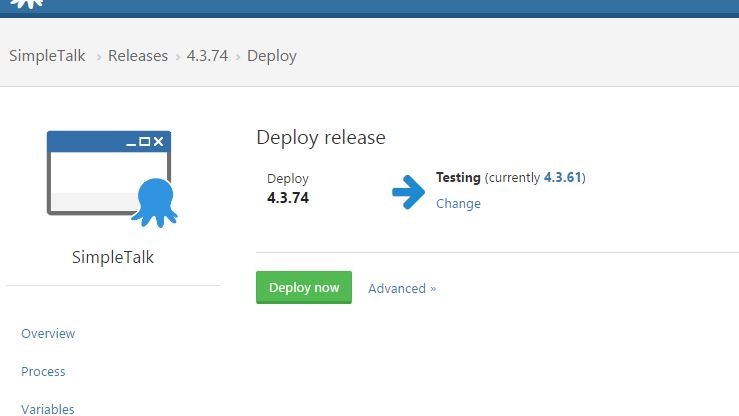
I don’t care about these changes by themselves. However, I do want to be sure that the appropriate changes have made it through to other environments, especially production. Let’s deploy some changes to the Test environment. Easy for me in Octopus Deploy. Let’s deploy 4.3.74.
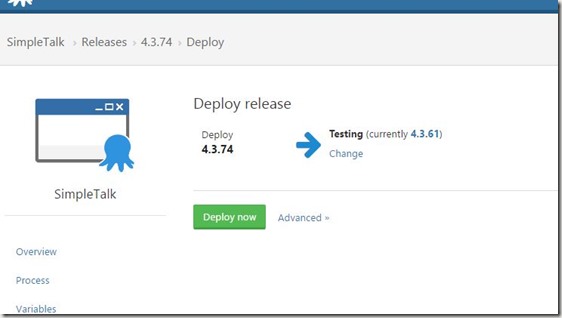
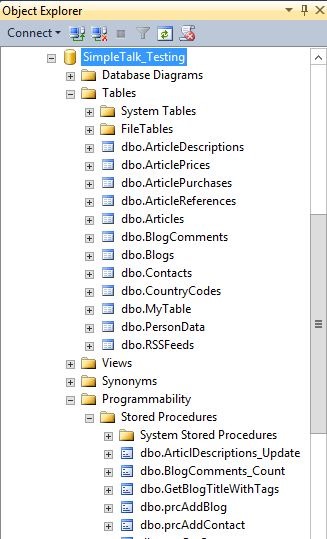
Once Octopus Deploy does it’s thing, I should see the same changes in the Testing environment. However, when I look at the SimpleTalk_Test database, how can I tell the changes are correct? It’s not easy.

There are a lot of objects in here, and comparing them piece by piece is a pain. Certainly I could use something like SQL Compare, but do you really want to have to double check your deployments by running another tool? Will you remember to do this? What if development has moved on, as shown below?

To run a comparison, I’d now need to track back versions in my VCS.
However, if you look at the image above, you’ll see that I know what the state of every object in my test environment is. It’s at version 4.2.74. That’s the versions I had in Integration above, and the version I deployed to Test.
Verification
If a developer isn’t sure why something doesn’t work in production, or test, or anywhere else, they can look at the changes that were actually deployed, and reference back to the state they worked with in development. In fact, they could even create a new database, and trace back the exact version of all changes in the VCS or CI server, and actually try to reproduce the issues.
Above all, a developer can tell quickly that if version 73 of the database is deployed, but the code expects version 74, there’s one thing that might need to be checked first: the changes made to the database in v74.
Hopefully you’ll see there is value in using DLM Dashboard as a developer to ensure the work you complete gets deployed correctly to later environments. If you don’t have an automated pipeline like I do, and DBAs or developers create manual scripts, it’s even more likely DLM Dashboard can help ensure all the correct code is deployed.
DLM Dashboard is free, and each instance works for up to 50 databases, so download it to day and give it a try.
Download DLM Dashboard