Tag: Redgate

  • A Better (Free) Search in SSMS

    A few years back, Redgate Software released SQL Search. This was an internal project that became a free product we released. Free as in beer, so go get it.

    Why use SQL Search?

    There are a number of good reasons, which Ike Ellis of Crafting Bytes does a good job of highlighting in a short video. In short, SQL Search is much more robust in helping you track down objects.

    I’m sure plenty of you are like me. You think you know where most of the objects live in a database. I’ll use the SQLServerCentral database as an example. If I want to look in the forums for how to modify profiles, I know there’s an InstantASP_Users table. I can quickly go to the Object Explorer, hit Databases, go to SQLServerCentral_Forums, hit tables, and pick the table. I can get the designer, a list of columns, etc. This is a familiar way of working with databases.

    2016-06-13 11_49_33-Start

    However, I’d be lying if I said I knew all of the objects that referenced that table. Especially stored procedures. Even if I work with a database every day, and I have a great memory, I don’t always keep every reference in mind.

    I still follow that process (too often), but I’ve learned there’s a better way of working with a database.

    SQL Search.

    If I type “asp_user” in the search dialog, I get this:

    2016-06-13 12_01_32-Photos

    Now I can see lots of objects, including those in other databases. If I know I want tables, I can easily filter.

    2016-06-13 12_01_47-Photos

    However I don’t just get the names, I can get some details:

    2016-06-13 12_01_55-Movies & TV

    The more I move to search, the more I start to realize that the Object Explorer is quite slow, and inefficient. I’d be better served by just going to search right away. At least, a search that gives me plenty of useful information,

    So download SQL Search today and see how it can make development easier in large databases, and check out Ike’s video.
  • SQL Prompt Prevents Stupidity

    I work for Redgate and write about products. I’ve got a series of SQL Prompt posts here on little things I like. SQL Prompt might be my favorite tool.  SQL Prompt will be yours as well if you give it a try.

    I upgraded my SQL Prompt recently, mostly as a habit. The team led by David and Aaron are always adding cool new features, and have almost never broken my flow, so I usually take the changes they’ve made whenever they appear. In this case, I got an unexpected surprise.

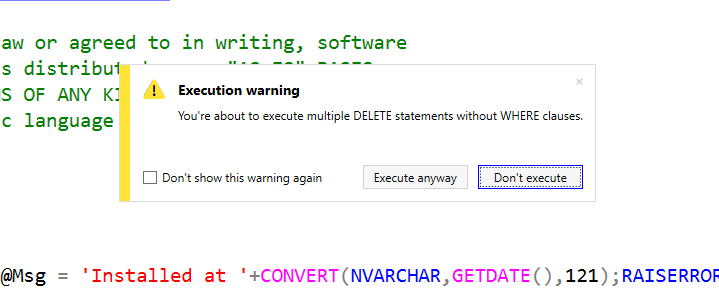
    While demoing some tSQLt stuff, I wanted to show how to install the framework. I loaded the tsqlt.class.sql file and clicked Execute. What I saw was this:

    2016-06-01 19_09_49-06_testingtsql_install_tSQLt.class.sql - JOLLYGREENGIANT_SQL2014.SimpleTalkDev_S

    In the middle of my SSMS window was a warning. I’ve got multiple items without WHERE clauses in the script. There are deletes, and in this case they don’t matter. However I got a warning. I could stop execution or execute.

    This made me pause in front of the audience for 10 seconds while I read it, but I clicked “Execute anyway”, things worked, and I went on.

    However, that was cool.

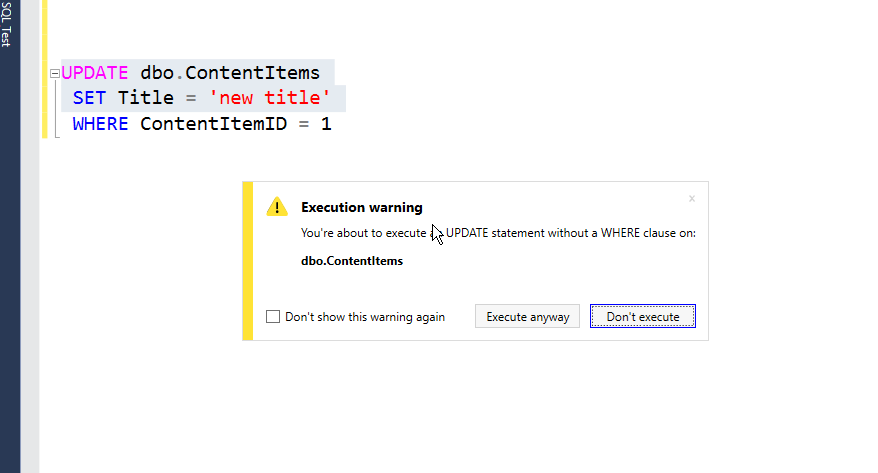
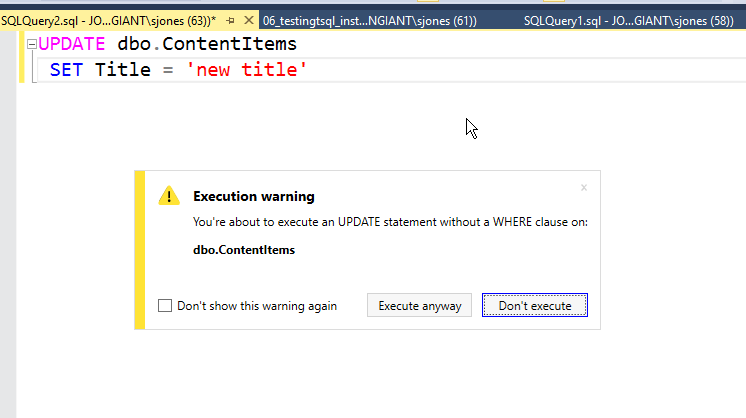
    I tried this in other ways. Suppose I had an UPDATE without a WHERE.

    2016-06-01 19_11_06-SQLQuery2.sql - JOLLYGREENGIANT_SQL2014.TestingTSQL (JOLLYGREENGIANT_sjones (63)

    Same warning. That’s a good one. What if I highlighted just part of a script?

    2016-06-01 19_13_21-SQLQuery2.sql - JOLLYGREENGIANT_SQL2014.TestingTSQL (JOLLYGREENGIANT_sjones (63)

    I can’t tell you how many times I’ve done this in a presentation. Or in production, where it’s happened a few times. I could turn off the warning, but I love it. This is exactly what I need to prevent me from doing something stupid that I didn’t mean to do.

    If I want to clear a table, and sometimes I do in demos, I click “Execute”. However, if I’ve made a mistake, I just hit enter, take the default, and then fix things.

    I love SQL Prompt, and it’s one of my favorite tools from Redgate. I also love the development process, with the team working against submissions and requests from users, and responding with small releases hundreds of times a year.

    If you’ve got SQL Prompt, be sure you update to v7.2. If not, then download it and give it a try. I think if you spend a good two weeks working with it, customizing snippets, and practicing some of they keystrokes, you’ll love it as well.

    You can see a complete list of SQL Prompt tips at Redgate.

  • SQL Compare 12 Beta

    SQL Compare is a core product from Redgate and I’ve got a series on some of the interesting things I’ve found. Download a trial today if you haven’t tried it.

    The Beta is out. I’ve been waiting for this, and was glad to see Carly’s post on the product. I’ve been involved in looking at some early designs and functionality, and have been waiting for the product to get to the point I could play with it more.

    Be sure you grab the beta if you like Compare, give it a try, and send us feedback. We really try to be responsive as a company, and certainly want Compare and Data Compare to be the best products out there.

    New Look and Feel

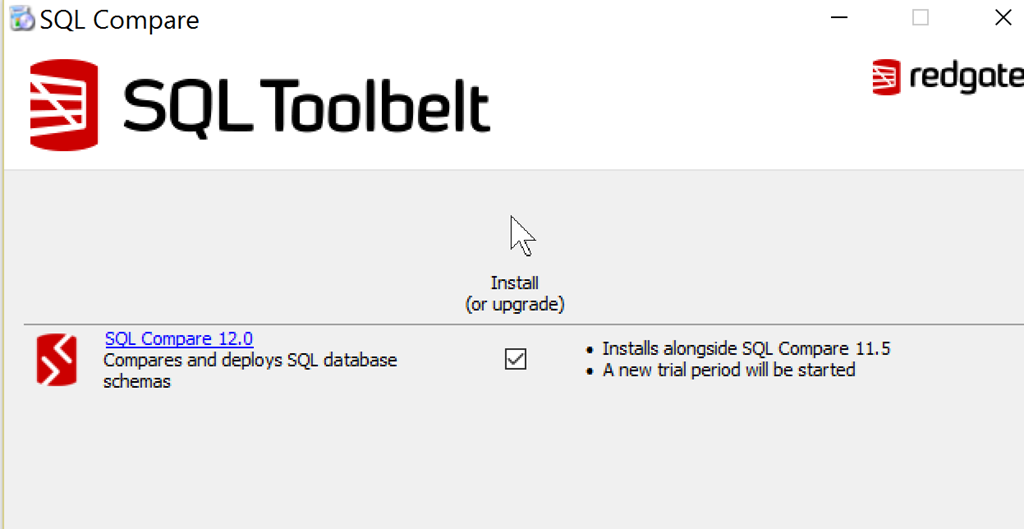
    Redgate has been looking to get a new look and simpler designs as a company. You can see that with the SQL Compare installer.

    2016-06-03 16_49_37-SQL Compare

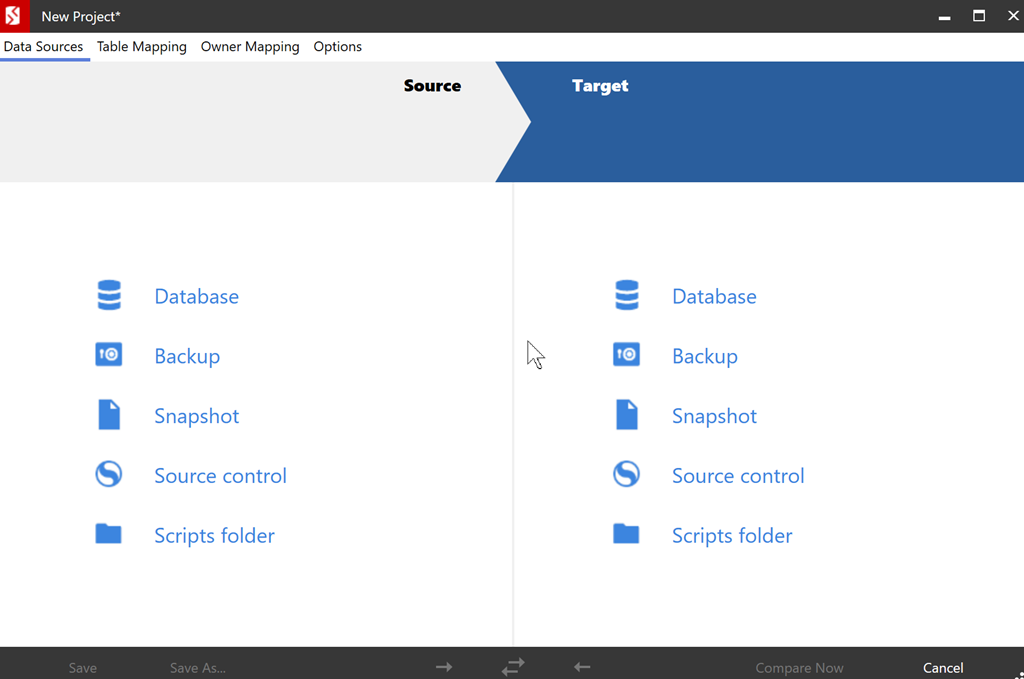
    The icons have changed, but that’s not all. When you run SQL Compare, you notice this right away.

    2016-06-03 17_41_23-New Project_

    Once you select the items to compare, you see a familiar connection dialog.

    2016-06-03 17_41_57-New Project_

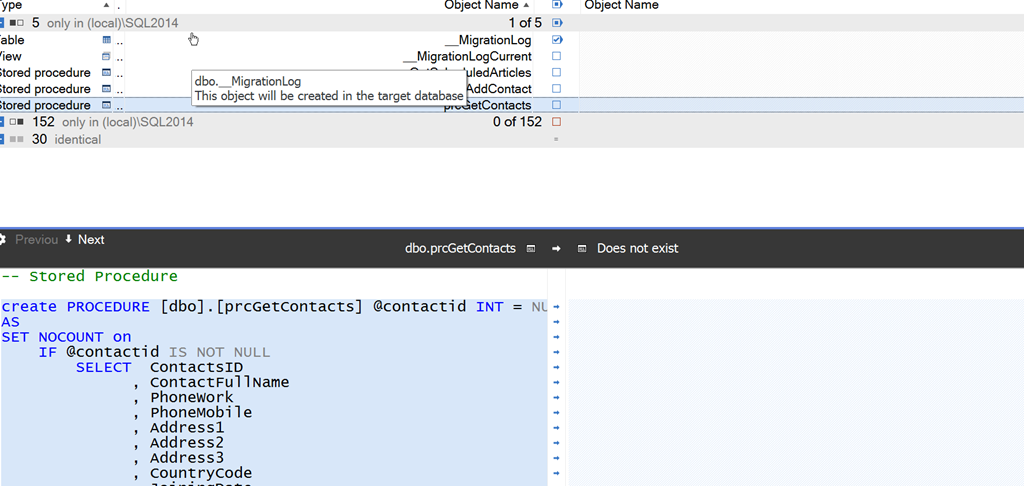
    If I compare, I see various results. In this case, I’ve got two demo databases in two different stages. Each has objects the other doesn’t, and I can get a cleaner (IMHO) view of the objects.

    2016-06-03 17_45_27-SQL Compare - C__Users_way0u_Documents_SQL Compare_SharedProjects_(local)_SQL201

    There are plenty of SQL Server 2016 enhancements, a few bug fixes, and lots of look and feel changes. There’s still some work to do, but we’re confident this version is ready to show. Let us know how the product works for you and what you’d like to see changed.

  • The Lighter Side–Morning at the Redgate Office

    I was chatting recently with someone about the coffee machines at Redgate Software. We have 4 of them, all located in the downstairs lobby, which provide a way for people to take a break from their desk or between meetings, and wander down for a cup.

    They are great machines, and I show some video recently to share with a few friends,

    I visit this machine often when I’m in the office, going between lattes and black coffee throughout the day.