Tag: Redgate

  • The DevOps Roadshow(s) from Redgate

    I’m back from an office trip this week to Pasadena. I had the chance to go to the office, do some internal training for people, and spend time with our US reps and SEs. It’s valuable for me to get to know people better when I’m remote and I’m glad I get to the offices a time or two a year each.

    However, now I’m prepping for more travel. In case you haven’t seen, I’m taking a roadshow this fall. Not just me, but Grant and Ryan as well.

    2023-08-09 11_58_44-Photo - Google Photos

    We’re going around the country, and here are the dates I know about:

    • Houston – Aug 24 (Steve)
    • Chicago – Aug 30 – (Steve and Ryan)
    • Manchester, UK – Sep 4 (Steve)
    • Bristol, UK – Sep 6 (Steve)
    • New York – Sep 7 (Ryan or Grant)
    • London – Sep 8 (Steve)
    • Boston – Sep 20 (Steve)
    • Atlanta – Oct 11 (TBD, not Steve)
    • Jacksonville – Oct 19 (Grant)
    • San Diego – Oct 25 (Grant)
    • San Francisco – Nov 1 (Steve)
    • Seattle – Nov 13 (Steve)

    It’s a busy travel schedule for me, but not a lot of work prepping, which is usually the hard part. Last week and this one are prepping (and likely next week), so it’s a little busy now.

    I’m excited to visit these cities. I’m a little bummed I won’t make Jacksonville or San Diego as I have friends there, but those are vacation days for me to see my daughter at university. Maybe I’ll get back to those cities next year.

    We don’t have all the links up yet (some are above), but they should be coming soon. Keep an eye on the Events page.

    If you’re coming to the PASS Data Community Summit and don’t have a pre-con on Tuesday, consider coming to see me. Hopefully the reg will go up soon.

  • Friday Flyway Tips: Copying the Migration Number

    It’s a small thing, but copying the migration number can be a pain. However, we’ve made this easier in Flyway 6.5.4.

    I’ve been working with Flyway Desktop for work more and more as we transition from older SSMS plugins to the standalone tool. This series looks at some tips I’ve gotten along the way.

    Lots of Migration Numbers.

    I’ve got a lot of migrations in this project. You can see below in the image, noting the scroll bar goes up and down here.

    2023-08-10 12_30_54-Flyway Desktop_thumb[1]

    These are easy to read numbers, but some companies use dates and times. Like this:

    2023-08-10 15_06_25-Flyway Desktop

    Those are harder to read, but more importantly, easy to mis-type. If you were using flyway migrate or undo with a specific version, you don’t want to make a mistake.

    We’ve made it easy in Flyway. We added a copy button, which you can see below. This is to the right of each migration. I missed this until a dev pointed it out.

    2023-08-10 15_06_38-Zoomit Zoom Window

    If I click this, the version is copied. I can paste it into the search, as shown here.

    2023-08-10 15_06_57-Flyway Desktop

    Or an email.

    2023-08-10 15_07_18-Untitled - Message (HTML)

    A small change, but a handy one. One way to make working with Flyway smoother and reduce mistakes. That’s a big part of DevOps, trying to reduce mistakes.

    Of course, you have to click the right line. Winking smile

    Try it out today. If you haven’t worked with Flyway Desktop, download it today. There is a free version that organizes migrations and paid versions with many more features.

    Video Walkthrough

    I made a quick video showing this as well. You can watch it below, or check out all the Flyway videos I’ve added:

  • Fill Out The State of the Database Landscape Survey and Maybe Win

    If you’re like me, you sometimes wonder how different other environments are from the one I work in. Well, the ones I used to work in. These days I see lots of customers environment, build PoCs, and help them solve problems, but I don’t have much of an environment for myself.

    We’re taking responses for the State of the Database Landscape survey. http://rd.gt/survey Share your thoughts on platforms and what your org does. This survey is

    I’m trying to get Redgate to offer some prize, but I’ll do one from my SQL Server Central budget (if I can slip it in). I’ll get a list of responses and pick 4 people from those that leave their name and email at the end. You have to fill out the survey and share the link on socials somewhere.

    Spread the word, and you send me a link of where you’ve shared the contest (LinkedIn, FB, Twitter, Thread, etc.) then I’ll add an extra entry in my contest for each share. I’ll pick people who fill out the survey and have shared it and send each a USD$25 Amazon GC (or Starbucks or other major brand).

  • Decrypting Stored Procedures The Cumbersome Way

    I had a client that was struggling with some encrypted stored procedures. They needed to decrypt them, which I know is a pain in the #@$%@#$@#$#@. I had to do this one. This post shows how I sent them some code to do this.

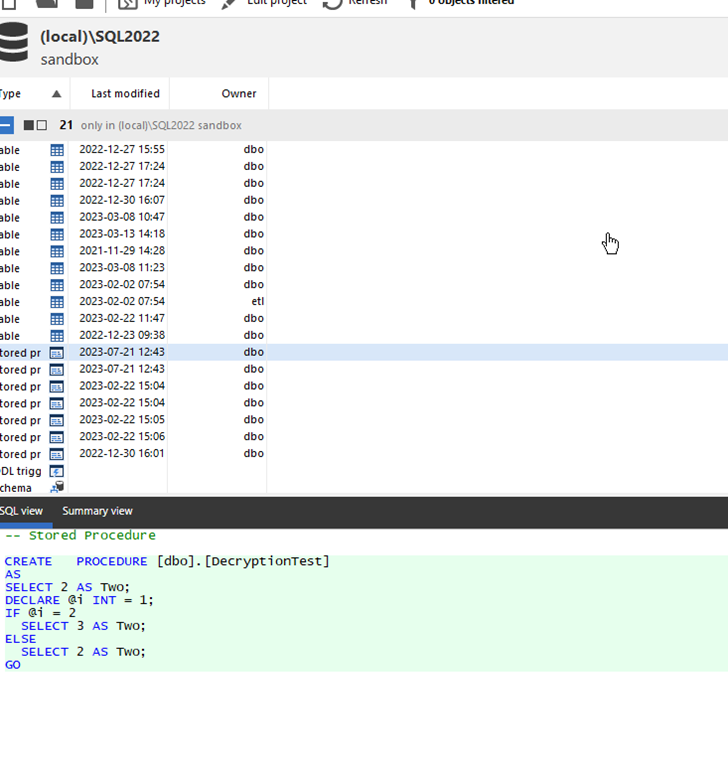
    Note, SQL Compare 15 does this easier and simpler. If you own it, I’d use that instead. A future post will show how easy that it.

    Setup

    I tested this on SQL Server 2017/2019/2022. I don’t have older instances handy, so I can’t verify that for those. However, I ran this code in databases on each instance:

    CREATE OR ALTER PROCEDURE dbo.DecryptionTest
    WITH ENCRYPTION
    AS
    SELECT 2 AS Two;
    DECLARE @i INT = 1;
    IF @i = 2
       SELECT 3 AS Two;
    ELSE
       SELECT 2 AS Two;
    GO
    CREATE PROCEDURE [dbo].[DecryptionTest2]
    WITH ENCRYPTION
    AS
       SELECT 2 AS Two;
    GO

    I had shown how to detect these are encrypted in a previous post.

    Decryption

    I had initially sent the client these links, since I was sure they’d worked at one point. I thought that SQL Server 2000 and earlier had a different algorithm. Don’t quote me on that and there’s so much Google-noise, I can’t verify this.

    Those links don’t work, and I can only guess that either I had used different procs or these were edited.

    In any case, I found a gist here: https://gist.github.com/jstangroome/4020443

    This has code that does work. I ran this on my instances, and I got similar output to this on all instance:

    2023-07-21 12_54_19-SQLQuery3.sql - ADMIN_ARISTOTLE_SQL2017.Compare2 (ARISTOTLE_Steve (53))_ - Micro

    I didn’t clean this or try to extract the value from the XML, but for the client this worked.

    It’s not the cleanest or best way, but it does decrypt the procs I’ve created.