I’m heading to Chicago today for the Redgate Database DevOps in a Day workshops. This is the first of many on the US tour. I’ll be at 5 of them, but there will be another 5 where Ryan, Grant, or our Solutions Engineers will run the show.
If you’ve registered, please say hi, introduce yourself, and ask lots of questions. Hopefully you’ll enjoy the day.
Just a quick trip for me, coming back tomorrow, which is good. I head to the UK Roadshow Friday night..
Working with various Flyway configuration options used to be a pain since they were either CLI parameters or in a text files. We’ve made editing these easier in Flyway 6.5.4.
I’ve been working with Flyway Desktop for work more and more as we transition from older SSMS plugins to the standalone tool. This series looks at some tips I’ve gotten along the way.
All the Options
Maybe not all, but most and certainly more.
In the Schema Model tab, there is a button that says “Static data & comparisons”. I don’t love the UX, but there’s a lot of stuff to show here, and this is really relevant here, which is where we start using these options: when we get the object definition.
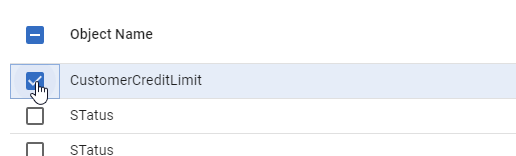
If you click this, you’ll see a dialog pop up, with any tables where you are tracking static (or reference/lookup) data. There are two other tabs: comparison options and data options.
Clicking comparison options shows you the options for schema comparison. Essentially the options for SQL Compare (for SQL Server), Schema Compare for Oracle (for Oracle), or Redgate Compare (everything else). You can toggle these on or off by clicking checkboxes.
Likewise, there are the static data comparison options, equivalent to project settings in Data Compare.
There are still a lot of options, and these can be confusing. Knowing what is set and choosing those isn’t simple, but it is easier than trying to edit these in a config file.
Try it out today. If you haven’t worked with Flyway Desktop, download it today. There is a free version that organizes migrations and paid versions with many more features.
I’m heading to Houston today for the Redgate Database DevOps in a Day workshops. This is the first of many on the US tour. I’ll be at 5 of them, but there will be another 5 where Ryan, Grant, or our Solutions Engineers will run the show.
If you’ve registered, please say hi, introduce yourself, and ask lots of questions. Hopefully you’ll enjoy the day.
I had a client that was struggling with some encrypted stored procedures. They needed to decrypt them, which I know is a pain in the #@$%@#$@#$#@. I had to do this one. This post shows how I sent them some code to do this.
In a previous post I set up some procedures and then showed code to decrypt them. Here, I’ll use SQL Compare 15, which makes this easy.
The setup is in the previous post, and its the same here. Once that is complete, connect to SQL Compare and set up a project with the databases that have the encrypted procedures as the source. The destination doesn’t matter. You could pick any empty database.
Once that’s done, run the comparison. You ought to get results like this. Notice on this SQL 2017 instance, both procs are decrypted.
These do contain the WITH ENCRYPTION text, as this is an exact decryption. If I deploy this to another database, the procedures will be decrypted there.
Moving Procs Without Encryption
For many of us, if we were copying this procs, we want them decrypted. Fortunately, SQL Compare makes this easy. There are project options for this. Notice below I’ve searched for options related to encryption. I selected the “Decrypt encrypted objects” to allow SQL Compare to show the code above.
When I check the “Ignore WITH ENCRYPTION”, this will give me the code without that option. I check this and refresh my project and notice the code below. No WITH ENCRYPTION added.
I can now decrypt a lot of procedures in a batch, and do this as needed since if some are encrypted by a developer, likely you’ll find lots of random places as that developer tried to protect code in every database they touched./
I tested this on SQL Server 2017/2019/2022 and it worked. SQL Compare is a fantastic product for simplifying work and it does so much more than this. Give it a try if you own it or download an eval today.