Actually, this is a change for many products and software that connects to SQL Server. Updated drivers require us to now decide to trust the server certificate.
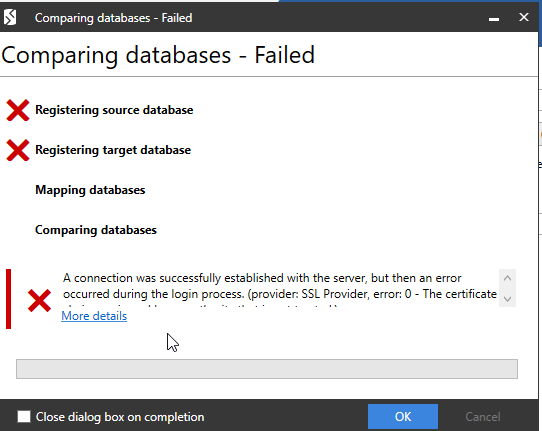
I opened a project recently in SQL Compare 15 to check something for a friend. I went to run the compare and saw this:
At first I thought that one or both of my instances were broken, but I realized that this is a security issue. Updated drivers changed the default encryption options, which means we need to specify this.
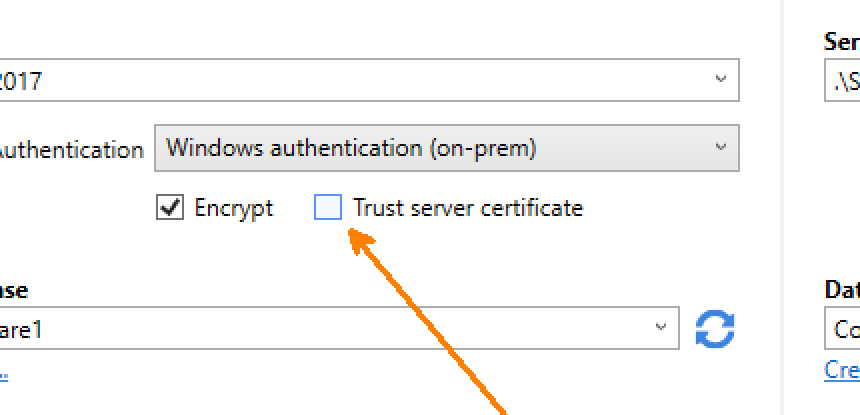
The products at Redgate have been getting updated across the last year to add in a “trust server certificate” box. It’s not set by default, which I find annoying, as I rarely find SQL Server’s with certs. Certainly none of my test instances, and I wish I could set this to check by default.
In any case. when I check the boxes in the image above, the compare runs.
Something to keep in mind and a muscle habit to build if you still use SQL Compare often. If you don’t, give it a try. It’s amazing.
This is documented, somewhat, but I wanted to put this down for myself, as the I don’t love the docs and they are hard to sort through.
Flyway is open source software owned and maintained by Redgate, my employer. There are also paid versions with additional features.
The Main Files
There are essentially 4 different types of files you can use for scripts in Flyway. These are:
versioned scripts
repeatable scripts
baseline scripts
undo scripts
I’ll discuss each of these in light detail below. This isn’t intended to replace the documentation, but give a short explanation of each.
For each type of file, there is a naming standard, which is the same for all. Essentially, there is are four parts. As an example, I’ll use V8.2__add_new_table.sql to explain this. The four parts are:
The prefix for the type of script, in this case, a V script.
The version. for my example this is 8.2.
The separator, always two underscores
The description, add_new_table, in my case.
The suffix, which is an extension
Versioned Scripts
These are the V scripts, which are named with a V to start. These are scripts which are run once on each target, and intended to be those that change the schema. The “V” is the default, but this can be configured. I wouldn’t change this.
These are typically the CREATE or ALTER scripts that you run to change objects. You can have as much SQL code in here as you’d like. Think of these as a SQL Compare deploy script. One or my objects changes.
The run once is nice because once you’ve deployed these, you don’t want to run them again. If you write idempotent scripts, you wouldn’t care but most people don’t do that well.
Repeatable Migrations
These are used less in the current Redgate paradigm, but these are repeatable scripts. They are designed to run every time you run “flyway migrate”. Again, the default is an “R” script, but this is configurable. Again, don’t change this.
These scripts don’t have versions because they execute over and over. This could be used for creating or recreating programmable code objects, like view/procedures/functions/packages. They could also be used for places you need to ensure data is always there or has certain values.
These scripts run after the migrate scripts, so be aware of that.
Baseline Scripts
By default, baseline scripts are “B” scripts. This can be changed. These scripts have a database version that you want to start with for some purpose. Like a new development effort or new deployment project.
These are run for new environments only, and usually contain all the base objects you might need. If you start a Flyway project on a database that has objects, put all the code to recreate this state (CREATE objects and add data) in a baseline script.
Undo Scripts
The undo scripts are the “U” scripts. This can be changed, and these should have a version that matches a versioned script. We can run one of these scripts corresponding to those versions to “undo” changes. Since you can’t really undo anything in the database world, these should include code that reverses the action of the V script.
Be careful with these, especially if you run these more than a few minutes after the V script. Flyway isn’t checking that you won’t lose data.
I’d only use these after extensive testing in a pipeline and then only if my deployment broke immediately. These are good for putting in a previous version of a view/proc/function and quickly rolling back.
I’m in Cambridge, UK this week for the internal Global Marketing Week and Level Up Conference. This is my first visit to Cambridge in 2023, and we have a new office. The old one is literally next door, but after the pandemic, it was too large a space for us. We renovated a smaller building and moved in a few months ago.
I wasn’t sure if I walked to the right building, but I saw the smaller logo above the door. We had a large sign on near the roof of the other building that was visible from quite a distance. I had to enter the smaller car park to see this one.
There’s a smaller foyer, and all the doors are automatic. I hadn’t been set up with a key, so I actually waited outside for someone to let me know. The entrance, and inner doors to office spaces are all locked with card or phone access. I was pleasantly surprised how easy it was to activate my phone and get access. True self-service with an app and SSO (Single-sign on). Technology is amazing.
I downloaded an app, signed in with SSO and clicked a clink. Then walked outside and here is me entering the outer door.
Here are the inner doors, which protect everything but the bathroom and shower (and guitars).
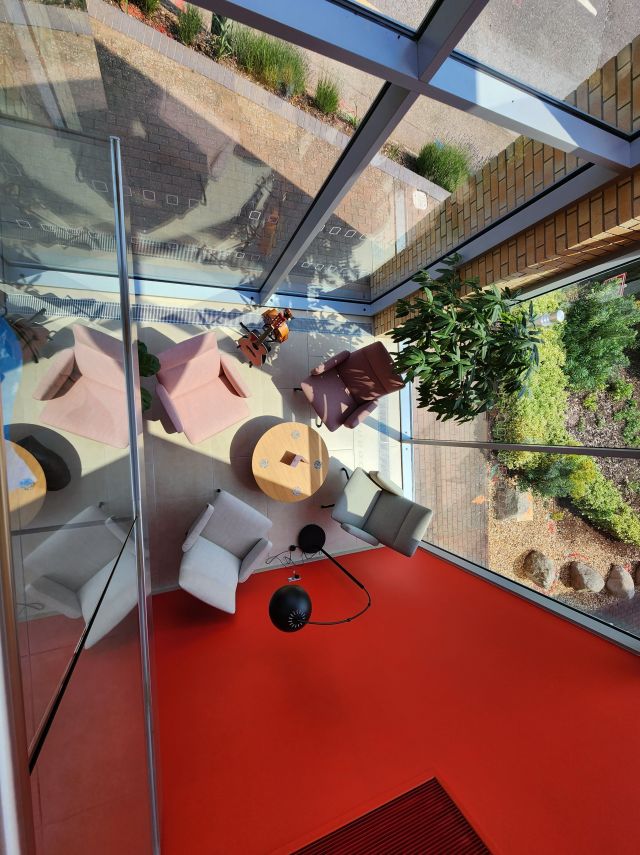
Speaking of the guitars, there’s a small foyer below the stairs. It’s not trafficked, and I find it was relaxing place to take 5 or 10 minutes a few times a day to play and chill out. There’s a nice view of the garden outside the office.
Everything is new. It’s neat to see all the decorations around, with imagery and plants. The view is of a business park, but it’s nice to see plants and trees around.
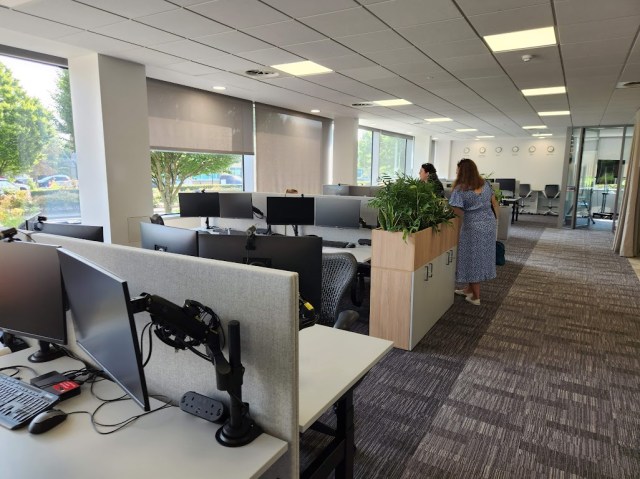
The spaces are mostly the same, all rising desks with two monitors. We use an app called Envoy to sign into the office and book a desk. Very few people have reserved desks, since only a few people are in 4-5 days a week. Most people seem to come in 1-2 times a week or less frequently. I think everyone comes in at least twice a month.
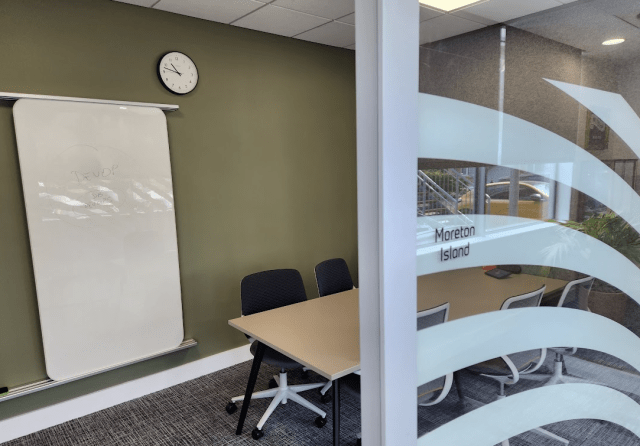
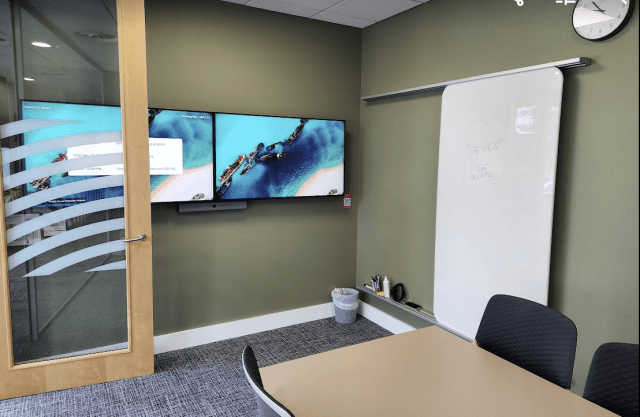
The conference rooms are all new and themed. Each has a name outside, with a default image that reflects the name. For example, the outside of Moreton Island looks like this.
It’s one of our smaller 4-6 person sized rooms. Inside, we see the default images of the island, which I was told were taken by someone at Redgate.
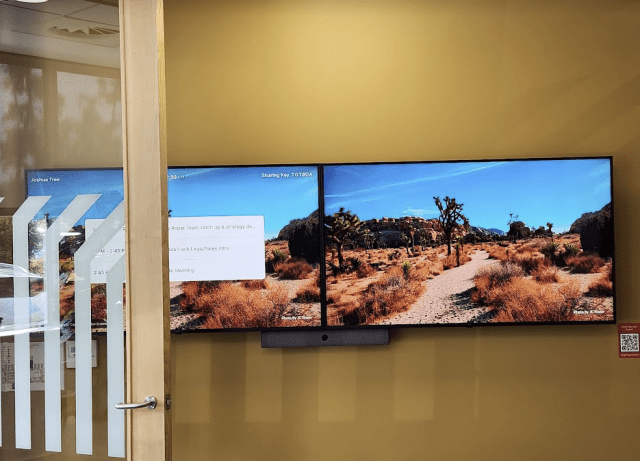
Grant and I were in the Joshua Tree room for a meeting as well, with some great images.
There’s also a small Zoom device in each room. If you look above, there’s a “sharing key” on each the left monitor. This links to Zoom. There is the room schedule on this device, and you can start a meeting from here, so you don’t need a laptop.
What is really cool, however, is that you can just run the Zoom app on your laptop or phone and select “Share” and it will start a meeting and let you share your screen. I was able to show a few pictures and videos from my mobile phone on the monitors. Very handy.
We have a mix of large closed conference rooms, for privacy, like Titan below.
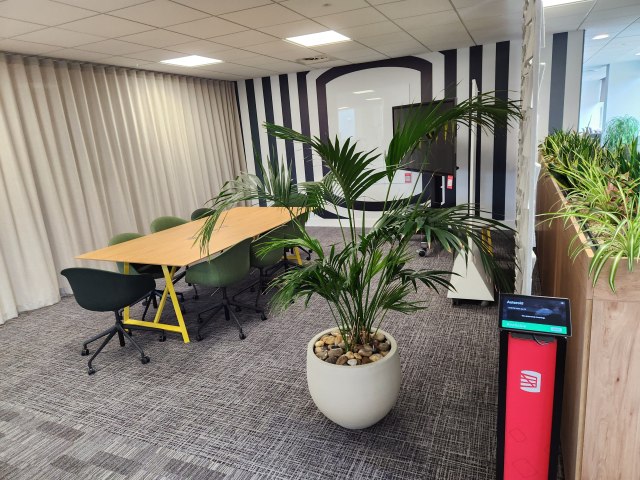
We also have open ones, which are closed off by curtains, which means we can combine a few for a very large space if needed. Notice the Zoom device on a podium on the right side.
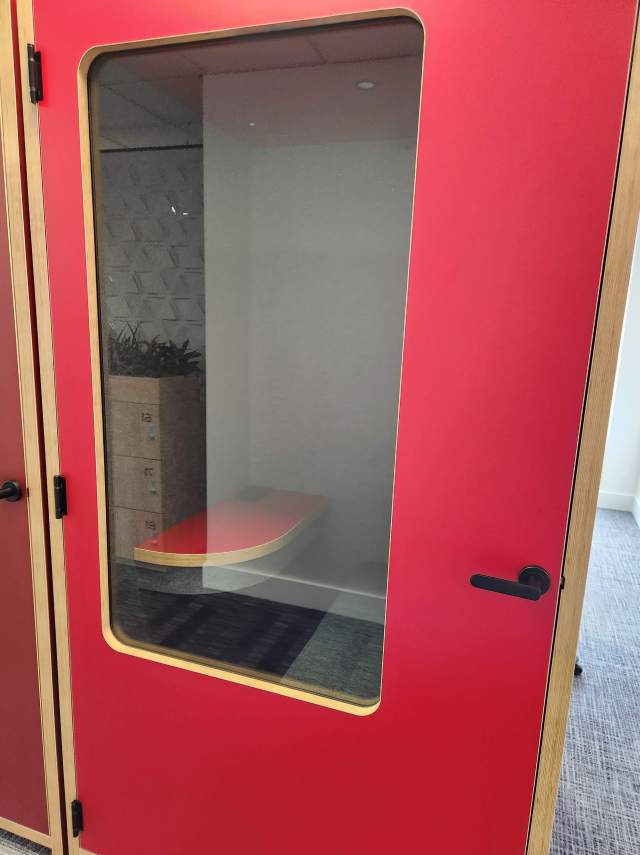
We also have pods. Small, single ones:
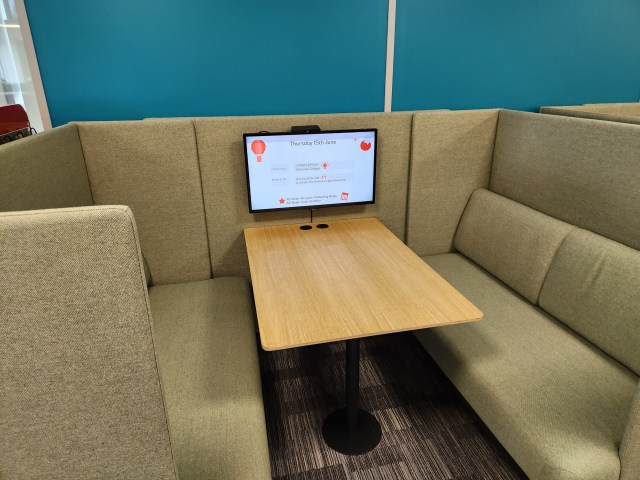
Bigger ones for a group
And even some open ones, if you don’t need soundproofing.
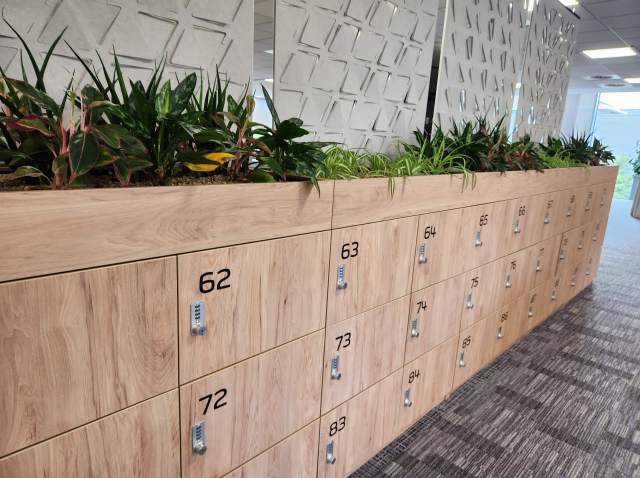
We have lockers, where people can leave stuff if needed.
And, of course, our high tech coffee machines. One of the things I’ve appreciated at Redgate is that we put these in central places to encourage getting up from your workspace and going to meet others, taking a moment to chat or catch up. I’ve had some great conversations because I run into someone getting coffee.
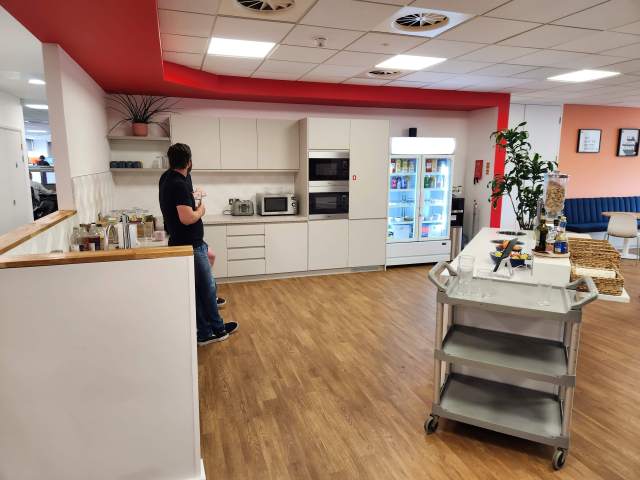
We got rid of our cafeteria, but we do have a kitchen with some breakfast cereals and snacks. There are microwaves, juices, teas, and more.
We have a photo board in each kitchen, which is a great place to put up memories. There is also a table tennis and billiards table available for breaks.
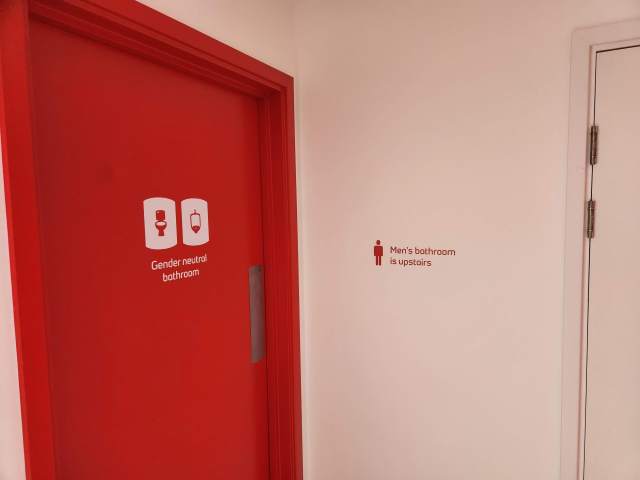
Various bathrooms
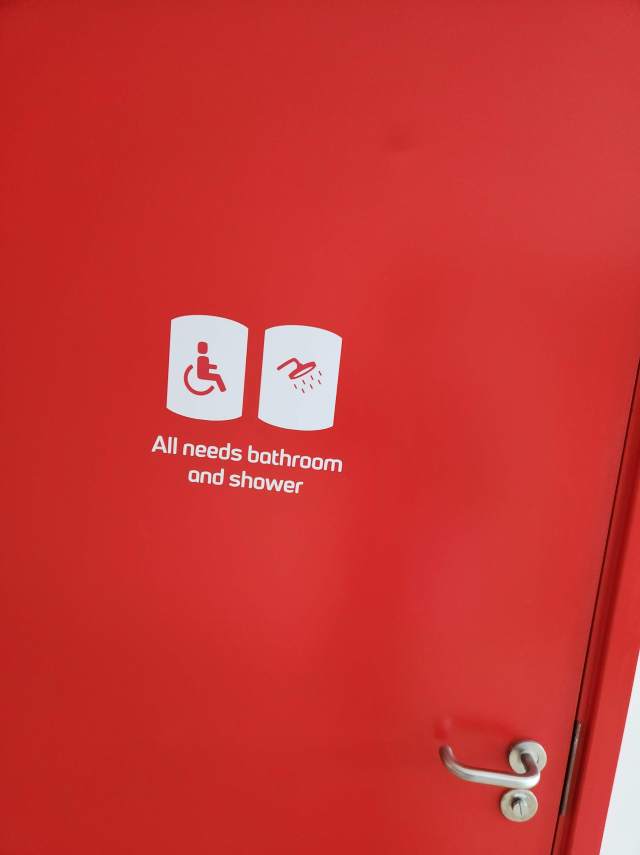
and showers
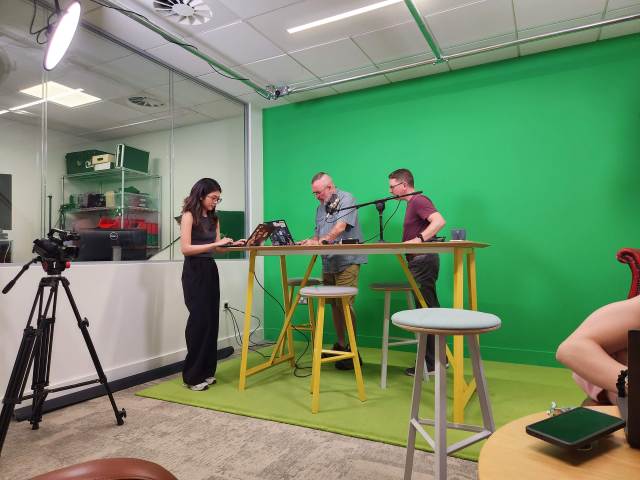
We even have a recording studio, though it’s not completely set up. Still, we had a meeting in there to plan and record a few promos.
And, we have a roof. I made a quick video of walking around the first floor (second for the US people) and then heading up to the roof.
It’s a nice space, and much smaller than our previous building. However, with the way we work and staffing, this suits us well. It’s not crowded, but not sparse either.
I’m looking forward to more trips to this space, my third office in Cambridge.
Redgate is sponsoring Agile West this year, and the marketing team asked me to give a talk on database DevOps technologies.
I have a keynote talk, called Don’t Forget the Database, that I’ll be delivering on Wednesday. This covers some of the challenges of why the database is harder than software, but doesn’t need to be. I show some demos of zero downtime deployments as a part of this talk.
Likely I’ll record the demo and talk over it, as I have seen that technique work well and it keeps me from fumbling around.
My wife is coming with me. This is a quick Tues-Thur trip for me, and easy. Las Vegas is about an hour flight for me, and I only have a few commitments, so this is a chance for the two of us to see a show or two and get out of town for a short break.
I’m lucky that some of my business travel allows my wife to come around, and it’s worth the expense to bring her and make the trip more enjoyable. That makes it easy for me to handle the 20-30 trips a year I make.
If you’re at the show, stop by the Redgate booth or my talk and say hi.