Tag: software development

  • Do What Hurts

    A long time ago I heard a manager at a company say that if something is hard, we ought to practice it more and find ways to make it easy. Barring that, we ought to at least be comfortable with the task. I’m not sure if this manager made this up or read it somewhere, but it’s the same thought expressed by Martin Fowler in this post: “if it hurts, do it more often.”

    I’m not sure that’s the advice I want to use with everything. When my shins hurt from running, or my shoulder aches after hitting a number of volleyballs, often I want to take a break. At the same time, I know that stopping isn’t always the productive thing. I can slow down and build up some strength and things will get better. My long running streak started with slow jogs for short distances, slowly building up the strength in my muscles and joints. Regularly hitting volleyballs and slowly increasing the number I hit allows me to get more done without hurting myself.

    At the same time, putting a hand on a hot stove doesn’t get better, no matter how slowly I increase the heat over time. There are some things that aren’t worth doing more often to get better, but building software is one where we can get better. Our practice does improve skill, quality, and ability if you practice well. We can decompose our problems easily, we can work in steps, and we can (relatively) easily alter our course of work if we need to do so. In fact, quite a few of the software methodologies adopted in the last 20 years are designed to improve the entire process be ensuring we adapt our work to the customer with regular pauses to evaluate our progress.

    When the pain of delays (procrastination) grows, we should find ways to reduce the hassles. Often the pain comes from difficulties, and when that is the case, we might do what Martin Fowler suggests: do it more frequently.

    It works well for databases, as he points out in his post, though I’d caution the data professionals to consider the details in his post. Decompose the problems and make the changes across multiple steps, not all at once. When you do that, make sure you plan for pauses in the various stages, not just stringing together multiple scripts into one transaction. That will help you evolve the database along with the application while ensuring your customers can continue working as you make changes.

    Steve Jones

    Listen to the podcast at Libsyn, Stitcher or iTunes.
  • Adding a License to GitHub

    I’ve rarely thought about licensing my code, but it’s something to be aware of for your work. Most of us freely share code, though I have started to add a minor copyright and as is notation to some of my presentation scripts.

    Recently a user opened an issue on the SQL Cop repository, noting that without a license, there is some ambiguity for how your code might be used. There’s a short read over at https://choosealicense.com/no-permission/ on this.

    I pinged a few people at Redgate to decide what might be best and got pointed to the MIT license, which you can read here: https://choosealicense.com/licenses/mit/#suggest-this-license.  After a brief discussion, we decided this would be fine. Actually, people gave me a couple options and said I should pick, so I did.

    MIT License it is.

    Adding a License

    The easy way to do this is to add a file to the repo. If you have this downloaded, just create a new file and commit it. The name should be license.txt (or license). However, you can easily do this online as well.

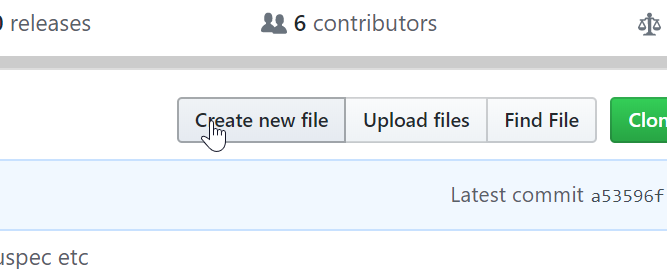
    There is a “Create a new File” in your GitHub repo. Click that.

    2019-10-02 09_59_19-red-gate_SQLCop_ tSQLt tests to highlight potential problems in your database

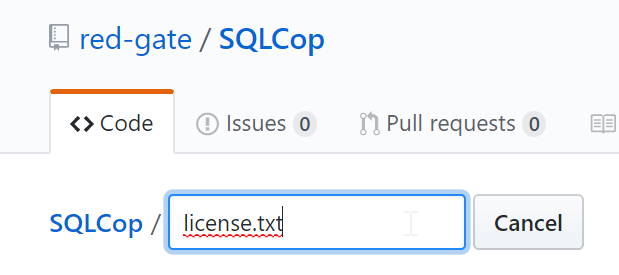
    This gives you an editor, with a name. Enter the filename.

    2019-10-02 09_59_54-New File

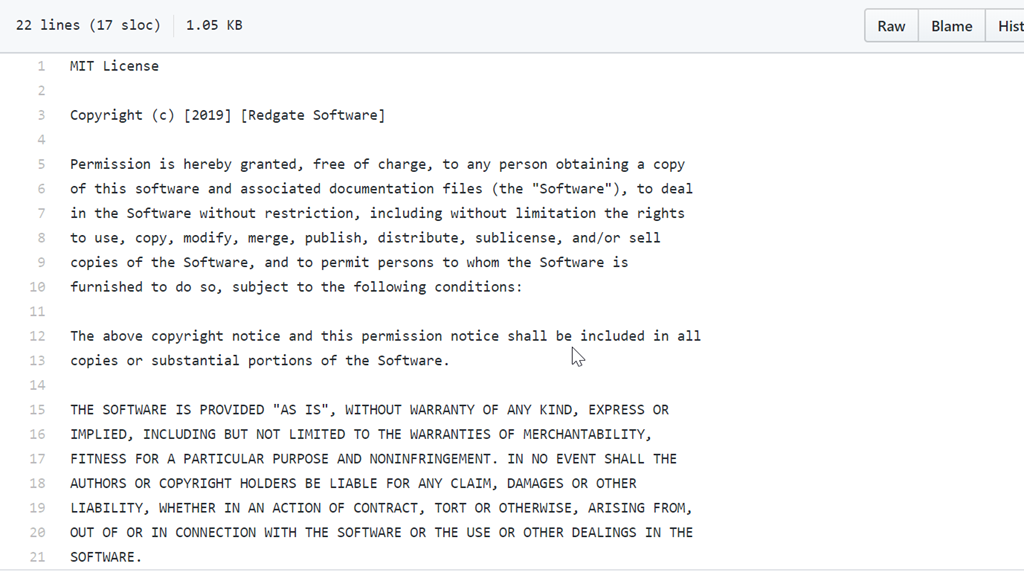
    I then pasted in the Mit license into this file. I edited the year and name for Redgate in here as well.

    2019-10-02 10_01_01-SQLCop_license.txt at master · red-gate_SQLCop

    I then committed, this, adding a comment. However there is another way. Once you enter the name license.txt, a button appears on the right side of the page.

    2019-10-02 10_01_50-New File

    This says “Choose a license template”. If you click this, you get a page with other choices.

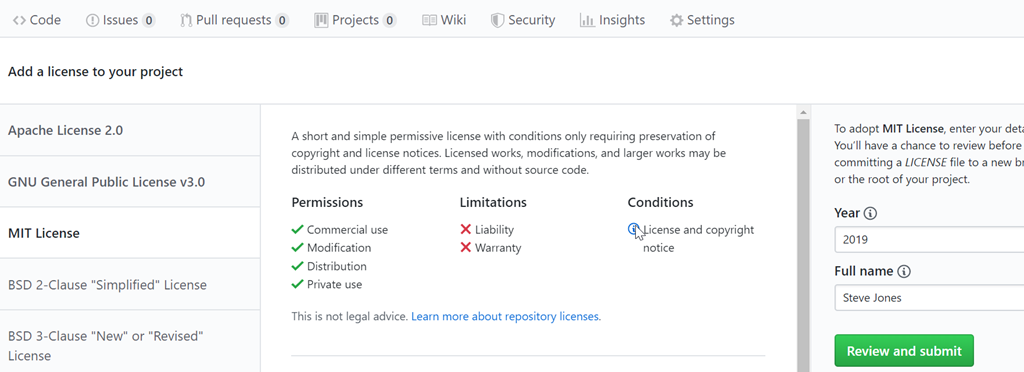
    2019-10-02 10_03_15-Add a license to way0utwest_ASimpleTalkDB

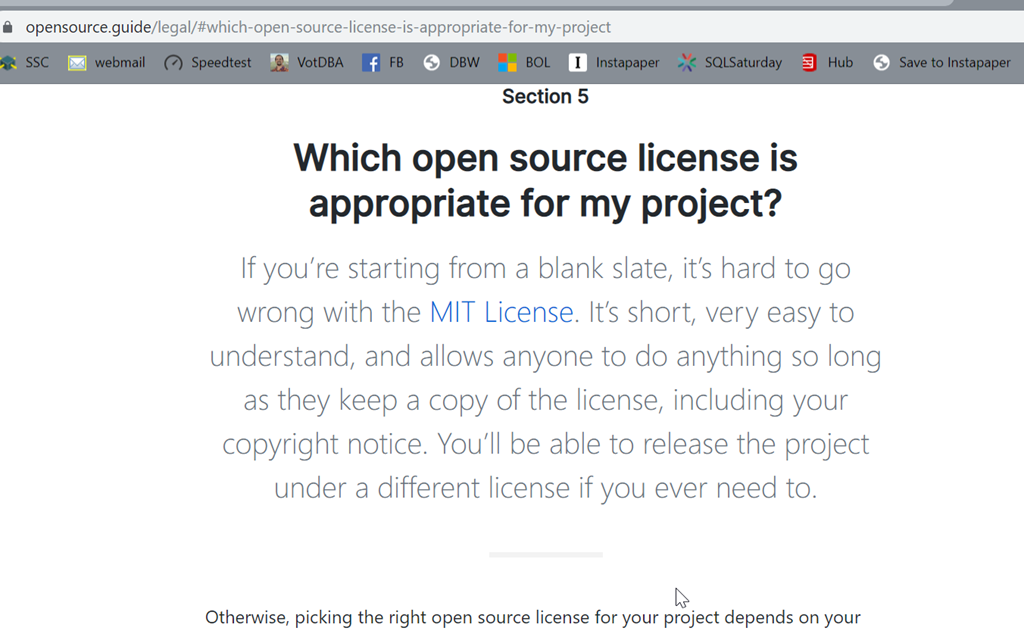
    If you click the “which license” link on the right, you get taken to https://opensource.guide/legal/#which-open-source-license-is-appropriate-for-my-project, where you can read a bit about the differences. If you’re not sure, read this and try to decide what works for you.

    2019-10-02 10_03_31-The Legal Side of Open Source _ Open Source Guides

    In our case, we’re really hosting and sponsoring the project, so the MIT license makes sense. If I go back to the previous page and pick that, I see the license overview and the edits on the right.  I changed this from my name to the company, but this defaults to you.

    2019-10-02 10_05_15-HTA_10_FinalThoughts.pptx - PowerPoint

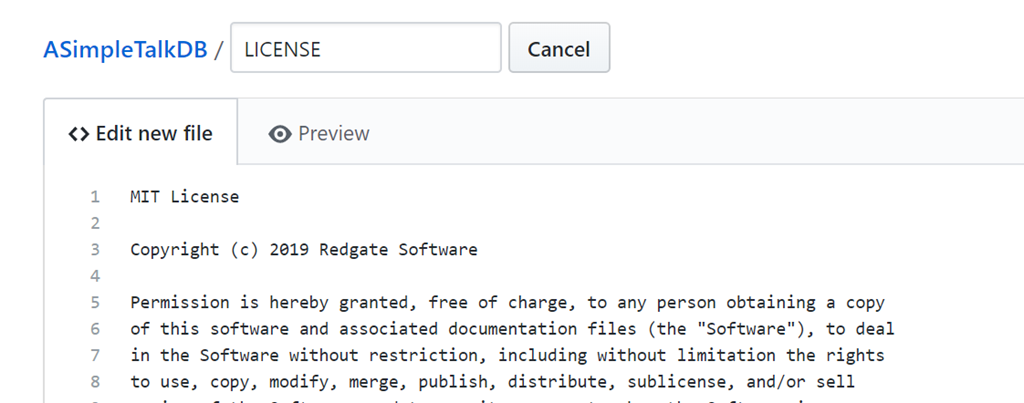
    If I click this, I go back to the file page, with the edits filled in. Note the name changes to LICENSE.

    2019-10-02 10_06_41-New File

    I still need to add a commit message and commit this (or create a PR), but this is the meat of the process.

    Add a license to your repo to be clear, but make sure it’s the right one for you.

  • Very Hot Patches

    “At best it would crash” is not a phrase I’d like to have to use as a data professional. That’s a quote from an article that the Azure team wrote about hot patching SQL Server. While this sounds very scary, it’s actually something being used now to patch the SQL Server code running Azure SQL Database.

    Years ago I read a book where the hero was a programmer that had to alter and hack into live code on a mainframe, making changes to thwart the villains. It was a neat concept, and certainly daunting. As someone that had to write assembly code at one point, I had trouble keeping track of instructions when I could map them out on paper. Doing this on live code would be very scary.

    The SQL Server code is not being changed live by a human, but code is being patched without stopping the sqlsrvr.exe process in Azure. There is a blog on the hot patching process, which I appreciate, though I’m not completely sure I get the minute technical details. Still, it’s an impressive feat of engineering to me, and this does make me wonder to what extent platform engineers might structure their code to allow more of this in the future.

    Deploying changes is already a challenge for many of us with database code. Making changes, evolving our schema and adding functionality without downtime or excessive blocking is a challenge. Many customers that look to move to a database DevOps software development process often assume that our tools will just do this for them. They won’t, because any DevOps tools that help with automation don’t magically get around the limitations and restrictions that Microsoft has built into the platform.

    Making changes in real time, without interrupting workloads involve some engineering challenges, but whether at the SQL Server platform level or the database code level, they are possible. It takes some work, some flexibility, and more importantly, some understanding of how changes can be made and the patterns that enable uninterrupted changes. There is often a space and time trade-off, and certainly no magic, though to our customers, it might appear that way if we do our jobs well.

    Steve Jones

    Listen to the podcast at Libsyn, Stitcher or iTunes.
  • T-SQL Context Switching

    Studies have shown that reading someone else’s code can be both stressful and time consuming. Developers that pick up unfamiliar code find themselves spending much more time comprehending the code than with more familiar projects. I think this might be one of the reasons that so many developers want to build things themselves from scratch, or in least build new things in their team. They find their own code easier to understand.

    This might be less of an issue with SQL code, which is often more straightforward for simple queries, but I  do find that complex queries can be confusing to many developers if they didn’t write the code. This can especially true when another developer has used some rather uncommon trick. I’m also sure that plenty of people will cut and paste solutions, from places like SQLServerCentral, without understanding how the code works, but even decoding the answer to a question you’ve asked can be hard, even if another poster tries to explain how the code works. Hopefully most developers make an effort rather than coding a poorer solution or deploying code they don’t understand, but I’m sure some don’t when facing their own pressures to get work done.

    With staff turnover and the need for developers to work on multiple projects, time spent interpreting code can be a drain on the efficiency of all developers. In addition, since individuals often find code easier to read in certain formats, tools like SQL Prompt can help, but there are plenty of easy ways to keep your codebase readable for staff. Dr. Greg Low has written a nice post on standards, which I think outlines some of the things I like to implement in a team. Having a known way to structure our code can help us communicate intuitively in a group, rather than require extra communication.

    Actually, I don’t care what standards exist in a company. I don’t have strong feelings about any particular way to structure code. I prefer spaces, but if we decide on tabs, I think that’s fine. I’ll work within the framework we’ve built. What I do think is very important is that you have some standards. They don’t have to be perfect or exhaustive, but they do need to be followed.

    If you don’t have standards, I suggest you start creating them. Add them as needed, when a developer finds a reason to make a decision, get consensus from the rest of the group and document the standard. Like other things in DevOps software development, we can grow these over time as we need them.

    Steve Jones

    Listen to the podcast at Libsyn, Stitcher or iTunes.