Tag: sql server

  • Building a Full Text Index

    I hadn’t used full-text indexing in production throughout my career. We hadn’t had the need in the applications I worked on, all of them depending on LIKE searches in specific, normalized data.

    However I have always been interested in it and as I try to find data more often in various systems, I’ve been playing with it on the SQLServerCentral systems. One of the first things I had to do on a copy of the system was build an index. It’s surprisingly easy. I’ll build a basic index and explain a few options.

    If you don’t know what a full-text index and full-text search (FTS) is, here’s a short introduction from BOL.

    Creating an Index

    Let’s take a basic table. In this case, let’s look at the AdventureWorks 2008 database. There’s a table called ProductDescription in there without an FTS index. Let’s add one there. First we right click the table and select the full-text index item.

    fts1

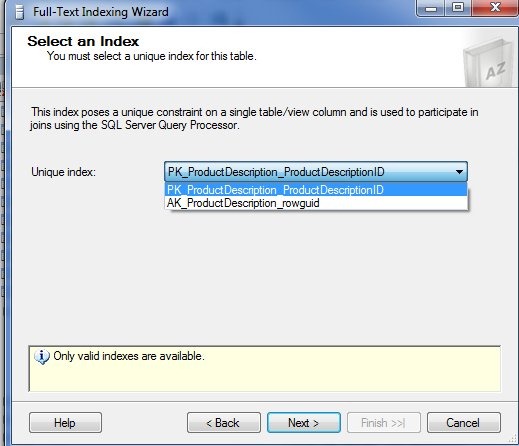
    This starts a wizard that we can use to pick the full text index. The first step is basing this on a unique index. The wizard is smart enough to only show those valid indexes for you to choose. I tend to choose the PK in most cases. That’s what I’ll do here. If your situation calls for something different, be sure you understand why.
    fts2

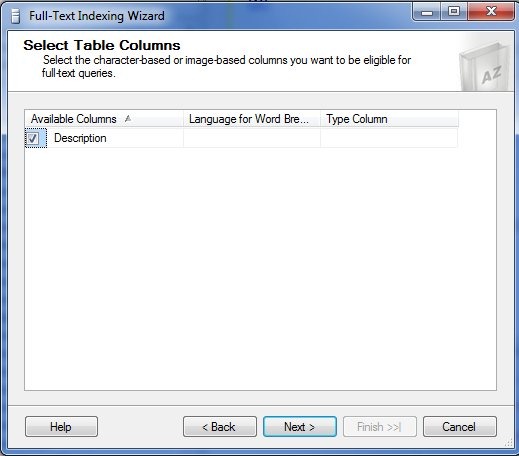
    The next step for is to choose from the available columns that are valid for full text indexes. In this case we only have one, so I’ll pick it.
    fts_2

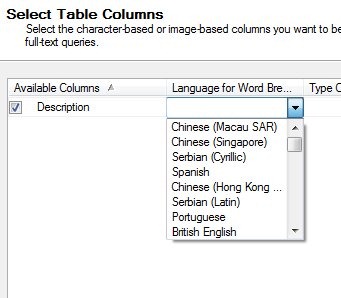
    Once I do that, I then can examine the other options. The middle item is for Word Breakers. These are the rules by which we decide where word boundaries are.
    fts_3

    These rules can vary by language, and as you see above, there are multiple language choices. We’ll stick with English.

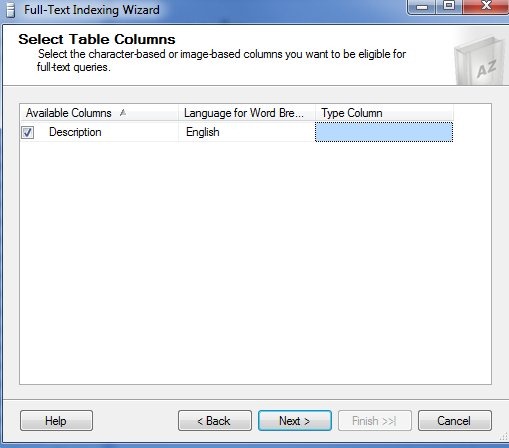
    The last column is for the “type” of data stored in the column we are indexing. This is for the use of iFilters for our data.
    fts_4

    In this case there is no other column that makes sense for a type. If you examine the full text index on the Production.Document table, there is a “FileExtension” column that is specified here.

    fts_6

    That column is named appropriately, but the name has nothing to do with the use here. If the column were named “Type” or “Extention” or even “Blue” it would still work as long as it contained the correct file type extension for the data stored in the full-text indexed column.

    Next we have the change tracking. You have three choices: automatic, manual, or do not track. The default is automatic, which I’ve often used.
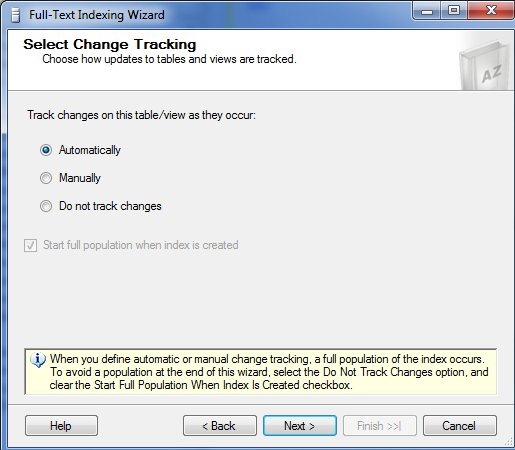
    fts_5

    If you have a large index, with large changes, you might choose to manually update the index, but you then need to do that. If you don’t want an automatic population to start after the wizard, then you need to choose “Do not track changes” as noted at the bottom.

    The catalog is like a filegroup for the full text index. There can be multiple indexes in one catalog, but an index is only in one catalog. Note that you can select the actual filegroup in which this will be stored at the bottom.

    fts_7

    I haven’t had enough experience here to give guidance. I’ve just had one catalog for the systems I’ve worked on.

    The stoplist is the list of words ignored in the index. This was called the “noise word list” in SQL 2005 and prior. You can create your own stoplist, or use the system one.
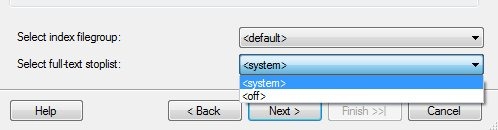
    fts_8

    Here I only have one, though I could not use one and allow all words in the index, which tends to bloat the size.

    Next we have the standard scheduling mechanism in SQL Server. Here it’s applied to the index population, or what you might see as the rebuild.
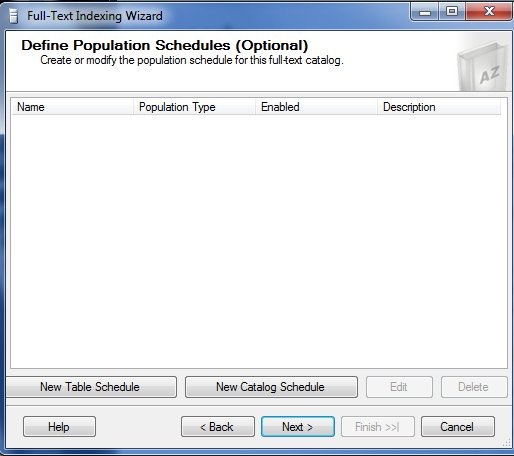
    fts_9

    No guidance here other than choose what works. If population is an issue, pick a low time to schedule things.

    The last part is the summary.
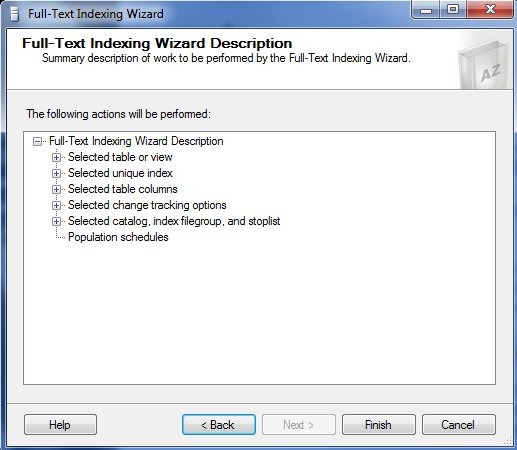
    fts_10

    My one complaint here is the fact that there is no “Script” button for this. That’s a royal PIA and it’s why I’m showing the GUI here. This is the easiest way to build the index. Once it’s done, you can go into SSMS and get the properties.There’s a script button there.

    fts_11

    However if you press this, you get this

    fts_12

    No scripting for the index, which is a hole. I’ve submitted an item on Connect, which you can vote for.
  • The Principle of Least Privilege

    One of the tenets of good security is that no person or process is granted more rights than it needs to accomplish a task. This is the Principle of Least Privilege, and is designed to ensure that your system is as secure, stable, and predictable as possible.

    For a SQL Server instance, this means that unless a person or process needs to perform instance level changes (configuration, patching, etc.), then they should not have instance level privileges. If a process accesses data in a database, there is no need to grant sysadmin privileges, even if they do need db_owner privileges.

    Many software packages require sysadmin access be granted, often without any justification. Developers build software as a sysadmin on their own workstation, or on a development server. They often don’t understand or realize that less privileges will still allow their software to work. As a result we find software running under elevated privileges, which can be a security risk if there are bugs or injection holes in the software.

    It’s hard to make changes later on, and it can be frustrating to argue with vendors that their software doesn’t need elevated privileges. The best way to combat this is to educate yourself and any developers you know about security.

    Adding login or user accounts does not require sa privileges. The securityadmin and db_securityadmin roles can be used. The rights to create objects in a database can be handled with granular permissions in a schema, or with the db_ddladmin role instead of db_owner.

    Work with limited rights when you can, and help other learn how to work with the minimum they need and we’ll all be more secure.

  • Better Licensing for SQL Server

    I don't know why licensing can't be simpler, but if it's not, then make it clear what is needed.
    I don’t know why licensing can’t be simpler, but if it’s not, then make it clear what is needed.

    People post licensing questions constantly at SQLServerCentral about the various scenarios and situations they face with their SQL Server instance configuration.  Many of the are fairly easy to answer, but more and more I read about environments that are complex. The problem is it is not clear from the licensing documents what purchases are needed.

    Multiple cores, virtual environments, and the restrictions for different editions of SQL Server mean there are often no simple answers. I know Microsoft is trying to earn a profit and these days hardware advances complicate matters, but I do think that Microsoft can make this much easier to understand than it currently is.

    There are lots of possible scenarios for systems, but publishing data on the Internet is easy. I don’t understand why the licensing documents do not include 10 or 20 possible configurations for SQL Server environments and explain what the licensing requirements are for each one. I bet that there are even some developers at Microsoft that can build a way for anyone to submit their own scenario, get it added to the list, and an answer published. I would guess there might even be able to build a notification feature for the submitter.

    It’s easy to contact a Microsoft licensing representative, but many of these people aren’t SQL Server experts, and often don’t understand some of the implications of complex environments. What’s worse is I have different friends getting different answers from Microsoft representatives.  By not using published scenarios and licensing requirements, and depending on employees’ interpretation of the documents, Microsoft is as likely to under charge as over charge customers. Neither situation is a fair one.

    I don’t mind paying for the software I use; I just want to know what the cost is before I architect a complex environment.

    Steve Jones


    The Voice of the DBA Podcasts

    We publish three versions of the podcast each day for you to enjoy.

  • Grace Under Pressure

    Grace Under Pressure
    How will you react when things go poorly? Will you maintain your composure?

    I once worked at a large, 10,000+ person company. We had a large data center with hundreds of machines, where we one day we lost power. Not power from the electric utility and had our UPSes and generator kick in. We lost power when some maintenance caused all of our UPSes to trip off line and cut power to all the servers.

    I was in the data center, surprised by the sudden quiet. Unfortunately one of our senior executives was also in the data center and proceeded into the raised floor area. As various technicians and sysadmins attempted to restore power and reboot systems, this senior executive watched, commenting, questioning, and often berating the employees. Not a good situation for anyone, least of all the people trying to reconnect high voltage wires together.

    Most of you will never experience a large disaster and need to recover your systems. Even fewer of you will recover from disasters with anyone other than your peers or a direct manager watching you. However you shouldn’t count on being that lucky. Whether the disaster is small or large, your fault or a natural occurrence, I hope that you are able to successfully restore your systems with some professionalism and grace under pressure.

    The key to a strong performance in a stressful situation is the same in technology as it is in sports, music, and almost any other endeavor with an audience. They key is practice.

    Simulate disasters, pretend that refresh of a development system is really a restore after a fire. Think about the various possible scenarios that might require you to recover a system and incorporate practice time into your daily routine.

    Steve Jones


    The Voice of the DBA Podcasts

    We publish three versions of the podcast each day for you to enjoy.