Tag: sql server

  • Trying Spoon

    I ran into Kenji Obata of Spoon earlier this year and we ended up chatting about their technology. If you’ve never heard of them, they use container technology to allow applications to run on a Windows host, but separated from each other. The concept is similar to Docker, but Spoon is more client focused. They’ve expanded their offering to Turbo, which is a more client focused offering that I think some of you might be interested in.

    I’ll talk about Spoon as the containers, but Turbo is the same technology and idea here.

    As an example, you can run Spoon containers on your host machine that allow you to have IE7, IE8, and IE9 all at the same time. At the same time, connecting to the same website so you can see how things render. In fact, their Browser Sandbox has all sorts of choices, all of which can be completely contained and running together.

    There’s a lot more you can do, but I wanted to get you started with a quick post on how you can use this with SQL Server.

    A SQL Server SSMS Container

    Browse over to Turbo.net and you’ll see a text box asking you what you might want to run. Type in SQL Server, and you’ll get some choices.
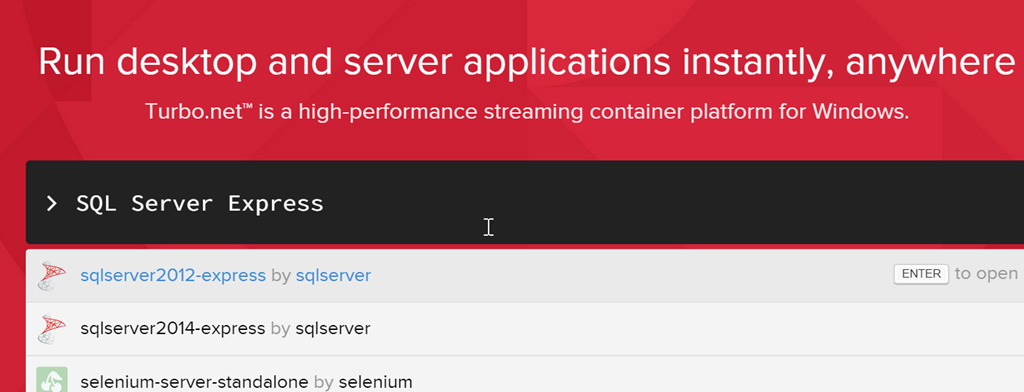
    2015-09-21 11_37_06-New notification

    I’ve got SQL Server 2014 on my laptop, but not SQL Server 2012. Imagine I want to see how SSMS 2012 might compare to SSMS 2014.
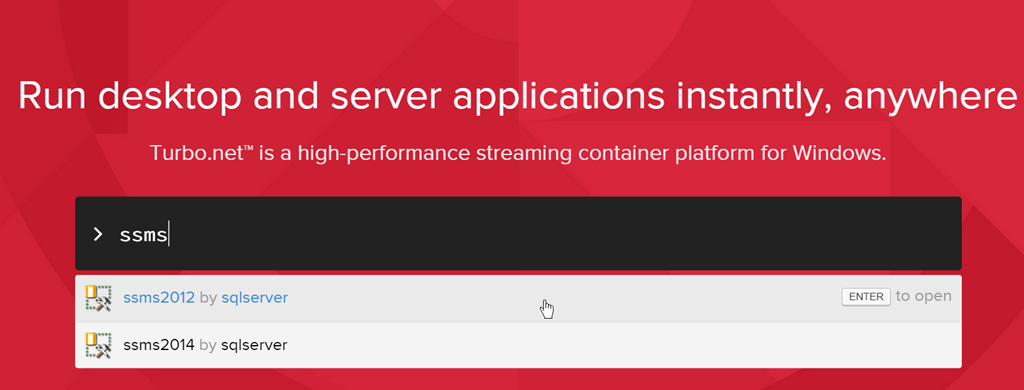
    2015-09-21 11_48_11-Run desktop and server applications instantly, anywhere

    I run the SSMS 2012 image. Turbo.net wants me to log in, and you can quickly create an account. They do charge for the service, but you can try it out for free. An account gives you the capability to save your images and restart them later with the saved settings and configuration for the future. You do need to download a small runtime if you haven’t done that in the past.
    2015-09-21 11_39_10-Photos

    I’ll see a small pane pop up on the website as the image downloads. This doesn’t require me to acknowledge anything, no UAC, no admin privileges.

    2015-09-21 11_51_05-New notification

    In a few minutes, I’ll get SSMS popping up. I can connect to my local 2014 instance and run the SSMS 2012 alongside the 2016CTP I have installed.

    2015-09-21 11_54_06-About Microsoft SQL Server Management Studio

    Many of you will say, Steve, you can run two instances of SSMS now. That’s true, but I have to install them both on my machine. This doesn’t require an install. It’s inside a container, that hasn’t affected my machine, other than to put a container file on my machine. I can see these from the command line:

    2015-09-21 11_59_26-Photos

    My SSMS container is running. If I close it, then the container will stop running.

    2015-09-21 11_59_46-Photos

    If I then restart it from the command line ( I could use the web), my local container file will restart.

    2015-09-21 12_00_24-Photos

    I could achieve some separation here from my local machine. With a subscription, I can save my image file, altering it to include plugins (like SQL Prompt), licenses, settings for my CMS or other servers, etc. When I restart, then I have a separate sandbox running SSMS.

    Amazing Possibilities

    I use Spoon/Turbo right now to run multiple instances of Chrome. I have 4 GMail accounts and I don’t want to sign in/out of each one, so I have each container configured with a different account, and I can work with all of my various accounts at the same time.

    I could see this providing quick Express access to a private database in a container. I could have a container that connects to my system with privileged accounts, providing some separation from my host OS in case of a malware attack.

    There’s a container with Chocolatey in there as well, so you can easily install whatever inside a container and save it off for later use.

    I’m sure there are other possibilities, and I plan to keep experimenting to see what else I can do with the Spoon/turbo containers that will give me flexibility across machines, require less resources than VMs, and provide the separation from host machine dependencies.
  • T-SQL Tuesday #70 – The Enterprise

    tsqltuesdayIt’s hard to believe this is the 70th edition of T-SQL Tuesday. I haven’t missed many, and I’ve enjoyed them all. I hope more of you are participating in this monthly blog party started by Adam Machanic (b / t). Whether you write today, or you write at some time in the future, T-SQL Tuesday topics are good ways to showcase your knowledge.

    This month’s invitation comes from Jen McCown, of Midnight DBA. Jen asks us to write about managing an Enterprise of SQL Servers. That’s a good topic, since many of us struggle to manage multiple instances. Whether you have 5 or 500, there are some good ideas that you might implement in any environment, and I’m looking forward to reading what people have to say.

    Decoupled Consistency

    A long time ago I was thrust into the role of managing hundreds of SQL Server instances at a large company. I’d managed dozens of machines before, but this was a whole new level of scale. What’s more, the majority of machines were set up completely independently of each other, with no concerns other than a mandate to try and keep versions close to each other. That was a challenge in and of itself.

    The only common tool in use was Patrol, which was mainly used to monitor performance counters, but we didn’t have the SQL Server specifics, so we really could only get general performance counters, and even those were difficult to access when thousands of hosts were being monitored.

    I brought an idea with me from a previous job that had served me well with a handful of disparate instances. We’d consistently set up each instance, both installation, configuration, and monitoring, however we’d decouple each instance from others. Our goal was each machine capable of operating independently from all the others.

    We had found that central servers go down, that we had no good way of tracking the status from machines when this happened, and most importantly, there are always exceptions.

    With this in mind, we

    • built a procedure to install SQL Server, but included a number of scripts for post installation that would standardize settings. This allowed our server build people to easily handle SQL Server installation as part of their job. These days I’d use something like FineBuild to make this easy.
    • set up a DBA database on each instance that monitored jobs and other important status for the instance. If the instance was up and SQL Agent running, we’d know the status of that instance.
    • Performed basic monitoring of some key performance counters for a quick trend of the latest performance over the last week, similar to what SQL Monitor shows. Getting a quick snapshot was quicker than accessing central monitoring, especially in a crisis.
    • Assembled a report for the instance each day, calling out exceptions at the top, and leaving expected data below. We needed documentation for our ISO certification, and our auditors loved this.
    • We did use a central server to assemble the reports from all instances and compile them for the DBAs to review. All exceptions were at the top, and we used a left join to compare the list of instances with current reports. If any were missing, we bubbled that to the top as an exception.

    These were all good, simple ideas that allowed a team of 3 DBAs to manage 400-500 instances of SQL Server. We were flexible enough to handle the needs of mission critical Finance instances as well as often changing development machines. Our data was simple and always available for us to give to clients when they had questions.

    Most importantly, we built a system that allowed us to deal with exceptions, but not review the mundane stuff. Our time was precious, and that’s the case in any enterprise situation. You need to focus on the 10-20% of systems that really need regular attention while ensuring the other 80-90% of them are still being maintained.

  • How Many Times Will You Change a Password?

    Another post for me that is simple and hopefully serves as an example for people trying to get blogging as #SQLNewBloggers.

    If you create a login and the user can’t log in, how many times will you change the password?

    It turns out I’ll do it 5 times.

    I was setting up a new installation of DLM Dashboard on a test machine. In the setup it asks for an account to run under. I dislike setting my own account (even for tests), so I flipped over to SSMS and added a new login, entered a password, unchecked “require change” and set this as a sysadmin. I clicked OK and returned to Chrome.

    I entered the password and hit “Add”, only to get the “login failed” message for the user. Surely I mistyped something, so I typed the password again, with the same result.

    Maybe I mistyped it in SSMS. Go back, change it to the same thing, adding a character in SSMS (let’s call this the first change) and then hit enter in Chrome.

    Failure.

    Maybe I mistyped it. Go back to SSMS, change the password again (now twice), this time making it simpler. Uncheck the “policy check” and try again.

    Failure.

    Hmmm. I’m confused. Let me type a password in Notepad. I’ll copy paste that in SSMS (now 3 times) and into Chrome.

    Still a Failure.

    At this point I’m confused. Why can’t a new user log in? I’m wracking my brain.

    Maybe I have a sticky keyboard key? I’ll change the password again, this time to 5 of the same character (now 4 changes). I go slowly, typing the same 5 characters into Chrome.

    Failure.

    What’s the cause? I’m starting to wonder if perhaps logins aren’t allowed on a protocol, and it hits me. SQL Authentication.

    I go to the instance properties and I never allowed SQL Authentication when I installed SQL Server. After all, this is a test machine.

    Change that and restart SQL Server. Change the password again (5 times) to a decent password that won’t be guessed if someone gets to this machine.

    DLM Dashboard setup proceeds.

    SQLNewBlogger

    We all make mistakes. We do things wrong. Talk about how you learn and figure things out. This is a good story and lesson for me.

    Resources

    I should know better.

  • The Case for Upgrading

    I heard from a member of the community that’s still on SQL Server 2005 recently. Yes, 2005. That’s an old, unsupported version, but they’ve got some Access/VBA apps that work well and aren’t worth investing a lot of development effort in. The person noted that they could only upgrade to 2008 R2 without rewriting code, and they didn’t want to move from one unsupported version to another.

    I suspect a few of you are in this situation, though it seems many people I know that still run 2005 (or 2000), also have newer versions of SQL Server running. As there is the need, or opportunity, to replace and upgrade instances, they do so.

    In this case, it seems there’s not good case to upgrade. A change to newer code would be expensive, but also licensing costs have dramatically risen. If the existing hardware were an older 4CPU (licensed), perhaps dual code x 8GB RAM system from, let’s say, 2008 ish hardware, that’s a quad core machine. While you might be able to run on fewer cores with today’s processors, you’d still be looking at a quad core, single CPU as a minimum for licensing and hardware.

    There’s also the decision of upgrading to 2014 with new code. That could be a significant effort, with resources spent here instead of on new development. Is that worth it? I think it’s hard to decide without knowing more.

    Is it worth it to upgrade to 2008 R2? I’m not sure. While you get some enhancements, you’re still moving to a version that will go out of mainstream support in a year or two. I’d say this isn’t worth the cost.

    Ultimately I think Microsoft is shooting themselves in the foot a bit with the minimum core requirements and larger licensing costs, without giving customers flexibility. I think Microsoft would be better served by letting customers license the scale they need.

    Steve Jones

    The Voice of the DBA Podcast

    Listen to the MP3 Audio ( 2.3MB) podcast or subscribe to the feed at iTunes and LibSyn.