Tag: SQLNewBlogger

  • RANK() vs DENSE_RANK(): #SQLNewBlogger

    I haven’t done one of these in awhile, but I saw an article recently about this and decided to explain it to myself, but in a slightly different way. You’ll see how I checked on RANK() vs DENSE_RANK() below.

    Another post for me that is simple and hopefully serves as an example for people trying to get blogging as #SQLNewBloggers.

    Getting Started

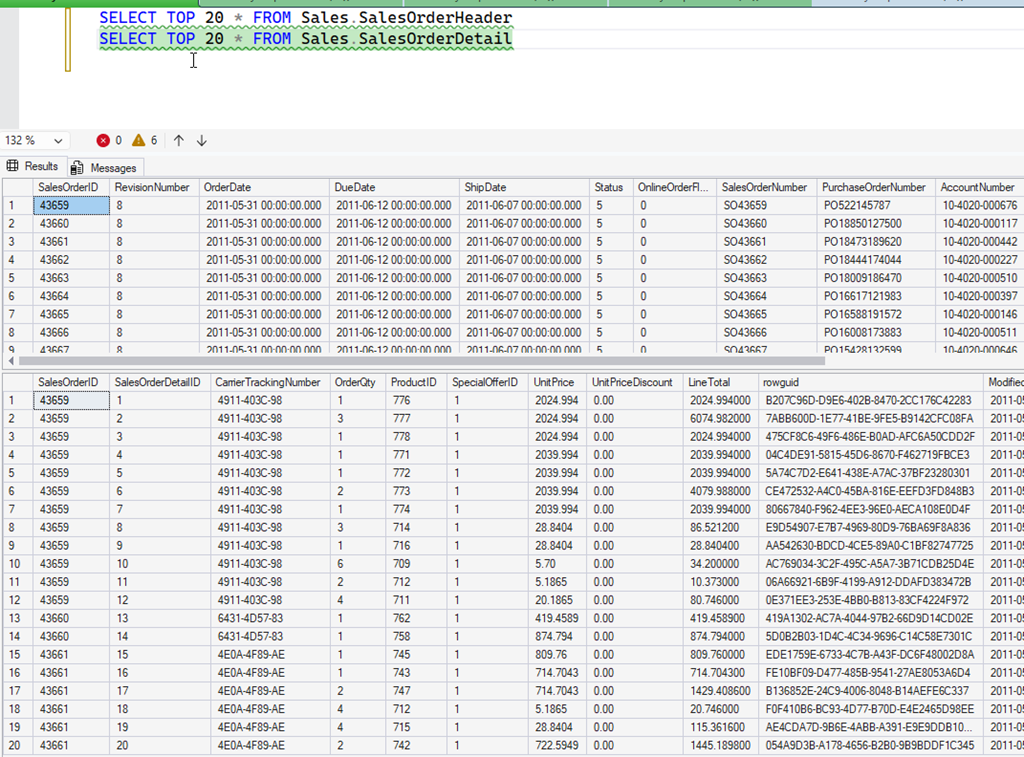
    Imagine you’ve never used these functions, but you need to rank some data. Let’s say that you have a series of things that measure sale and you want to know who has done the best job this week. I’ll start with AdventureWorks, and we’ll assume it’s June 2011. If I look at some data from that database, I see this. Order Headers and Order Details from that range.

    2026-02_0125

    Who are the top 5 salespeople?

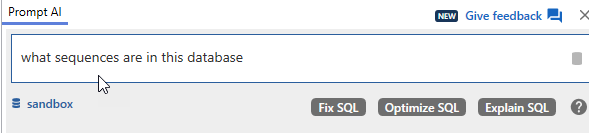
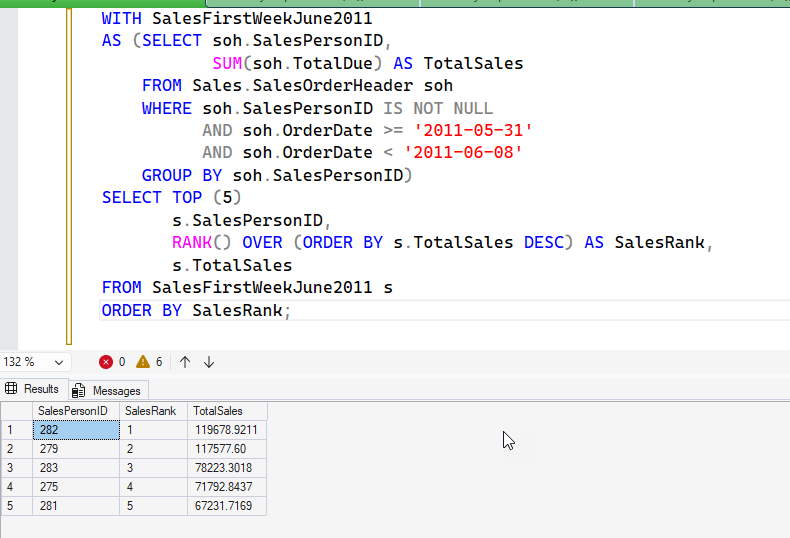
    I put this into SQL Prompt AI: who are the top 5 salespeople with ranking for the first week of june 2011. Give me the salespersonid, the rank and sales total

    I got this code, though with 2011-06-01 as the first date, which didn’t work as there were no orders that week. I adjusted this back to May 31. You can see this uses RANK() as the aggregate.

    2026-02_0126

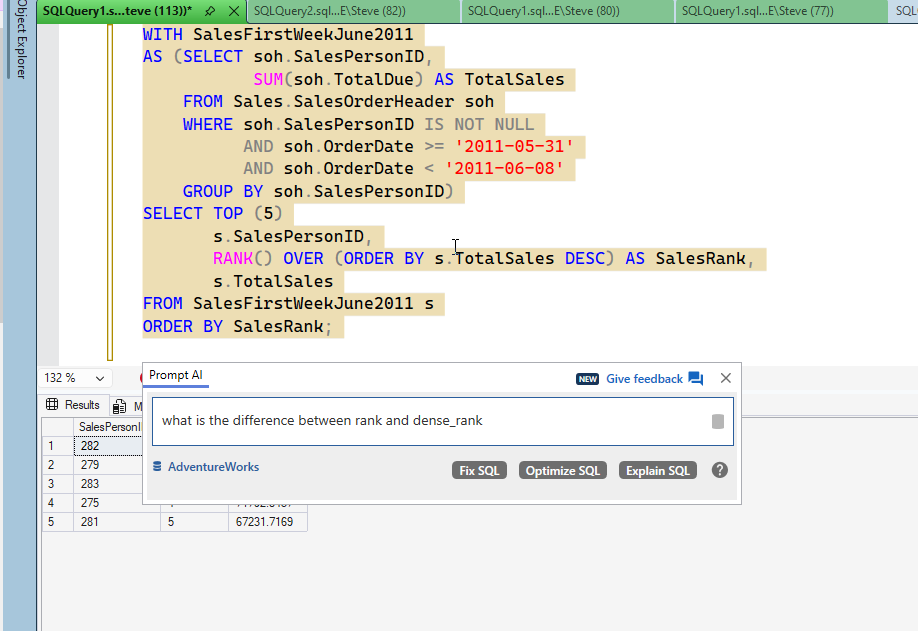
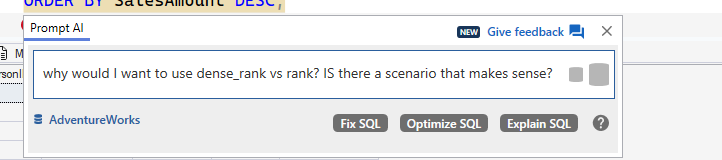
    I then asked about DENSE_RANK, because I heard about it and might want to use it.

    2026-02_0127

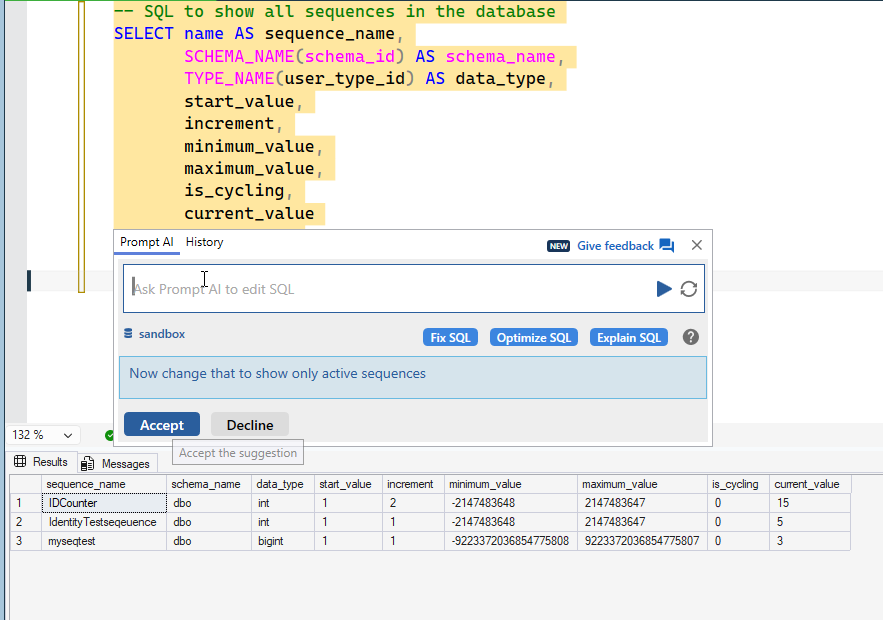
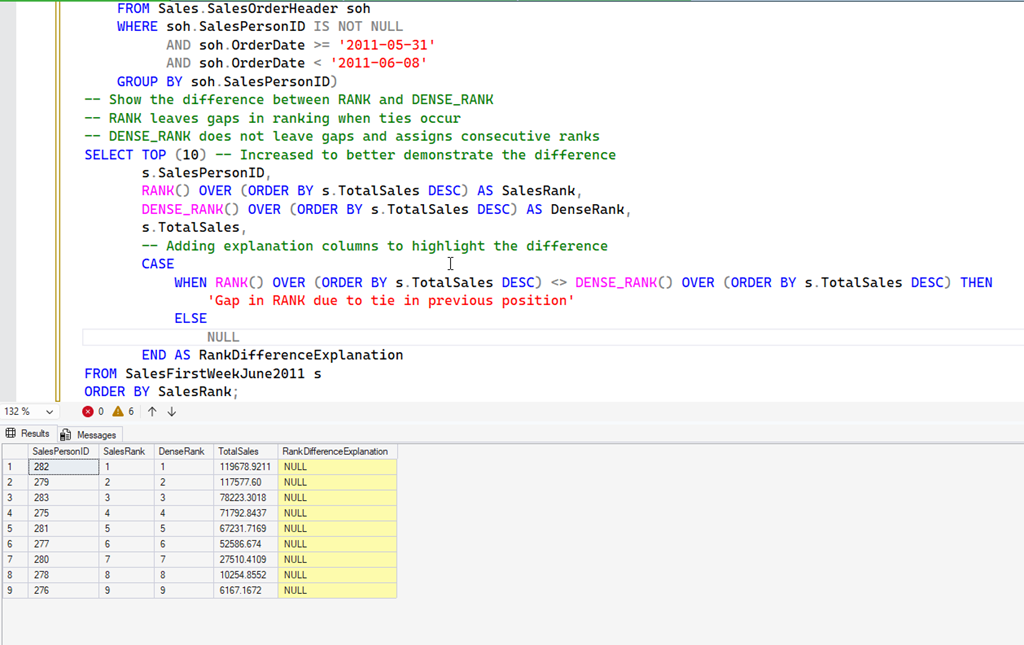
    Prompt adjusted the query to add DENSE_RANK, but I then clicked the “add explanation” next prompt prompt (is that a thing now?)

    2026-02_0128

    I now see an explanation, though in this example, this doesn’t help.

    2026-02_0129

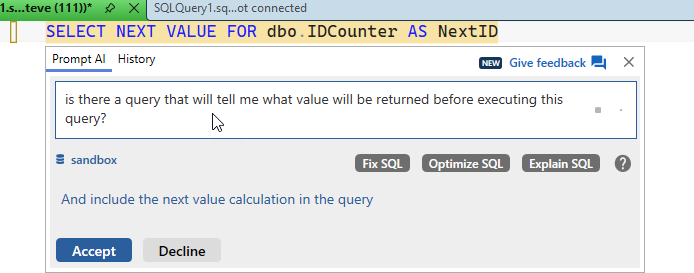
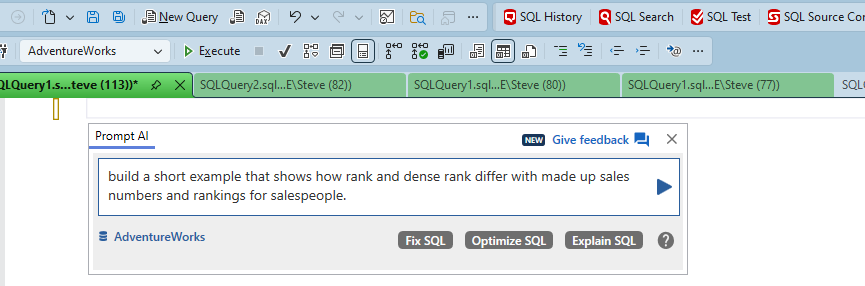
    I then asked Prompt to help me understand.

    2026-02_0130

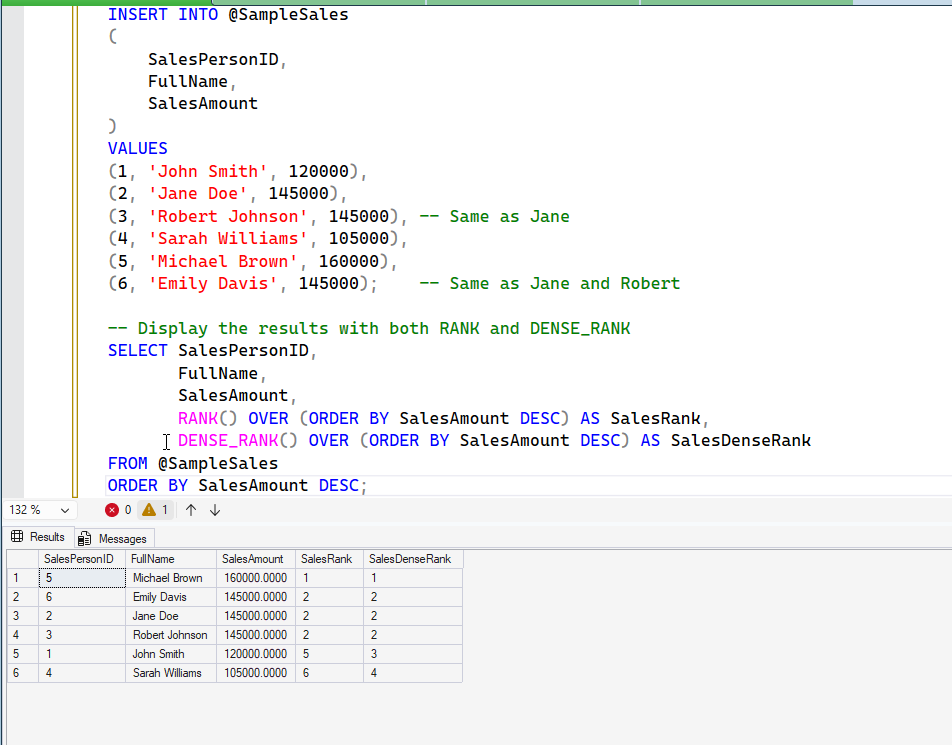
    I got back this code. You can see in the results, that both show me the ties for 2nd with people that have the same sales totals. However, with RANK, we jump to 5, since there are 3 people tied at 2 (presumbly taking 2,3,4th place). The dense ranking goes from the ties at 2 to 3.

    2026-02_0131

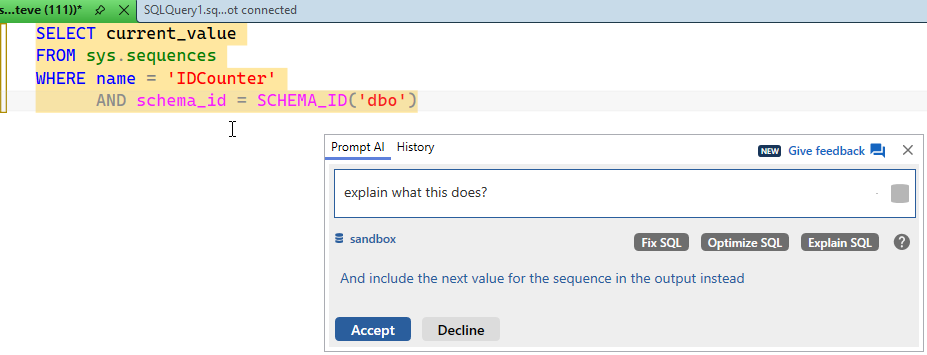
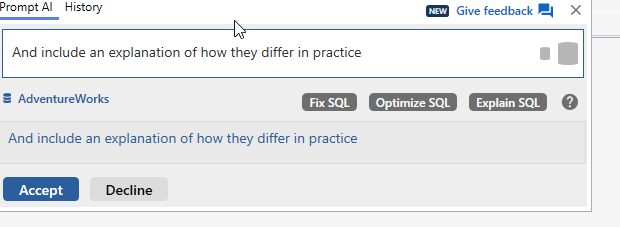
    I asked for an explanation:

    2026-02_0132

    I got this. This is the text from SQL Prompt AI (in italics):

    # RANK vs DENSE_RANK: When to Use Each


    The key difference between RANK and DENSE_RANK is how they handle ties:


    ## RANK
    – Assigns the same rank to ties
    – Skips the next rank(s) after ties
    – Creates “gaps” in the ranking sequence
    – Example: 1, 2, 2, 4, 5 (note the missing 3)


    ## DENSE_RANK
    – Also assigns the same rank to ties
    – Does NOT skip ranks after ties
    – Creates a “dense” or consecutive ranking without gaps
    – Example: 1, 2, 2, 3, 4 (no gaps)


    ## When to use DENSE_RANK:
    1. **Consecutive Ranking Systems**: When you need a continuous sequence without gaps, such as in competitions where tied participants should receive the same position, but the next participant should be ranked immediately after.


    2. **Top N Analysis**: When identifying items in the “top 10” or similar groups, DENSE_RANK ensures you get exactly 10 distinct ranks regardless of ties.


    3. **Percentile Calculations**: When calculating percentiles or quartiles where a continuous ranking is needed.


    4. **Educational Grading**: When multiple students with the same score should receive the same rank, but the next student should be ranked immediately after.


    ## When to use RANK:
    1. **Traditional Competition Standings**: Olympic medals and many sports competitions use this approach – if two athletes tie for first place, the next finisher gets bronze (3rd place, not 2nd).


    2. **Statistical Analysis**: When you need to preserve the mathematical properties of ranks where the sum of all ranks should equal the sum of consecutive integers.


    3. **Scenario Where “Skipped” Positions Matter**: When it’s important to account for how many entities are ahead of each entity.


    Your example query perfectly demonstrates this difference:
    – Employees with $145,000 all get rank 2 with DENSE_RANK
    – With RANK, they get position 2, but the next rank is 5 (skipping 3 and 4) because there are three employees sharing rank 2


    Each function has its appropriate use cases depending on whether you want a continuous ranking sequence or one that accounts for the number of entities at each rank level.

    What I Learned Here

    I knew most of this, but in terms of trying to understand better where/why to use each, the explanation made sense. I hadn’t thought about the Educational Grading for DENSE_RANK, but that makes sense. I knew the others, and often that the TOP N needs the correct number of rankings.

    For RANK, we use the competition ranking with volleyball, so I see that all the time, but I don’t do a lot of statistical analysis where this has come up, but it’s good to keep it in mind.

    To me, I often go back to the client, or think about both of these when I rank things. I will do what Prompt AI did and put both in a query, see the differences and then decide (or let someone else decide) how to present the ranking data.

    SQL New Blogger

    When I started to explain this, I first opened the DOC pages and was going to use those to write this and thought, this is a good place to test AI models and see. I took a different tact and incorporated some AI into my work, because that’s where the world is going. Like it or not.

    This went faster with AI, and less cognitive load from me. I wrote this post, but I used AI to help set things up, generate code, and get me there quicker. You could do the same thing and use a blog to showcase that you’re learning how AI is a tool you can use.

    SQL Prompt can help you learn more about your code, in addition to all the cool time saving features. Give it a try today.

    FWIW, I asked CoPilot the same query and got an answer (0 people), without code. When I asked for code, I did get it, but not quite what I wanted.

  • Database Collation Matters for Unicode: #SQLNewBlogger

    While trying to work with Unicode data, I found some issues with collation. This post showcases what I’ve seen, with probably not enough answers. The collation/UTF stuff is still slightly confusing to me.

    Another post for me that is simple and hopefully serves as an example for people trying to get blogging as #SQLNewBloggers.

    Noticing Problems

    I was doing some testing with Unicode data and noticed this sentence in the docs for UNISTR() (image below): “The database collation must be a UTF-8 collation if the input is of char or varchar data types.

    2025-12_0088

    I started experimenting with SQL 2022 with a default, US database. I ran this code:

    SELECT N'Denver ' + NCHAR(0x1F601), DATABASEPROPERTYEX('sandbox', 'Collation')

    That gave me unexpected results. The inputs aren’t char or varchar. They are NCHAR.

    2025-12_0089

    Strange. I’d have expected this to work. Let’s try the COLLATE clause. That should help.

    It doesn’t.

    2025-12_0091

    One Solution

    I decided to create a new database to test things. First, I ran this code to create a database using a UTF-8 collation:

    CREATE DATABASE UnicodeTest COLLATE Latin1_General_100_CI_AS_SC_UTF8

    Next, I tried my test. Same code as above, different database.

    2025-12_0093

    This works. I see my Unicode characters.

    Why, I’m not sure. I would think that my requesting a collation for a query would work, but I see this in the docs, which notes this is for ORDER BY.

    2025-12_0094

    In the Write International T-SQL Statements doc, there is this:

    2025-12_0095

    I’m not sure what UCS-2 means when I’m querying in memory only, but apparently this matters.

    An Explanation

    The real answer is found in the NCHAR() docs. In here, the arguments section notes this:

    2025-12_0096

    The key is the Unicode value. NCHAR() handles up to 0xFFFF (4 Fs). My value is 0x1F40E (5 characters), so it’s out of range for the values that are handled with a non SC collation.

    If I return to my Sandbox, non SC collation database, I can get Unicode characters, as long as they are below the FFFF threshhold.

    2025-12_0097

    A fun little experiment, where I learned something.

    SQL New Blogger

    This is a great example of my finding a problem, digging in, and solving it. Around some other work, this probably took me about 30 minutes to figure out with some reading and experimenting. Then about 15 minutes to write this post.

    This is something you could easily do and showcase your knowledge as someone looking to learn and grow.

  • Finding the Last Last Name in SQL: #SQLNewBlogger

    I wrote a piece on the new SUBSTRING in SQL Server 2025 and got asked a question. How do we get the last last name, such as only getting “Paolino” from “Miguel Angel Paolino”. This post will show how you can easily do this.

    Another post for me that is simple and hopefully serves as an example for people trying to get blogging as #SQLNewBloggers.

    The Scenario

    I have a set of names, like those in the Northwind.dbo.Customers table. I want to find the last names only, perhaps for a mailing, or maybe for a search box. I have names like these:

    2025-11_0155

    Notice line 80 above. There are three names here. In the US, we might consider this as a first, middle, and last names. In Spain, however, this might be a first name and two surnames. If I only wanted the last last name (Paolino), how can I get that?

    One of the cool things about working with strings is that we can look at them a few ways, and we have a great T-SQL function that can help: REVERSE(). The last last name is really the first name in a reversed string.

    Backwards, but we can fix that.

    Let me build up a query. First, I’ll get the ContactName and then the First Name. I’ll use the Charindex to find a space and then assume everything before the space is the first name. That gives me this code:

    SELECT
            ContactName,
            SUBSTRING(ContactName, 1, CHARINDEX(' ', ContactName)) AS ContactFirstName
    FROM dbo.Customers;

    And these results. Notice I have the first names. This isn’t perfect, but it’s often works.

    2025-11_0157

    Now, let’s add the string reversed.

    SELECT
            ContactName,
            SUBSTRING(ContactName, 1, CHARINDEX(' ', ContactName)) AS ContactFirstName,
            REVERSE(ContactName) AS ReversedName
    FROM dbo.Customers;

    The results are interesting. Look at lines 79 and 80. The first name is the first word before a space. For the last name, it’s the first word before a space, but reversed. The first part of 79 is shpesoJ and the first part of 80 is oniloaP.

    So let’s repeat our substring on the reversed string. Here’s new code:

    SELECT
            ContactName,
            SUBSTRING(ContactName, 1, CHARINDEX(' ', ContactName)) AS ContactFirstName,
            SUBSTRING(REVERSE(ContactName), 1, CHARINDEX(' ', REVERSE(ContactName))) AS ReversedLastName
    FROM dbo.Customers;

    And look at the results. now my third column is the last name, just backwards.

    2025-11_0159

    Now we can wrap that last column in another REVERSE() and we get the results we want.

    2025-11_0160

    SQL New Blogger

    This is a common type of task, and one that you might be asked in an interview, or as a part of a spec. This post only took about 10 minutes to write, with code, and if this were on your blog, I bet an interviewer would ask you how to do this.

    Try to influence the interview and write your own post. Do some testing on performance as well, explore how to work with T-SQL to become better at it and showcase this to your next hiring manager.

  • The Challenge of Implicit Transactions: #SQLNewBlogger

    I saw an article recently about implicit transactions and coincidentally, I had a friend get caught by this. A quick post to show the impact of this setting.

    Another post for me that is simple and hopefully serves as an example for people trying to get blogging as #SQLNewBloggers.

    The Scenario

    You run this code:

    2025-09_0086

    Everything looks good. I ran an insert and I see the data in the table. I’m busy, so I click “close” on the tab and see this.

    2025-09_0087

    I’ve gotten so used to these messages, and annoyed by them in SSMS, I click “No” to get rid of it and close the window.

    The Problem

    A short while later I open a query window to do something related and check my data. I don’t see it.

    2025-09_0088

    What happened? I had implicit transactions set. This might happen if you mis-click this dialog. Ths option is close to the ANSI_NULL_DFLT_ON option.

    2025-09_0089

    You could also, or someone could in your terminal (as a poor joke) run this:

    SET IMPLICIT_TRANSACTIONS ON

    In either case, this means that instead of that insert running as expected, it really behaves like this:

    BEGIN TRANSACTION

    INSERT dbo.CityName
    (
        CityName
    )
    VALUES
    (‘Parker’)

    If I don’t explicit commit (or click “Yes”) then this isn’t committed.

    Be wary of implicit transactions. It’s a setting that goes against the way many of us work and can cause lots of unexpected problems. This is a code smell I would never want in my codebase.

    SQL New Blogger

    When I ran into this twice in a week, I decided to spend 10 minutes writing this post. It’s a chance to explain something and give a recommendation. Something every employer wants.