In a previous post, I set up the basic databases for the PoC project I’m working on. In this next post, we’ll get the Flyway Desktop projects set up for the PoC.
This is part of a series of working through Flyway and Flyway desktop to demo database changes. Disclosure: I work for Redgate Software.
Flyway Desktop
Flyway Desktop (FWD) is the GUI that Redgate built on top of Flyway for managing your database project. This replaces the SQL Source Control and SQL Change Automation products that we used to try and integrate into IDEs.
I like Flyway Desktop, which is standalone app for capturing code and committing it to Git. It is a project based app, so you set up a project in a folder for a particular database (and possibly schema). In my case, I’m going to set up two projects to start for my PoC.
Version Control
We work with Git, which has become the de facto VCS for most people.
On GitHub, I set up a public project where I’m putting this repository. It is located at: https://github.com/way0utwest/FWPoC
This is on my local machine as a copy at e:\Documents\Git\FWPoC
MSSQL
The first project I’m setting up is my SQL Server project, in a folder called MSSQL under the root of the git repo. This is a project folder just for Flyway Desktop. Once I create the folder, I’m going to create a new project in FWD.
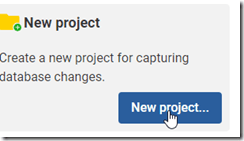
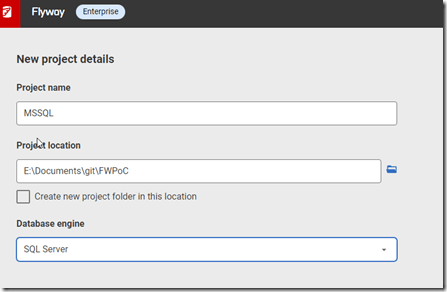
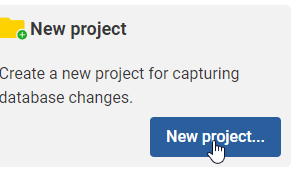
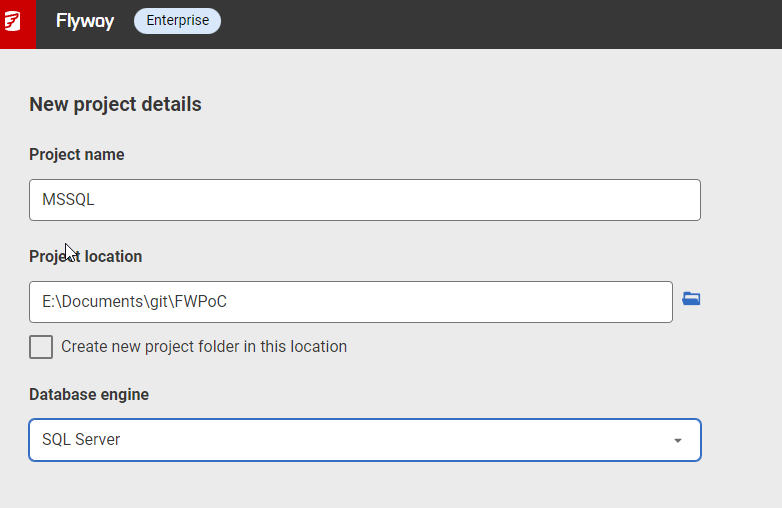
I get a form after clicking New project. I’ll set the name as MSSQL, choose the root folder, and since I created the folder, I uncheck the checkbox. While I appreciate it’s good to put things in a subfolder, at times I’ve had FWD make a subfolder under the folder I choose, so I’m wary of this box. Mostly because I make mistakes.
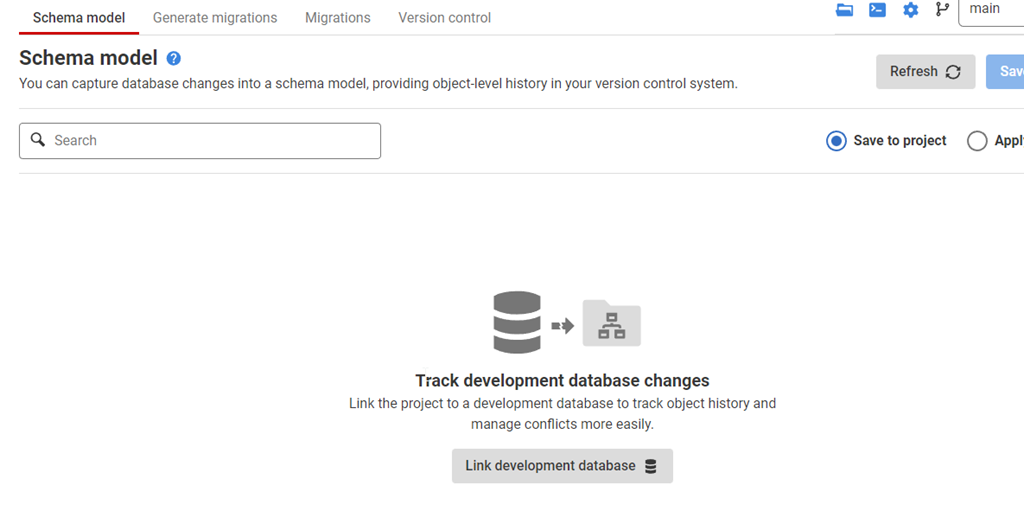
Once this is created, I start in the Schema Model tab. I hate this nomenclature, as it’s weird. This is the list of objects whose code I’m capturing. There’s nothing here, because I need to link this to my development database.
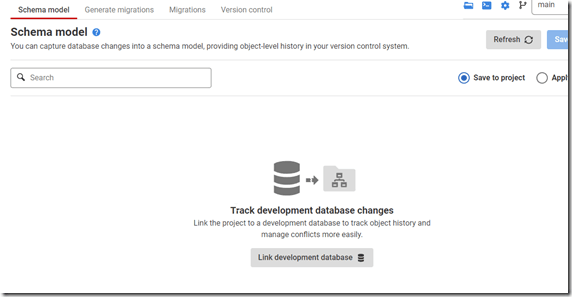
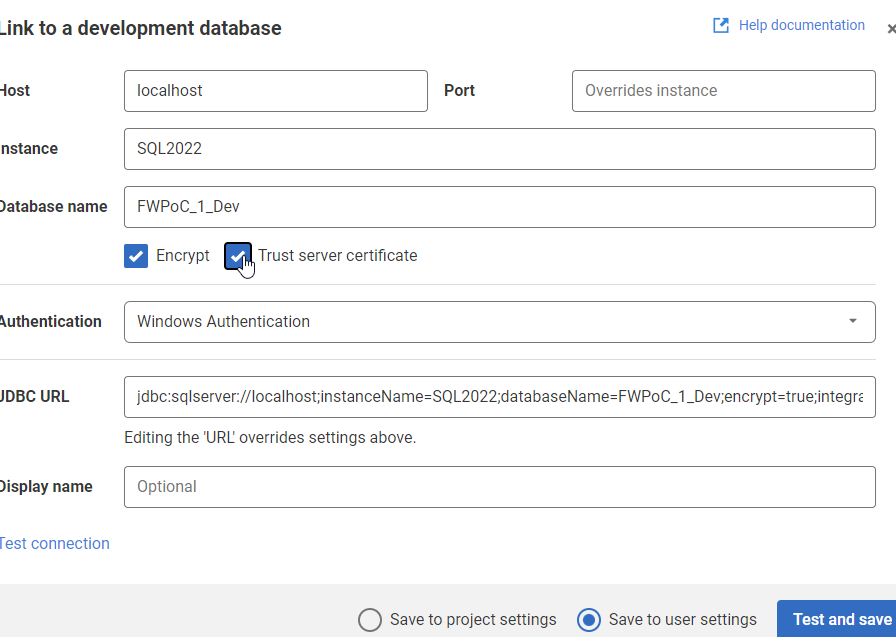
If I click the “Link” button at the bottom, I get a dialog for the JDBC connection string. Don’t worry, you don’t need to know Java. Just fill in the boxes.
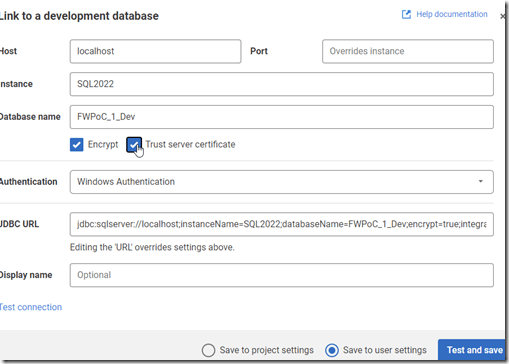
Two things in the dialog above.
One: Click Trust Server Certificate. Most new installations of SQL and driver upgrades require this. I don’t know why we don’t have this checked by default.
Two: Click “test connection” in the lower left, so if you have issues, this gets found quickly.
Once this is done, I go back to the Schema model and I see this:
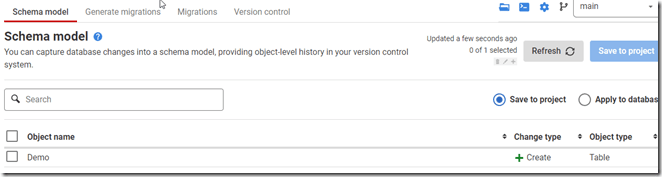
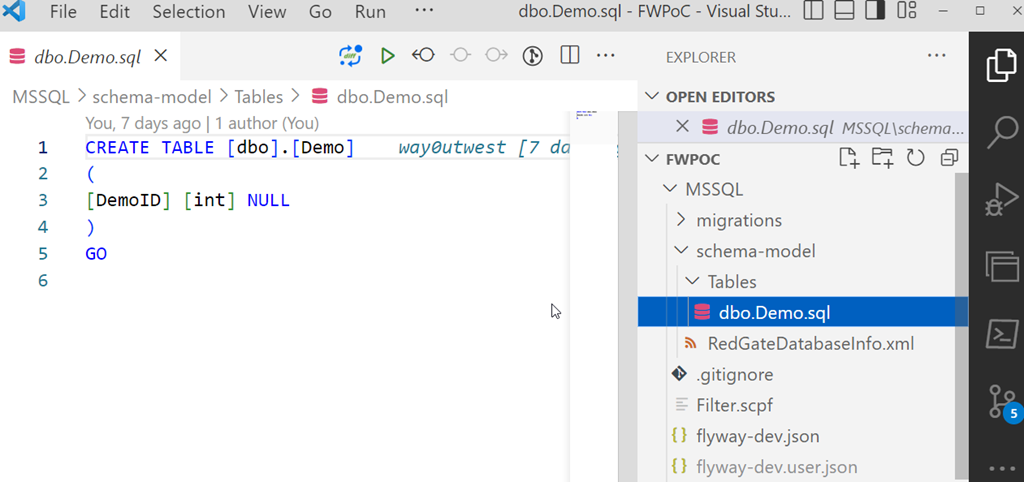
I’ll select this object and save this to the project. This puts the file in the file system for this object, but doesn’t commit this to version control. We can see this in Visual Studio Code below. This is just a git repo, so if I open it in VSCode, I can see the file, the contents, and a note there are changes to be committed in the left icon.
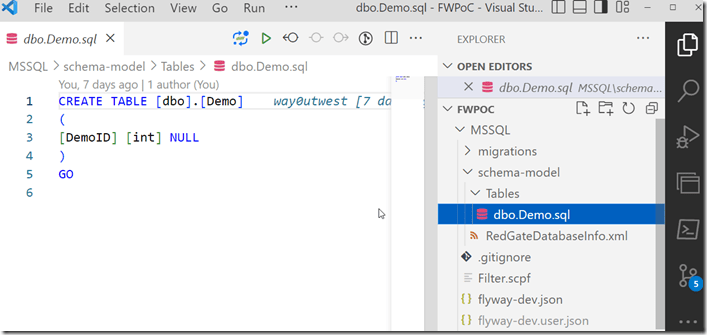
One project complete.
PostgreSQL
My second project is for PostgreSQL. Same git repo, similar process. I’ll create a new project, but say this is a PostgreSQL project.

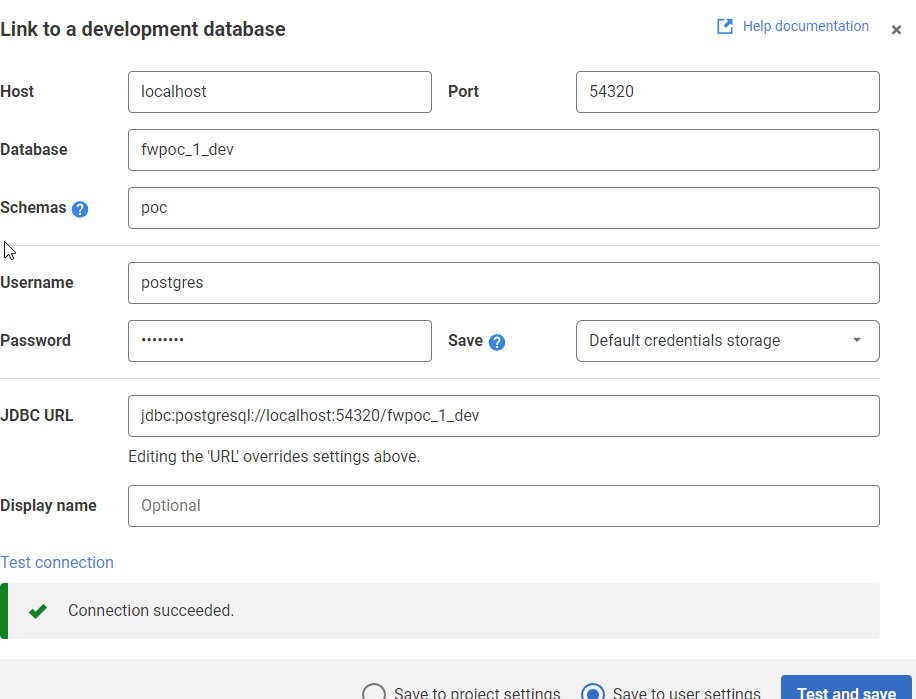
The process is the same. I’ll link this to a dev database. I need to specify the port and database I’m using. I also specify the schema here, as it’s not the default.
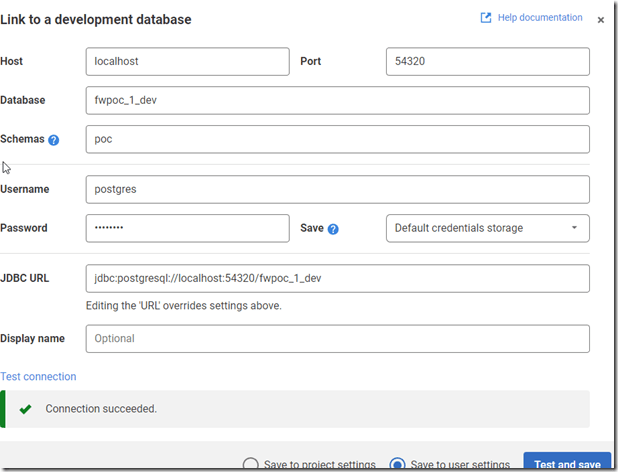
Once I get the project connected, I see the same as I did above for SQL Server. I save it, and I get a slightly different structure in the project. I see a schema below the schema-model folder. In here, I see my table, but it’s not the code, but a description.
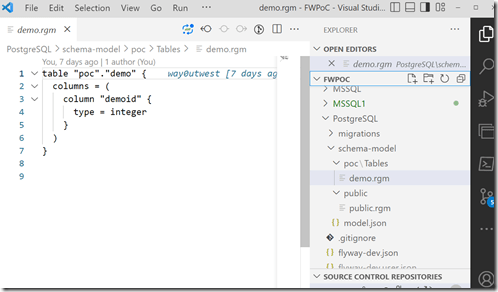
From here, I just commit and push this stuff up to the repo. Note that commits and pushes, can push everything from both projects as they are in one repo. I did this on purpose to keep everything organized for me. However, if this were a team, I’d likely separate SQL Server and PostgreSQL into separate repos so individual developers don’t get confused.
The next step here is to get a second database to where I can deploy changes for each project. I’ve got these set up, and in the next post, we’ll work on an initial deployment.



 Voice of the DBA
