Tag: syndicated

  • Typing Alternative Characters

    I tend to work in the US English world. I’m somewhat embarrassed to note that I really only know one language and most of my work has been with US centric industries. I’ve rarely had the need to deal with Unicode and most of my databases have used varchar() everywhere. However, I know a little about nvarchar and am trying to be better about becoming familiar with using these structures.

    Recently I was working on a piece and needed to type a £ character. If I were on one of the Redgate demo systems, that would be no problem. There’s a key for this character. However, I’m a US centric guy on a US system.

    I could have cut and pasted the character, but I was wondering if there was a way to type it. There is.

    You can use ALT codes to type the Unicode character. In this case, it’s 0163, so you can hold down the ALT key and then type  ‘0163’. Doing that gets you £.

    Pretty cool.

  • Off to SQL in the City 2018

    I’m off today on a plane, flying to the UK for this Wednesday’s SQL in the City broadcast. This is our first event of 2018, and I’m excited. We’ll be talking GDPR and security, not the most exciting of topics, but we also have some cool new products to show off. I’m excited to see what people think of the work that our development teams have been doing.

    I’m also doing the keynote, which is both a little exciting and scary. Usually Simon Galbraith, founder and CEO does these, but for some reason I’ve been picked this time. I hope you enjoy what I have to say, and hopefully I don’t mess things up.

    I’ll also be showing you some improvements to SQL Clone with integrated data masking. This is a very well thought out product, which will really help many of you prepare databases for development and test without exposing sensitive data.

    Register today and I’ll see you, or rather, you’ll see me on Wednesday.

  • Classifying Data with SSMS 17.5

    I upgraded SSMS to 17.5 recently and found an interesting addition. This version has incorporated the ability to classify data. With the GDPR coming for many of us, this is a welcome addition.

    This is a quick look at this feature.

    Classify a Database

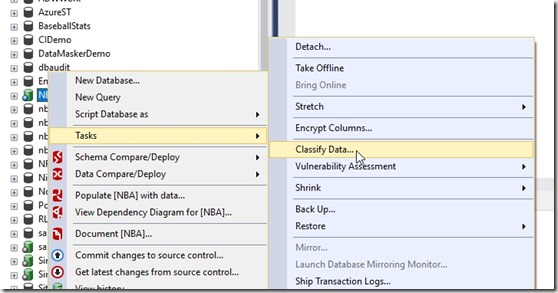
    If I select a database and right click it in SSMS, I get a few new items in the Tasks menu (as shown).
    2018-02-16 13_15_58-SQLQuery1.sql - Atlas.master (sa (51))_ - Microsoft SQL Server Management Studio

    I’ll select “Classify Data”, and I get a new tab opened. I see there are some recommendations and also a list of classifications of data.
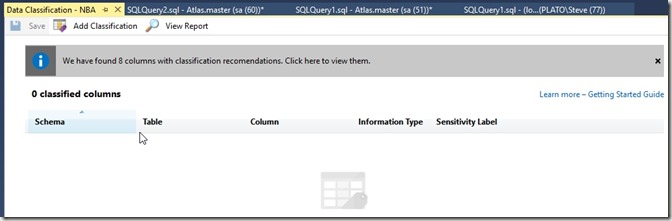
    2018-02-16 13_16_28-Data Classification - NBA - Microsoft SQL Server Management Studio

    There’s a getting started link, which takes me to the SQL Server Security Blog. I suspect that’s an incorrect link. I think it should go here: SQL Data Discovery and Classification.

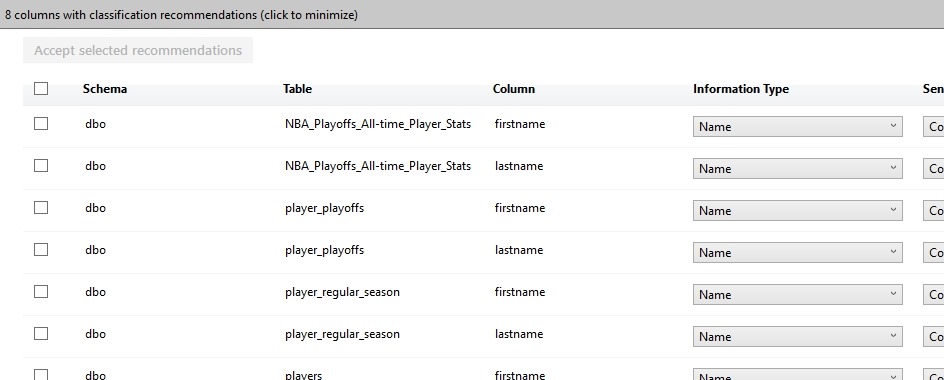
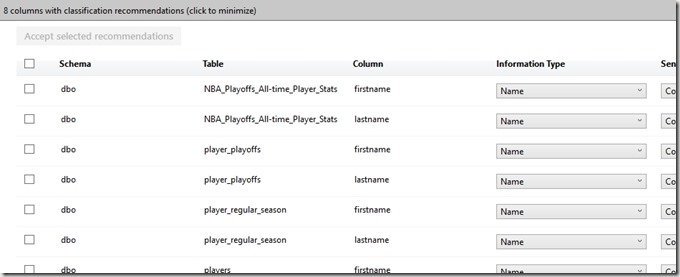
    Below this, I see a list of the recommendations. This has grabbed tables that appear to continue to contain some data that might be sensitive and require classification. One of the tenets of the GDPR  is that you know your data. You aren’t allowed to figure this out later, but rather you must proactively know what data you are collecting and processing.
    2018-02-16 13_17_47-Data Classification - NBA - Microsoft SQL Server Management Studio

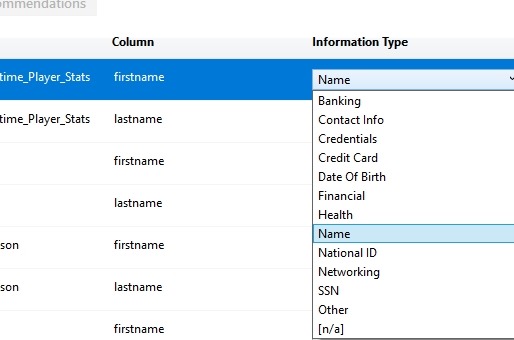
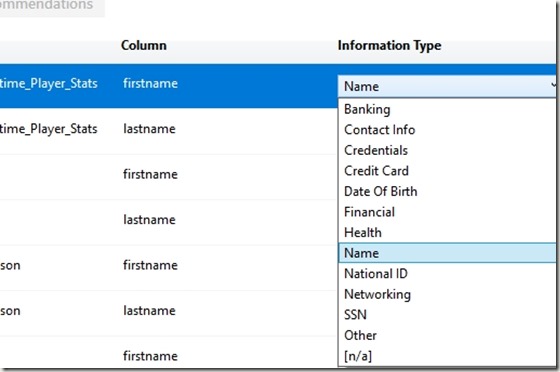
    Here we can see a few drop downs to the right. I’ll scroll and look at these. First is the Information Type. This is listed as a name, but I have other options I can set. The list is the types of that that might be sensitive information about a data subject (a human or entity) that I need to classify.
    2018-02-16 13_19_36-

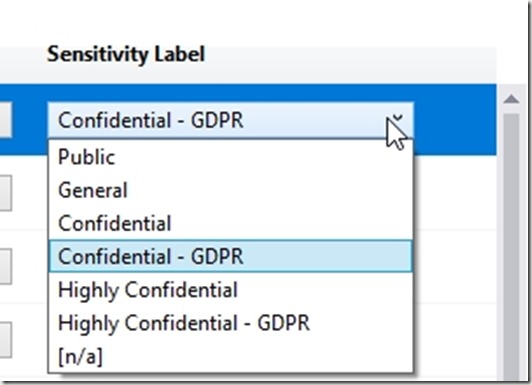
    Beside this is the sensitivity label. My choices here are shown below. These range from public information, which removes some of my responsibility to highly confidential and applying to the GDPR.
    2018-02-16 13_21_14-Data Classification - NBA - Microsoft SQL Server Management Studio

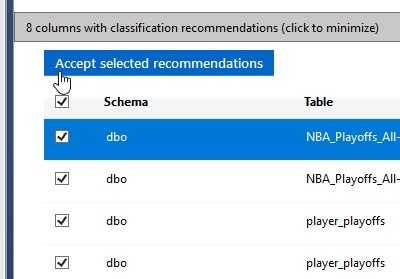
    If I’m happy with these recommendations, I can select them all (or a subset) on the left. I can click the “Accept” button to add them to the classifications I have for this database.

    2018-02-16 13_22_07-Data Classification - NBA - Microsoft SQL Server Management Studio

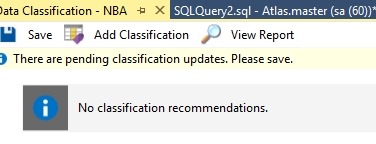
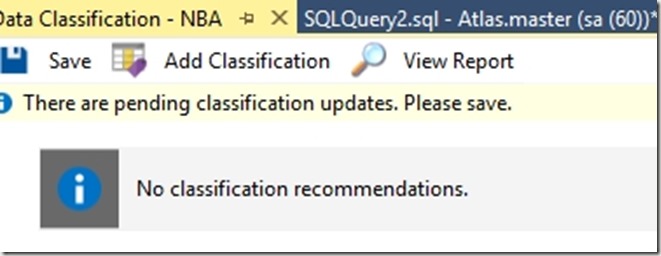
    This doesn’t save them, but adds them to the list. At the top of this tab I can see the need to “Save” my changes.
    2018-02-16 13_22_13-Data Classification - NBA - Microsoft SQL Server Management Studio

    Once I’ve done this, I could add more, or view a report. The report shows me this:
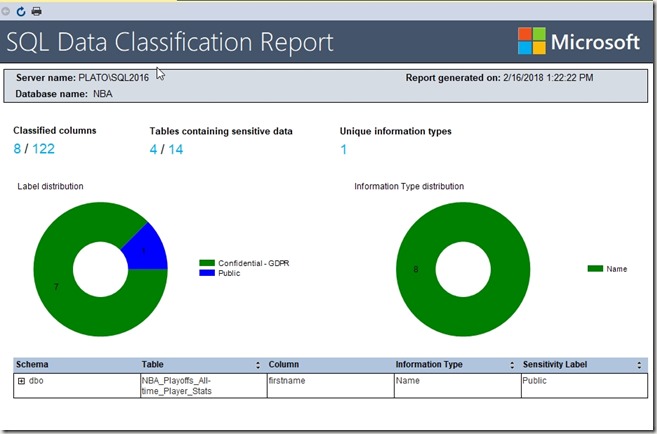
    2018-02-16 13_22_26-Data Classification - 2_16_2018 1_22 PM - PLATO_SQL2016 - Microsoft SQL Server M

    Implementation

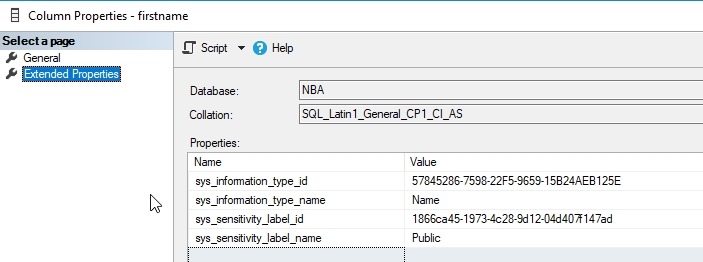
    My guess was that these are implemented as extended properties, which makes sense. That’s how many things could make SQL Server better, and I’m right. If I examine the EP for the firstname column in one table, I see this:
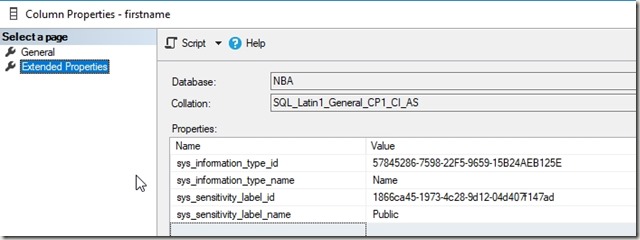
    2018-02-16 13_26_46-Column Properties - firstname

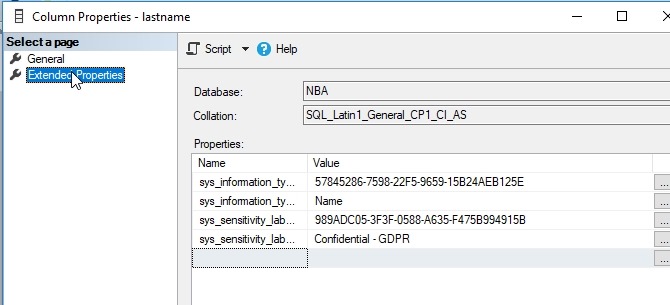
    This was the column I changed to public information. The lastname column in the same table is marked as confidential.
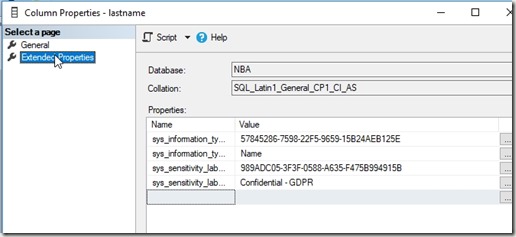
    2018-02-16 13_26_55-Column Properties - lastname

    Helpful?

    Ultimately is this useful? Yes. I can see other products taking advantage of this, such as the new Data Masker from Redgate, which could let you know which columns are sensitive and not masked. I’d also expect that this is useful and important for ETL and other operations to carry this metadata to new columns that might contain transformations or movement of this data.

  • dbatools and Orphaned Users

    I really like the dbatools project. This is a series of PowerShell cmdlets that are built by the community and incredibly useful for migrations between SQL Servers, but also for various administrative actions. I have a short series on these items.

    One of the common issues that I would run into with refreshing development and test environments are the orphaned users. These are accounts that typically exist in production, but not in development. The logins and users are different in these environments, and often there isn’t a login on the development instance. This creates an orphaned user: one that exists in the database, but has no instance level mapping.

    Cleaning up these users isn’t that hard, often with a removal of the user, mapping to a different login, or repairing this user by adding back the server login.  These aren’t difficult tasks, but the logic to write a script to quickly fix this, especially in a DR situation, may not be handy.

    dbatools can help here with a few cmdlets. I’m not recommending this is any better than the T-SQL, but if you keep dbatools on your instances, this is a quick way to fix things.

    With Get-DbaOrphanUser, we can quickly get a list of those users that aren’t matched on the restored server. I can limit this to an instance or a database, but it gives me a list of users that I can then pipe into one of a few other cmdlets: Repair-DbaOrphanUser and Remove-DbaOrphanUser. These two cmdlets will do, as the British say, what it says on the tin. They’ll remove or remap the users, which can make it easy to quickly get your users working again.

    Note that you will want to ensure this does what you expect and run with the -WhatIf command to be sure that you aren’t altering users that you don’t want to change.

    This isn’t necessarily the way I’d always clean up users, but as part of a flow that might include automated restores, data masking, and other steps, being able to access orphaned user data and repair users from  PoSh is something I’d certainly consider.