Tag: syndicated

  • Enabling Guest in a Database–#SQLNewBlogger

    Another post for me that is simple and hopefully serves as an example for people trying to get blogging as #SQLNewBloggers.

    The guest account exists in all your databases. This is installed by default, and guest is used to map a login that doesn’t otherwise have access to a database.

    Sound scary?

    It should. This would be bad if any login could connect to any database, potentially reading data using the guest account. Fortunately Microsoft has done two things. First, guest is disabled in all user databases. This is because it’s disabled in model, which is our template.
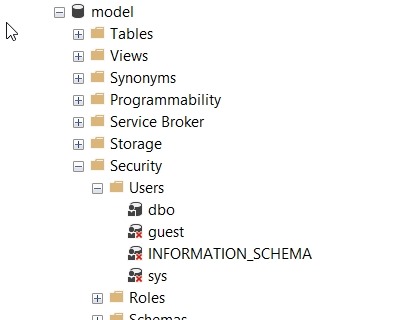
    2018-02-08 08_51_24-SQLQuery8.sql - (local)_SQL2016.AdventureWorks2014 (PLATO_Steve (74))_ - Microso

    Second, guest is typically assigned no rights. It’s a member of the public role, which also has no rights by default.

    Enabling Guest

    If you want to allow anonymous access for logins through the guest account, it’s easy. Be wary and careful of doing this and be sure you understand what rights have been granted to public if you do this. In general, I’d expect auditors and any compliance/security officers to be against this, but you should check.

    The user exists already, and just needs the CONNECT permission to get enabled. You can do this with this code:

    GRANT CONNECT TO guest

    If you want to remove permission, use

    REVOKE CONNECT FROM guest

    That’s it. Remember, by default this user can’t access any objects. I would recommend you not grant rights to guest, but use roles. Either one of the built in ones, or better yet, create your own role and choose limited permissions.

    SQLNewBlogger

    One of the ways you can showcase your knowledge, show you’re learning, and show you’re motivated to enhance your career is blogging. This post is an example of what you could write, in your own words, about something you’ve learned.

    This one took my about 5 minutes after I’d spent a little time getting guest enabled for a test project.
  • Join me for Masking, Privacy, Protection, and Clones at SQL in the City Feb 28

    Registration is open for SQL in the City 2018. Our first event is Feb 28 and I’ll be heading back to the UK for the event. This time Grant and Kathi will be there and we’ll be joined by the amazing Ike Ellis. This is an event to watch.

    I’ll be covering some GDPR stuff about compliance, with good information that all DBAs and system administrators should know. This is a prove you’re doing what you have decided to do session.

    In the afternoon I’ll also cover some enhancements to SQL Clone in our Privacy bundle that helps you mask data from production and build your dev/test environments in a way that can protect your sensitive data.

    Some Redgate products will be used to show how to accomplish the same tasks, but all of us will be talking about core concepts and ideas that you need to know. We’d like you to consider our software if it provides you with value for the cost, but either way, you will learn about things that we all think are important.

    Register today and I’ll see you in a few weeks.

  • Migrating MySQL Databases

    A little out of my area, but I need to move the tsqltuesday.com database to a new service. The company running the db decided that they don’t want to keep a lower level consumer type tier. Since their minimum plan is now $20/month, I decided to look elsewhere. My first move was to try Azure Database for MySQL. This is a quick look at moving the MySQL data.

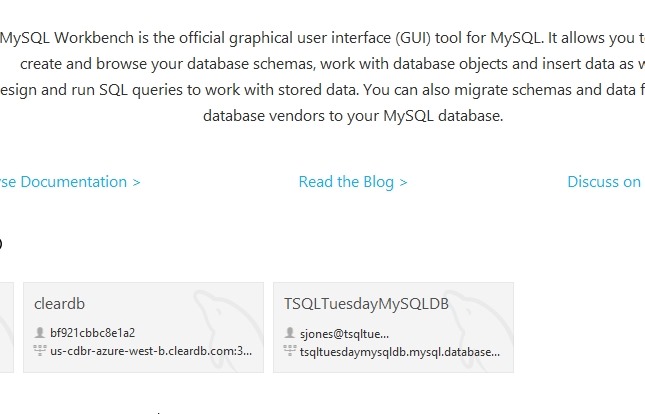
    I have MySQL Workbench, so I started that up. I saw a note that this contained a migration wizard. I first created a MySQL database in Azure, which is really simple. Then I created two connections from MySQL Workbench. One to the existing database and one to my new one.

    2018-02-08 13_50_54-MySQL Workbench

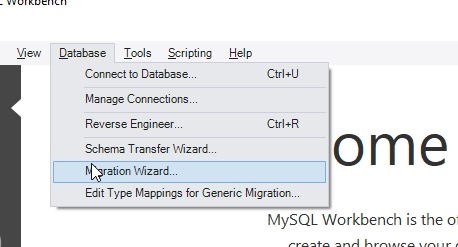
    The next step was to start the Migration Wizard. This is under the Database menu.

    2018-02-08 13_51_07-MySQL Workbench

    As with all wizards, this opens with a welcome page.  I clicked Start Migration to get going.

    2018-02-08 13_51_24-Why GDPR Will Fast Track the Fourth Industrial Revolution _ HuffPost

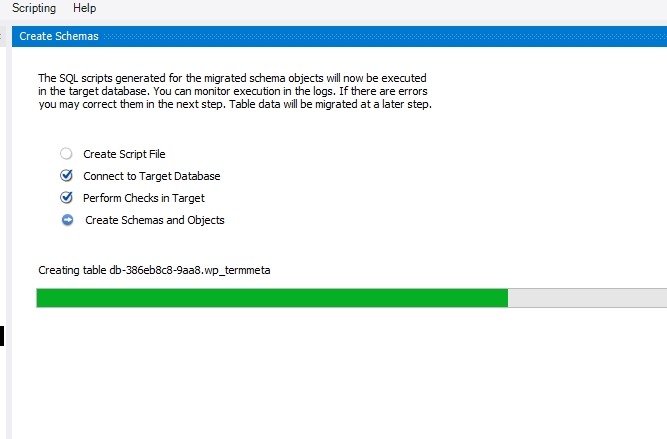
    The wizard is fairly simple. Once I had this working, I walked through the wizard, choosing my source and destination. This was a simple process and things connected up once I’d opened the firewall.

    2018-02-08 13_51_58-MySQL Workbench

    After verifying connections, I selected everything. Since this is a WordPress site, it’s a fairly small schema and set of objects.

    2018-02-08 13_52_21-MySQL Workbench

    I basically clicked next, next, and let everything transfer. This only took about 5 minutes.

    2018-02-08 13_52_40-MySQL Workbench

    Once this was done, I queried the database, and everything was working. I saw my data and it appeared complete. No errors, so I assumed things were correct. Row counts seemed to verify this.

    2018-02-08 13_55_58-MySQL Workbench

    This was pretty simple, perhaps even easier than using SSIS and the Copy Database Task since this was built in.

    Now to figure out how to re-point the application.


  • Moving Lookup Data with ReadyRoll

    I’ve been using ReadyRoll for a small project and wanted to move some lookup data. There are some tables where I want to keep data in sync across environments, so if my build and release pipeline can do this, great. ReadyRoll makes this easy, and this is a short post to show how.

    The Current Environment

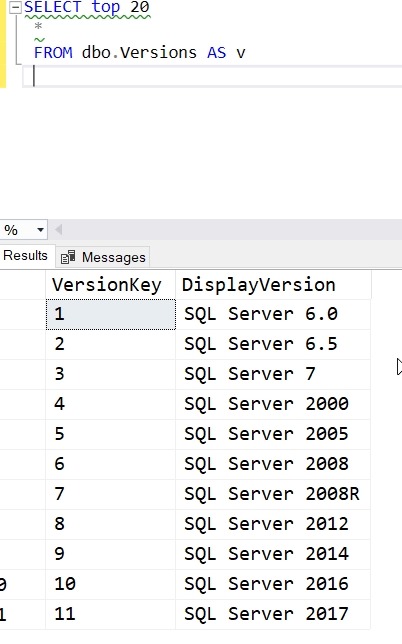
    I’ve got a table in my dev database that has SQL Server versions. I can see the list here:

    2018-01-31 12_15_05-SQLQuery6.sql - (LocalDB)_Projectsv13.SSBuilds_1Dev (PLATO_Steve (51))_ - Micros

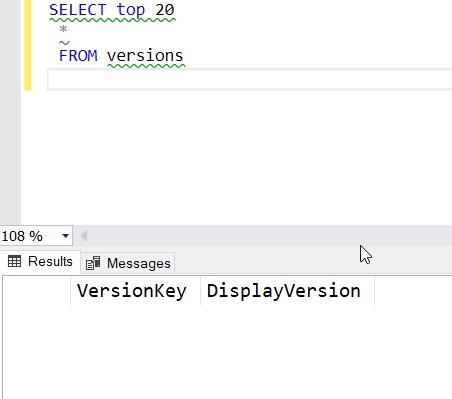
    In my QA and staging systems, I see this (only one is shown, but it’s the same in both).

    2018-01-31 12_13_41-SQLQuery5.sql - dkranchstaging.database.windows.net.ssbuildsRRstaging (vstsdeplo

    The goal is to have this data migrate with other changes in a build and release pipeline.

    Adding Data to the Project

    I’ve already built this as a ReadyRoll project and set up a build and release pipeline in VSTS. Now I want to include my data.

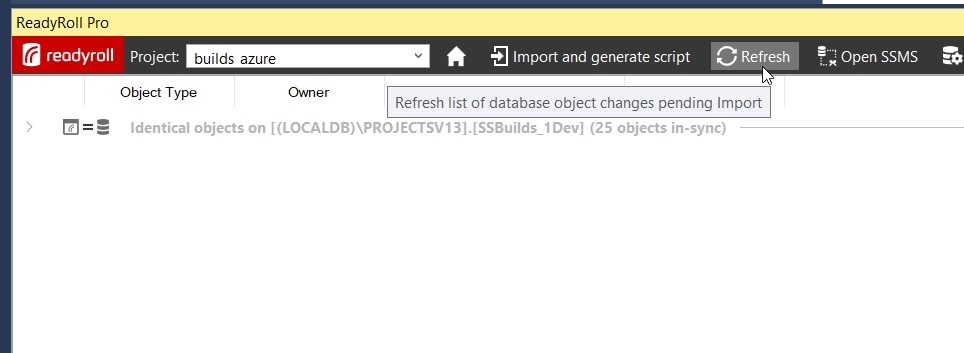
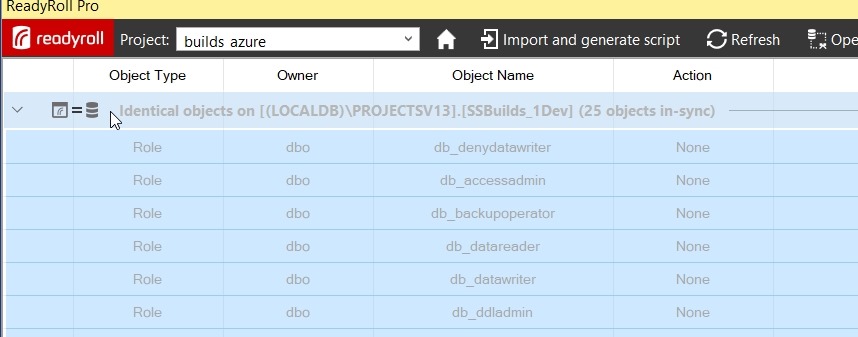
    In the ReadyRoll tool window, I have refreshed the project and I see everything in sync. That’s good, and that’s how I want to be starting a small section of development.

    2018-01-31 12_11_09-builds_azure - Microsoft Visual Studio

    I want to find my table, so I need to expand the “Identical Objects”. When I do that, I see a list of all objects in the database.

    2018-01-31 12_17_22-builds_azure - Microsoft Visual Studio

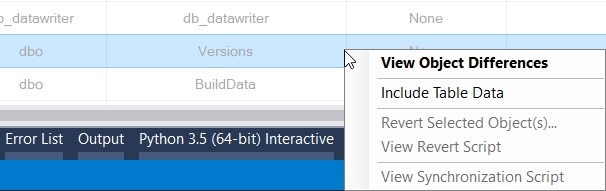
    I can scroll down to find my table. When I do, I’ll right click it to get a few options. One of these is “Include Table Data”. We want to pick this one.

    2018-01-31 12_20_01-

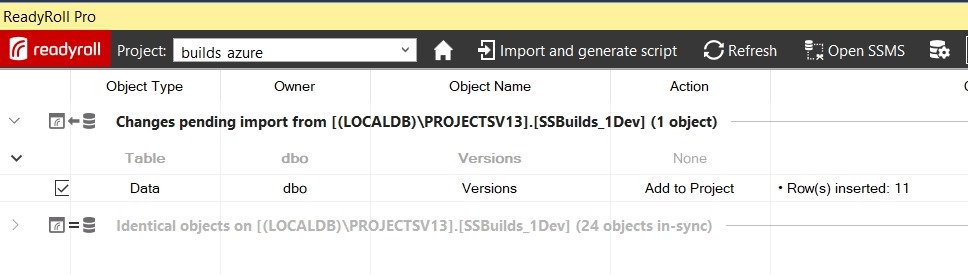
    Once I do that, I get a note to refresh again. This is so RR can determine what table data needs to be added to a migration script.

    2018-01-31 12_21_07-builds_azure - Microsoft Visual Studio

    My changes show that I need to get 11 rows of data into a new script.

    2018-01-31 12_21_44-builds_azure - Microsoft Visual Studio

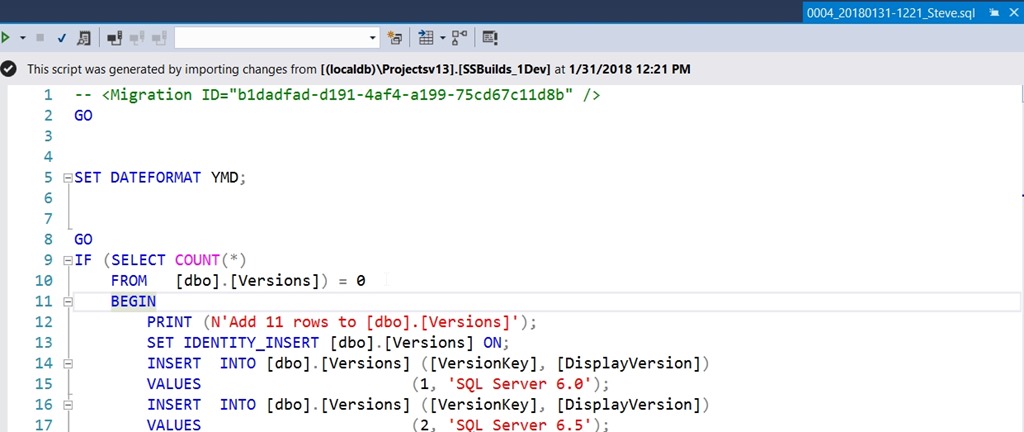
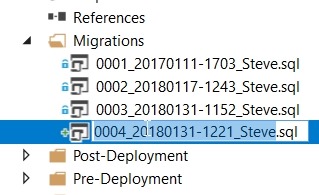
    I click Import and generate script, which will build my migration script and add it to the project. In my case, this is script 4.

    2018-01-31 12_23_00-builds_azure - Microsoft Visual Studio

    Note that this script has a few things in it, based on a call to SQL Data Compare in the background. First, it sets a dateformat. Next, it does the insert for an empty table, since that is the situation I’m in. Last, this uses the SET IDENTITY_INSERT option.

    If you don’t like these options, change them here. You can alter this script to suit your environment. Remove the IF, let the identities be what they are, make the changes that matter to you.

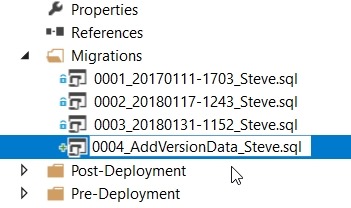
    The only thing I’ll do is click the script name twice to edit it.

    2018-01-31 12_25_08-builds_azure - Microsoft Visual Studio

    The numeric sequencing is important. The rest, not so much. I’ll choose something simple here.

    2018-01-31 12_25_21-builds_azure - Microsoft Visual Studio

    Build the Project

    I can build locally, and I always should to be sure things work. Once I see this and I’ve tested a few things, I’ll let the “system” do more work.

    2018-01-31 12_28_32-builds_azure - Microsoft Visual Studio

    The nice thing about ReadyRoll is that I can include my database project alongside application projects, if I want. For application developers or hybrid developers, I can use a consistent interface for saving changes to version control.

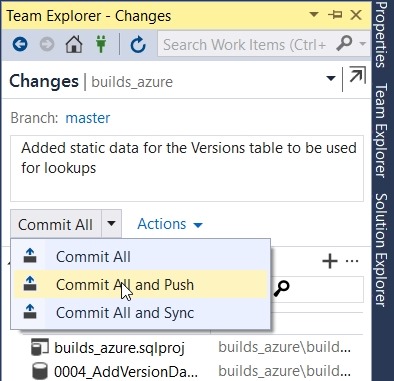
    In Team Explorer, I’ll check changes, add a comment, and then Commit and Push.

    2018-01-31 12_30_36-builds_azure - Microsoft Visual Studio

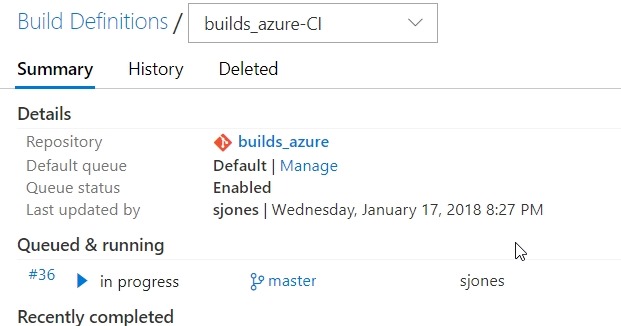
    If I go to VSTS, I’ll see the build in progress. I’m using a local build agent and usually within 15 seconds, my build will start. Sometimes it’s really fast.

    2018-01-31 12_31_04-builds_azure-CI summary

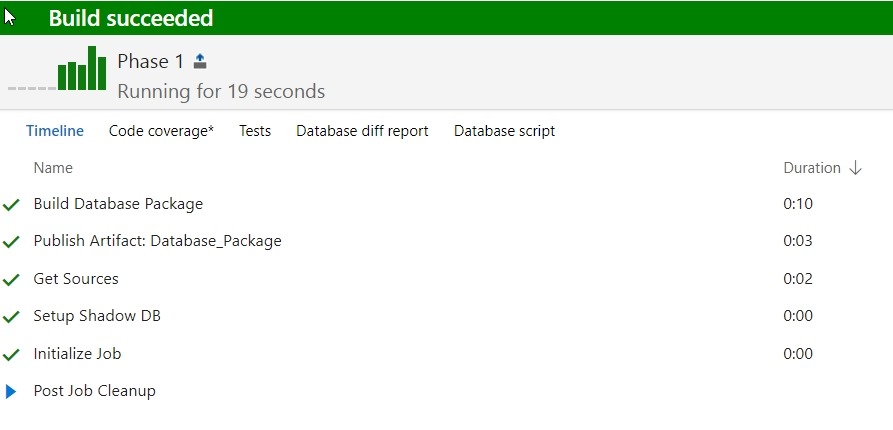
    If I click the build number, I can see I’ve barely caught this before it finished.

    2018-01-31 12_31_19-Build 36

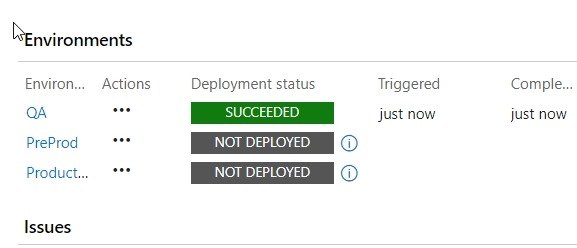
    The build completes, so now I need to check releases. I have a CD trigger that will deploy to a local QA instance when the build succeeds. If I go look at the release, I’ll see that’s occurred.

    2018-01-31 12_35_49-Release-14 - Visual Studio Team Services

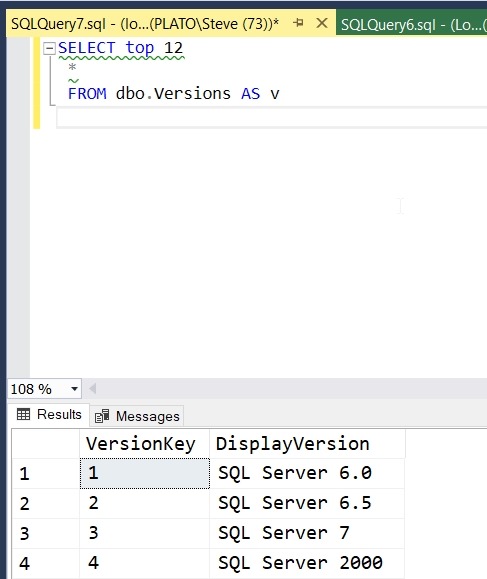
    This worked, so let’s check the QA instance. As you can see, my data was deployed.

    2018-01-31 12_36_43-SQLQuery7.sql - (local)_SQL2016.ssbuilds_rr_sjones_2_integration (PLATO_Steve (7

    If you were watching closely, you see I have a small data issue. I need to correct that, but that’s for another post.

    ReadyRoll is a part of the SQL Toolbelt, and if you’re a customer, I’d urge you to start a PoC and see what you think of the tool. ReadyRoll Core, with limited features, is included with Visual Studio Enterprise, and if you’re a customer of Microsoft, you can try that. We also have 14 day trials if you’d like to do this on your own.