Tag: syndicated

  • Upgrading VSTS Redgate Build Tasks

    I’ve been putting it off, but in prepping for SQL Bits demos, I decided this was a good time to just upgrade my original build and release tasks on VSTS from v1 to v2 for the Redgate tasks.

    The first step was to go into the marketplace and find the new tasks. If you browse the marketplace (click the shopping bag icon in the upper right of VSTS) and search for “redgate”, you’ll see the tasks.

    2017-03-31 16_42_13-Search results - redgate _ Visual Studio Team Services , Visual Studio Marketpla

    I picked the two on the right, the build and release tasks v2. The v1 tasks aren’t in the marketplace, but if you’ve added them to your account, they’re still there and they work in your build and release pipelines.

    Once I installed them, they appear in my list of extensions.

    2017-03-31 16_44_56-Manage extensions - Visual Studio Team Services

    Now I can edit my pipelines.

    I’ve got a release pipeline that looks like this. Note that these are the v1 plugins, because there’s no v2 on the name.

    2017-04-01 11_25_17-SimpleTalk Release Pipeline 1 - Visual Studio Team Services 

    My plan is to upgrade these to the new extensions, however, there are lots of settings. If you look to the right for any of the tasks, for example the Create task, there are lots of boxes to fill in.

    2017-04-01 11_26_34-SimpleTalk Release Pipeline 1 - Visual Studio Team Services

    This is expected as if I were doing this manually, I’d expect to have  along set of commands or switches to programs or parameters, that I’d need to pass in to a process. After all, the mechanics of implementing CI or CD aren’t hard, but they do have lots of moving parts.

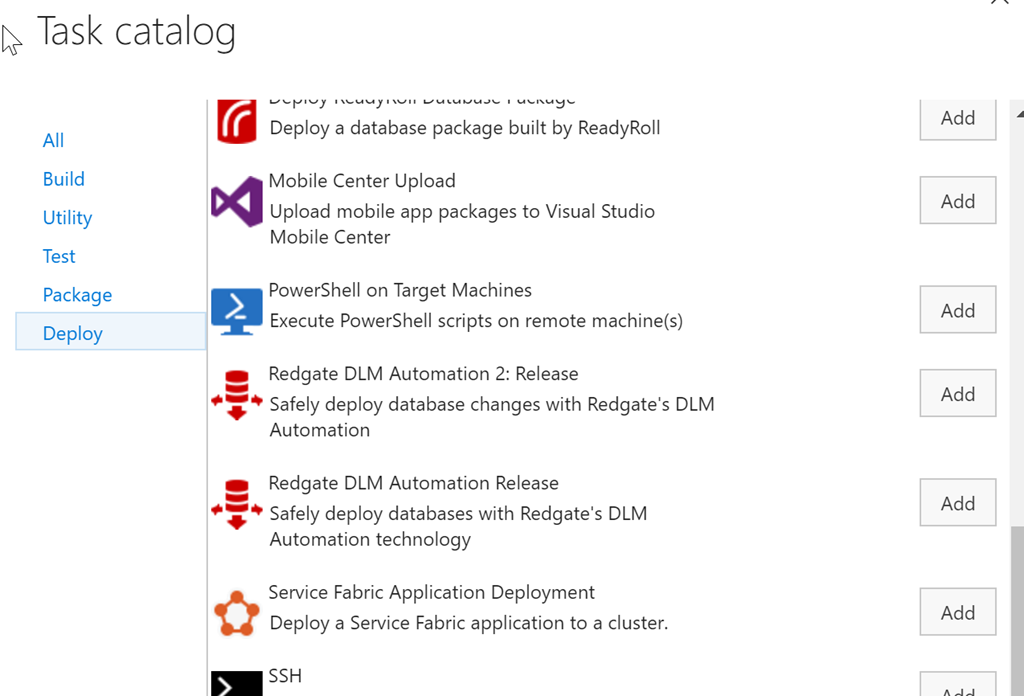
    My first step in making this easier is to add a new task. To do that, I click on the “Add tasks” button above. This will default me to the set of tasks for me particular function, in this case, release (deploy). I scroll down to see the v2 tasks.
    2017-04-01 11_29_23-SimpleTalk Release Pipeline 1 - Visual Studio Team Services

    Here I see the v1 and v2 tasks because they’re both listed in my set of tasks because I’ve installed both into my account. In this case, I’ll pick the “2” version of this task.

    Once this is added, I need to configure the task. In my case, the easiest way to do this was to click on the v1, copy the contents of a text box, and then click on the v2 task and paste the values in there.

    Once I had done this, I have both tasks listed. For this particular pipeline, I had actually added a new Agent Phase, separating my tasks out. There wasn’t any great benefit to this, though I can then just delete one whole phase and all the tasks in it (once things are working).

    2017-04-01 11_33_41-ST Pipeline_Mobile - Visual Studio Team Services

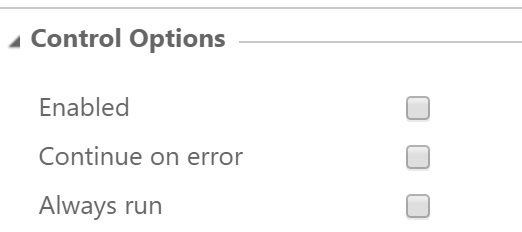
    After copying all the settings from one to the other, and checking that v2 was configured the same, I was ready to test. I first went to each of the v1 tasks and unchecked the “enabled” box. This means those tasks won’t run, but they’re still in the definition.
    2017-04-01 11_33_52-ST Pipeline_Mobile - Visual Studio Team Services

    After that, I created a release and deployed it. Not every deployment worked. My first ones did, but when I tried to hit the production environment (the far right), it failed early on. This list is from newest to oldest, so I had a few things to work out here.

    2017-04-01 11_36_20-ST Pipeline_Mobile - Visual Studio Team Services

    As you can see, this isn’t necessarily a simple, easy process. In my case, the v2 tasks have some additional path items, and I had to sort those, I also had firewall issues to production as I was traveling between the tests, which meant forgetting, and then needing, to reset the firewall rules.

    However, it’s all good now.

    2017-04-01 11_38_21-ST Pipeline_Mobile - Visual Studio Team Services

    I would encourage you to upgrade your DLM v1 tasks to v2. There are a few bug fixes, some of the deprecated cmdlets are removed, and these work slightly better. I know have pathing options to separate my environments on the agent and can easily see the code being run.

    I’ll talk about my test procedure for upgrading in the next post, because I think trying to do too much at once is how I’ve gotten into trouble and created stress for myself in the past. Now I have a better idea. 

  • Margaritas and TexMex at VS Live

    takes place in a few weeks and I’m excited. Austin is one of those cities I enjoy visiting, with a few friends, now a Redgate office, and some great good and drink. I’m hoping my wife will come along and we can enjoy a few days there.

    However, I’ll also be speaking at VS Live in May, which is a great conference for many of us that wear mixed hats. So many people these days don’t get to just work with SQL Server, or perform software development without having to understand more about deployment or networking or something else.

    If you’re trying to get, or being forced, to think about DevOps, VS Live is for you. Tell your boss, this is the chance for you to expand your skills, add development skills if you’re a DBA, or add DBA (or cloud, or Windows) skills if you’re a developer.

    Register for VS Live in Austin, which has to be one of the best locations. Good conference and content, good weather, great food, cold drinks, and plenty of music to enjoy at night. Register today today and

    I hope to see you there, and let’s talk SQL Server and DevOps.

  • Speaking at SQL Saturday #621–Silicon Valley

    Once again I’m heading back to the Valley. I was accepted to speak at SQL Saturday #621 – Silicon Valley on April 22, 2017. This is one of the larger SQL Saturday events in the US and I enjoy visiting California, so I’m looking forward to the event.

    I’ll be talking DevOps again, trying to convince some of you to start testing database code, others that database development and deployment can move quickly. This is a similar talk to the one I’ve delivered a few times and hopefully I’ll get a few people to think about changing their development practices.

    If you’re anywhere near Mountain View on Apr 22, consider signing up and coming by the Microsoft Technology Center in the area. It’s a neat building and there will be some great speakers. A good chance to learn more about the SQL Server platform.

  • Laptop Cattle

    I traveled to Cambridge recently for some meetings at Redgate Software and to attend SQL Bits. I arrived on Tuesday, worked a bit, and then came back to the office Wednesday for the SQL Clone launch (a success, by the way. Watch it. Now. Well, not now, but after this post).

    After the first two SQL Clone broadcasts, I walked back to my desk and tried to get some work done. I was updating the release pipeline for a demo and kept getting an error during the restore from production step. It was strange as I hadn’t changed anything, and had actually demo’d this step the previous week. I tried a few things before I read the error message and then realized I had a corrupt .dll. Not great, but sometimes a restart will clear things if this is some bad bits in memory.

    I closed Windows and then clicked “restart” and got this.

    IMG_1385

    Not the end of the world, and I assumed this was some transient. I let this go and went to get coffee. I returned to see this screen, but I could swear the percentage was different.

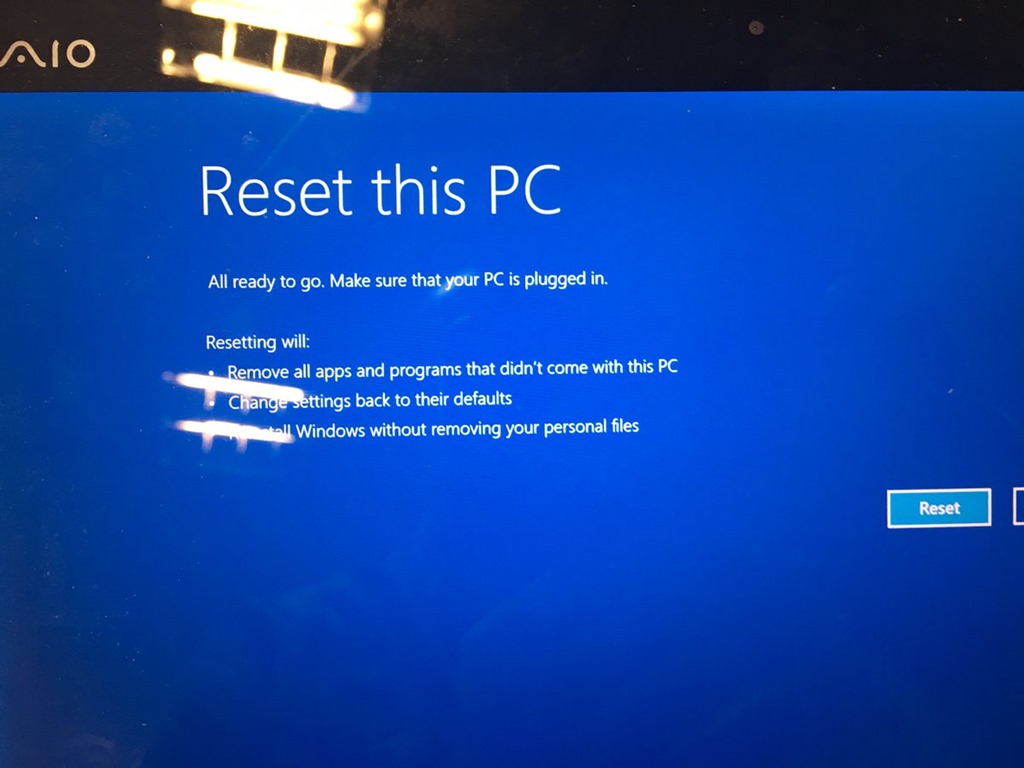
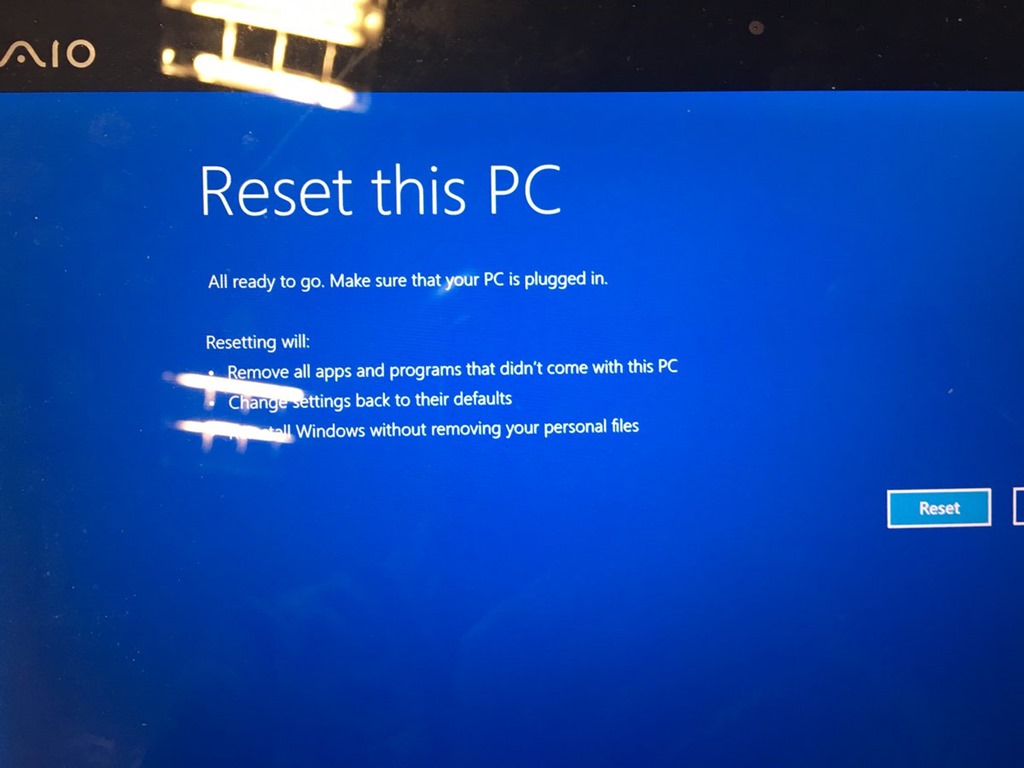
    It was. The machine was rebooting, crashing, and getting back here. I powered down, waited the customary 5 seconds and 5 more, and booted back up. I got to the Windows recovery screen. There were a few options, System Restore Point, System Image, etc., but nothing was working. After about 20-30 minutes, and another 10 considering whether I should walk down the road and buy a new machine, I decided to reset and reinstall Windows. Not my favorite option, but I didn’t think I had another one.

    C8F5sILXwAAHil6

    I clicked the button and started watching Windows reset itself.

    IMG_1390

    And watching, but fortunately I had another broadcast to do for SQL Clone, and I had my phone.

    IMG_1392

    Eventually the install finished, and Windows configured itself. I’d done this a few times for other machines (desktop and laptop) in the last year, but by choice, after I’d made backups. This time I was forced, and was hoping that I didn’t lose too much stuff.

    IMG_1393

    When I was able to log in, I saw there were still a few things, including some configuration that Windows restored as a side effect of using a Live login, or whatever Microsoft calls it now. When I first logged in, I was greeted by my new install.

    IMG_1394

    From there, I needed to get going. I had some Windows config, and more of the stuff in the Documents, Pictures, etc, libraries were there (Actually all of it), but anything in\ Program Files, \Windows, etc. was gone. Not fun.

    Fortunately I have rebuilt some machines recently and have found Chocolatey to be invaluable. I first got Chrome going, then added Dropbox and kept other installs going in the background as I got ready for broadcast 3.

    IMG_1395

    Throughout the evening, I manually added back my O365, SSMS, and SQL installs, and kept thinking of the stuff I needed for demos. git, Github and VSTS got my code back down, and I had to re-authorize some apps with new passwords, but I was 90% running before I went to the hotel that night.

    Reinstall Windows to running SSMS demos with SQL Server in about 4 hours, minus about an hour in the SQL Clone launch.

    The next day I had pretty much everything running again by noon, minus a few sample database backups. I’ve learned that the default SQL backup path is no bueno on a laptop. I’ll have to rebuild some sample data sets and I’ve already moved things to a new path that will exist if this happens again.

    I was productive and working, writing some code and testing demos the next morning. It really was about a 4-5 hour process to have a laptop back working, with code, that I could use on an airplane with the data I expect.

    My laptops are (mostly) cattle now. I’ve got a few things to square up (like SQL backups), but overall, I think I’ve improved my DR process.

    And I’ve learned to git push before I power down this machine.