Tag: syndicated

  • Our Meeting and The Day Out

    Last week, Redgate Software had a large company meeting and our annual Day Out, with myself and a few dozen of our US employees in the UK for meetings and the event. It was fun, and a good time. I haven’t been to a company meeting live in 6 or so years and I’ve never been to a day out, so I was excited to go.

    I was asked to do the opening at the company meeting. Normally our CEO, Simon Galbraith, does an opening and introduces new starters. However with all the US people over, I got to get up first and try to inspire, motivate, and entertain a bit.
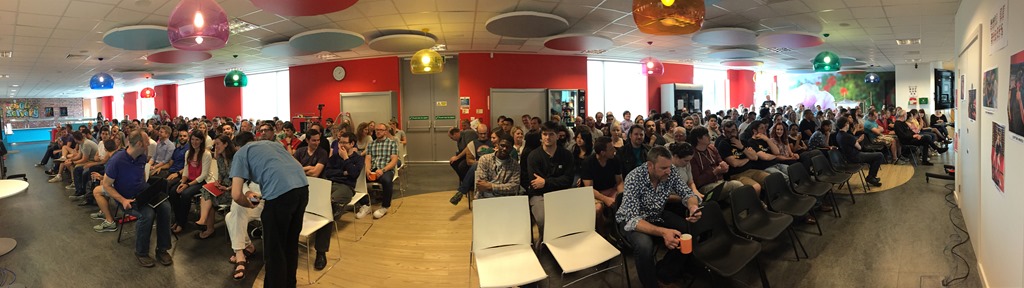
    Photo Jun 18, 7 04 46 AM

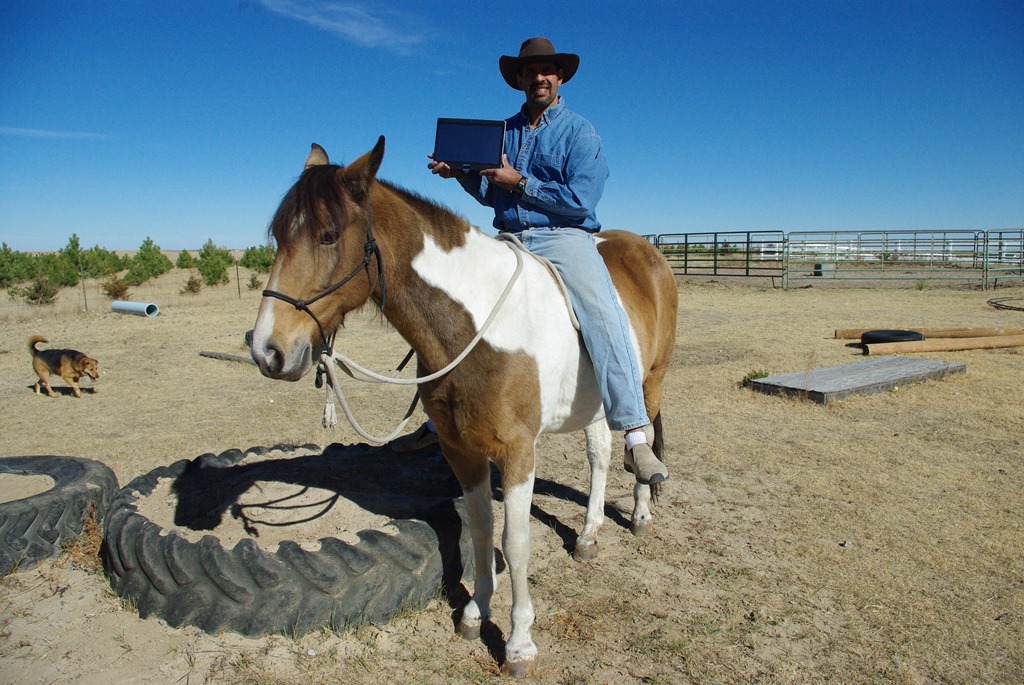
    Our servery, the canteen where we eat breakfast and lunch was pretty packed on Thursday. I got up and had some fun, showing some images from the ranch of my hard work.
    IMGP4411

    And telling all the youngsters that the worst job in the world was somewhere out there, but not at Redgate.

    worstjob

    I think I motivated people a bit and got them excited about the company. That was part of the meeting, and I truly believe that. Of the 10 or so companies I’ve worked for, this is the best one for a lot of reasons, but mostly because people are respected and get to contribute. We have opportunity and responsibility, and it’s a good mix.

    Afterwards we had a Nerf war in the two story atrium, which delayed a meeting for me, however it was worth it to watch the festivities.

    Photo Jun 18, 8 22 46 AM

    Photo Jun 18, 8 24 15 AM

    Everyone was well armed from the Gun Shop.

    Photo Jun 17, 9 47 41 AM

    The Day Out

    The Day Out is really a teambuilding event. I got out of a taxi at the Cambridge Rugby Club to see all kinds of tents and apparatus set up.

    Photo Jun 19, 8 49 16 AM

    We divided up into teams of 7-8 people and set about competing against each other. We had some mental events, like safe cracking.
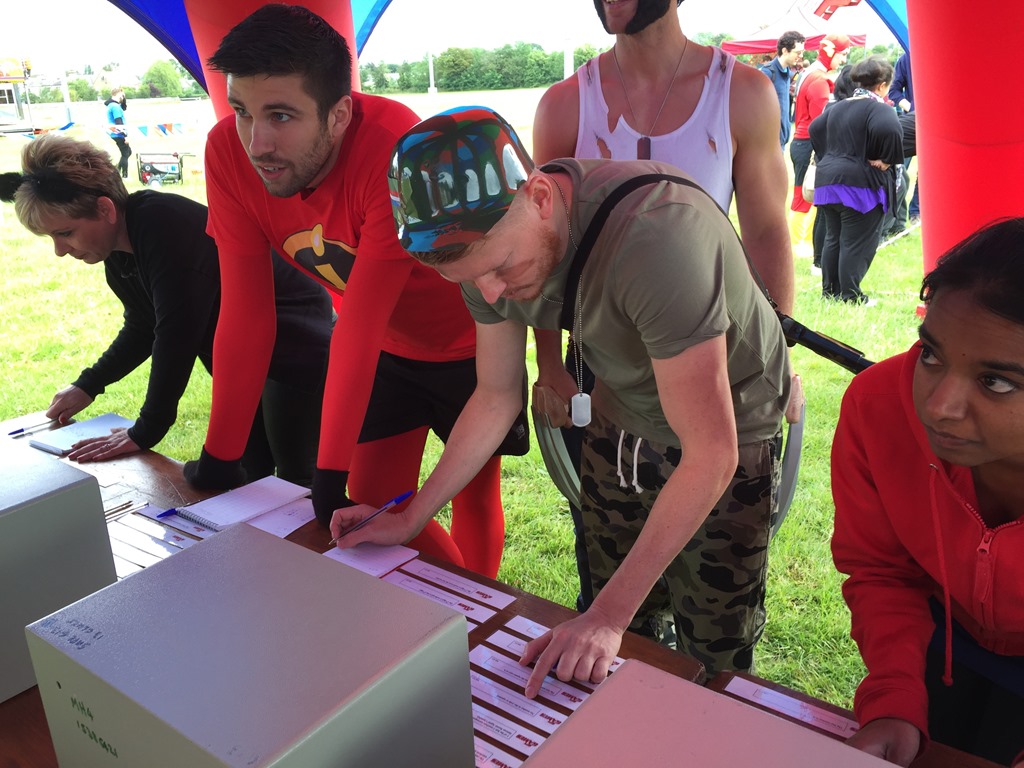
    Photo Jun 19, 4 13 50 AM

    Along with a puzzle competition where we had to use the equipment outside the striped tape to get the black box out of the middle, without stepping inside. That was challenging, and with another team trying, we couldn’t do it.

    Photo Jun 19, 4 15 09 AM

    There were physical events as well. We had a sweeper (like on Wipeout) that we competed against and our team tied.

    Photo Jun 19, 4 43 02 AM

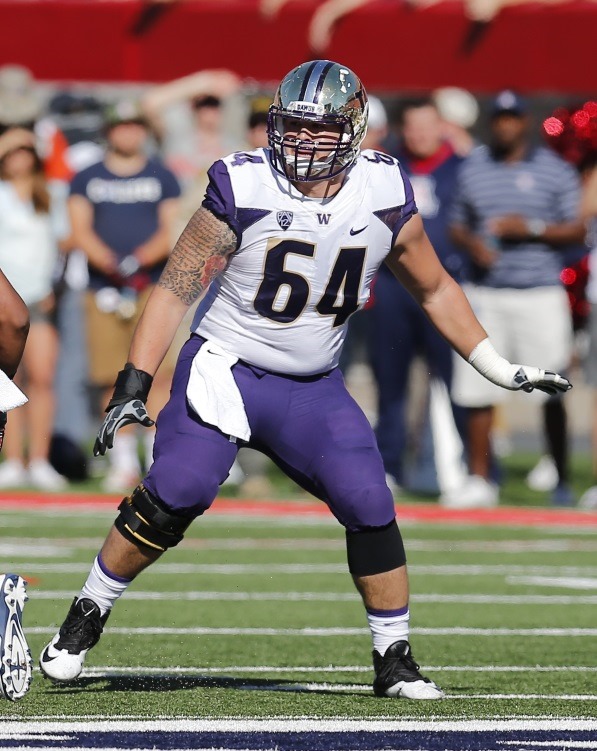
    We also had a tug of war, with two of us tied together with a bungee cord. We had to race in opposite directions for about 20-30 ft. and grab a plastic brick from an inflated stand. I have to say that I lost 2/3 chances I had, but I was proud of the one I did win. My competition was a new salesperson, Colin Tanigawa, who just graduated from the University of Washington. He’s 23, and he played football there.
    AP759846241145

    Needless to say, I’m more than twice his age, so I was glad to take one from him. I got to go a second time, as the other team had an extra person, and I raced against a developer. My team leader got a sequence shot of my on the second try, when we broke the bungee. Fortunately I’d won both, so that was that.

    TugWarRace2015

    We had lunch, competed more, in ax throwing, dog agility, and more. All in all, a fun day capped by a BBQ. My wife joined me and we relaxed and chatted with people into the night.

    I had a good time with my team, and my leader, Charlotte, shown below.

    Photo Jun 19, 5 02 16 AM

    I’m hoping to go back again for another day out.
  • The Company Meeting

    I’m leaving today for a trip to Cambridge, UK. I do this 2-3 times a year, but this one is a little different. I’m being joined by most of my American colleagues at Redgate, all of whom are being flown over to attend a company meeting and a company day out on Friday. It’s one of the rare chances, and quite possibly the only one that will happen again, to get everyone together in the company.

    It’s an expense, arguably an unnecessary one, but it’s also a treat. Spouses and partners have been invited to come along and participate in some fun on Friday. It’s something that stands out in my mind, and it solidifies that Redgate is a great company.

    It’s the kind of company I’d want to build, and it’s run as I’d want to run a company.

    That might be the highest complement I can pay to an employer. They run a company as I would want to do so. They treat people fairly. They treat people with respect. They try to treat customers well, as well as participate in the community. The company is not perfect, but they acknowledge mistakes and try to do better. They work to make a profit, but profit isn’t the most important thing. Perhaps best of all, the management work alongside employees and set good examples. They don’t treat themselves as above or more important than the other employees.

    I’ve worked at a lot of companies in my career, and almost none of them have been companies that I thought were well run with respect for employees balanced with the profit motive and participation in the community. Most were unbalanced in some way, often with respect to profit meaning much more than individuals.

    I’m proud to work at Redgate and am looking forward to the trip with my wife, and a nice weekend in Dublin.

  • See Two Queries at Once in SSMS

    I’m writing this post as a way to help motivate the #SQLNewBloggers out there. Read the bottom for a few notes on structuring a post.

    One of the things that I’ve struggled with a bit in SSMS is sometimes comparing the results of two batches. I’m sure many of you have executed a query, then make a change, and execute it again, losing your results. Or you are testing something in two query windows and need to switch back and forth. Sometimes doing this, and only seeing one set of results (or checking if a query is finished) is cumbersome.

    A few years ago I was watching Brent Ozar tune queries at an event and one of the things he wanted to do was compare two queries and their execution plans. He used vertical tab groups, which is a great way of seeing two things at once.

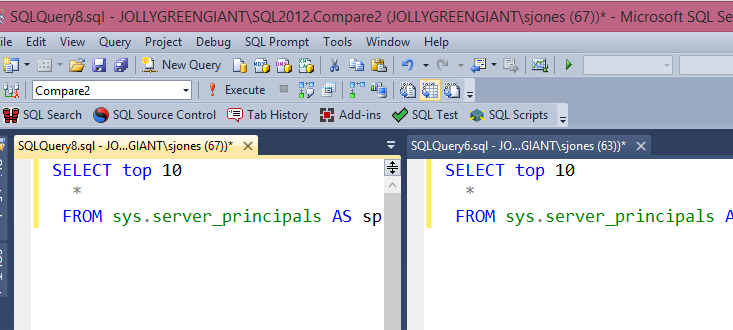
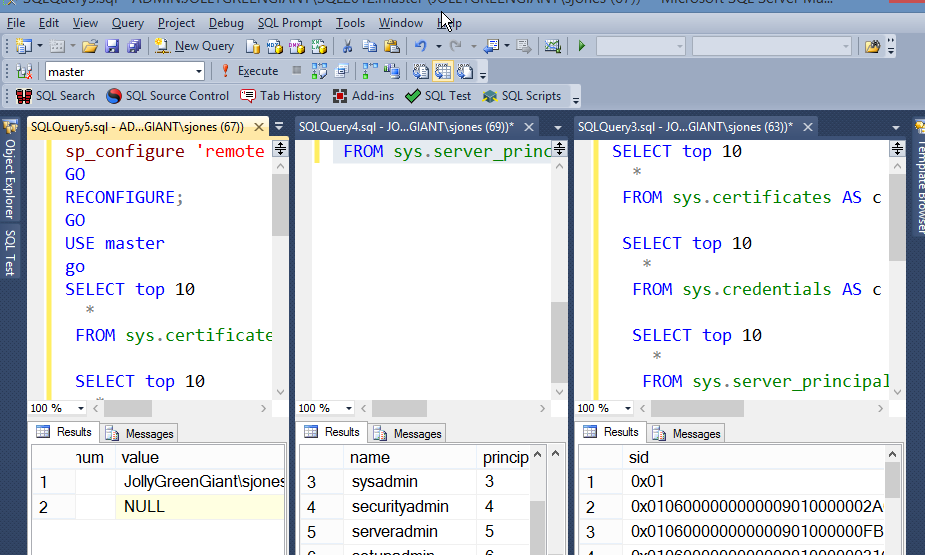
    Here’s how my screen ended up during the comparison I was actually doing of three queries. I was checking credentials using a before, after, and with the DAC.

    verticalwindows

    Things are a bit shrunk down as I wanted the image to be viewable. I actually had this full screen on a 30" wide monitor, and I could more easily see the queries and results from each window.

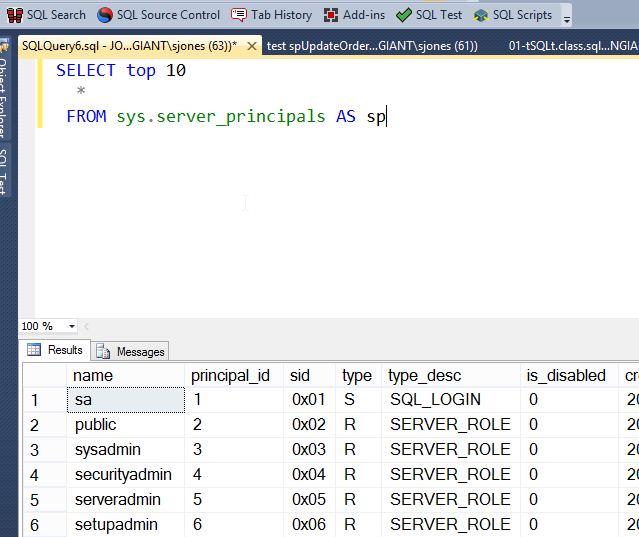
    The easiest way to do this is to start with a query:

    verticalwindows_b

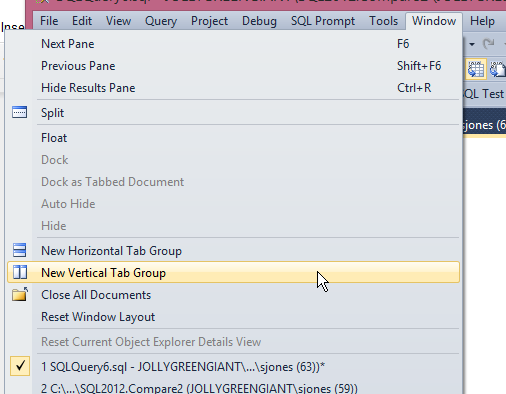
    I want to change something, add a login, and test again, but I don’t want to lose my results. I’d also like to do an easy comparison. What I can do is go to the Window menu and get a new Vertical Tab Group. I could also do a Horizontal one, but comparing results is easier for me with vertical ones.

    verticalwindows_c

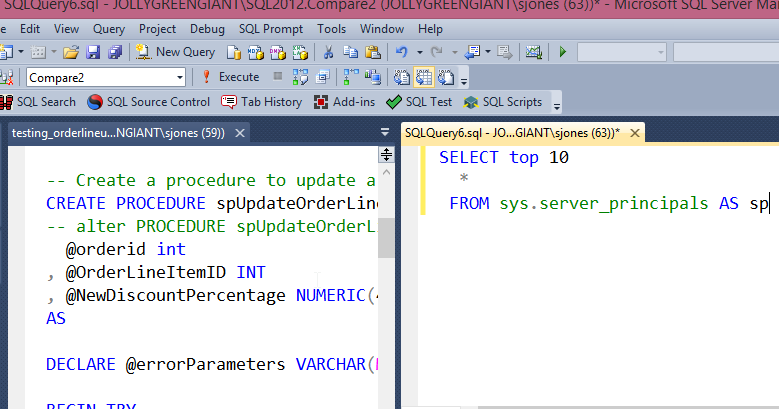
    Once I select this, my selected window will move to a new tab group, and I’ll see two places where I can run code and visualize the queries and results at once.

    verticalwindows_d

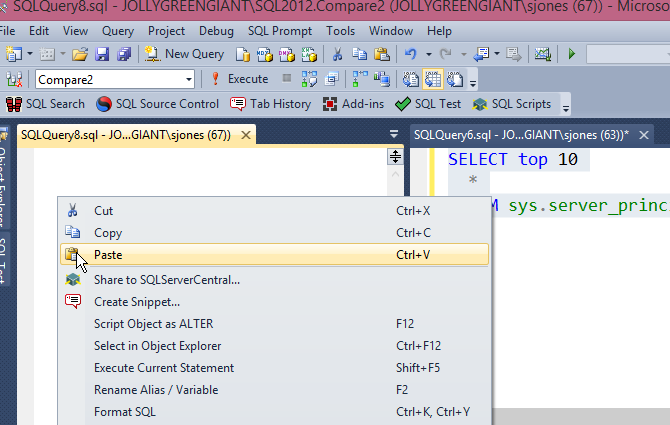
    I selected the left hand query, then clicked "New Query" to get a blank window. I then cut and pasted my code from the right to the left. This is exactly what you might want to do when tuning queries, keeping the original on the right while you work on the left.

    verticalwindows_e

    Now I have two places to work on code. In my case, I wanted the before and after view of Server_principals as I checked some admin changes. I could do things and keep re-running the query in one of these windows, but keep the results from the other one visible.

    verticalwindows_f

    SQLNewBlogger

    Once again I was doing something else and realized the vertical window trick was handy. I killed the three windows I had, set up a new query, shot the screen, ran through the process with more screen shots.

    Less than 10 minutes.

    References

    Watch Brent Tune Queries – http://www.brentozar.com/sql/watch-brent-tune-queries/

  • Using the DAC with SSMS

    I’m writing this post as a way to help motivate the #SQLNewBloggers out there. Read the bottom for a few notes on structuring a post.

    While troubleshooting another issue, I needed to connect to SQL Server with the DAC. I couldn’t remember the syntax, so I looked it up quickly and ran into this link: Diagnostic Connection for Database Administrators. I added the ADMIN: to my connection in SSMS for a query window and clicked Connect.

    dac_g

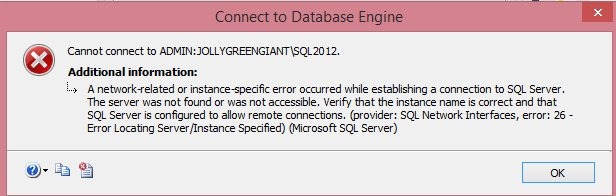
    This took entirely too long and then I got this:

    dac_a

    That error resulted in a rabbit trail for me to debug this, but it worked out and I’ve learned a few things. The main one is to be sure that I’ve read the documentation and errors correctly.

    As I tried a few things, including SQLCMD, I realized I had issues. I searched and found that the DAC gets set to a specific port. I checked the error log to get the number.

    dac_b

    With that, I added it to my connection dialog, sure that this would work, but of course, it didn’t.

    dac_c

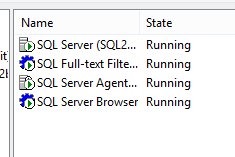
    Eventually I stumbled on the post about errors and realized I should have checked the SQL Browser earlier. I thought about it, but discarded that thought because I could connect in other ways. Mistake. Check networking first, and networking is where the browser comes in. Sure enough, it was stopped.

    dac_d

    The properties were set to DISABLED, so I had to change that before I could start it. I assume you can do that, if not, poke around the properties until you find that setting. With that changed, I started the service.

    dac_e

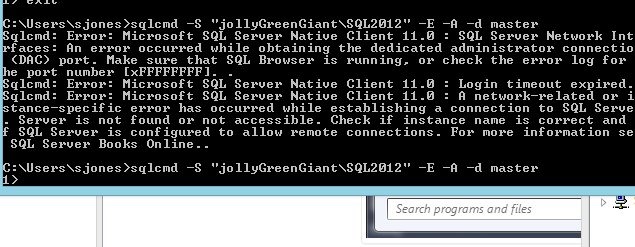
    Then I could connect. Here’s the SQLCMD version.

    dac_f

    With this working, the first command dialog at the top of this piece worked from an SSMS query window.

    SQLNewBlogger

    This was longer. What I thought was a quick lookup turned into a troubleshooting exercise that lasted about 20 minutes as I searched, read, experimented, etc. At least I made a bunch of screenshots as I was experimenting, so I had lots of data and didn’t duplicate anything.

    The actual writing was only about 10 minutes, most of that looking through screenshots and trying to organize my thoughts.

    References