Tag: syndicated

  • Unexpected Windows 10

    This was strange. I noticed a new icon in the taskbar today. When I hovered over it, I saw this:

    2015-06-10 10_59_31-

    I downloaded the Windows 10 beta in a VM, but not here. However apparently some update added this. If I click on it, I see this:

    2015-06-10 10_59_44-Get Windows 10

    I hadn’t been reading about Windows 10 too much. Mostly I want it for the copy/paste in the command line, but apparently I need to download it to get the upgrade. I hadn’t heard this before, and I was concerned.

    If I click the reserve upgrade, I see this:

    2015-06-10 11_02_12-Get Windows 10

    I don’t need a download now. Apparently I’ll get an automatic one when the OS goes to RTM, which is fine. I assume I can install it elsewhere, but perhaps I’m limited to this device?

    It’s hard to tell. This will be an interesting process. I went through the FAQ and it appears I could upgrade later. The upgrade I reserved is for this device, so I’ll need to do this separately on my laptop.

    A new process for Windows, and I’m interested to see how it works. I’ve seen a few MS people have issues with Windows 10 in demos, so I’m a little concerned about upgrading now, but I am looking forward to seeing the new OS in July or August.

  • T-SQL Tuesday #67 – Extended Events for DBCC

    tsqltuesdayIt’s the second Tuesday of the month and time for another T-SQL Tuesday. This time it’s #67 from Jes Borland on Extended Events. You can read the invite, and whether you can participate today or not, write your blog and leave a comment for Jes on her blog.

    If you want to see all the topics from the past, I have them on a post here.

    If you want to host, contact the founder of T-SQL Tuesday, Adam Machanic. He chooses the hosts and is always looking for people that want to participate. You just need a blog and a good idea.

    Who Ran DBCC?

    I ran across a question recently from someone that said DBCC messages had appeared in the error log, but no one had run DBCC. That’s not possible as DBCC isn’t run without someone, whether that’s a human or a service, executing the DBCC command.

    In the past, I might recommend a trace to track this, but not I’d choose an Extended Events (XE) session. I’ll show how to set up a simple session, though be aware I’m not an XE guru. I’m sure there are better ways to structure this, but it worked well for me.

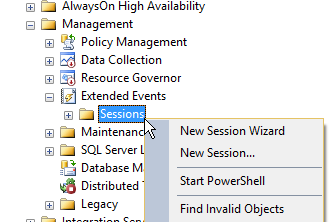
    You can start quickly building a specific XE session by right clicking the Sessions folder under Extended Events in SSMS under Management. I tend to pick the wizard for getting started, though be sure to save the script later.
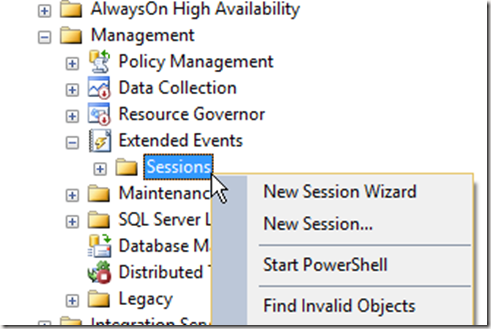
    2015-06-08 11_36_10-SQLQuery2.sql - JOLLYGREENGIANT_SQL2012.Sandbox (JOLLYGREENGIANT_sjones (86))_ -

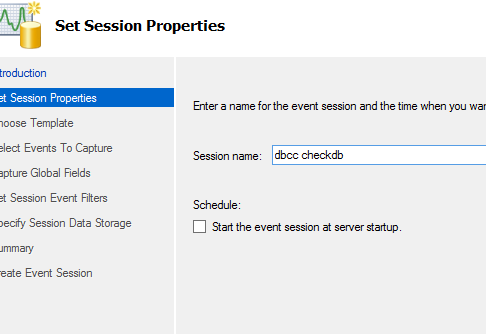
    From here we get the opening screen for XE, which I won’t show. The next screen asks for a name for the session. It doesn’t matter, but once you start using XE, you’ll start to get quite a few session, so it’s handy to pick something that’s simple and easy to understand later.
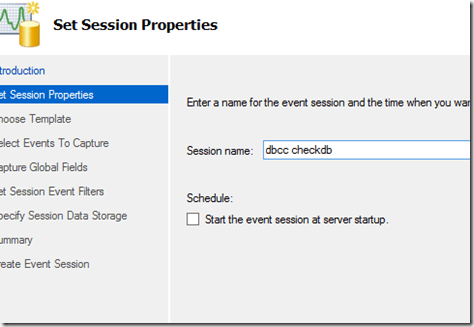
    2015-06-08 11_38_23-New Session Wizard_ Set Session Properties

    I can choose to start the session here when I’m done, but don’t worry if you’re not sure. You’ll get a chance again later.

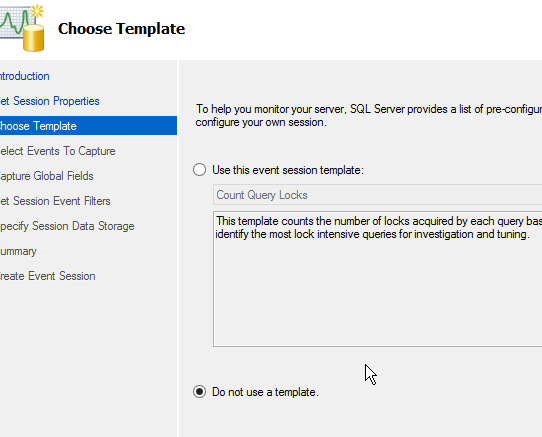
    The next step is to decide whether you use a template or build a session from scratch. I’m not sure if any of these templates will work well as I haven’t dug in. In my case, I decided to just choose a generic session.
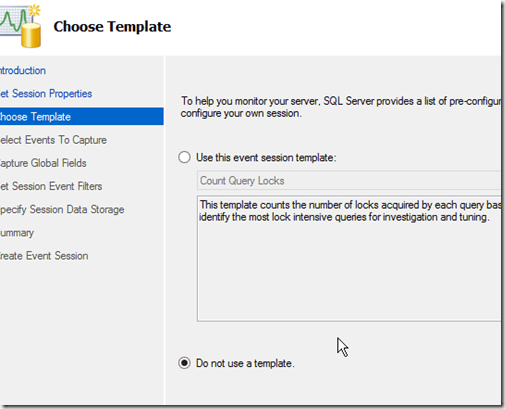
    2015-06-08 11_41_07-New Session Wizard_ Choose Template

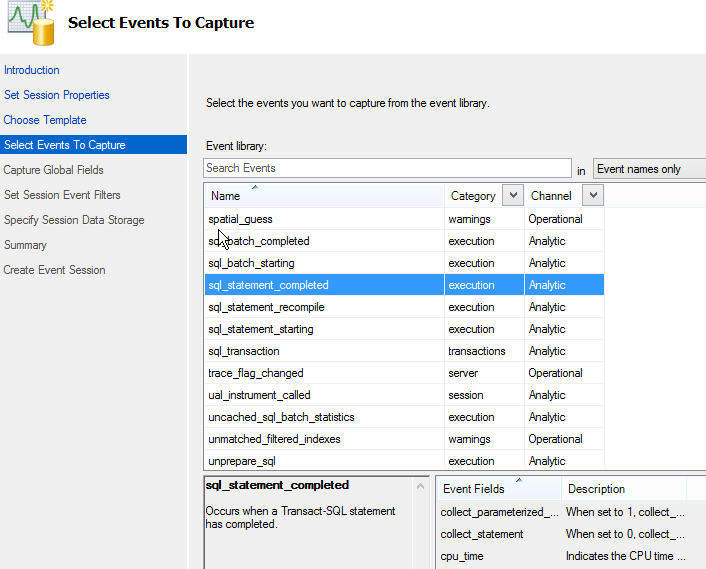
    Now I need to pick the events. There are a lot, but I went down to get the sql_statement_completed as my event. This will let me see the text of a call, which is what I need.
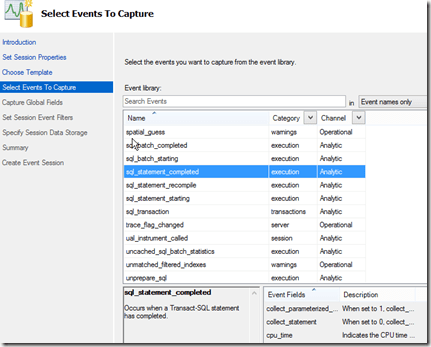
    2015-06-08 11_41_32-New Session Wizard_ Select Events To Capture

    A couple notes here. One, you might want to grow this screen so that you can read what’s in the lower windows. I know there’s a lot of data here, but this screen doesn’t seem well defined.

    The second note is that don’t forget to add the event with the arrow button. Until you have an event (or multiple events) in the right window, you can’t click "Next".

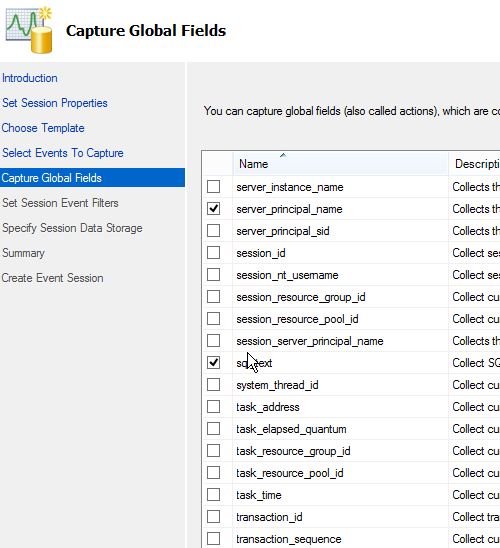
    The next step is to get the data fields you need. Again, there are a lot, and I limited this to what I needed. I grabbed the client host and app, as well as the database. Then I grabbed the service_principal_name and sql_text as well. This should let me determine who’s running the command.
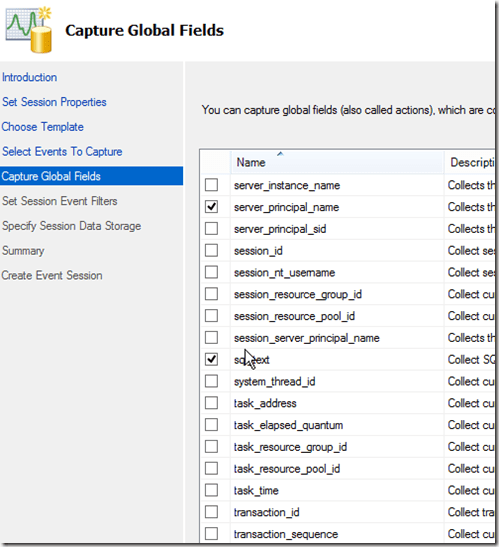
    2015-06-08 11_45_29-New Session Wizard_ Capture Global Fields

    I’ve got lots of data here, but I only care about the execution of dbcc checkdb. This means I need to filter things, which is my choice with the next screen.


    Here I need to click in the top line to get a place to add a filter. Then I select sql_text from the drop down and choose like for the operator and "dbcc checkdb" for the value. This should grab events that execute with a dbcc call.
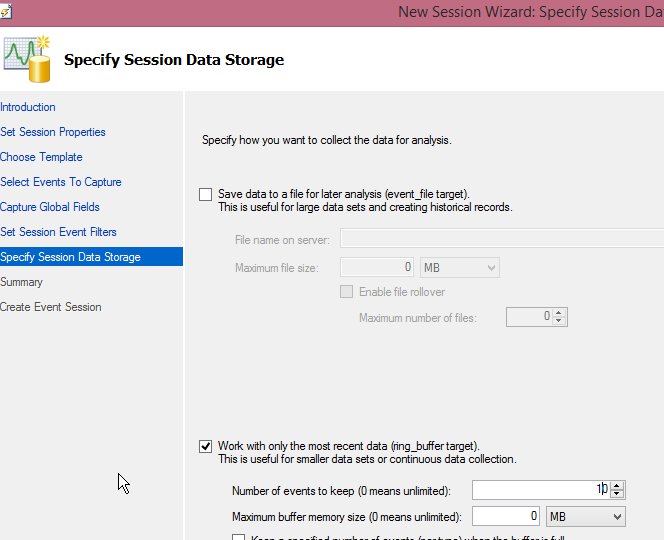
    2015-06-08 11_49_19-New Session Wizard_ Specify Session Data Storage

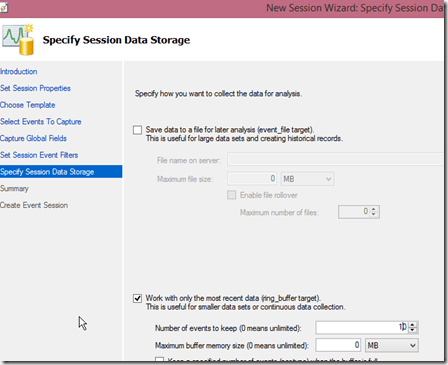
    I have to choose where to store this data. Since this is mostly a check for me, I can just use the ring buffer and keep data in memory. I lowered this to 10 events, but you can certainly pick what works for you. If you care about auditing, drop this in a file. For a small session like this, there’s not much data that’s going to be captured.

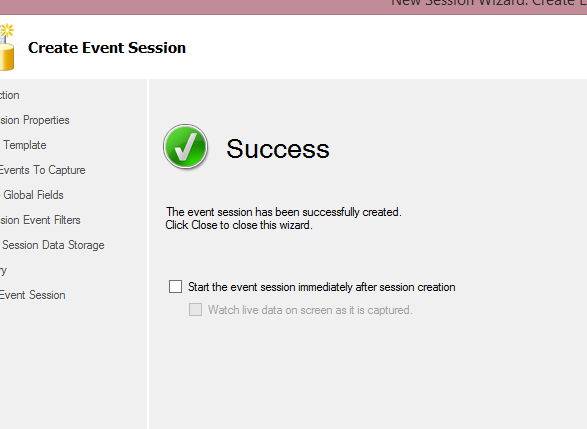
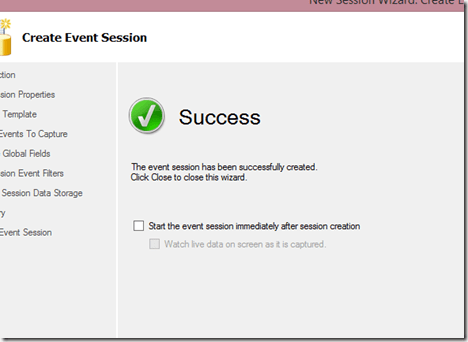
    I get a summary screen, which lets me review settings. I haven’t shown it here, but once I pass that, I get the "Success" screen. This is where I can start the session, and actually watch live data if I want.
    2015-06-08 11_51_20-New Session Wizard_ Create Event Session

    For this, I’ll watch the live data.

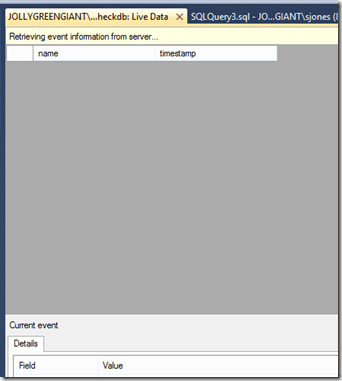
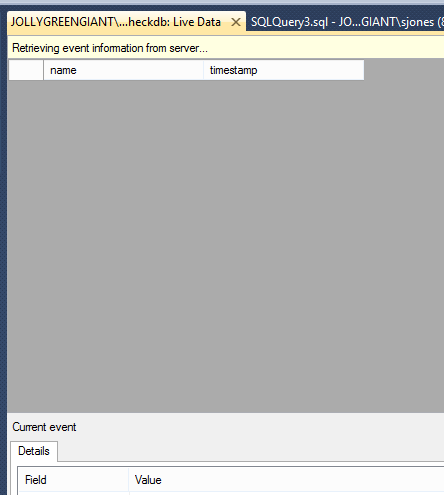
    2015-06-08 11_52_20-JOLLYGREENGIANT_SQL2012 - dbcc checkdb_ Live Data - Microsoft SQL Server Managem

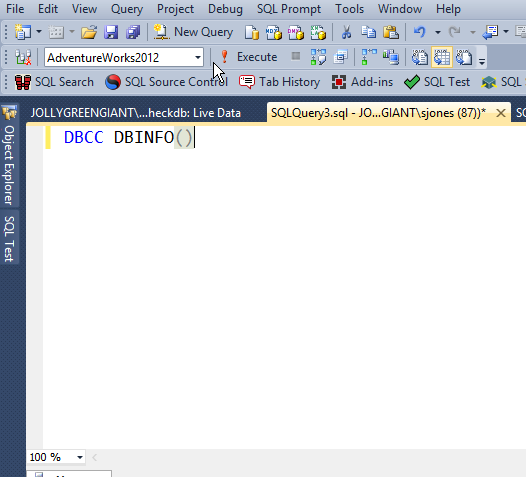
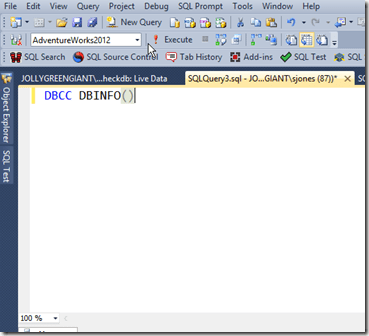
    I decided to test this first and see if it captures anything else. I ran a few queries, and then this:
    2015-06-08 11_52_30-SQLQuery3.sql - JOLLYGREENGIANT_SQL2012.AdventureWorks2012 (JOLLYGREENGIANT_sjon

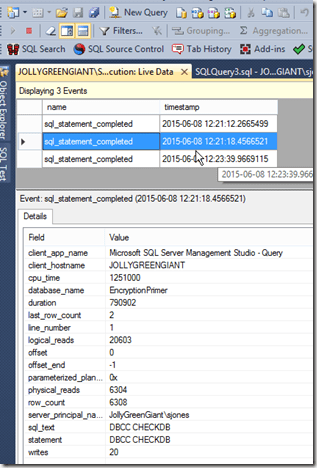
    Still a blank, live data screen. Then I ran checkdb. I saw the results, and then ran it a few more times.
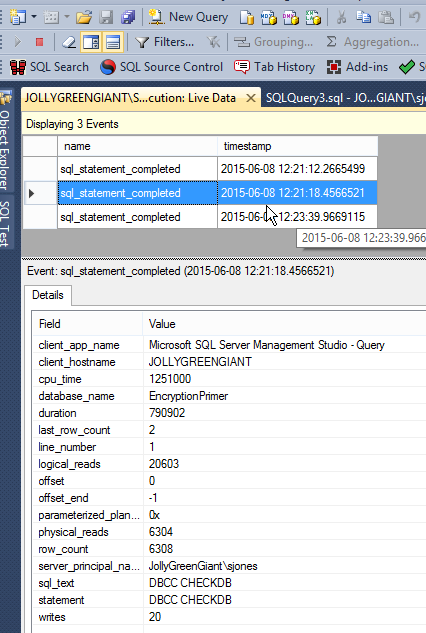
    2015-06-08 12_23_59-JOLLYGREENGIANT_SQL2012 - DBCC execution_ Live Data - Microsoft SQL Server Manag

    As you can see, I now can see that I ran checkdb against the EncryptionPrimer database.

    This lets me do some quick auditing of what’s happening with my DBCCs. A smart DBA might even use this to ensure that DBCC is being run against some databases, perhaps on a spare machine.

  • FORMATing Dates

    I’m writing this post as a way to help motivate the #SQLNewBloggers out there. Read the bottom for a few notes on structuring a post.

    FORMAT is a function that was introduced in SQL Server 2012. It is designed to format dates and numbers as date/times. It was added to try and reduce the complexity and cumbersome nature of CONVERT and CAST.

    What I didn’t know, which I did like, is that the FORMAT command can be driven by language settings. For example, if I take a specific date, like today, I can reformat the date based on a language code.

    DECLARE @d DATETIME = GETDATE();
    SELECT FORMAT ( @d, 'd', 'en-US' ) AS 'US English Result'
          ,FORMAT ( @d, 'd', 'en-gb' ) AS 'Great Britain English Result'
          ,FORMAT ( @d, 'd', 'de-de' ) AS 'German Result'
          ,FORMAT ( @d, 'd', 'zh-cn' ) AS 'Simplified Chinese (PRC) Result'


    The results of this code are different, based on the cultural settings. Of course, the Chinese settings is really the only good way to show dates without confusion.

    dateresults

    This is interesting in that if you can get the regional settings for the client, you can easily return data in a format that makes sense to the user. Of course, we typically don’t want to do too much formatting on the server.

    The default language is that of the current session. For dumb uni-lingual people like me, this isn’t an issue, but it might matter for people that speak multiple languages and might move from system to system.

    It is interesting in that you can easily format the data from a date with FORMAT. For example, I change orders to match the Chinese format:

    DECLARE @d DATETIME = GETDATE();
    
    SELECT FORMAT( @d, 'YYYY/MM/DD');


    That gets me “2015/07/20”.

    I can easily change to other formats, adding in times, or even partial times that might not make sense. For example, the result below named “Hours” has only the date. The “Date and hours” has the date and the hour only.

    DECLARE @d DATETIME = GETDATE();
    
    SELECT  'Default' ,
            FORMAT(@d, 'd')
    UNION
    SELECT  'Full Date' ,
            FORMAT(@d, 'YYYY/MM/DD hh:mm:ss.ffff t zzz')
    UNION
    SELECT  'Date and hours' ,
            FORMAT(@d, 'YYYY/MM/DD hh')
    UNION
    SELECT  'Date and minutes' ,
            FORMAT(@d, 'YYYY/MM/DD mm')
    UNION
    SELECT  'Hours' ,
            FORMAT(@d, 'hh');


    --      ,FORMAT ( @d, 'yymmdd', 'en-gb' ) AS 'CleanUS'


    The results are:

    Date and hours    2015/11/20 04

    Date and minutes  2015/11/20 11

    Default           5/20/2015

    Full Date         2015/11/20 04:11:28.9600 P -06:00

    Hours             04

    I think that there are lots of reporting queries where the formatting of dates would be handy and easier with FORMAT than CONVERT. It certainly is more intuitive to read than seeing something like “,110” in code.

    I still have the habit of using CAST and CONVERT when I’m changing types, and I’ll continue to do that. Especially as FORMAT is really limited to date types.  However when trying to get dates to render in proper formats, it’s a good choice.

    SQLNewBlogger

    This post came about while I was checking on another issue. I happened to run into the FORMAT command and hadn’t used it much, so I spent a few minutes messing around. This post came out of around 5 minutes of experimentation and 15-20 minutes of writing.

    References

    FORMAT – https://msdn.microsoft.com/en-us/library/hh213505.aspx

    Formatting Types in the .NET Framework – https://msdn.microsoft.com/library/26etazsy.aspx

  • Visualizing the Tally Table

    I was reading Dwain Camps’ article on Time Slots and thought it was a very interesting solution to a problem I’ve had a few times. Getting time slots inside of a period that I want to query. If you have a similar need, or want to learn more, I’d urge you to read the article.

    It’s always easier to join to a set of data that matches what you need than to try and filter out other rows. SQL excels at joins, so whenever possible you want to join to data. As such, when I was looking at Dwain’s code, I thought the way he listed the tally table was very interesting. I’ve seen plenty of these generated, but I hadn’t run across someone spelling it out in comments. In case you are wondering, Dwain had code like this:

    WITH Tally (n) AS ( SELECT ROW_NUMBER() OVER (ORDER BY (SELECT NULL)) - 1 -- zero-based -- Returns exactly 86400 rows (number of seconds in a day) FROM (VALUES(0),(0),(0),(0),(0),(0)) a(n) -- 6 rows CROSS JOIN (VALUES(0),(0),(0),(0),(0),(0),(0),(0),(0),(0),(0),(0)) b(n) -- x12 rows CROSS JOIN (VALUES(0),(0),(0),(0),(0),(0),(0),(0),(0),(0),(0),(0)) c(n) -- x12 rows CROSS JOIN (VALUES(0),(0),(0),(0),(0),(0),(0),(0),(0),(0)) d(n) -- x10 rows CROSS JOIN (VALUES(0),(0),(0),(0),(0),(0),(0),(0),(0),(0)) e(n) -- x10 rows ), -- = 86,400 rows

    That’s a great visualization, and one I plan on using in the future. It makes it easy to see what’s being generated and at what scale.

    For example, I can easily do this:

    SELECT ROW_NUMBER() OVER ( ORDER BY ( SELECT NULL ) ) FROM ( VALUES ( 0), ( 0) ) a ( n ) -- 2 rows

    which returns a single column table with the values 1 and 2 in it. Two rows.

    Let’s say I want to now build a list of 12 rows. I could do this a few ways. One is to multiple 2 x 6 and get 12.

    SELECT ROW_NUMBER() OVER (ORDER BY ( SELECT NULL)) FROM ( VALUES (0), (0) ) a(n) -- 2 rows CROSS JOIN ( VALUES (0), (0), (0), (0), (0), (0) ) b(n); -- x 6 ;

    Or I could give myself more flexibility to add and remove data with comments by doing factorials. How about 2 x 3 x 2 = 12?

    SELECT ROW_NUMBER() OVER (ORDER BY ( SELECT NULL)) FROM ( VALUES (0), (0) ) a(n) -- 2 rows CROSS JOIN ( VALUES (0), (0), (0) ) b(n) -- x 3 CROSS JOIN ( VALUES (0), (0) ) c(n) -- x 2 ;

    That gives me the same result: 12 rows. Of course, I can easily expand this quickly to thousands of rows.

    The technique isn’t anything new, but the visualization is interesting, and to me, this is much easier technique to see and understand when you run into it in code. Right away I know I’m generating xx rows and I can easily see how to grow or shrink the number of I have the need.