Tag: T-SQL Tuesday

  • T-SQL Tuesday #83–The Same Old Issues

    tsqltuesdayThis month is an interesting T-SQL Tuesday topic, and it’s brought to us by Andy Mallon, with the topic of the same old issues we’re still dealing with. I think that’s an interesting issue, since I do find myself answering the same old questions over and over.

    If you’ve never participated, T-SQL Tuesday is a day when people should publish a post on the specified topic. This is a way to generate some posts and interest, and perhaps learning, about a topic. Share your thoughts, either on the second Tuesday of each month, or catch up later on your blog.

    We Still Don’t Restore

    I’d like to write something about T-SQL, and I could. Certainly SELECT * is an issue, or why we should not use old style joins (that’s almost gone), but there’s a SQL Server topic that I think bears repeating.

    A backup isn’t enough. You must also test restores.

    The reason isn’t complex, but plenty of people still don’t seem to understand why a backup isn’t enough. After all, if I copied a file, or I ran BACKUP DATABASE successfully, isn’t that enough?

    Suppose you had an issue at 3am and needed to restore a database on a new instance. You run this T-SQL:

    USE [master];
    RESTORE DATABASE [Finances]
    FROM DISK = N'D:\SQLServerBackup\MSSQL13.SQL2016\MSSQL\Backup\Finances.bak'
    WITH FILE = 1,
        NOUNLOAD,
        STATS = 5;
    
    GO

    And you get this error:

    Msg 33111, Level 16, State 3, Line 2
    Cannot find server certificate with thumbprint '0xD9B9E685D465E29C11E15346D995DEF59E53B4A3'.
    Msg 3013, Level 16, State 1, Line 2
    RESTORE DATABASE is terminating abnormally.

    What do you do? Hopefully you recognize the issue and can fix the issue. Maybe more importantly, you have a backup of the missing certificate.

    Most people don’t deal with encryption, but you never know when your backup job might start failing, perhaps writing to a damaged file that appears to work (if you write as a device) but really isn’t capturing the backup file. Perhaps you don’t know that your backups are being written to a location and deleted a day later, but the process that is supposed to copy them to tape or a remote file share is broken.

    Any number of things can happen. The point is that you want to be sure that you are actually getting useable backup files.

    That means testing restores.

    It’s 2016. I shouldn’t have to remind anyone of this.

  • T-SQL Tuesday #82–Azure SQL Database

    tsqltuesdayIt’s T-SQL Tuesday time and this month we have Jeffrey Verheul giving us the topic of the cloud, or Azure SQL Database. It’s a good topic, given how many people are talking about working in the cloud. There are also the tremendous resources that Microsoft is investing in Azure, so cloud database posts are a good thought for this month.

    Whether you are writing today (Sept 13) or at some point in the future, it’s fun and informative to participate in the T-SQL Tuesday blog party. Learn something and write about it.

    Azure SQL Database

    I have done a little work with Azure SQL Database, but not a log. I have a few ideas, but finding time and focusing has been a challenge. When I saw this topic I had all sorts of ideas, but since I was traveling and busy, I ended up arriving at the deadline without any work done.

    However, there was one thing I’ve been wanting to try in Azure, so I decided to make this the post. I wanted to create an Azure SQL Database using Powershell. This is a topic that I think lends itself to better orchestration and development, so here goes.

    The first step was a quick Google search, which led me to this post on how to Manage Azure SQL Database with Powershell. That’s what I really wanted to do, so I read a bit. The first step was to download the latest Azure Powershell. I did that and ran an install. This required a reboot, something I rarely like, but I swallowed my annoyance and restarted the desktop.

    Once that was done, I ran a couple cmdlets to get connected and check what resources I had. First, I had a login prompt.

    2016-09-13 14_10_50-Windows PowerShell credential request

    Then I got results. As you can see, I had a few, and the list actually scrolls down quite far.

    2016-09-13 14_23_23-powershell

    I then tested another cmdlet, Get-AzureRMResourceProvider, to get a list of regions.

    2016-09-13 14_25_22-powershell

    That worked, so let’s create a database. I used the New-AzureRMSqlDatabase cmdlet, which worked well. I provided the resource group name and servername I already had with a new database.

    2016-09-13 14_14_44-powershell

    That completed, and things looked good. I connected to the Portal, and sure enough, I had a new database.

    2016-09-13 14_15_23-dkranchapps - Microsoft Azure

    Of course, an S1 will eat up all my credits, so I changed that right away.

    2016-09-13 14_15_57-TSQLTuesday - Microsoft Azure

    That was pretty easy. I can see how I might now string together the creation of a database with some other work, perhaps adding data, certainly using the Redgate DLM Automation or ReadyRoll scripts to create objects, and then I can run things and tear them down.

    Speaking of which.

    2016-09-13 14_32_24-powershell

  • T-SQL Tuesday #81–Sharpening Skills

    This is an interesting month for T-SQL Tuesday. The challenge is from Jason Brimhall to Sharpen Something, and learn something new. However, his challenge isn’t just a simple “learn something.” Instead, he writes:

    “This month I am asking you to not only write a post but to do a little homework – first. In other words, plan to do something, carry out that plan, and then write about the experience.”

    I didn’t see the original invite, but I saw the reminder, and so had less than a week to actually try something. Fortunately I was starting something new, so I decided to incorporate that into my post.

    The Plan

    I have been doing a little work with auditing, as part of trying to better understand security around SQL Server. With that in mind, I’ve been meaning to do more Extended Events work. I’ve done a little, inspired by Erin Stellato, and as I read the invitation, I thought this would be a good time to tackle something. My plan:

    I know there are potential issues with the matching of events here, but this is an experiment, and the chance to learn.

    The Actions

    Last week my daughter had a volleyball tournament during the week. As a result, I was working remotely, in coffee shops and gym bleachers, trying to get work done. The day after starting this plan, my laptop started to die, with no good outlets nearby. At least not where I could see my daughter.

    So I started Erin’s course. While I saw pieces of a few sets, I also watched the first 3 modules in the course, and even made a few notes in Evernote of things to try. The next day I finished the course late in the afternoon.

    Part 1 done.

    Now on to actually practicing.  I downloaded the exercise files from the course and started to work through some of them. The first XE sessions are simple, but worth setting up to get a feel for the code. I could do things in the GUI, but I wanted to play with code a bit.

    I ran a few items, trying to remember how they worked, and I realize that I needed to review a few things.

    Testing Myself

    The challenge for myself is to create a new session that does event matching, but looking for those transactions started, but not ended. I decided to use the GUI to do this, mainly because I was pressed for time. It’s been a busy week, and weekend, so I didn’t have as much time to experiment as I’d like.

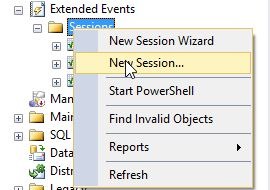
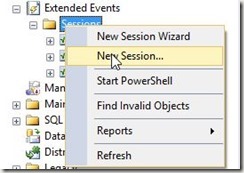
    I started with a new session:
     2016-08-08 16_46_23-SQLQuery8.sql - (local)_SQL2014.Sandbox (PLATO_Steve (66))_ - Microsoft SQL Serv

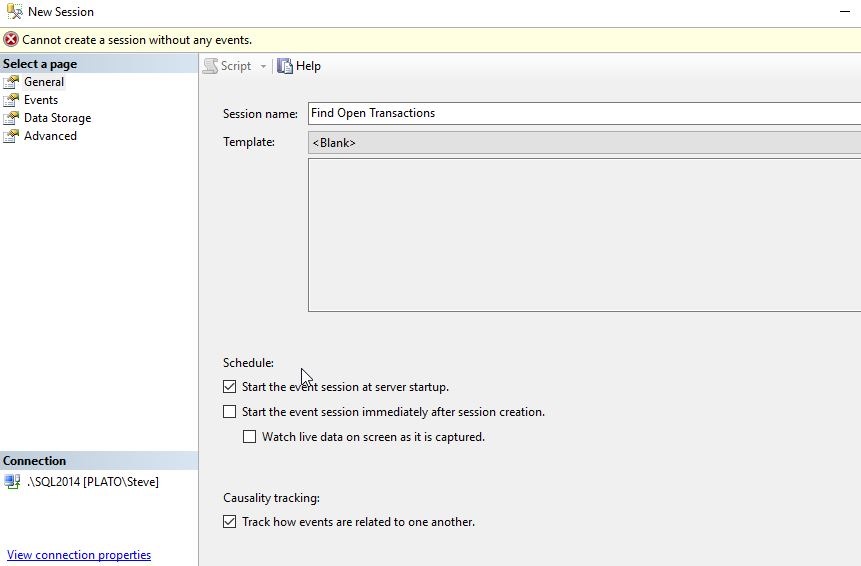
    I gave this a simple, descriptive name, and selected to start on server startup, and also to track causality. My understanding is that since I want to pair up events, I’ll need this. I might be wrong, as I’m certainly not an XE person, but let’s see.
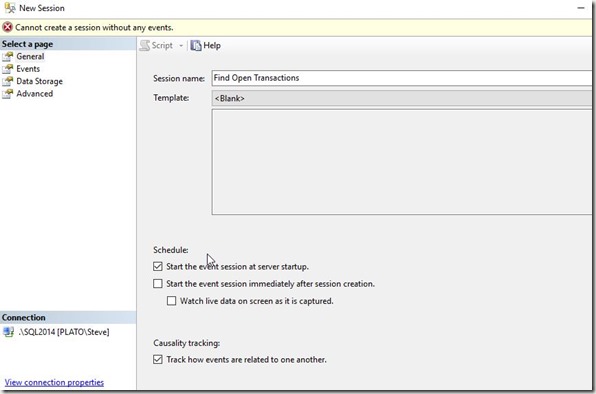
    2016-08-08 16_46_55-New Session

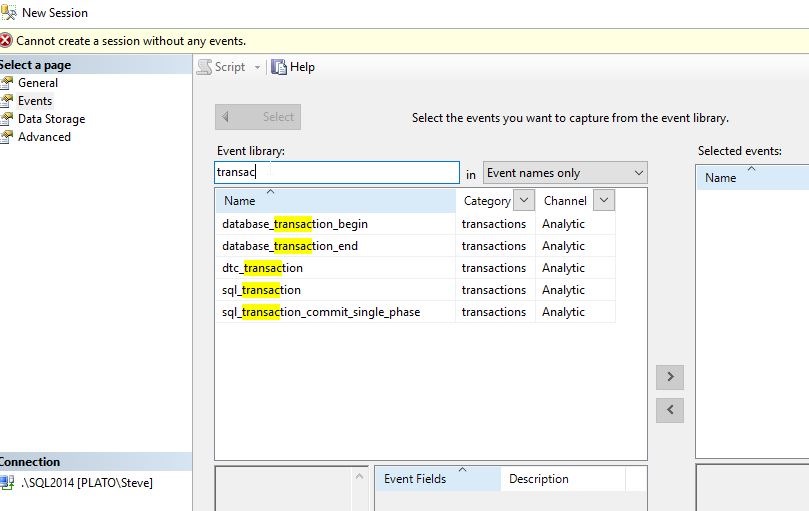
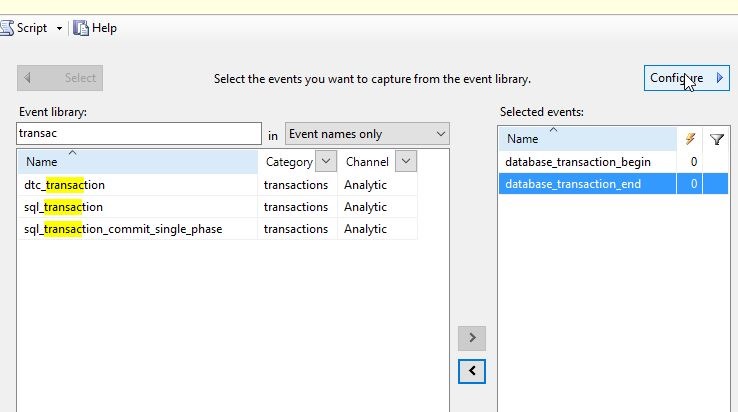
    Now we need events. Let’s use the Search, as Erin mentioned, to find those events with “transac” in them. This screen alone is worth leaving Profiler and Trace.
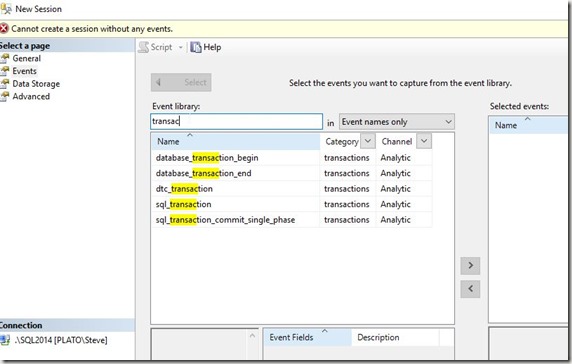
    2016-08-08 16_48_36-New Session

    As you can see below, I’ll add these events and then click “Configure” in the upper right.
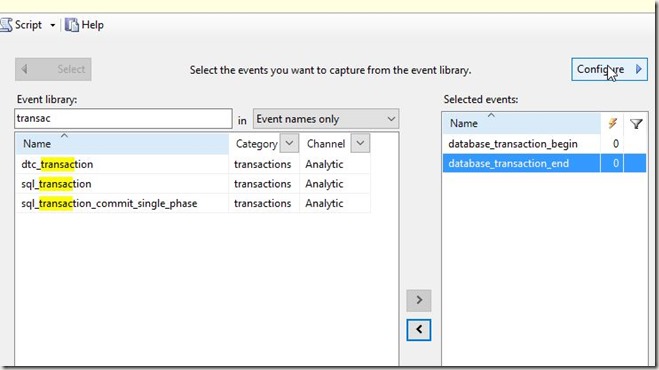
    2016-08-08 16_49_44-New Session

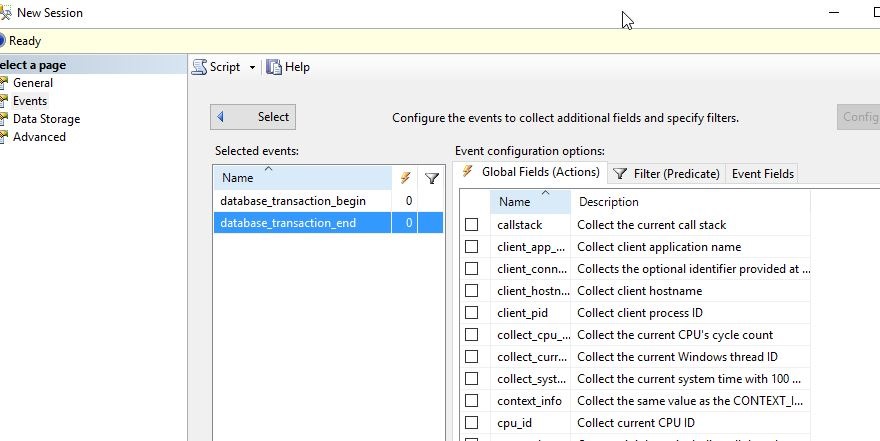
    This slides the pane over and I can see my Actions, Predicates, and Fields.
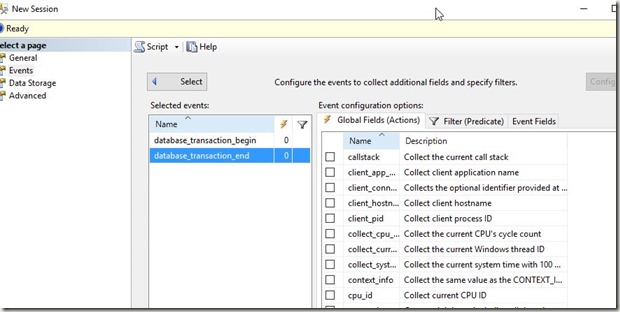
    2016-08-08 16_50_41-New Session

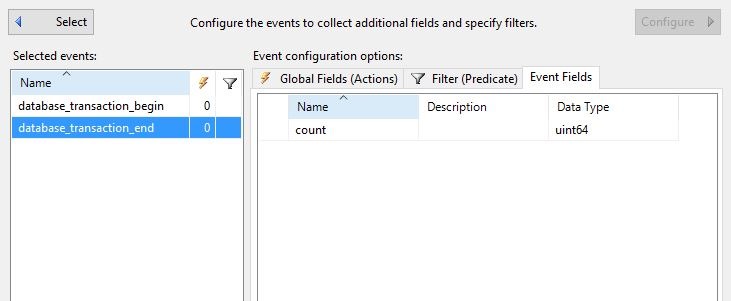
    As Erin did, I want to start with the Event Fields. Let’s see what’s available.
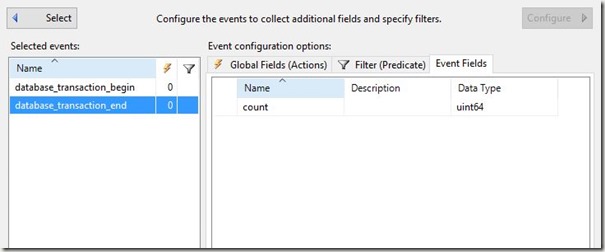
    2016-08-08 16_51_08-New Session

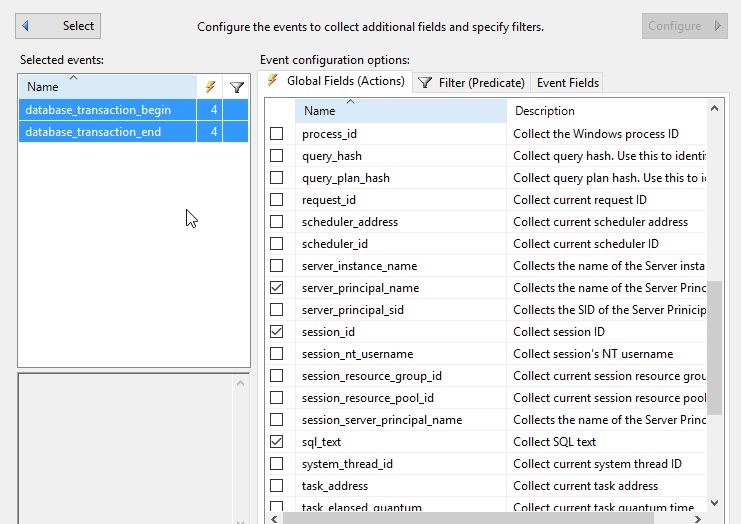
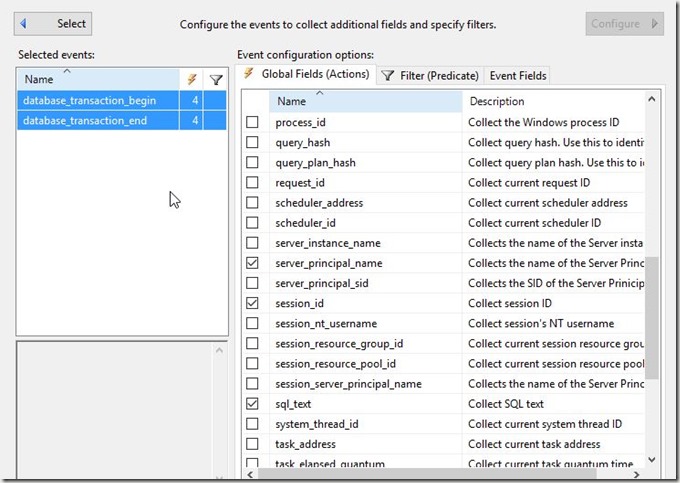
    Essentially nada. This won’t help. So let’s go to the Actions, which I know is something I want to avoid, and get a few fields. I’ll select both events and click a few items that seem useful.
    2016-08-08 16_51_46-New Session

    I’ll want to compare the events based on the session and database, to find those items that have a begin, but no end.

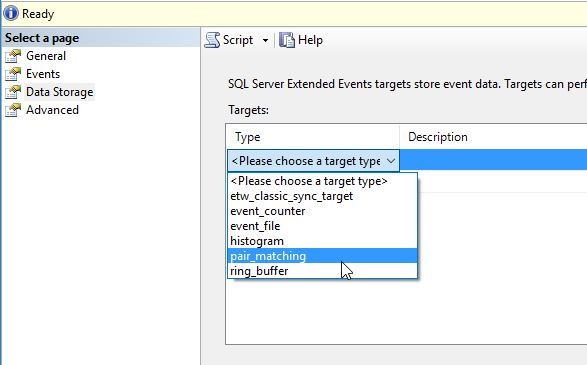
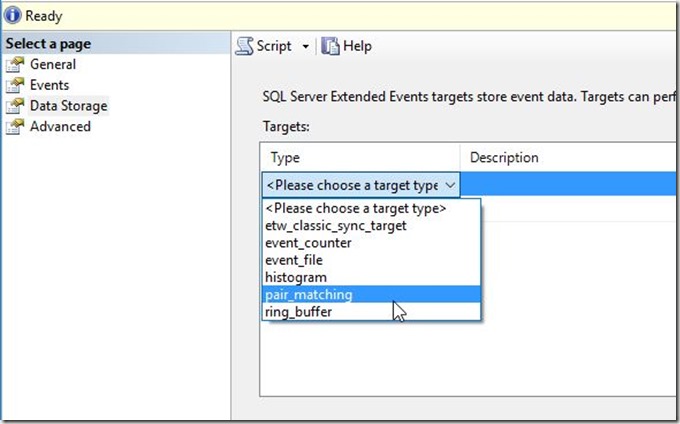
    Let’s now match. In the Data Storage pane, I’ll pick the pair matching target.
    2016-08-08 16_53_32-New Session

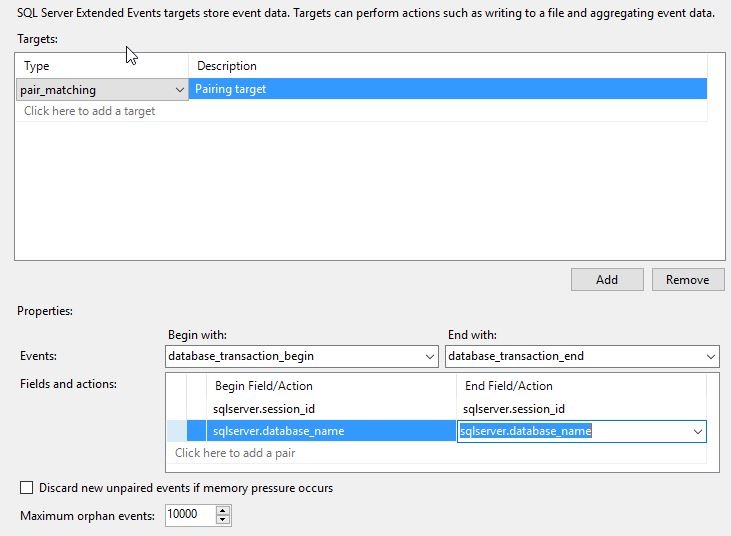
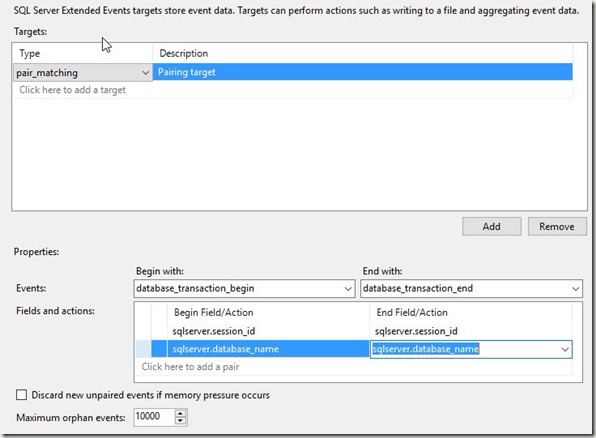
    Once I pick this target, I need to pick the events I use in my matching, along with the fields. I’ll do that here. I’m going to match the begin with the end on session and database. Session might be enough, but let’s go ahead and try to separate out those sessions that might do something silly in two databases.
    2016-08-08 16_54_25-New Session

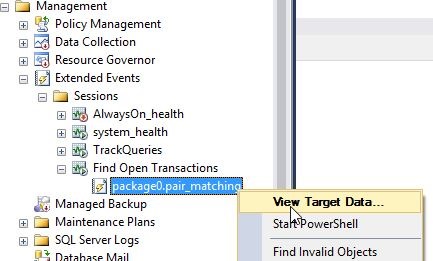
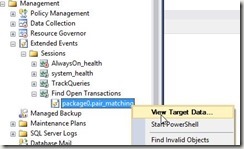
    That’s it for me. I’ll click OK and then start the session. Once I do that, I see the session and the target, which I can view data for.
    2016-08-08 16_55_53-SQLQuery8.sql - (local)_SQL2014.Sandbox (PLATO_Steve (66))_ - Microsoft SQL Serv

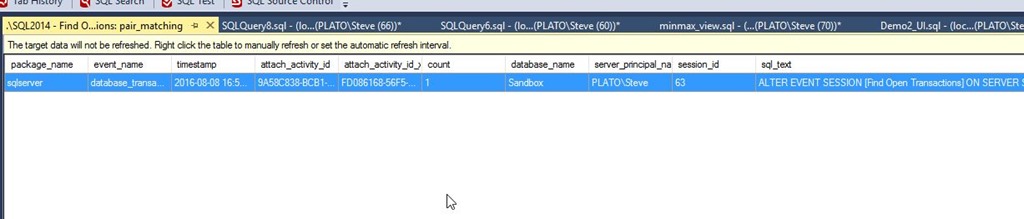
    I see the ALTER EVENT item, which I’m guessing is the start of a transaction inside SQL Server. Note this data isn’t refreshed by default, so I’ll need to right click and do that.
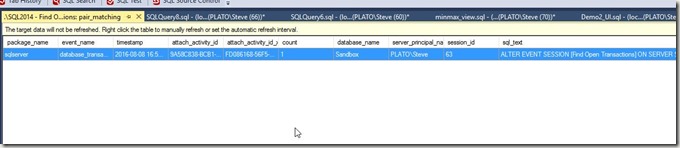
    2016-08-08 16_56_37-._SQL2014 - Find Open Transactions_ pair_matching - Microsoft SQL Server Managem

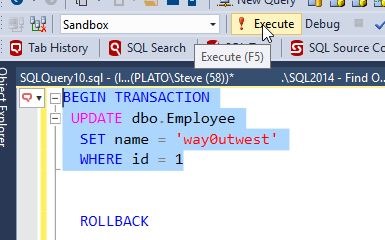
    Now let’s make a transaction. I’ll run this:
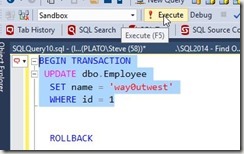
    2016-08-08 17_07_21-SQLQuery8.sql - (local)_SQL2014.Sandbox (PLATO_Steve (66))_ - Microsoft SQL Serv

    Once I do this, I have an open transaction. My session id is 60 for this transaction. If I refresh my data, I see the item.

    2016-08-08 17_09_31-._SQL2014 - Find Open Transactions_ pair_matching - Microsoft SQL Server Managem

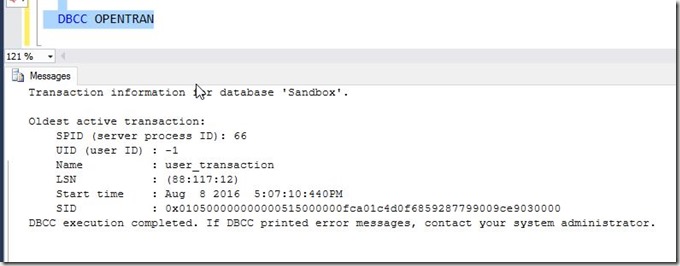
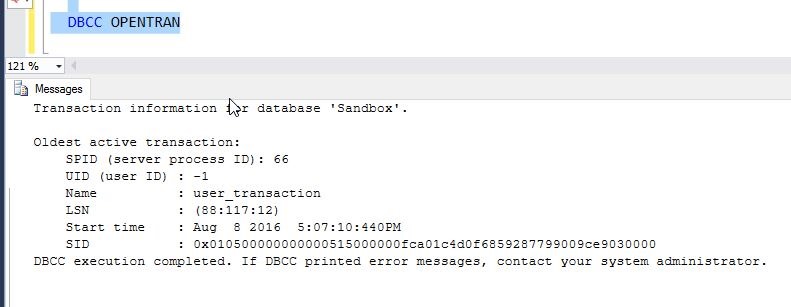
    I can also see the open transaction.

    2016-08-08 17_07_32-SQLQuery8.sql - (local)_SQL2014.Sandbox (PLATO_Steve (66))_ - Microsoft SQL Serv

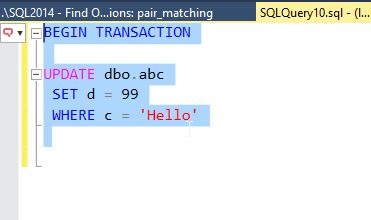
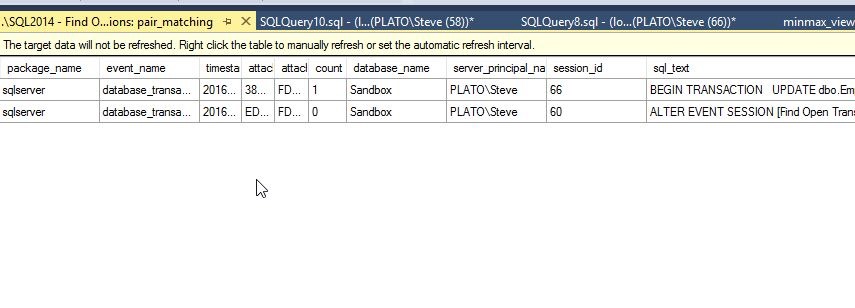
    Let’s try another one. I’ll start another new transaction, this time for session id = 58.
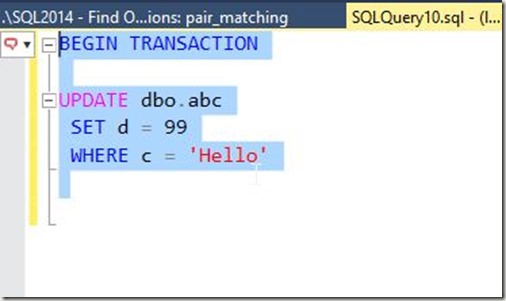
    2016-08-08 17_10_45-SQLQuery10.sql - (local)_SQL2014.Sandbox (PLATO_Steve (58))_ - Microsoft SQL Ser

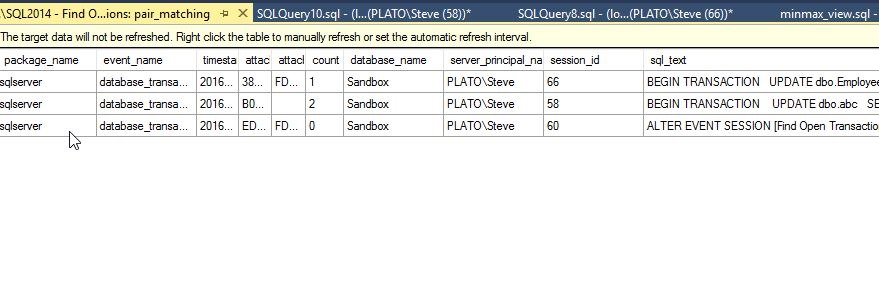
    Sure enough, I see another open transaction. 
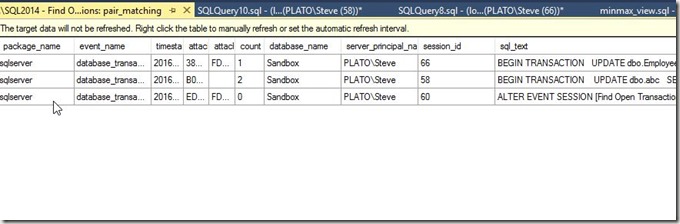
    2016-08-08 17_11_13-._SQL2014 - Find Open Transactions_ pair_matching - Microsoft SQL Server Managem

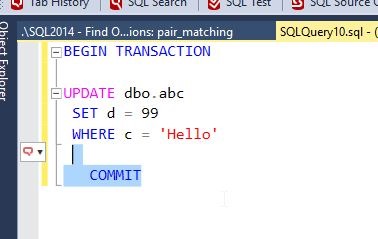
    Now let’s commit the second transaction, the UPDATE dbo.abc.
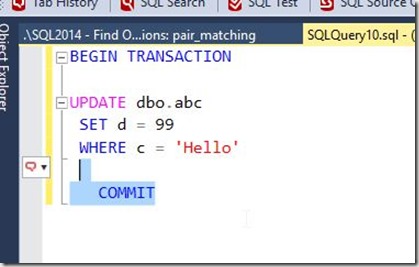
    2016-08-08 17_11_48-SQLQuery10.sql - (local)_SQL2014.Sandbox (PLATO_Steve (58))_ - Microsoft SQL Ser

    My transaction goes away from the pair match.
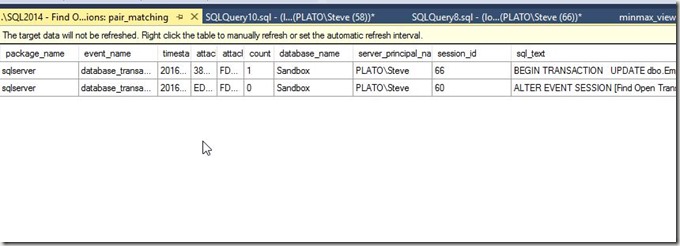
    2016-08-08 17_12_00-._SQL2014 - Find Open Transactions_ pair_matching - Microsoft SQL Server Managem

    The Results

    The third part of the invitation was to write this. I covered what I did, and some of what I learned. I’ll add a bit more here.

    I certainly was clumsy working with XE, and despite working my way through the course, I realize I have a lot of learning to do in order to become more familiar with how to use XE. While I got a basic session going, depending on when I started it and what I was experimenting with, I sometimes found myself with events that never went away, such as a commit or rollback with no corresponding opening transaction.

    This was a good challenge, and it forced me to work through a bit more than I might have done this past week, given a busy schedule. However, I’m glad it did, and I might challenge any of you writing about this in the future for your own T-SQL Tuesday #81 post to limit yourself to a week and force yourself to learn and try something.

  • T-SQL Tuesday #80–Chris Yates’ Birthday

    tsqltuesdayIt’s the 80th version of T-SQL Tuesday. You can see all the parties from the past on my page, but feel free to jump in here or elsewhere. This is a monthly event, where anyone can write on a topic.

    This month’s invitation is from Chris Yates, with today being his birthday.

    Happy Birthday, Chris!

    The topic is open this month, so here we go.

    SQL Server Isn’t Easy Enough

    I think that SQL Server is a fairly easy system to work with. I first started working with SQL Server on OS/2 1.3, and had come from working with lots of Unix, DOS, and Netware command lines. Windows 3.1 was still new, and we thought all the various command line tools for SQL Server were great.

    Even as I continued on in my career, working with Oracle on multiple platforms, DB2, and other relational systems, SQL Server was the easiest to use.

    However, I still find some simple, easy things that aren’t easy to handle. I think there is work being done with some of these items in Redmond (nothing specific I know or can say, but just a feeling), but these items have been an issue for some time.

    Database and Log Backups

    One of the really simple things many SQL Server professionals know is that we need to schedule at least one full backup to run, and then regular log backups, at least by default. The alternative is to set the database to simple recovery (not the default).

    The problem is that for many installations, people don’t realize that they need to do this. While it’s easy to say they should learn this, it’s also silly. This could be easily handled with software setup. Create a default backup setup for each new database, as part of the database creation wizard.

    I’d really like to see these defined in the database themselves, and loaded into the instance from the database, and hopefully we’ll get there.

    Replication

    I don’t have specific complaints here, though I could come up with some. The real issue I see is that replication is very brittle. The way replication works, and it’s barely changed in a long time, is that it requires lots of setup, and isn’t tolerant of issues. Far, far too often the solution when deploying changes to the database, or troubleshooting issues is to drop replication and re-enable it.

    Most people running replication have been burned and end up scripting everything as soon as it’s set up.

    This shouldn’t be that hard, or at the very least, some work should be done to improve the robustness of replication.

    More

    There could be other things, but I’ll stop here, and see what else people say about SQL Server this month.