Tag: T-SQL Tuesday

  • It’s 2016 RLS for T-SQL Tuesday #79

    tsqltuesdayIt’s T-SQL Tuesday time again. I missed last month, being busy with travel, though I should go ahead and write that post. Maybe that will be next week’s task.

    In this case, Michael J Swart is hosting this month’s blog party and he asks us to write about something to do with SQL Server 2016. Read the rules at his invitation.

    Row Level Security

    I’ve wanted this feature to be easy for a long time. In fact, I’ve implemented a similar system a few times in different applications, but it’s been a cumbersome feature to meet, plus each developer needs to understand how the system works for it to work well. Even in the case where we once used views to hide our RLS, it was a performance issue.

    Microsoft has made things easier with their Row Level Security feature. This was actually released in Azure in 2015, but it’s now available in SQL Server 2016 for every on premise installation as well.

    Essentially for each row, there is some data value that is checked to determine if a user has access. This doesn’t mean a join. This doesn’t mean you write a lot of code. The implementation is simple, and straightforward, and I like it.

    Security Predicate Functions

    The one piece of code you need is an inline table valued function (iTVF) that returns a 1 for the rows that a user should see. You need to have some way to match up a row with a user, and that can be tricky, but if you identify a row, even in another table, you can use it.

    For example, I have this table.

    CREATE TABLE OrderHeader
      (
        OrderID INT IDENTITY(1, 1)
                    PRIMARY KEY
      , Orderdate DATETIME2(3)
      , CustomerID INT
      , OrderTotal NUMERIC(12, 4)
      , OrderComplete TINYINT
      , SalesPersonID INT
      );
    GO

    There’s nothing in this table that really helps me identify a user that is logged into the database. However, I do have a mapping in my SalesPeople table.

    CREATE TABLE SalesPeople
      (
        SalesPersonID INT IDENTITY(1, 1)
                          PRIMARY KEY
      , SalesFirstName VARCHAR(200)
      , SalesLastName VARCHAR(200)
      , username VARCHAR(100)
      , IsManager BIT
      );

    Granted, this could mean some change of code, but perhaps you can somehow use a user name in tables to query AD or other directory and map this to a user name.

    Once I have that mapping, I’m going to create a function. My function will actually look at the SalesPeople table, and map the parameter passed into the function to the value in the table.

    CREATE FUNCTION dbo.RLS_SalesPerson_OrderCheck ( @salespersonid INT )
    RETURNS TABLE
        WITH SCHEMABINDING
    AS
    RETURN
        SELECT
                1 AS [RLS_SalesPerson_OrderCheck_Result]
            FROM
                dbo.SalesPeople sp
            WHERE
                (
                  @salespersonid = sp.SalesPersonID
                  OR sp.IsManager = 1
                )
                AND USER_NAME() = sp.username;
    go

    In the function, I look at the USER_NAME() function and compare that to a value in the table. This is in addition to checking the SalespersonID column.

    I can use a Security Policy to bind this function to my OrderHeader table as shown here:

    CREATE SECURITY POLICY dbo.RLS_SalesPeople_Orders_Policy
      ADD FILTER PREDICATE dbo.RLS_SalesPerson_OrderCheck(salespersonid)
      ON dbo.OrderHeader;

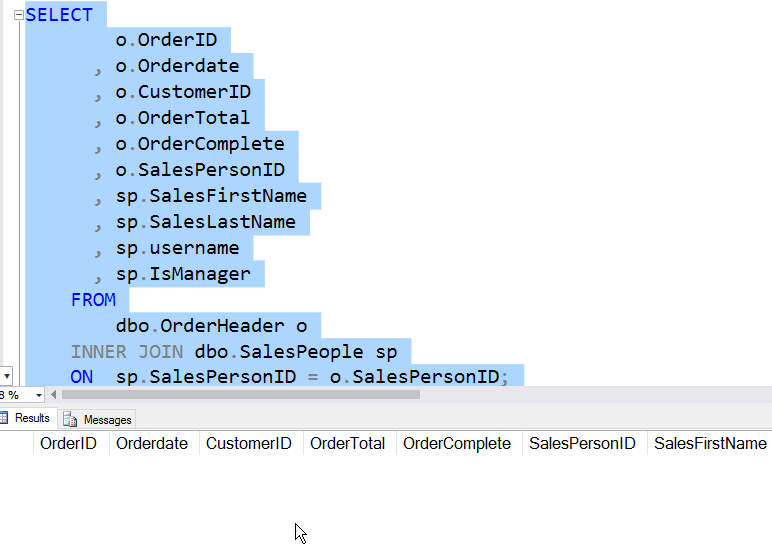
    This sets the function, passing in a column from the OrderHeader table, which is the column I want evaluated in the function.When I now query the OrderHeader table, I get this:

    2016-06-13 11_42_16-Photos

    There is data in the table. However, I don’t get rights by default, even as dbo. My USER_NAME() doesn’t match anything in the table, therefore no SalesPersonID matches. However, for other users, it works.

    2016-06-13 11_42_32-Photos

    There is a lot more to the RLS feature, but I think it’s pretty cool and it’s something that will be highly used in many applications moving forward, especially those multi-tenant systems.

    Go ahead, get the free Developer Edition and play around with RLS.

  • T-SQL Tuesday #77–My Favorite Feature

    tsqltuesdayThis month is an interesting, but tough topic. The blog party is hosted by Jens Vestergaard, and his invitation is short and simple. Pick your favorite feature and write about it. This is good, because SQL Server has grown so much, I’m sure that many people will choose different things. However it’s hard for someone that works with many different features.

    My Favorite Feature

    I’ve been working with SQL Server since 1991. I’ve worked with all the Windows versions, and a few on OS/2. That means I’ve had the chance to manage and develop applications on:

    • SQL Server 4.2
    • SQL Server 6/6.5
    • SQL Server 7/2005
    • SQL Server 2008/R2/2012/2014/2016

    I’ve seen the platform grow and expand quite a bit. I’ve spoken on a number of topics over the years, as my jobs have changed and my emphasis has wandered. Of all the features available, however, if I have to choose one, it would be…

    SQL Agent.

    I’m a programmer at heart. I grew up admiring the power of computers to execute code over and over again. I appreciate the ability of computers to remember things and remind me, or to handle them on their own.

    SQL Agent allows that. Over the years, I’ve taken advantage of SQL Agent to perform maintenance on systems, to alert me to issues, to run a process that needed to be performed. I can even schedule one off jobs, having them delete themselves. I can’t tell you how many times someone has asked me to run something “later” on the server, often during the evening. It’s easy to schedule a job for later, have it run one time, and then let it disappear.

    For example, Andy asks me to run a query tonight that gathers some data. I create a new job and step.

    2016-04-07 13_50_00-Movies & TV

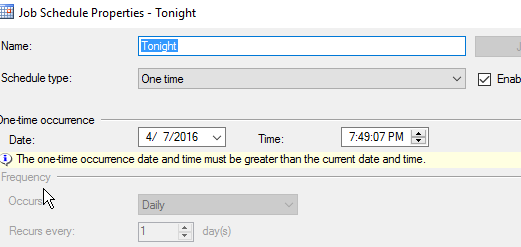
    I set up a one time schedule.

    2016-04-07 13_49_51-Settings

    Certainly I can set alerts and logging, but in notifications, I can have this job disappear.

    2016-04-07 13_50_12-Movies & TV

    I certainly want to make sure I have results saved, but this allows me to execute code, without much effort, and in a way that doesn’t clutter up my system.

    I’ve found SQL Agent to be incredibly easy to work with, and quick to build jobs running against my SQL Server. I don’t need to setup connections, like I might need to with the Windows scheduler.

    If you haven’t experimented with SQL Agent’s capabilities, or you don’t use it extensively in production, you should.

  • T-SQL Tuesday #75–Power BI

    This month’s host is Jorge Seggara, the @sqlchicken, who works for Microsoft. A busy schedule caused a slight delay, so we’re posting the third Tuesday of this month, but that is OK. This is a great topic for T-SQL Tuesday.

    Power BI Data

    While Power BI is a great visualization tool, you can’t do anything without data. That means you need to find data, which is both easy and hard. Easy if you’re working within your own organization on a specific project. Slightly more complex if you want to look at data out in the world.

    However I saw this in a talk last year and I was amazed. This is the type of thing I’ve written before, and it’s cumbersome and problematic. I would think that SSIS would have made things this simple years ago.

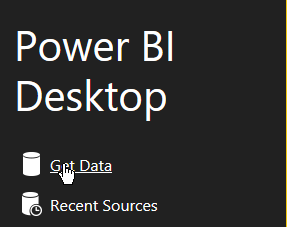
    I love sports, and wanted to play with some sports statistics awhile back. Finding good data is tough, at least in a format like CSV, that you can easily import. However Power BI makes this easy. Start up the desktop and you’ll see this:

    2016-02-10 14_07_40-Calendar

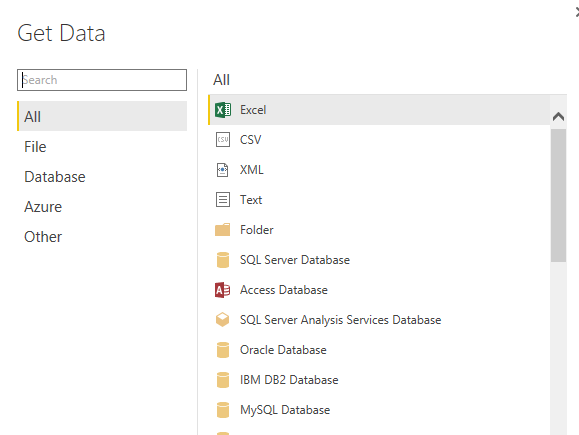
    Right away Power BI wants to get data. Click on this and the Get Data dialog opens, with lots of choices.

    2016-02-10 14_07_57-

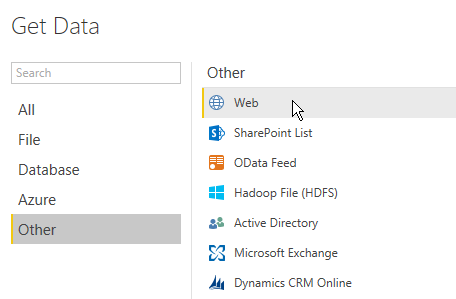
    However if you pick “Other”, you’ll see one more that I love. Web.

    2016-02-10 14_13_55-Calendar

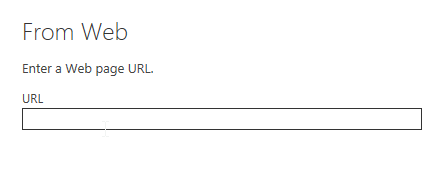
    Click this. You get asked for a URL. Any URL.

    2016-02-10 14_14_35-Calendar

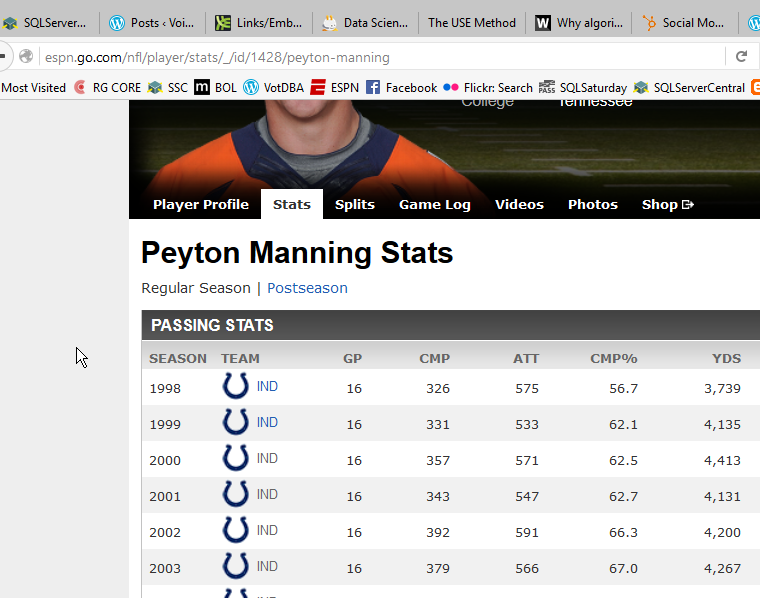
    I happen to have one handy. After the win for Denver in Super Bowl 50, I thought I’d look back at Mr. Manning’s career.

    2016-02-10 14_14_44-Calendar

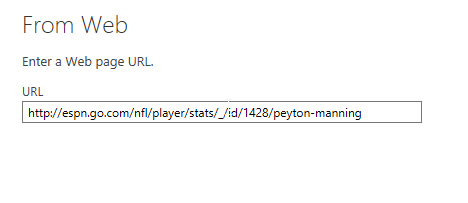
    I take that URL and drop it in the dialog.

    2016-02-10 14_14_52-Calendar

    Once I click OK, this will analyze the URL for tables of data. In this case, I get quite a few.

    2016-02-10 14_16_32-Calendar

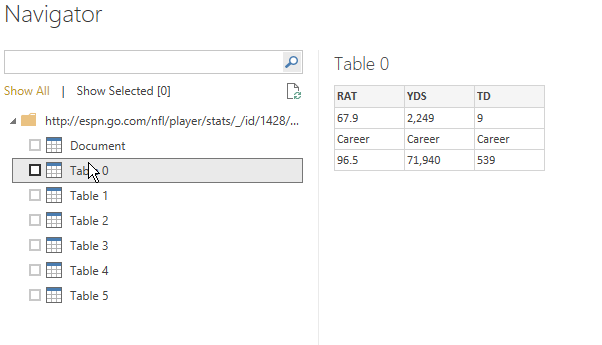
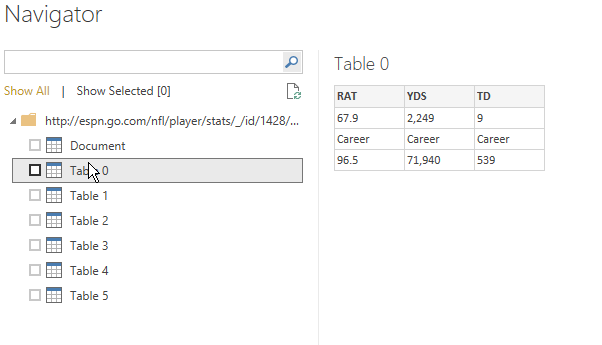
    Now, I can click each one to see what data this is. This isn’t what I want

    2016-02-10 14_16_32-Calendar

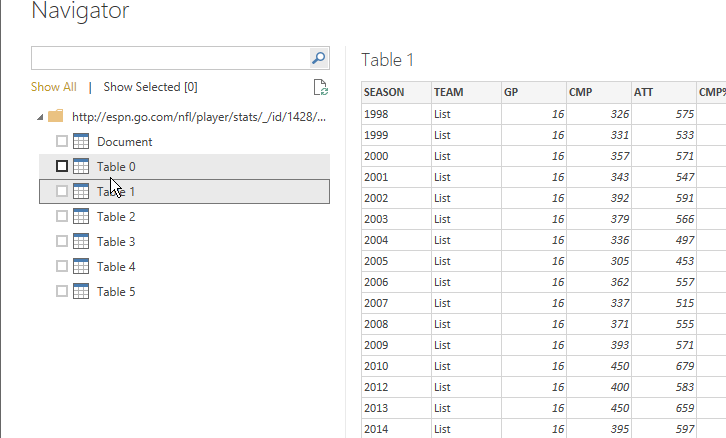
    But this is.

    2016-02-10 14_16_37-

    I now click “Edit” at the bottom to clean my data. I could just load it, but there are a few issues.

    2016-02-10 14_16_47-Untitled - Power BI Desktop

    I see all the data in the designer, and I have lots of options for working with this data.

    2016-02-10 14_17_11-Calendar

    First, since I’m going to do a comparison, let me rename the table.

    2016-02-10 14_17_02-Untitled - Power BI Desktop

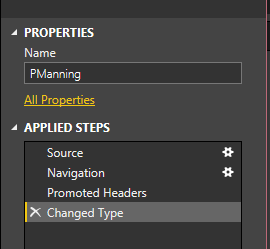
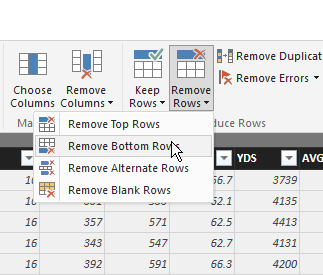
    Next, I see the steps below the name. I’ll add more steps, but I’ll do this in the designer GUI. First, let me remove the last row, which is a career summary.

    2016-02-10 14_19_28-Calendar

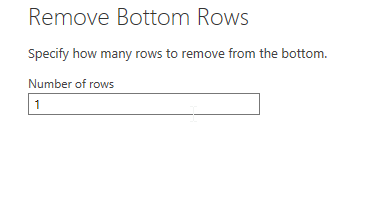
    In this case, I’m only removing one row.

    2016-02-10 14_19_36-Calendar

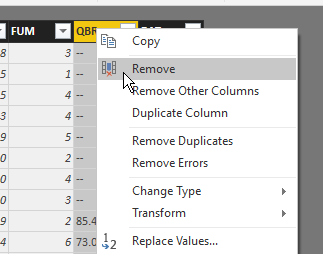
    Now, I want to remove a couple columns. In my case, I don’t care about a few of the data items, so I’ll pull them away. I can right click a column or choose “Remove Colums” in the ribbon. Either way, I get rid of QBR and Team.

    2016-02-10 14_20_50-Untitled - Query Editor

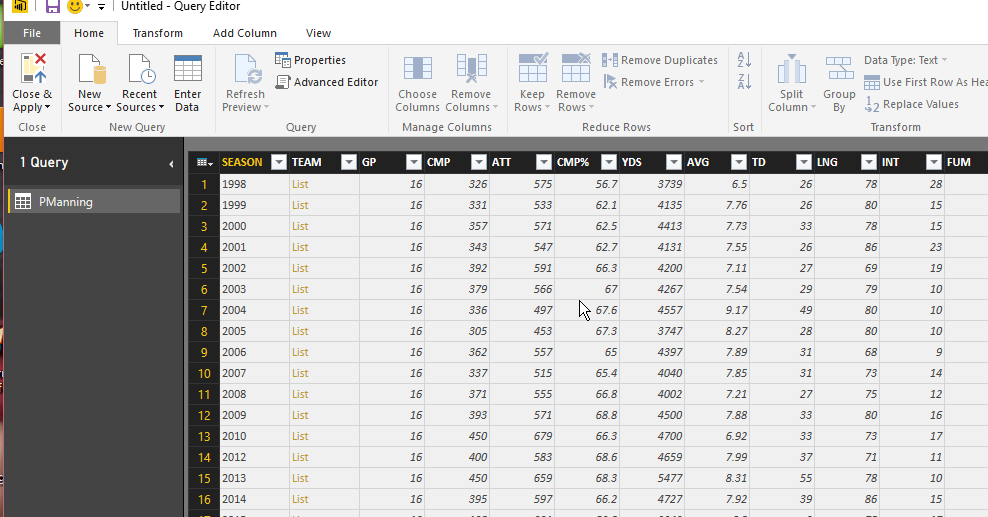
    Now I’ve got a nice year by year summary of Peyton Manning’s career. When I close and apply the query, my data is loaded into a data set for use by my Dashboard. I can then repeat this, and I’ll have two sets of data.

    And, here’s my PowerBI Dashboard. It’s not terribly useful, or interactive, but it’s got data from the web that I didn’t have to copy or move.

    https://app.powerbi.com/view?r=eyJrIjoiMWNmYzBiYjUtMTU3Yi00NWFhLWFiZjQtNTY0NzY4NDRkZTJmIiwidCI6IjY2NjBkOGZkLTJjNmItNDg0Mi1iZmZmLTcxOTY1YzE2NTczYSIsImMiOjN9

  • T-SQL Tuesday #74–The Changes

    It’s T-SQL Tuesday time, the monthly blog party on the second Tuesday of the month. This is the first T-SQL Tuesday of 2016, and all you have to do to participate is write a blog post. It’s supposed to be today, but write one anytime you can and look for the invitation next month.

    I’ve got a list of topics here, but watch the #tsql2sday tag on Twitter.

    This month’s topic comes from @SLQSoldier, Robert Davis. The topic is Be the Change, and it’s a good one.

    Quick Changes

    I’m going to write about SQLServerCentral here. Years ago we were updating our email system to send a high volume of email in two ways. At the time we’d considered purchasing software from others, but found the cost to be significant at our volumes (5-6 figures a year). Instead we needed to handle emails stored in our SQL Server database in two ways:

    • Thousands of bulk emails sent overnight, as quickly as possible
    • Quick, high priority emails sent in response to actions

    These two conflicting requirements meant that a simple queue of emails to send wasn’t easy for us to design around. We also needed to deal with the issues of scaling, so we wanted to have mutliple separate machines that could help spread the load.  We were building a small .NET process that would run every minute and send a series of emails.

    Our design process led us to the need to build in priority levels into our table. We couldn’t think of more priorities, but we allowed for them with a smallint. Our bulk emails were inserted with a priority of 2, and the registration emails, forum notes, etc, were stored with priority 1.

    Once we had a separaton of emails, we needed a way to determine what was sent already. To do this, we used a NULL date for the sending date. This allowed each process to determine when new information had been inserted into the table, and needed to be processed.

    This worked well for a single machine. The process would:

    • query for xx priority 1 emails
    • send priority 1 emails
    • update sent priority 1 emails with the sent date/time.
    • query for yy priority 2 emails
    • send priority 2 emails
    • update priority 2 emails with sent date/time.

    The updates actually occurred for each email sent, so we could easily track the time/order of sends for troubleshooting purposes. We would query a few hundred emails each minute, let’s say 500, knowing that was the rate at which we could send emails. We wanted all priority 1 emails to go, so our value for yy would be  500 – xx.

    As we worked to scale things out, we also needed to track what items were queried by which client. Our solution here was to add a machine name to the data, which was blank when emails were inserted, but would be updated by a client with its name as it queried rows. Since we were looking to determine which emails to send, we’d update xx rows with the name of a client process and then query back those rows. The query used the sent date of NULL with the client name to get the correct rows.

    Using a combination of the date sent, the client name, and the priority, we could easily manage detecting and working with changes to this table and build a high volume queue that worked extremely well on SQL Server 2000, and all versions since.