Tag: T-SQL

  • Basic Window Functions–#SQLNewBlogger

    Another post for me that is simple and hopefully serves as an example for people trying to get blogging as #SQLNewBloggers.

    Window functions are a class of functions that dramatically improve the performance of certain types of queries. We often think of these as aggregates, but there are ranking and analytic functions that can be used as well.

    This is a basic post looking at the outline of these functions and their structure. I’ll look at a few more details in future posts.

    The OVER() Clause

    The idea in many of these functions is to create a window on which a function can operate and perform some computation over a row in the window. When I first heard of this, I wasn’t sure this was that powerful, but now I find these functions to be incredibly useful for many aggregates, especially because I can get things like a SUM() without requiring a GROUP BY.

    The main way we define the window is with the OVER() clause. This comes after the function and defines a partition and ordering for the rowset, one which the window is then applied. That sounds more complex than it really is, so let’s look at a simple example.

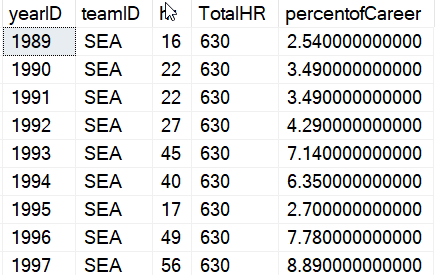
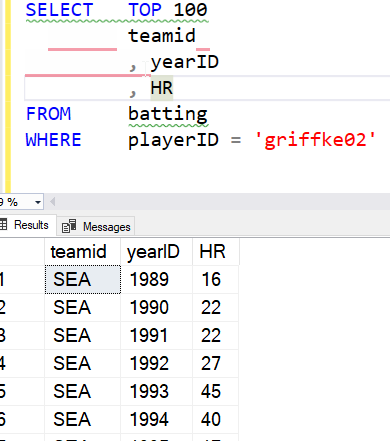
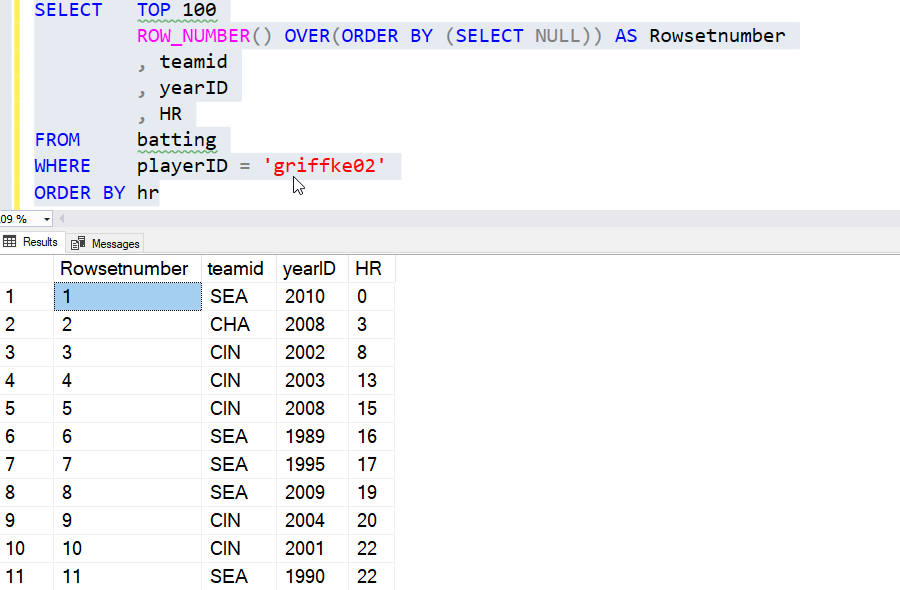
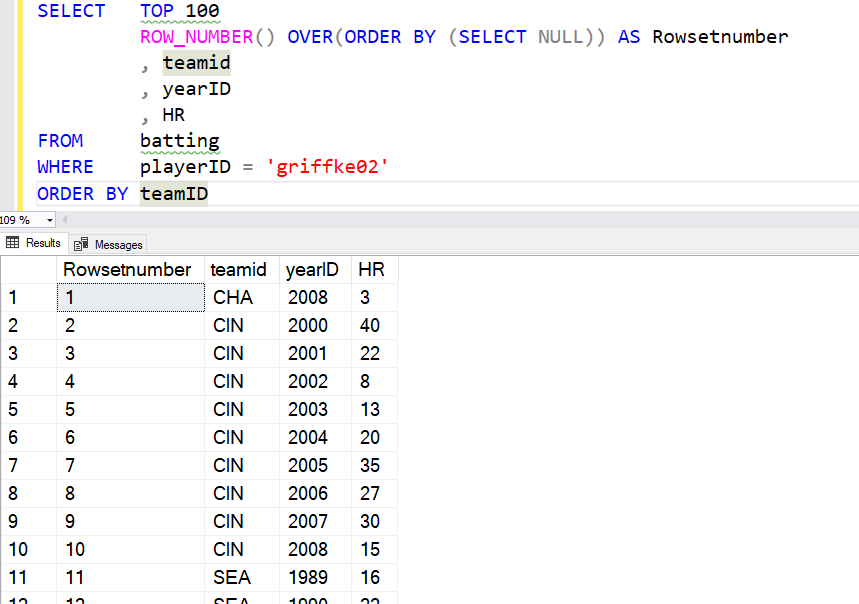
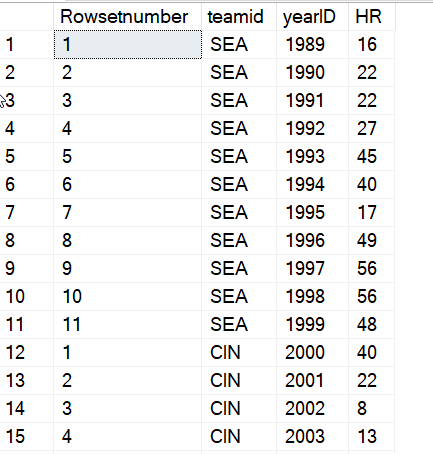
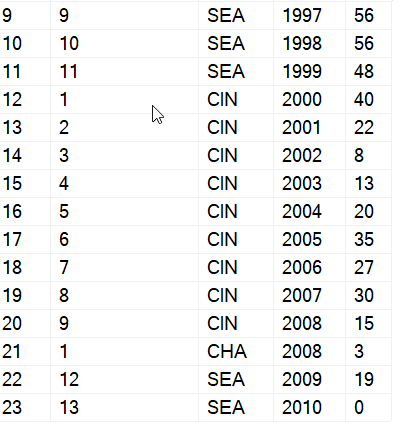
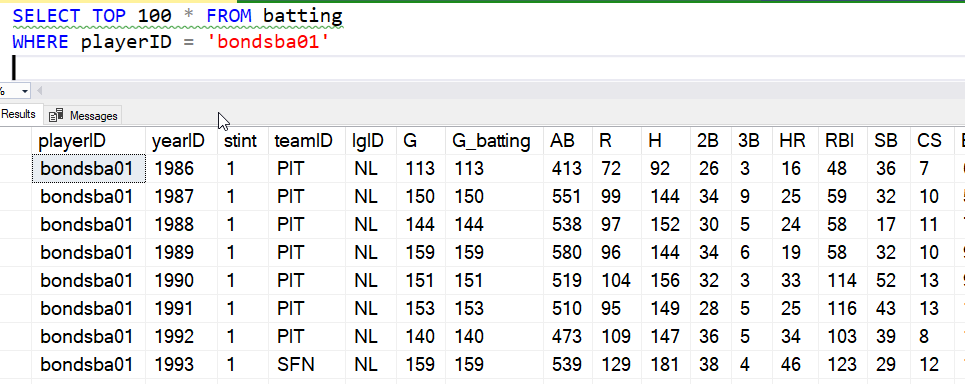
    I have a number of baseball statistics in a table. I’ll look at one player, Barry Bonds, and his career across a couple teams. If I look at the data, I see:

    2021-07-06 12_58_18-SQLQuery1.sql - ARISTOTLE.BaseballData (ARISTOTLE_Steve (51))_ - Microsoft SQL S

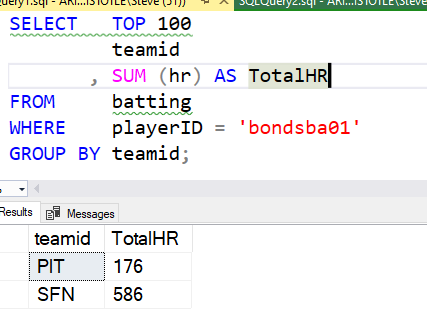
    If I want to sum something like home runs, I can do that with the team easily like this:

    2021-07-06 13_00_35-SQLQuery1.sql - ARISTOTLE.BaseballData (ARISTOTLE_Steve (51))_ - Microsoft SQL S

    I have a sum and a team, and a GROUP BY. What if I wanted to add something in there, like the at bats by year. Maybe I want to add some other text fields, which is easy to do, but every time I add a non-aggregate to the column list, I need to also add it to the GROUP BY. That’s a pain, and it’s cumbersome. Not only that, I’m limited to looking at the data in the same way. I might want an overall average number of at-bats, or maybe an average by team.

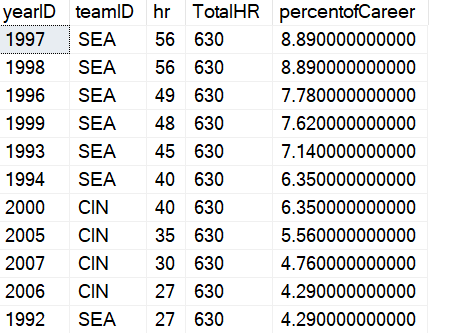
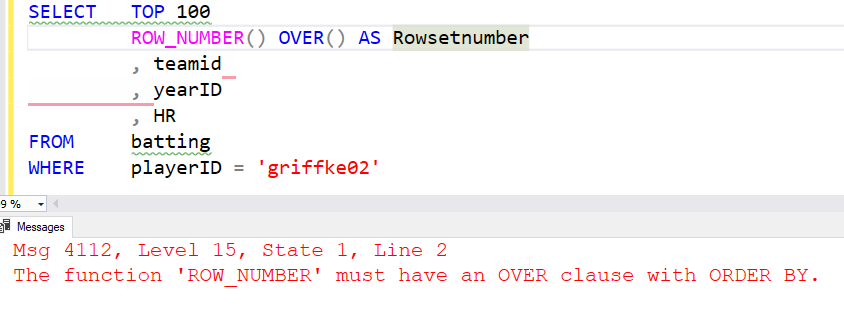
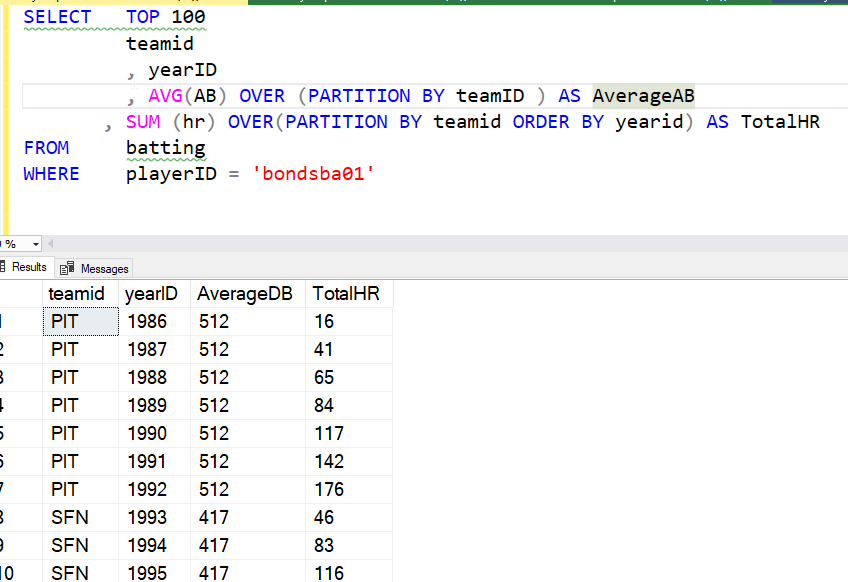
    With the OVER clause, I can have different views of the rowset as applied to the function. In this query below, I order one rowset, but not the other. I could have partitioned by different values if I wanted, but that doesn’t help here.

    2021-07-06 13_07_16-SQLQuery1.sql - ARISTOTLE.BaseballData (ARISTOTLE_Steve (51))_ - Microsoft SQL S

    Here the average is calculated on the partition, not on the entire group, which is what I’d have before the OVER() clause. I could even add other detail data, like the league, and I wouldn’t have to alter multiple clauses.

    There are two key concepts here for the basic OVER clause that I want to discuss, and more details will come in other posts.

    Partition BY

    The partition by separates the rowset into groups, much like the GROUP BY does. In this case, we note that we want to break our data into groups based on the value of a column (or columns).

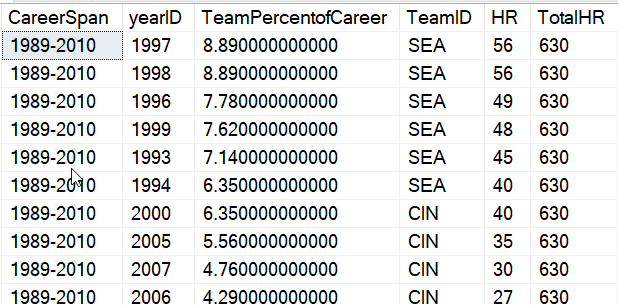
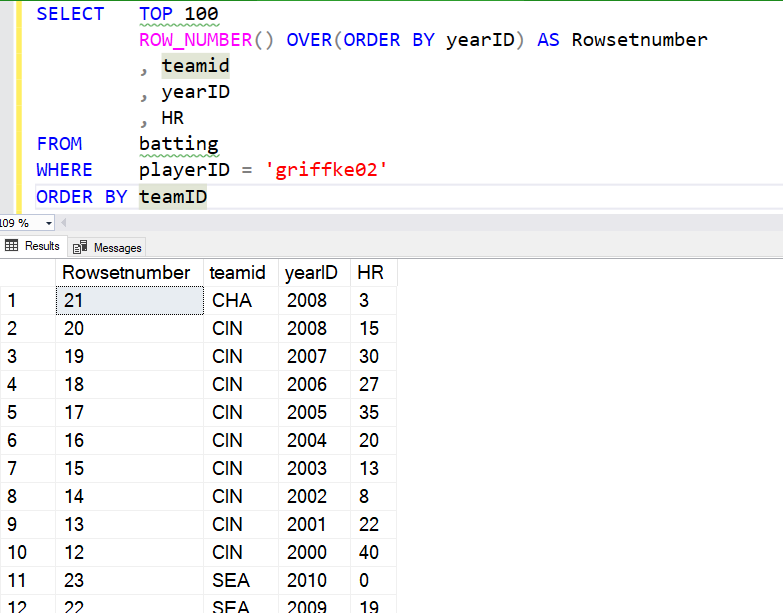
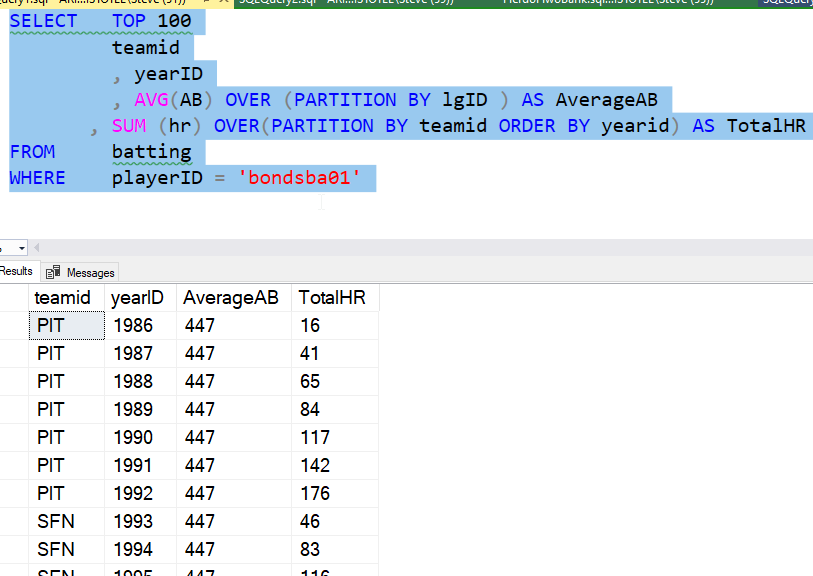
    This can be different for each OVER() clause, as you can see below. Now the average is teh same for all rows, as Mr. Bonds only played in one league.

    2021-07-06 13_12_26-SQLQuery1.sql - ARISTOTLE.BaseballData (ARISTOTLE_Steve (51))_ - Microsoft SQL S

    More details in a future post.

    Order By (Inside OVER)

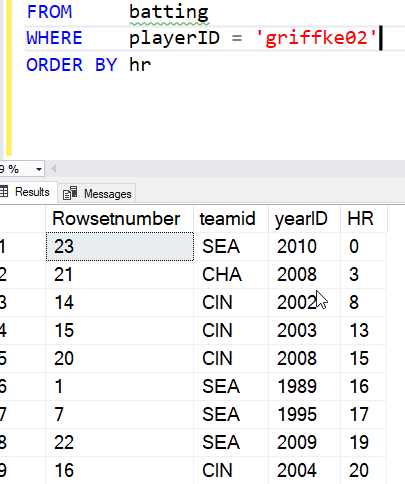
    The ORDER BY is the ordering of the rows inside of the partition. In this case, the order doesn’t matter, but in some cases it might. With some functions it matters, so this can change the way your query works.

    This works just like the ORDER BY clause at the end of a SELECT query, but when inside the parenthesis, this applies only to the partitions.

    Summary

    This is a very basic look at Window functions. This is the basic view of what these are, and how they might be used in queries. There are more options, and more to know, but this is a basic look at how you might think about building aggregate queries without a GROUP BY, better performance, and in my mind, easier to read.

    SQLNewBlogger

    I had to write a query recently and chose an window function because it simplified the code. It also performed very well. This is a start of a few posts based on that work, showing that I have some knowledge on how to use these features in SQL.

    This post took about 10 minutes to write, mostly me structuring the example from a dataset I have, and then about 5 minutes to pull some things out of this post to focus on the basic part of building a query. I can expand on this in other posts.

    This is a pattern you can easily follow in your own blog to show that you understand some concept in T-SQL, in Azure, or really any topic. Enough of these and they’ll help drive your interview to subjects you know something about.

  • Setup Full-Text using T-SQL–#SQLNewBlogger

    Another post for me that is simple and hopefully serves as an example for people trying to get blogging as #SQLNewBloggers.

    I wrote a previous post on how to set up full-text searching (FTS) and indexes in SSMS. This post looks at the T-SQL equivalent.

    Everything in SSMS uses T-SQL under the covers. Often, you can get the code from a dialog in SSMS and use that for repeatable operations. For FTS, that’s not the case. When we get to the end of the wizard, there is no “Script” button.

    2021-06-28 15_04_32-Full-Text Indexing Wizard

    there isn’t one on other screens, either. This is an omission (and bug in) from SSMS, IMHO.

    In any case, we need to do these things:

    • create a catalog
    • create a full text index
    • populate the index

    That’s what we’ll do.

    Create a Catalog

    A FTS catalog is a logical group of FTS indexes. That’s it. This is used to be a way to decide where indexes are stored, as you can choose the filegroup for these. However, after SQL Server 2008, the storage decisions (path or filegroup) have no effect.

    Now we really run this:

    CREATE FULLTEXT CATALOG name

    We can add accent sensitivity or a default setting (or an owner), but really we’re just picking a name here for the most part.I’ll run this:

    CREATE FULLTEXT CATALOG FTSCat

    That gives me a place to put indexes. I can create multiple catalogs, if needed.

    Creating FTS Indexes

    The next step is to actually create an index. The basic syntax uses the CREATE FULLTEXT INDEX DDL, with the table and column. We need a PK on the table for this to work, so make sure your table has one.

    We can add some options for language, statistical semantics to be gathered, and population parameters. All of those are documented in the Docs. To create a basic index you can use, this is what I’ll do. First, here’s my table.

    CREATE TABLE dbo.FTS2
    (   myid INT NOT NULL CONSTRAINT FTS2PK PRIMARY KEY
       , Val  VARCHAR(2000));
    GO

    Next, let’s create the index. I want to index the val column in this table. I’ll use this statement:

    CREATE FULLTEXT INDEX ON dbo.FTS2(Val) KEY INDEX FTS2PK ON FTSCat

    This statement lists the table and the column(s) in parenthesis, much like any other index. I need to provide the unique index used to track rows, which in this case is the PK. I also give the catalog on which I store this index.

    Once this is done, the index is created. This auto populates by default, which means I can query using the CONTAINS() function to search.

    Populating Indexes

    If I had specified manual population for the index, then I’d need to populate it myself. Plenty of people want to choose the time to populate indexes, as this can be resource intensive.

    To do this, the ALTER INDEX can be used to start this. This is simple with the START FULL POPULATION (or UPDATE POPULATION) command.

    ALTER FULLTEXT INDEX ON dbo.FTS2 START FULL POPULATION

    That’s it.

    Summary

    This post essentially duplicates what I did in the previous post, but with direct T-SQL instead of using the GUI. It’s always good to know both ways to accomplish something, especially as the GUI might not contain an option you want to use.

    SQLNewBlogger

    This was easy to do after the previous post. I essentially repeated everything, except I had to look up the T-SQL for each step to check syntax.

    This is a great example of showing some learning, and adding depth to a previous post. Easy to do, another item that can impress an interviewer.

  • Setting up a Full Text Index–#SQLNewBlogger

    Another post for me that is simple and hopefully serves as an example for people trying to get blogging as #SQLNewBloggers.

    I saw a question recently on  Full Text Search. I knew the answer, but to test some code, I had to reset up an index, which took just a minute, but I decided to write about it. This post gets the basics of setting an index.

    Setup

    A full text index allows you to search a little more freely than standard T-SQL with a LIKE or wildcards. It’s useful for going through large amounts of text, mainly hundreds or thousands of words.

    To get started, you need to know a few things. First, this system in modern SQL Server (2008+) is set up on all instances. You don’t enabled FTS like you would for In-Memory OLTP tables or FILESTREAM.

    Next, you need a catalog for the FTS indexes, which is a logical container.

    Next, a table with data.

    Finally, you create the index. In this post, I’ll look at SSMS and the GUI. In another one, I’ll look at the T-SQL itself.

    Using SSMS

    The quick way to get started is to right click your table. As noted, the database is already enabled for FTS. In the right click menu, there is a Full-Text index section, and under there there is a “define” choice, as shown here.

    2021-06-09 11_51_25-

    Click that and the wizard will start. The intro screen appears, and you can click next.

    2021-06-09 11_52_11-Full-Text Indexing Wizard

    A unique index is required, and the next step let’s you pick the one you want to use. This allows the various FTS query items to return the key value used here in the index. In my case, I only have a PK, but if you have unique indexes, you can choose any one.

    2021-06-09 11_53_38-Full-Text Indexing Wizard

    The column(s)  you want to index need to be selected. I only have one here, but you can choose any, or multiple, character or image based columns. Image would be binary columns that might contain something like a Word document.

    The statistical semantics are used to extract key phrases from documents. For basic FTS of character data, you wouldn’t use this, but if you are searching things like PDFs, Word, etc., you might enable this.

    2021-06-09 11_56_29-Full-Text Indexing Wizard

    If you want to track changes as the data changes and update the index, choose auto or manual.

    2021-06-09 11_56_58-Full-Text Indexing Wizard

    The next page is where you assign this to a catalog. This is where you can create one if necessary. You can also choose a different filegroup for storing the index, and set the sensitivity for accents and choose a stop list. If you don’t know these terms, something to look up (and blog about).

    2021-06-09 11_58_16-Full-Text Indexing Wizard

    The next step is the population schedule. This is the place where you decide when the index is updated. You can allow the system to run when it detects changes if this isn’t a lot of data, or you can schedule this. Large indexes with lots of data can take time and consume resources, so some instances need this scheduled during low workload hours.

    I tend to ignore this for demos.

    2021-06-09 12_00_02-Full-Text Indexing Wizard

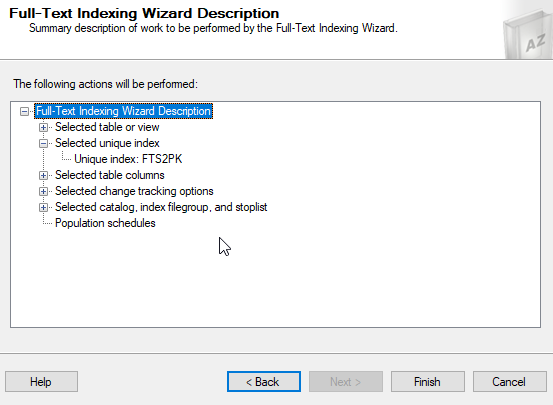
    You get a final summary of everything. You can check each item and go back if necessary to fix something. Or click finish.

    2021-06-09 12_00_13-Full-Text Indexing Wizard

    For my small demo table, this completed quickly.

    2021-06-09 12_00_20-Full-Text Indexing Wizard

    From here, I can run queries using CONTAINS() or other terms, as shown below.

    2021-06-09 12_02_15-SQLQuery1.sql - ARISTOTLE_SQL2017.sandbox (ARISTOTLE_Steve (61))_ - Microsoft SQ

    If you want to follow along, here’s the table setup I used.

    CREATE TABLE FTSTest (
    myid INT NOT NULL IDENTITY(1,1) CONSTRAINT FTSTestPK PRIMARY KEY
    , mydata VARCHAR(MAX)
    )
    GO
    INSERT dbo.FTSTest (mydata)
    VALUES ('Now is the time for all good men to come to the aid of their country'),
    ('there are a number of men who are good in the world'),
    ('good for men that help others'),
    ('If there are men who others might consider good, we should support them'),
    ('Good is a concept that is sometimes hard for men to comprehend'),
    ('Good is a concept that is sometimes hard for anyone to comprehend')
    GO

    That’s a quick setup. I’ll look at queries and the T-SQL setup in another post.

    SQLNewBlogger

    This post was the first of a few that I made after solving a problem for someone. I took my 10 minutes of code writing and added about 10 minutes each for a few posts, including this one.

    A good way to break down a problem into a few posts and get a few weeks worth of content that shows your knowledge and learning.

  • 2020 Advent of Code Day 6

    This series looks at the Advent of Code challenges.

    As one of my goals, I’m working through challenges. This post looks at day 6. I’m going to do this one in Python here, though I did solve it in other languages in my repo.

    Part 1

    This is another weird string grouping issue. The data load is a mess, meaning that there are groups of data I need to consider, and the groups are separated by blank lines. However, each group has multiple lines.

    Ugh.

    Easier in Python, where I can load the data line by line and break things. I do that with this code:

    for answers in open("2020\day6\day6_data.txt").read().split("\n\n"):

    In SQL, it’s harder. I bulk load into a table, the cursor through the data.

    DECLARE pcurs CURSOR FOR SELECT lineval FROM Day6 ORDER BY linekey;
    DECLARE
         @val VARCHAR(1000) = ''
       , @groups VARCHAR(1000);
    OPEN pcurs;
    FETCH NEXT FROM pcurs
    INTO @val;
    SET @groups = '';
    WHILE @@FETCH_STATUS = 0
    BEGIN
         IF @val > ''
             SELECT @groups += ' ' + @val;
         ELSE
         BEGIN
             INSERT dbo.Day6_Groups (groupanswers) VALUES (@groups);
             SET @groups = '';
         END;
         FETCH NEXT FROM pcurs
         INTO @val;
    END;
         INSERT dbo.Day6_Groups(groupanswers) VALUES (@groups);
    DEALLOCATE pcurs;
    GO

    Once that is done, I again have to do things differently. Python is easy, where I count the values and add them up.

    answers = set(answers.replace("\n",""))
    part1 += len(answers)

    In SQL, I need to distinctly find the values, for which I need a function of some sort.

    UPDATE dbo.Day6_Groups
      SET deduppedanswers =  DBO.REMOVE_DUPLICATE_INSTR(1,groupanswers)

    Once that’s done the answer is the sum of lengths.

    Part 2

    More complex here. Now I need to match up the common answers among the groups. In Python, this isn’t bad. I use the intersection method to find out what matches between the groups.

    for answers in open("2020\day6\day6_data.txt").read().split("\n\n"):
        matches = set.intersection(*[set(answer) for answer in answers.split()])
        part2 += len(matches)
    print("Part 2: ", part2)

    Fairly simple here, with the grouping of the answers in a set.

    SQL is hard.I reloaded the data, and separated each group by a comma. This gave me data I could split up, keeping each group in a group.

    2021-05-12 13_41_16-day6.sql - ARISTOTLE.AdventofCode (ARISTOTLE_Steve (56)) - Microsoft SQL Server

    From here, I had a CTE for this, another to put these into groups of 2 strings by groupID. I then did a comparison for common characters across each group of 2 strings. This gave me partial matches, and I then compared all these in a group, taking the minimum number of matches. From here, I summed up the count of all the matches.