Tag: tools

  • Using Better Tools

    There are good tools available to help you work with your SQL Server database or build better applications. Microsoft has built some, most of which I think are basic and not great, but plenty of third parties have offered products in the Microsoft ecosystem that can help you build better systems. I work for a software vendor (Redgate Software). We build all sorts of tools to help you work with SQL Server. I enjoy working for Redgate because I think we build some great software that’s valuable, and I hope you check us out. Most of our our utilities cost money, but we have some cool, free tools, like SQL Search and DLM Dashboard.

    I get that some organizations don’t have the budget for third party tools. That’s too bad, but there are some good tools out there, and I think many of us vendors do provide value in saving you time and effort in working with the Microsoft platform. If that’s worth the cost, you should consider using tools. At the very least, you should be aware of the free and paid extras out there and consider the ones that help you.

    What I find strange is that some orgs don’t allow any third party tools, free or paid, because they don’t come from Microsoft. They may even disallow utilities like sp_Blitzsp_whoisActive, and the dbatools project. What I don’t understand is why there is a blanket ban on software from companies other than Microsoft? How can you not take advantage of these tools? I get that many companies might not want a developer or DBA installing some random software on their system whenever they want. There are good reasons to not do that, but there are also good reasons to test and use actual code that is useful, even if produced by someone else.

    What’s also interesting is that rarely find an issue with Ola’s backup scripts, so why would Minion Backup or these other tools be different? After all, most of these are open source, so you can see the code. It’s really no different than the code that an employee might write, howover many companies don’t have employees that can write this software. You can see the Powershell for dbatools on Github, so what’s the issue? You can test this code like you might test your own code. In fact, you should aways do this, but you can also count on other people having tested this code as well, perhaps in ways you wouldn’t think of exercising it. You might even be doing this, with employees cut and pasting code from one of these utilities on your system and passing it off as their own work.

    Every company might need restrictions on code that goes to production systems. Certainly they should have ways to patch and update this code, especially as many of the issues found from open source software stem from organizations not applying patches. All code should be tested and verified, whether written by FTEs, contractors, purchased, or downloaded from the Internet. However, once you can verify code, there shouldn’t be restrictions on deploying code just because it wasn’t written by Microsoft. After all, many in the community might write better code than Microsoft, and often do.

    Take advantage of the tools that are out there. Use free ones if you can and buy third party products if they give you value for your money. However, don’t just say that we can’t install something because it’s not on the install media. Your build process should be scripted, treating configuration as code, and add those useful (tested) tools to all your systems.

    Steve Jones

    The Voice of the DBA Podcast

    Listen to the MP3 Audio ( 4.8MB) podcast or subscribe to the feed at iTunes and Libsyn.

  • KDiff3

    As I write more code, especially database code, and I collaborate with others (or myself), I find that I have the need to merge code more and more. It’s inevitable, and since I work across a couple machines, I even find that I need to merge my own code at times.

    One way to do this well is use a merge tool of some sort. KDiff3 is a popular one, that’s free, and it’s one that integrates nicely with SQL Source Control, which I also use for various tasks.

    If you install KDiff3 (use “choco instal kdiff3”) then you get a basic tool that allows you to compare files. If you start it, you’ll get a simple interface that lets you select multiple files and view them together in one interface. If you don’t use version control, apart from making a mistake, you also probably manage code like this.

    2016-04-07 14_20_47-Settings

    Or you might have this:

    2016-04-07 14_23_22-Settings

    Either way creates problems. If you have multiple people doing this, then you have other issues.

    KDiff gives you a nice interface to see the differences between files. As you can see below, I have the changes marked in each file.

    2016-04-07 14_26_43-Settings

    I can edit the files directly, or choose to merge them together. If I do the merge, I’ll get a third window that has the merged code.

    2016-04-07 14_28_41-Settings

    As you can see, if I click the merge area, I can choose the code from either of the original files.

    On the right is a scroll bar that lets me know where in the file the differences are.

    2016-04-07 14_26_49-Settings

    Software developers think nothing of these types of tools, but DBAs aren’t as easily used to using tools like this. I’d suggest that you download kdiff3 and give it a chance in trying to reconcile any code between team members or servers.

    And start using Version Control. It’s easy and incredibly useful.

  • Basic SQLCMD–#SQLNewBlogger

    Another post for me that is simple and hopefully serves as an example for people trying to get blogging as #SQLNewBloggers.

    I had the need to connect from the command line recently, and decided to make a quick post on using SQLCMD, as I had an issue.

    SQLCMD is a command line utility that comes with SQL Server. I know many people don’t use command lines, but they are handy at times. I recently opened a command prompt.

    2016-04-06 12_47_33-Photos

    I then typed SQLCMD. After a delay, I got this:

    2016-04-06 12_51_23-Photos

    The issue here is that I don’t have a default instance on this machine. All of mine are named. I need to provide a –S parameter, with a server name (and possibly instance name).

    2016-04-06 13_01_33-Photos

    I do that and I’m connected. By default, SQLCMD (and osql) try to use Windows Auth. The 1> indicates that the utility is ready for T-SQL queries. You need to know your language here as there’s no help.

    I can enter code, and check my user name. I do this, and get a 2>. The end of a batch is indicated with “GO” and this will execute the batch. You can see how this works below:

    2016-04-06 13_01_47-Photos

    I can use this to make my code easier to read. I can format code as I would in an editor, though be aware you can’t go back and edit previous lines.

    2016-04-06 13_07_03-Photos

    If I enter go, I’ll get this:

    2016-04-06 13_07_15-Photos

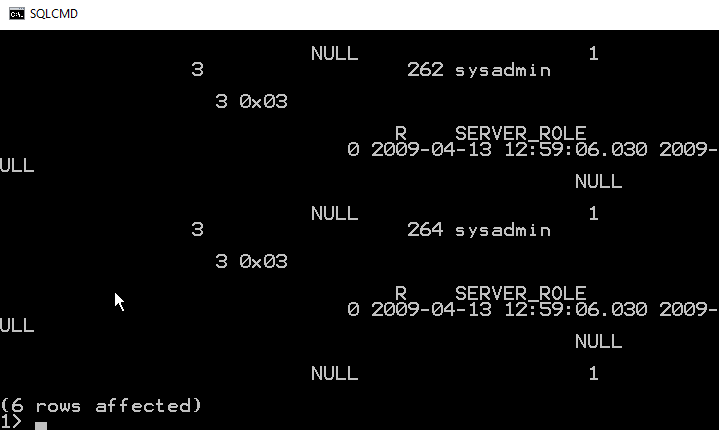
    Not so easy to read. I have to scroll up to even figure out what the display is:

    2016-04-06 13_07_26-Photos

    As you can see, using SELECT *, or retrieving too many columns make results hard to read. You would to wise to pick only those columns you need to return.

    To leave SQLCMD, you can type exit, which will return you to the command prompt.

    2016-04-06 14_00_07-Start

    This is a short look at SQLCMD. The older, osql, utility functions the same way, and both are good, lightweight ways to connect to your SQL Server instance.

  • The Ultimate Tool List

    I’ve seen Scott Hanselman’s Ultimate Tool List a few times and adopted some of the tools in the past. He updated it for 2014 and has added quite a few new tools. I downloaded F.lux the other day and am giving it a test run right now. I’m not sure how well it works, but I like the idea of this little utility. I also used Chocolatey for my new machine after Troy Hunt blogged about the utility and thought it was amazing. AutoHotKey is the new items I’m testing.

    We are in the business of technology and using computers to work more efficiently. We manage, build, and deploy software that allows our organizations to get more work done with less resources than ever in the past. We have, or should have, utilities that automatically check our math, our spelling, that communicate quicker than in the past.

    Those of us working with computers should be using utilities, tools, and helpful software all the time. We should test it, share our thoughts and results, and help others to learn to let computers improve their lives. While there are places computers aren’t needed or aren’t appropriate, there are many more ways in which computers can help us save time and effort by tackling tasks, even simple ones, with automation.

    I’d encourage you to look at some of the tools on Scott’s list and see if they might help you work more efficiently in the new year. With the slower times that usually occur during the holidays, this is a good time to experiment with some utilities that might help you in the new year. There’s also a SQL Performance Tool collection from MSDN in this week’s newsletter.