Tag: tsqlt

  • A tSQLt Mistake – Debugging a Test

    While I was working on a test the other day, it kept failing. Not a big surprise, but I couldn’t figure out why. When I looked at tsqlt.testresults, I saw extra rows. Double rows in fact, and that threw me.

    This was my Assemble code.

    -- Assemble
    CREATE TABLE #Expected (
    yearnum int
    , monthnum TINYINT
    , salestotal money
    )


    INSERT INTO #Expected
    ( yearnum
    , monthnum
    , salestotal
    )
    VALUES
    ( 2012, 11, 2500.23 )
    , ( 2012, 12, 2200.15 )
    , ( 2013, 1, 2656.75 )

    SELECT *
    INTO #actual
    FROM #Expected AS e

    EXEC tsqlt.FakeTable @TableName = N'MonthlySales', @SchemaName='dbo';

    INSERT dbo.MonthlySales
    VALUES
    ( 11, 1000.00)
    , ( 11, 1500.23)
    , ( 12, 2200.15)
    , ( 13, 1000.00)
    , ( 13, 1656.00)
    , ( 13, 0000.75);

    Here was the output (ignoring the failure messages):

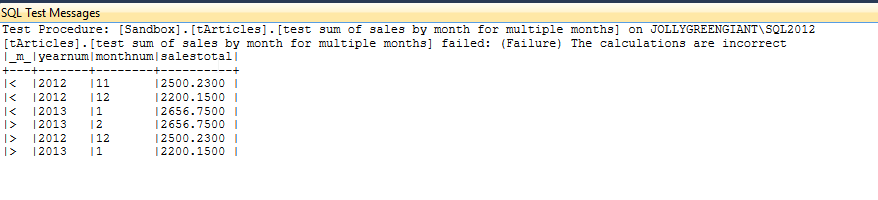
    [tArticles].[test sum of sales by month for multiple months] failed: (Failure) The calculations are incorrect

    |_m_|yearnum|monthnum|salestotal|

    +—+——-+——–+———-+

    |=  |2012   |11      |2500.2300 |

    |=  |2012   |12      |2200.1500 |

    |=  |2013   |1       |2656.7500 |

    |>  |2013   |1       |2656.7500 |

    |>  |2012   |12      |2200.1500 |

    |>  |2012   |11      |2500.2300 |


    Hmmm. What’s going on? Why don’t the rows match? If I run the query, I see the results I expect. Is it the query or test?

    In this case, you read the results as showing that I have 3 rows that are the same in my expected and actual tables (@expected and @actual variables in the assert). However I also have 3 extra rows in the actual table, which appear to be duplicates.

    If I go back to the Assemble, I see a pattern that’s a problem. Some people might think these hassles are a way to give up on testing. Some might build a better pattern. I’ll do the latter.

    In this case I create the expected table and then I insert the expected results. Then I create my actual table from the expected one to keep the schema the same and avoid repeating code. However in this case I have a bug.

    The bug is I’m moving the expected results to actual. If I asserted at this point, I’d pass. However then I run the query and insert the results, which happen to be the same as the expected results (my query works). If the query didn’t work, I might really spend a lot of time debugging it, but here I can tell my test code is buggy.

    I have two choices to fix this.

    1. Add a WHERE clause of WHERE 1 = 0 (no rows inserted)
    2. Move the creation of the actual table.

    My first thought was to adjust the pattern to this:

    CREATE TABLE #Expected (
    yearnum int
    , monthnum TINYINT
    , salestotal money
    )

    SELECT *
    INTO #actual
    FROM #Expected AS e


    INSERT INTO #Expected
    ( yearnum
    , monthnum
    , salestotal
    )
    VALUES
    ( 2012, 11, 2500.23 )
    , ( 2012, 12, 2200.15 )
    , ( 2013, 1, 2656.75 )

    I move the #Actual and #Expected tables together, so that once I get the results set, I immediately create the #Actual copy. I could leave things and do this:

    CREATE TABLE #Expected (
    yearnum int
    , monthnum TINYINT
    , salestotal money
    )


    INSERT INTO #Expected
    ( yearnum
    , monthnum
    , salestotal
    )
    VALUES
    ( 2012, 11, 2500.23 )
    , ( 2012, 12, 2200.15 )
    , ( 2013, 1, 2656.75 )

    SELECT *
    INTO #actual
    FROM #Expected AS e
    WHERE 1 = 0

    EXEC tsqlt.FakeTable @TableName = N'MonthlySales', @SchemaName='dbo';

    Maybe the best thing is to be careful and do this:

    -- Assemble
    CREATE TABLE #Expected (
    yearnum int
    , monthnum TINYINT
    , salestotal money
    )

    SELECT *
    INTO #actual
    FROM #Expected AS e
    WHERE 1 = 0

    INSERT INTO #Expected
    ( yearnum
    , monthnum
    , salestotal
    )
    VALUES
    ( 2012, 11, 2500.23 )
    , ( 2012, 12, 2200.15 )
    , ( 2013, 1, 2656.75 )

    Combine the ideas and keep this insulated from refactoring moving or adding code in there.

    Remember, tests are code. This is why they should fail first, so that you have some confidence in your code working and causing a test to pass.
  • Testing Sum By Month

    I’ve been on a testing kick, trying to formalize the ad hoc queries I’ve run into something that’s easier to track. As a result, when I look to solve a problem, I’ve written a test to verify that what I think will happen, actually happens.

    The Problem

    I saw a post recently where someone wasn’t sure how to get the sum of a series of data items by month, so I decided to help them. They asked for a year number, a month number, and a total, so something like this:

    Year   Month   Sales

    2012       1   1500.23

    2012       2   1480.00

    2012       3   1945.00

    …

    2015       7   8933.11

    They mentioned, however, that the had sales data stored as an integer. Not as 201201, but as 1, 2, 3, with a base date being Jan 1, 2012. That’s strange, but it’s a good place to write a test.

    I like to start with the results, since if I don’t know the results, how can I tell if my query works? Let’s get a test going. I’ll start by created my expected results. I’ve come to like using temporary tables, and limited data. I also like to test some boundaries, so Iet’s cross a year.

    CREATE PROCEDURE [tArticles].[test sum of sales by month for multiple months]
    AS
    BEGIN
    -- Assemble
    CREATE TABLE #Expected (
    yearnum INT
    , monthnum TINYINT
    , salestotal NUMERIC(10,2)
    )


    SELECT *
    INTO #actual
    FROM #Expected AS e


    INSERT INTO #Expected
    ( yearnum
    , monthnum
    , salestotal
    )
    VALUES
    ( 2012, 11, 2500.23 )
    , ( 2012, 12, 2200.15 )
    , ( 2013, 1, 2656.75 )

    I like to create the actual results table here as well, which allows me to then easily insert into this table from a procedure as well as a query. In this case, I’ll use a query, but I could use insert..exec.

    Once I have results, I need to setup my test data. In this case, I’d probably go grab the rows from a specific period and put them in a temp table and use Data Compare to get them. Or make them up. It doesn’t matter. I just need the data that allows me to test my query.


    EXEC tsqlt.FakeTable @TableName = N'MonthlySales';

    INSERT MothlySales
    VALUES
    ( 11, 1000.00)
    , ( 11, 1500.23)
    , ( 12, 2200.15)
    , ( 13, 1000.00)
    , ( 13, 1656.00)
    , ( 13, 0000.75);

    I don’t try to make this hard. I use easy math, giving myself a few cases. One, two, three rows of data for the months. If I think this isn’t representative, I can add a few more. I don’t try to be difficult, I’m testing a query. If I had rows that might not matter, or I wanted to test if 0 rows are ignored, I could do that.

    Now I need a query. Something simple, a SUM() with a GROUP by is needed. However I need to also change 11 into 2012 11, so that’s an algorithm.

    An easy way to do this is start with a base date. I’d prefer this is in a table, but I can do it inline.

    INSERT #actual

    SELECT
    yearnum = DATEPART( YEAR, DATEADD( MONTH, datenum, '20120101'))
    , MONTHNUM = DATEPART(MONTH, DATEADD( MONTH, DATENUM, '20120101'))
    , SALESTOTAL = SUM(ms.salesamount)
    FROM dbo.MonthlySales AS ms
    GROUP BY
    DATEPART( YEAR, DATEADD( MONTH, datenum, '20120101'))
    , DATEPART(MONTH, DATEADD( MONTH, DATENUM, '20120101'))
    ORDER BY
    DATEPART( YEAR, DATEADD( MONTH, datenum, '20120101'))
    , DATEPART(MONTH, DATEADD( MONTH, DATENUM, '20120101'))
    ;
    GO

    I’ll insert this data into #actual, which tests my query.

    The final step is to assert my tables are equal.

    -- Assert
    EXEC tsqlt.AssertEqualsTable
    @Expected = N'#EXPECTED',
    @Actual = N'#actual',
    @FailMsg = N'The calculations are incorrect';

    The Test

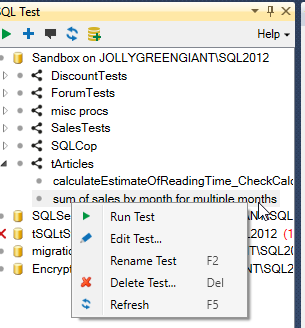
    What happens when I execute this test? I can use tsqlt.run, or my SQL Test plugin.

    2015-09-28 16_07_49-Photos

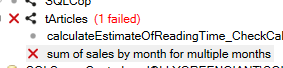
    In either case, I’ll get a failure.

    2015-09-28 16_08_11-Photos

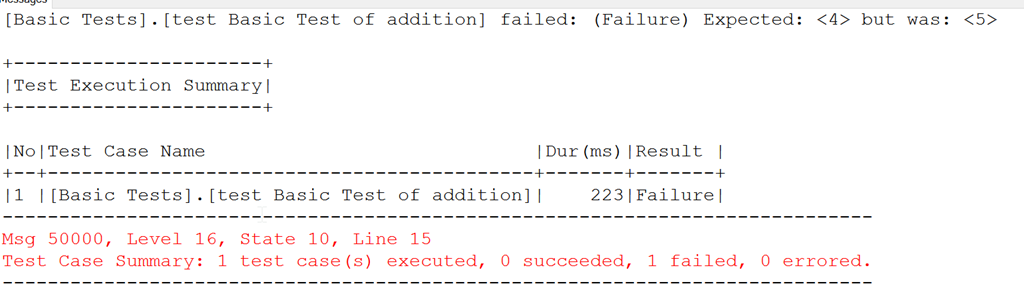
    When I check the messages, I see the output from tSQLt. In this case, none of my totals seem to match.

    2015-09-28 16_15_23-Photos

    What’s wrong? In my case, I’m adding the integer to the base month, but that means a 1 means 2012 02, not 2012 01. I’m a month off. Let’s adjust the query.

    -- Act
    INSERT #actual
    SELECT

    yearnum = DATEPART( YEAR, DATEADD( MONTH, datenum, '20111201'))
    , MONTHNUM = DATEPART(MONTH, DATEADD( MONTH, DATENUM, '20111201'))
    , SALESTOTAL = SUM(ms.salesamount)
    FROM dbo.MonthlySales AS ms
    GROUP BY
    DATEPART( YEAR, DATEADD( MONTH, datenum, '20111201'))
    , DATEPART(MONTH, DATEADD( MONTH, DATENUM, '20111201'))
    ORDER BY
    DATEPART( YEAR, DATEADD( MONTH, datenum, '20111201'))
    , DATEPART(MONTH, DATEADD( MONTH, DATENUM, '20111201'))

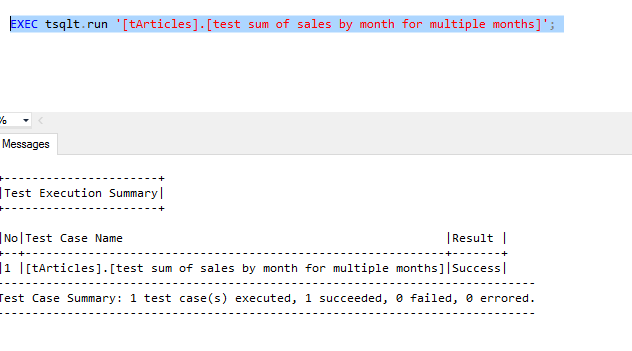
    Now when I run my test, it passes.

    2015-09-28 16_18_09-Photos

    Why Bother?

    This seems trivial, right? What’s the point of this test? After all, I can easily check this with a couple quick queries.

    Well, let’s imagine that we decide to move this base date into a table, or that we alter it. We want our queries to continue to work. I can have this test as part of an automated routine that ensures this test will run each time the CI process runs. Or each time a developer executes a tsqlt.runall in this database (shared or populated from a VCS). I prevent refactoring queries.

    More importantly, I can take results and alter them first, say if someone decides to change this to a windowing query. I could plug a new query in the test (or better yet, use a proc and put that call in the test) , and if I change code, I can verify it still works.

    Write tests. You need them anyway, so why not formalize them? The code around this query, mocking test data, is something I do anyway, so this gets me a few more minutes to verify that the code works. I can tune the query, alter indexes, perf test, and be sure that code is still running cleanly.

    http://www.sqwhere lservercentral.com/Forums/Topic1716471-1292-1.aspx#bm1716535

  • tSQLt in Azure SQL Database

    I was excited to hear about the v12 Azure databases supporting CLR assemblies. Mainly because I’ve been doing testing work with tSQLt and wanted to run tests in an Azure database.

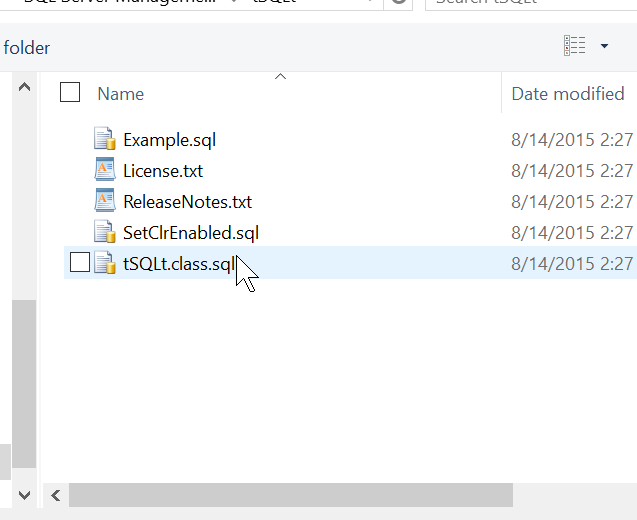
    I upgraded a SQL Azure database to v12 and connected in SSMS. My first step was to open the tSQLt file.

    2015-08-14 14_27_22-Start

    I had the file open, connected to Azure. This was the easy part. Now I need to actually send the batch across and compile the code:

    2015-08-14 14_27_33-Start

    My next step was to execute it. However that didn’t work as well as I expected.

    2015-08-14 14_27_58-New notification

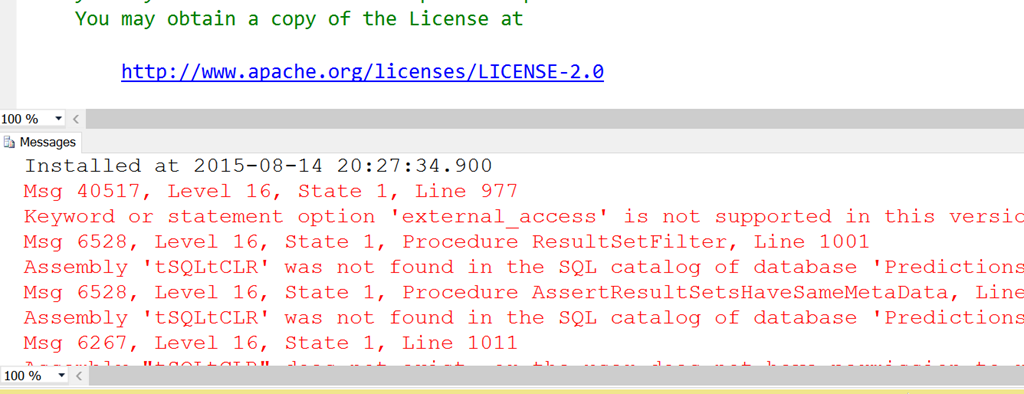
    There are multiple errors here, but it’s possible that one error causes others. I pinged Sebastian Meine, the creator of tSQLt about the External_Access and he noted there was only one method that needs it.

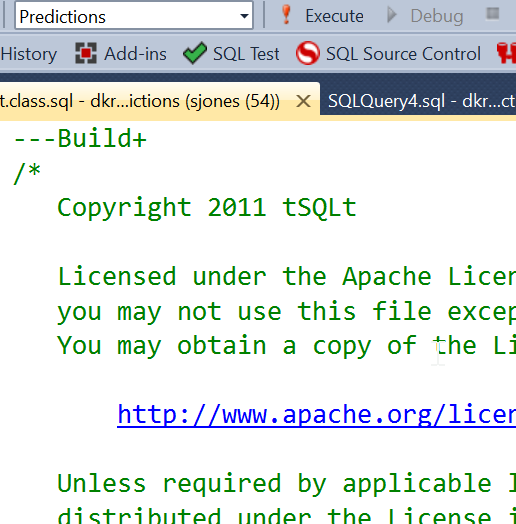
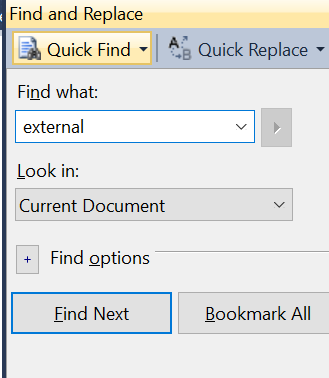
    So I decided to make a change. First, a search.

    2015-08-14 14_28_18-tSQLt.class.sql - dkranchapps.database.windows.net,1433.Predictions (sjones (54)

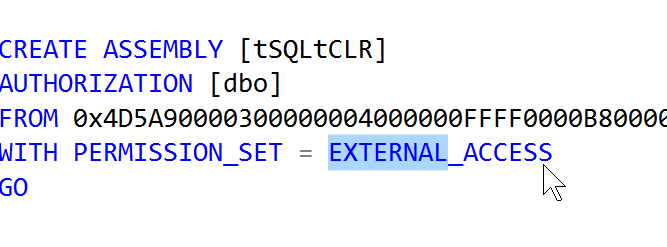
    That got me the assembly installation.

    2015-08-14 14_28_28-Start

    I decided to try and change this to something that’s contained inside the database. Since Azure is a bit of a black box, I thought safe was the way to go.

    2015-08-14 14_28_42-Start

    With that change made, I compiled the entire file again. This was the only change I made.

    2015-08-14 14_30_18-Movies & TV

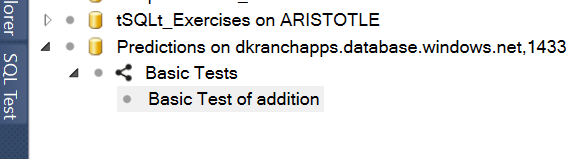
    That’s cool, but does it work? I connected in Object Explorer and then opened SQL Test. I saw my database, and I could create a test.

    2015-08-14 14_31_36-Cortana

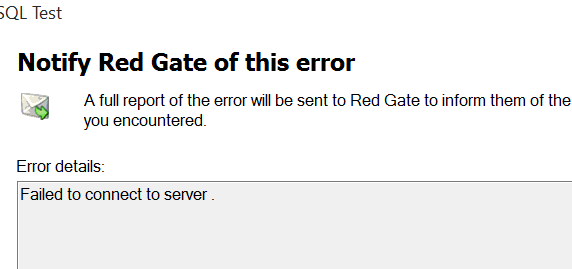
    However I got an error on the connection and creation of a procedure.

    2015-08-14 14_42_31-Movies & TV

    Even from Object Explorer, I refreshed the procedures, but got this:

    2015-08-14 14_42_44-Microsoft SQL Server Management Studio

    This appears to be a SQL Server 2014 RTM error. Actually I was on a CU, but not SP1. It is supposed to be corrected in SP1.

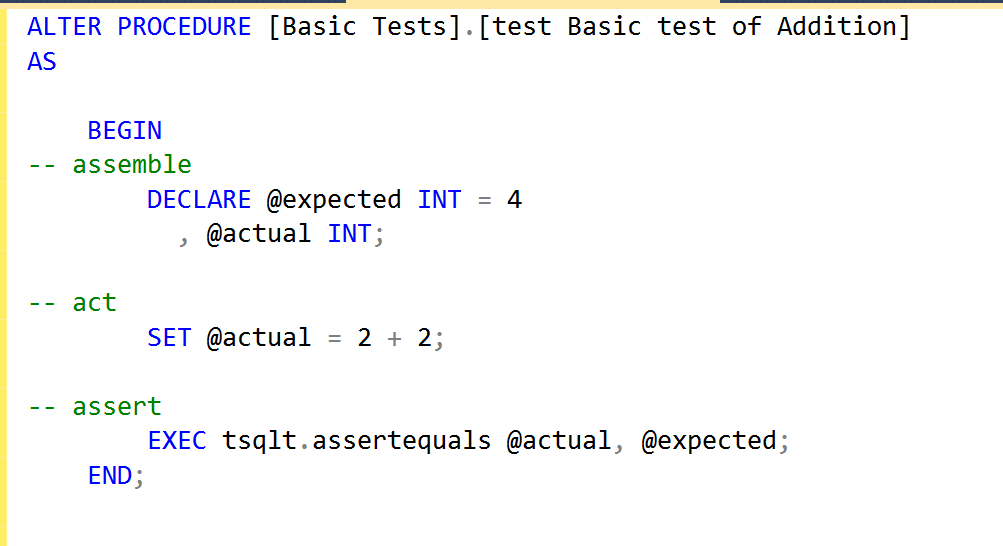
    However the procedure was created, and I could alter it.

    2015-08-14 14_43_50-Movies & TV

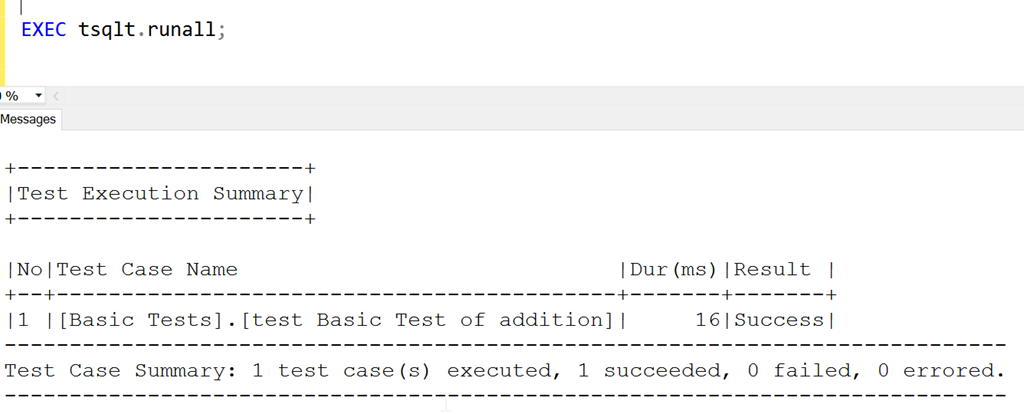
    More importantly, I can execute it.

    2015-08-14 14_44_04-SQLQuery4.sql - dkranchapps.database.windows.net,1433.Predictions (sjones (52))_

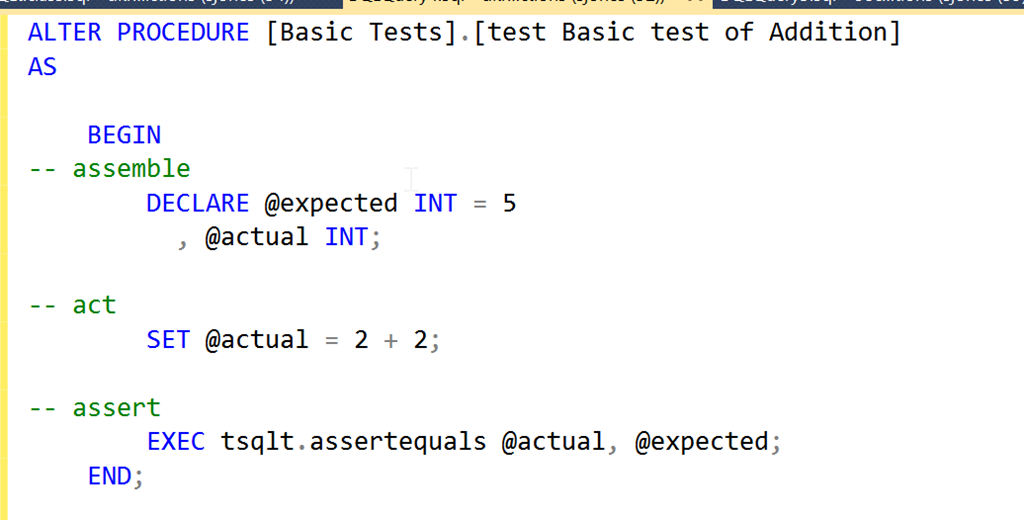
    If I change the code.

    2015-08-14 14_44_23-Movies & TV

    Now it fails.

    2015-08-14 14_44_33-SQLQuery4.sql - dkranchapps.database.windows.net,1433.Predictions (sjones (52))_

    It appears that tSQLt can now work in v12 databases in Azure, so start adding those unit tests to your database projects.

  • Unit Testing in Philadelphia

    I’m helping teach a pre-conference session on Friday, June 5, 2015 at the Microsoft office in Philadelphia. This is an all day, paid for event, that looks at how you can use a framework to write unit tests for your T-SQL code. We’re the day before SQL Saturday #390 in Philadelphia

    I really believe in testing, and am trying to advocate for it in many places. I’ve delivered a testing session that has been well received at quite a few events and this is the first time I’m trying a full day training class.

    I am working with Sebastian Meine, the founder of tSQLt, to present the class. We’ve got a busy outline, looking at a variety of ways that you can write tests and use them to find problems in code. Here’s what we’re covering.

    • Introduction to Unit Testing
    • What is tSQLt?
    • Your First Test
    • Executing Tests correctly
    • Effective use of Assertions
    • Separation of Concerns
    • Testing Exceptions
    • Test Case Heuristics
    • Dealing with Test Data
    • Other Types of Testing
    • How Unit Testing fits into your Development Process

    At the end of the class, you should have some good ideas on how to build and structure tests in your own environment and be ready to start testing on Monday.

    I hope to see you there, and register today if you want to learn more about unit testing in SQL Server.