Author: way0utwest

  • Upgrading a SQL Azure Database to v12

    Another post for me that is simple and hopefully serves as an example for people trying to get blogging as #SQLNewBloggers.

    I was looking to test some of the Azure v12 capabilities, but I needed to upgrade a database. Here’s a quick look at how.

    In the old portal, you’ll see your databases.
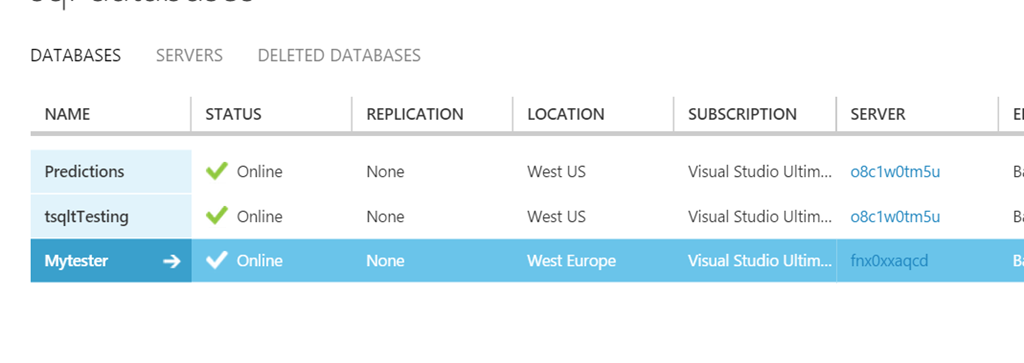
    2015-08-14 13_49_10-SQL Databases - Microsoft Azure

    I love that there’s no information on database version. I’m sure the Azure people love this, but I don’t. Very, very annoying.

    If I pick one of these, and go to the “Quick Glance” items on the lower right, I’ll see the “update to v12” message.
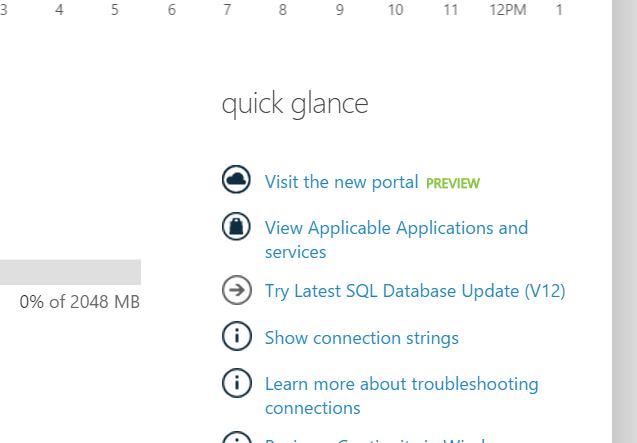
    2015-08-14 13_49_34-SQL Databases - Microsoft Azure

    However in the new portal, it’s different. At first glance it looks the same, but zoom in.
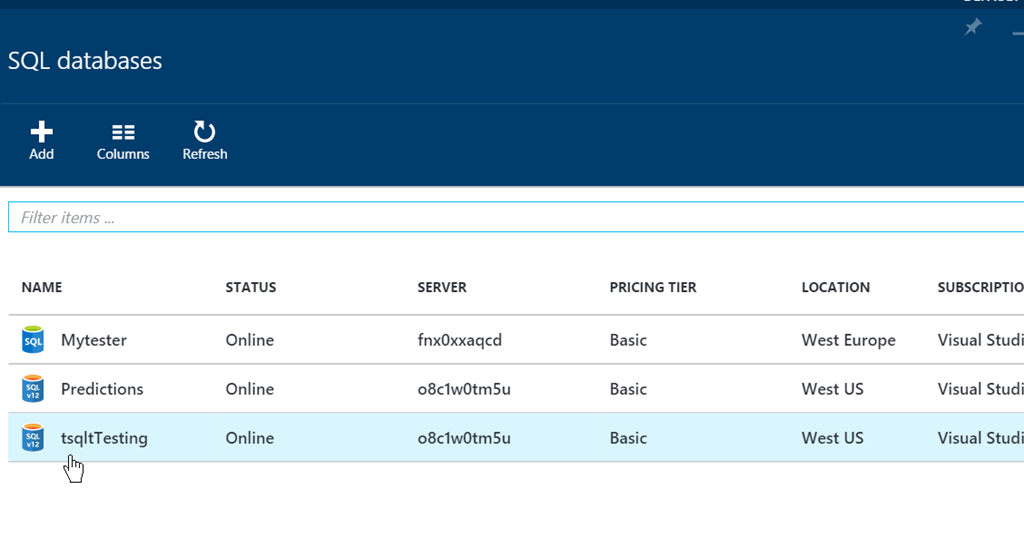
    2015-08-14 13_51_00-SQL databases - Microsoft Azure

    Now you can see the icons are different. I couldn’t read the 12 at first, but I did notice the color difference.
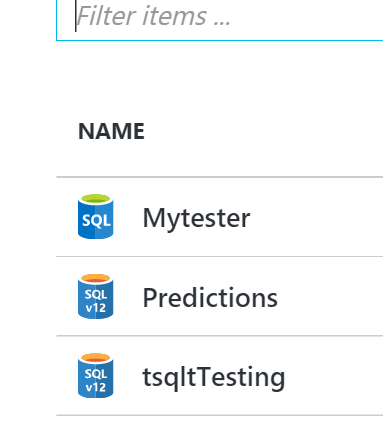
    2015-08-14 13_52_12-SQL databases - Microsoft Azure

    Now I can go into the properties of the database and see those. Mine said v2 here, which was strange. Anyway, pick that.
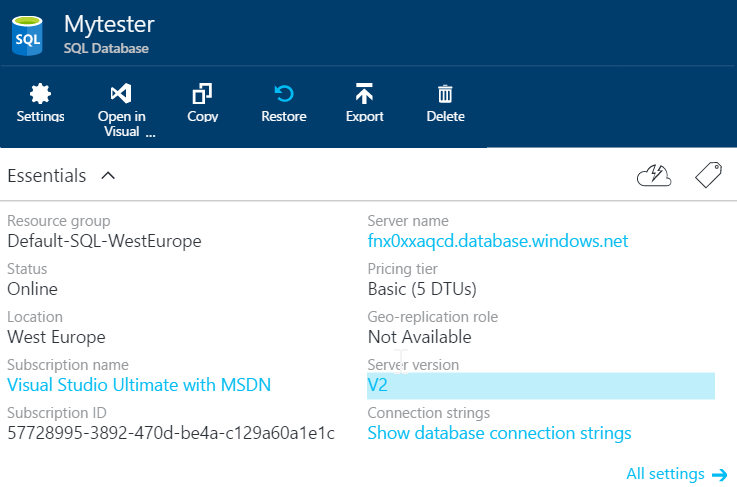
    2015-08-14 13_54_02-Movies & TV

    You’ll get a new blade, which will show you the upgrade benefits. Select “Upgrade this server”.
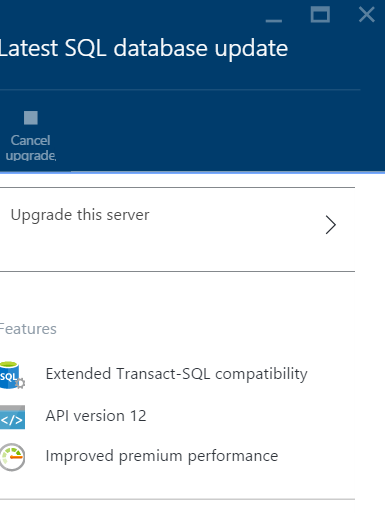
    2015-08-14 13_54_07-Latest SQL database update - Microsoft Azure

    Now you get a blade to upgrade the server.

    You must type the server name, not the database name, to upgrade. Note that all databases on this server will be upgraded. Be aware of that. However, it’s not the full server name.
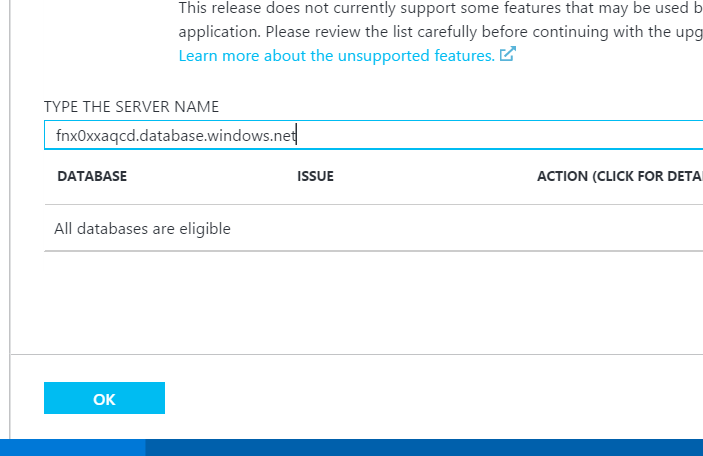
    2015-08-14 13_54_48-New notification

    It’s just the host, but a tool tip will prompt you if you mess that up.
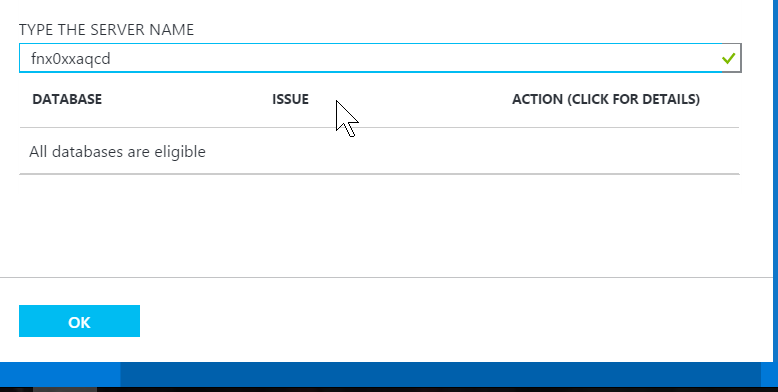
    2015-08-14 13_55_00-

    Once that’s done, the upgrade will start on the blade. You can close this.
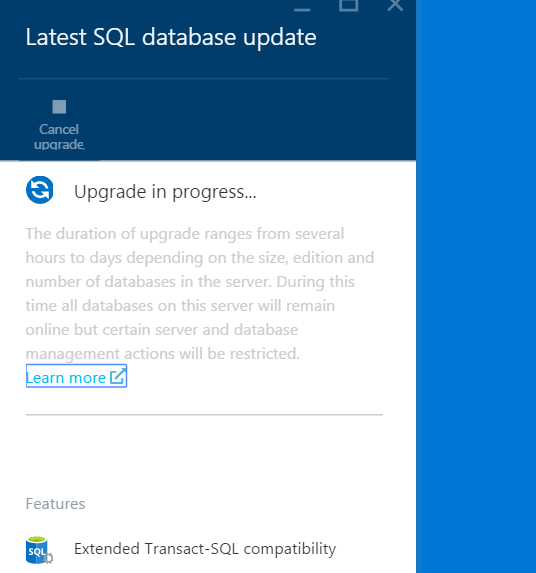
    2015-08-14 13_55_07-Movies & TV

    The upgrade will also appear in the main blade for the database. These are scheduled, not real time.
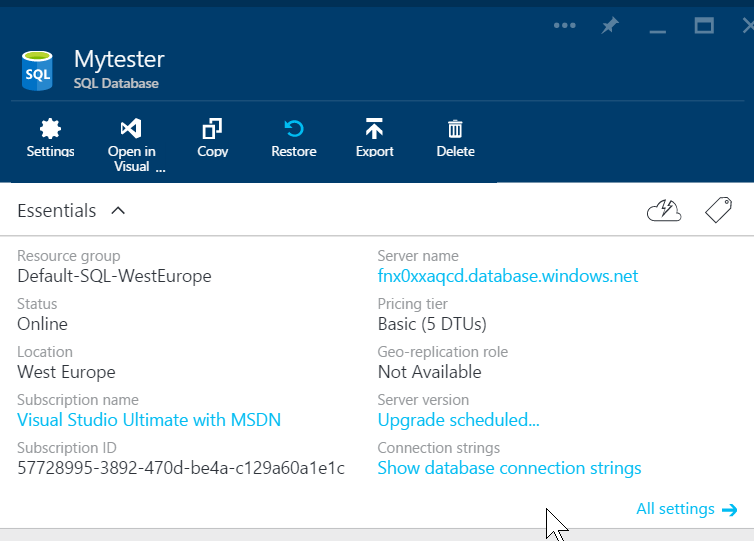
    2015-08-14 13_55_14-Movies & TV

    However, within about 3-4 minutes, mine changed to “upgrading” from the schedule notice.
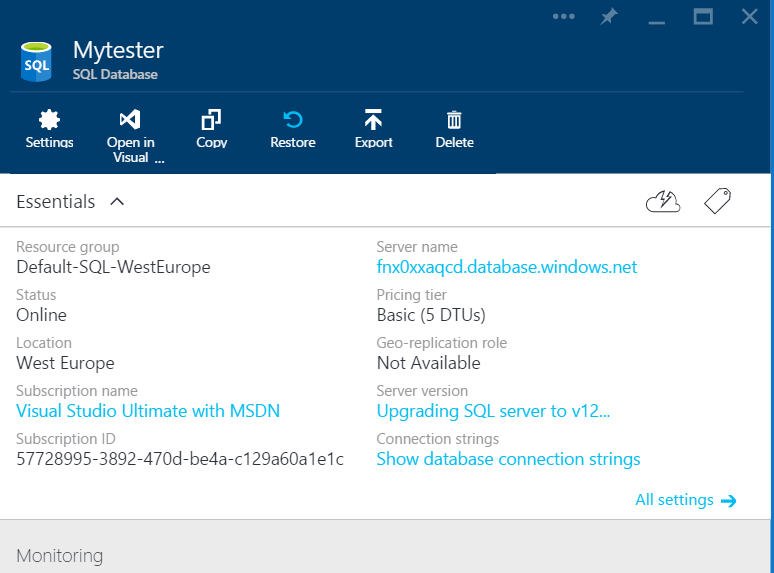
    2015-08-14 14_00_05-Movies & TV

    This was a small database, with just one table in it. However the complete upgrade took awhile. The database is available and usable while this is happening, but it does take time to complete. I think mine took about 15 minutes before it was done, but I wasn’t watching the entire time, so I could be wrong.

    Once it’s done, it has the new version
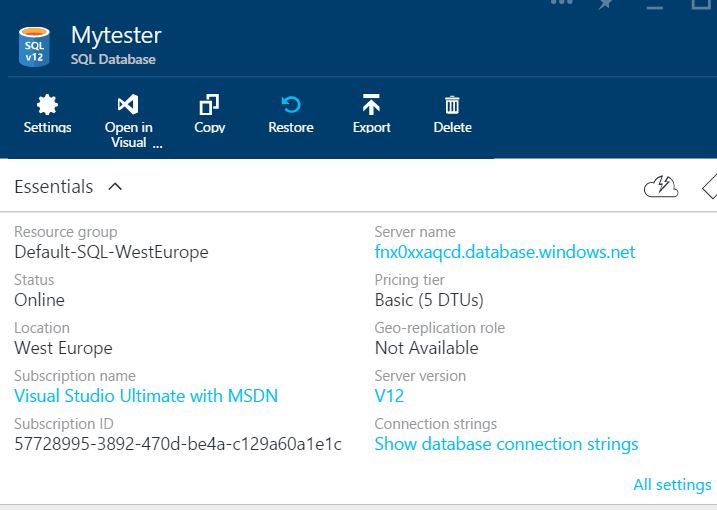
    2015-08-14 14_04_30-Mytester - Microsoft Azure

    Easy enough, and if you need to upgrade your systems, here’s a simple way. If you have lots of them, I’d use PoSh.

    SQLNewBlogger

    This post didn’t take that long to write. I had the database ready, and I took a few screen shots then started the upgrade. I wrote most of this while waiting for the process to complete and then went on to other work and came back for the final screenshot.

    Easy enough, and you should practice this and document it. You’ll have some idea of how to use Azure if someone asks you to later along with some notes for yourself.

    References

    None

  • No More Foreign Keys?

    I struggle with removing FKs as a general idea. It’s presented in a piece from a developer. It appears to me that if you do this, you are merely moving the problem, and potentially causing other issues. Apart from Grant’s response on performance, which is very true, there are other challenges with microservices and separate databases for each service.
    Let’s say we are doing something trivial, like a simple e-commerce site. I could have a separate database for products, one for orders, one for shipping actions, one for customers, etc. However as I scale, I’m not using intra-database queries or FKs/joins/other techniques to verify information for an order. Now I’m sending messages. At small scale, these are trivial. At large scale, my network traffic and messaging is vastly growing and potentially a bottleneck.
    Also, since there is a “products” database, and an “orders” database and a “customers” database, I still can’t necessarily scale out these microservices beyond their own machine. Perhaps I can scale them higher in terms of each being as large a machine as I can have now with a single Oracle/SQL Server/MySQL/etc. box, but I’m still have a scaling issue. I also now have a new messaging problem I need to manage and architect. If I lose one database, how gracefully can my application degrade or does it start to fail with unforeseen interactions? Do I create more frustration when customers cannot place an order because we can’t find the customer db or because the site is down?
    Certainly there are domains of problems that would work fine here. Spotify is probably a good example of this. There may be e-commerce systems that allow this, perhaps being willing to notify customers after some time (hopefully minutes, perhaps hours) that a product is out of stock because the message from the orders database didn’t get to the application. There are certainly ways to copy and replicate some  data, assuming that “fresh enough” works for your application. However that’s a business decision more than a coding decision. This also means that you also have a new load on your system to move data. I also think the more you work with singleton rows and single objects in an application context, the less you need RDBMS capabilities.
    Ultimately I think FKs and strong RDBMS systems work very well in many situations. They work less well in many situations and your domain may qualify for those areas where a NoSQL, a multi-db, or other architecture works. We should certainly investigate and write about where things work and don’t work, but I wouldn’t assume the RDBMS with it’s PKs and FKs isn’t a valid, well thought out and incredibly useful architecture.

    Steve Jones

    The Voice of the DBA Podcast

    Listen to the MP3 Audio ( 3.5MB) podcast or subscribe to the feed at iTunes and LibSyn. feed

  • Adjusting Model

    In July the T-SQL Tuesday theme was defaults. There were lots of posts about various items, but I found one by Kevin Kline interesting. Kevin noted that the settings for model are not necessarily what many of us would want in production.

    Is that really the case? This week I wanted to take a poll and see if many of you actually do create defaults for your new databases by changing model that are different than what Microsoft has done.

    Do you change the model database?

    Certainly there are some people that have create scripts with various settings for their databases. Some people prefer to customize the setup each time, based on the purpose of the database. Still others have scripts that alter the database to change settings after a someone has installed the instance.

    There are any number of ways to ensure you have good settings for your production (or other) databases. Let us know this week if you have a step to change the model database when a new instance is installed.

    Steve Jones

    The Voice of the DBA Podcast

    Listen to the MP3 Audio ( 1.7MB) podcast or subscribe to the feed at iTunes and LibSyn.

  • tSQLt in Azure SQL Database

    I was excited to hear about the v12 Azure databases supporting CLR assemblies. Mainly because I’ve been doing testing work with tSQLt and wanted to run tests in an Azure database.

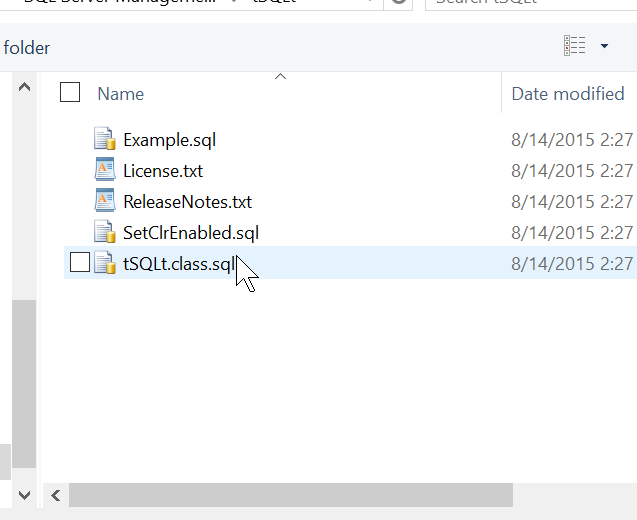
    I upgraded a SQL Azure database to v12 and connected in SSMS. My first step was to open the tSQLt file.

    2015-08-14 14_27_22-Start

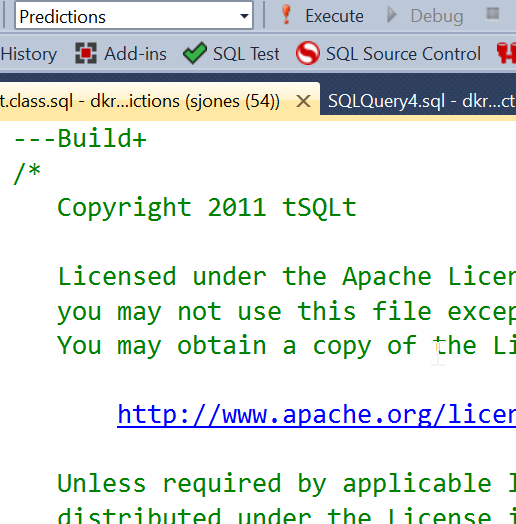
    I had the file open, connected to Azure. This was the easy part. Now I need to actually send the batch across and compile the code:

    2015-08-14 14_27_33-Start

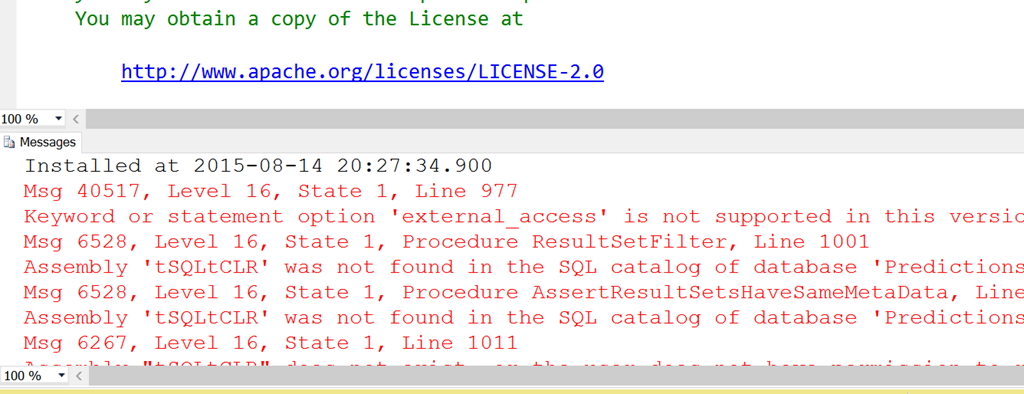
    My next step was to execute it. However that didn’t work as well as I expected.

    2015-08-14 14_27_58-New notification

    There are multiple errors here, but it’s possible that one error causes others. I pinged Sebastian Meine, the creator of tSQLt about the External_Access and he noted there was only one method that needs it.

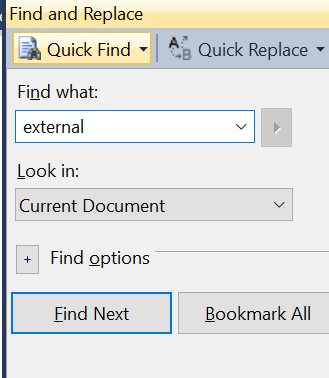
    So I decided to make a change. First, a search.

    2015-08-14 14_28_18-tSQLt.class.sql - dkranchapps.database.windows.net,1433.Predictions (sjones (54)

    That got me the assembly installation.

    2015-08-14 14_28_28-Start

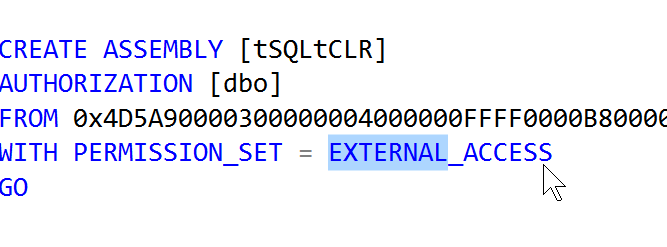
    I decided to try and change this to something that’s contained inside the database. Since Azure is a bit of a black box, I thought safe was the way to go.

    2015-08-14 14_28_42-Start

    With that change made, I compiled the entire file again. This was the only change I made.

    2015-08-14 14_30_18-Movies & TV

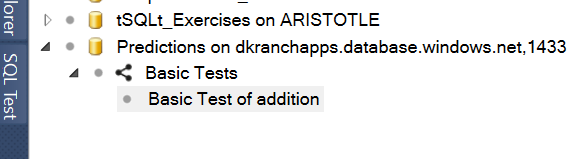
    That’s cool, but does it work? I connected in Object Explorer and then opened SQL Test. I saw my database, and I could create a test.

    2015-08-14 14_31_36-Cortana

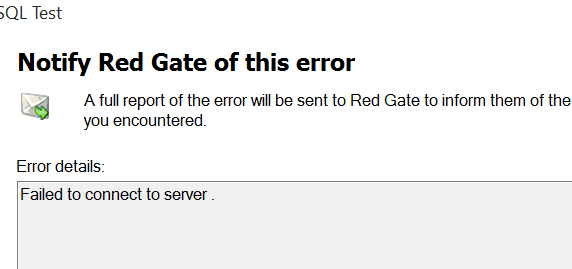
    However I got an error on the connection and creation of a procedure.

    2015-08-14 14_42_31-Movies & TV

    Even from Object Explorer, I refreshed the procedures, but got this:

    2015-08-14 14_42_44-Microsoft SQL Server Management Studio

    This appears to be a SQL Server 2014 RTM error. Actually I was on a CU, but not SP1. It is supposed to be corrected in SP1.

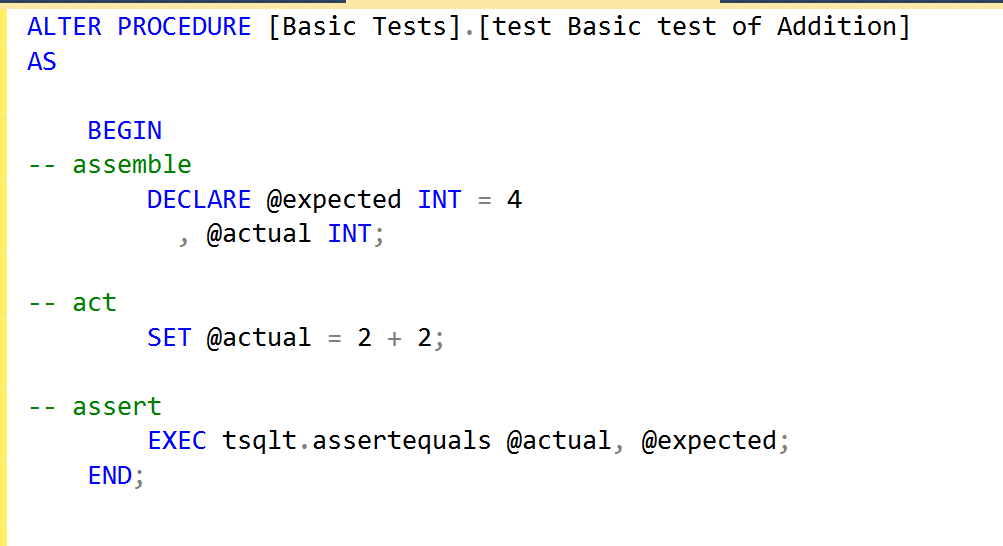
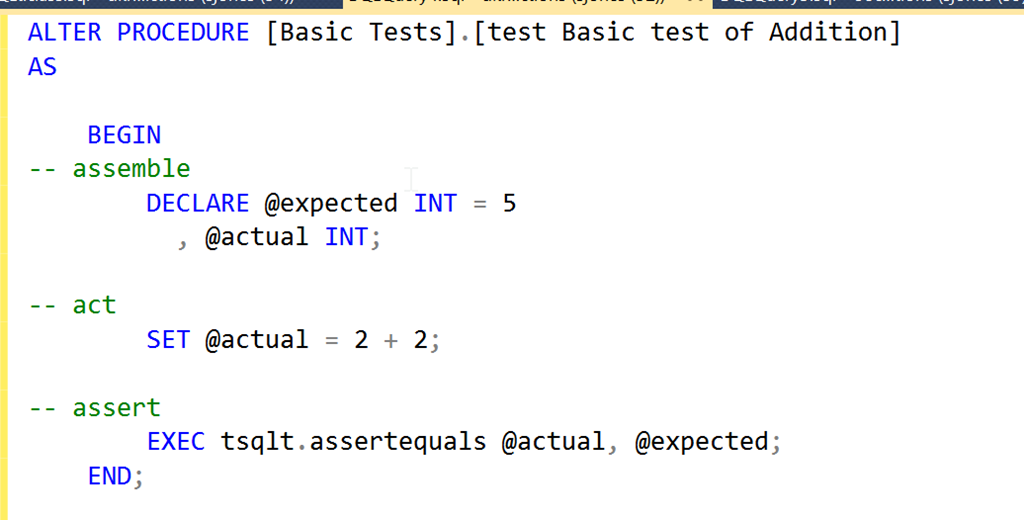
    However the procedure was created, and I could alter it.

    2015-08-14 14_43_50-Movies & TV

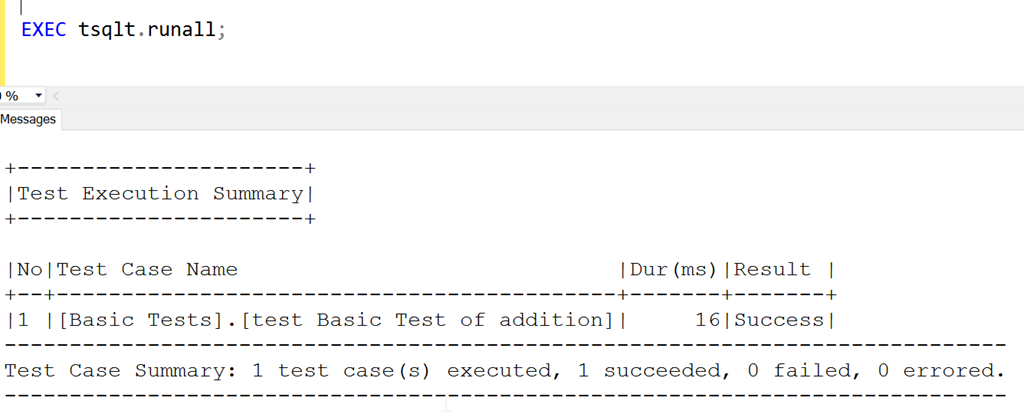
    More importantly, I can execute it.

    2015-08-14 14_44_04-SQLQuery4.sql - dkranchapps.database.windows.net,1433.Predictions (sjones (52))_

    If I change the code.

    2015-08-14 14_44_23-Movies & TV

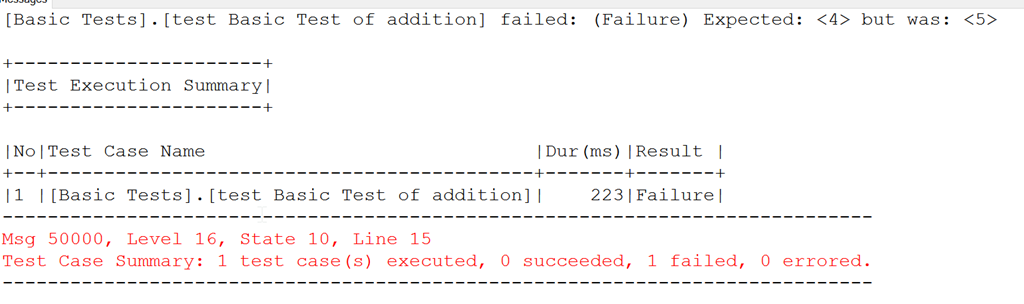
    Now it fails.

    2015-08-14 14_44_33-SQLQuery4.sql - dkranchapps.database.windows.net,1433.Predictions (sjones (52))_

    It appears that tSQLt can now work in v12 databases in Azure, so start adding those unit tests to your database projects.