Author: way0utwest

  • Why Use Version Control?

    I’ve spoken with quite a few people in the last few years that don’t see enough value in version control to actually implement it. Most of them agree using a VCS is a good idea, but they aren’t doing it. Maybe this analogy will help.

    I was listening to Ike Ellis talk about VCS and he said something like this. Imagine you had a ten foot board to walk across and it was laying on the ground. You’d be willing to walk, skip, dance, maybe cartwheel across it. After all, what are the consequences?

    Now imagine this board is 50 feet off the ground. How do you cross it now? Many of us would be more cautious. In fact, if you’re like me, you’re likely laying down on the board, gripping tightly as you move inch by inch.

    However, what if there were a net below you? And if you fell, this net would toss you right back onto the board where you’d fallen so you could continue on from the last place you’d had success.

    That safety net is your VCS, and when you’re working along coding, you’re crossing a board that’s quite a distance from the ground.

    Steve Jones

    The Voice of the DBA Podcast

    Listen to the MP3 Audio ( MB) podcast or subscribe to the feed at iTunes and LibSyn.

  • The Road to Success

    I heard this quote recently from Dan Wood of Northwest Cadence. “The road to success is paved with cobblestones.” The meaning is that as we get better and gain success in those things we attempt, it will be a bumpy road. If you’ve ever driven (or walked) down a cobblestone road, you know what I mean. It’s not a path you’d want to take every day in a wheeled vehicle.

    In other words, we will make mistakes.

    In talking and teaching about software development practices, I think far too many people, myself included, become too concerned about mistakes. We worry about our code being perfect, or we struggle to implement newer features because we lack the confidence to try something new.

    This is one of the reasons I think moving to a well engineered software delivery pipeline is important. The ability to make changes to code quickly, run tests, and deploy smoothly is important. We will make mistakes in our programming. We will have bugs. Even as we improve our ability to write better code, we will make mistakes that we want to fix quickly. Having a smooth process that allows us to deploy new changes, as well as prevent old ones from re-occurring, will separate the great development groups from the average ones.

    Steve Jones

    The Voice of the DBA Podcast

    Listen to the MP3 Audio ( 1.7MB) podcast or subscribe to the feed at iTunes and LibSyn.

  • Changing Cell Phones Again

    Slightly off topic, but since I use a cell phone so much for data transfer and work, it’s important that my device works for me. This is my current thought and experience, so take it with a grain of salt.

    I want to talk about my experience with Verizon and iPhone, other carriers, and T-Mobile in particular.

    Back to Verizon

    I switched back to Verizon this past weekend, from T-Mobile. Coverage and performance were just bad enough that I made the move back.

    I had to trade in my iPhone6, but I got a new one from Verizon. I’ve had my phone 11 months, and with the $330 trade in from Verizon, I lose about $80 in cost to pay off the T-Mobile phone. I should have been able to keep my phone and use a new SIM, but carriers seem resistant to using devices from other networks on their own. No good reason, but that was the state of things for me.

    I had performed a backup to iCloud before I left for the store. Once there, I had the plan I wanted selected in 5 minutes, and about 5 minutes of a little paperwork (can we call it that on an iPad?) before they turned off my old one and activated the new one. Inside of 5 minutes I had a live phone.

    Since I was in a hurry, I did the restore at home. I had to update to iOS 8.4 first, since that was my old device, but once that was done, the restore started from backup and I could use my phone. As I went into music or photos, I could see everything downloading across an hour or so. When it was done, almost everything was back on my phone. Icons in the right places, all my music, even my photos taken right before the backup were there. That’s a fairly seamless upgrade.

    Or almost seamless. Security isn’t transferred, so I needed to update logins for mail, spotify, twitter, etc. The hassle for me is I use Password Safe, with the Safes in Dropbox. That meant I needed to use another device to get my Dropbox password before I could access the rest of my credentials, but a small price to pay.

    Two nagging issues: my Bluetooth settings were lost, so I had to reset my car, headset, Pebble, Fitbit, etc. Some of those apps don’t like losing settings and trying to reconnect. A few hassles there. Also, the Amazon app still had a few of my books listed, but they weren’t downloaded. I had to delete them and re-download to make them work.

    That’s about a smooth phone transfer process as possible. Windows is getting better, but it’s not that smooth. I haven’t upgraded Android phones, so I’d be curious if that worked well.

    Carrier Choices

    There are five of us at the ranch. Across the five of us, we had a point this year where we had service on all four carriers in the US. My two boys have shared a Sprint plan for years. My daughter’s first phone a few years ago was a Windows 8 phone and that was only on ATT at the time, so she had them. My wife and I were on Verizon, until I moved to T-Mobile last year,.

    The boys have liked Sprint, which has had good service and coverage. They get unlimited data, but no hotspot unless they are willing to pay (they aren’t, and neither am I). I was hesitant to go with Sprint, only for the potential issues internationally. They use CDMA and 4G here in the US, but I wasn’t sure how that might go overseas and decided not to experiment. Other than that, no real reason to not choose Sprint.

    ATT is bad. My daughter’s coverage might have rivaled mine at the ranch for poor quality. She moved to Sprint this year, and is much happier, so I decided not to try ATT.

    Verizon was decent for me a few years ago, but when they upgraded to a 4G network out in the rural area in 2013/2014, holes started to appear. It was bad enough that I got annoyed. However I found out things could get worse, so I went back. Traveling around the US, Verizon was very good, and even now I’m happy that I can make calls almost all the way home and usually all the way to the kids’ school.

    We’ll see what happens in the UK. I may just purchase a SIM when I’m there, or just carry my iPhone 4GS (or take one of the kid’s old Androids) and use it there.

    T-Mobile Issues

    I really liked what T-Mobile did last year. They really changed the cellular industry in the US and have almost removed contracts. When I switched last week, Verizon didn’t even try to get me to use a contract. Just a monthly pay-off-your-phone charge.

    I also like that T-Mobile allowed me to use my phone in Canada and the UK for no charge. I could get texts for free, which is most of the way I communicate with family. I got wi-fi calling for free, same number, no getting everyone on Skype. I also got 3G data for free, with reasonable costs for 4G data. That fit my life.

    However the coverage was bad. At the ranch, I could get T-Mo in my bathroom upstairs, but not if I walked back to the bedroom. I could get it W of the barn, but not E of it. The other places I had a small, roaming carrier, which was OK. I did get voice and text while roaming, but I had big holes coming and going from the ranch, as well as on the way to the kids’ school.

    I also had problems in buildings. In one school, one store, and numerous places I’ve traveled to in the US, I couldn’t get coverage inside buildings. I saw this reported, and T-Mo securing a different frequency in some cities to combat the issues. However as I’ve visited SQL Saturdays around the US, I had numerous issues.

    I’ll also say that at times when I’ve switched in and out of the T-Mobile network while driving, I will have a period of time when I can’t make or receive either calls or text. That’s maddening. The final straw for me was last Thursday, leaving school, with T-Mobile LTE on my phone, being unable to send a text to reply to my son. He could text me and I’d receive it, but was unable to reply.

    Maddening.

    It’s a bit sad, because I like T-Mobile overall. The performance was amazing, getting me 35Mbps in Parker, CO. Overseas coverage was good, and I used less data as music streaming was free.

    However I also used less data because it wasn’t available. Including a trip to Sioux Falls in July where I had 2G, Edge network coverage from T-Mobile. That was maddening.

    Spotty Coverage

    I tend to be in less populated areas for much of my travels. Not rural, but I ski, hike, travel to smaller towns in the US, and I find coverage really spotty. In Custer, SD, Verizon and T-Mobile were the best, but Verizon was by far better.

    The era of ubiquitous coverage is not here. I know Google tends to expect this in their philosophical view of the world, but many of us don’t have this type of coverage. We have lots of holes and slowdowns.

    In fact, I still think software needs to account for this, and I’m hoping that people learn to write for the cloud and understand that it’s not just Azure or AWS, but really any service could be interrupted and allow for that. Degrade or fail gracefully.

    I’m hoping this changes over time, but for now, I decided to go with the best coverage I can find for most of my work. That’s Verizon and my fingers are crossed it works as well as I used to.
  • Creating an SQL Databases – New Portal

    Another post for me that is simple and hopefully serves as an example for people trying to get blogging as #SQLNewBloggers.

    I was looking to do some testing recently, but needed a v12 SQL Azure database. The test system that I have in Azure is v11, and I needed an upgrade. I clicked the upgrade button, and it was really slow to change from v11 to v12.  It’s easier now because I think all new databases you create are v12.

    I was impatient, and ended up creating a new one. I decided to do a quick walkthrough of the process.

    Getting Started

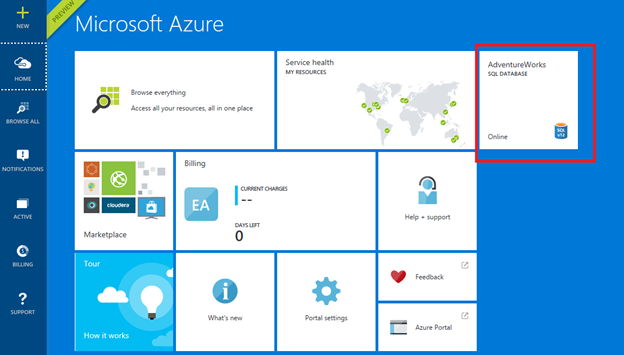
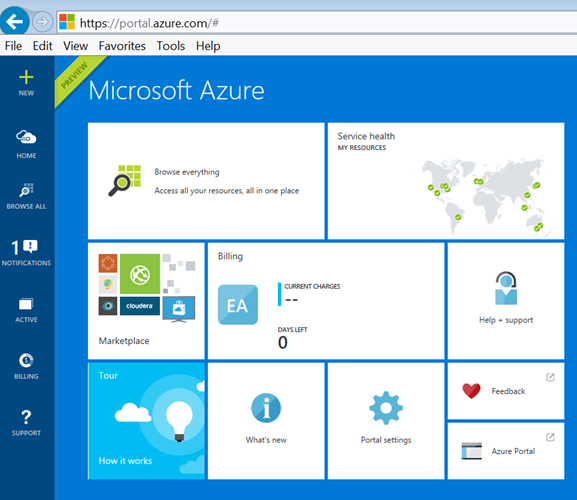
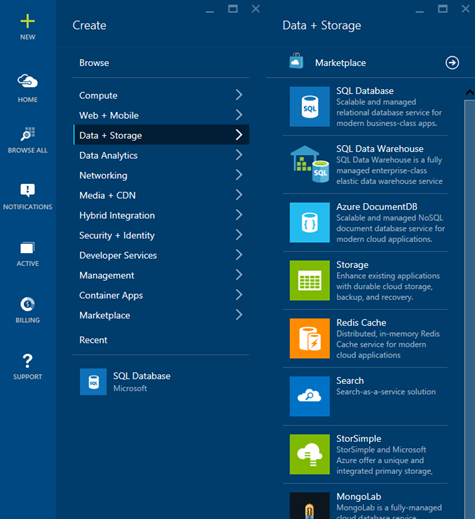
    I connected to Azure and went into the new (Preview) Portal. I couldn’t find anything in the old portal, so keep tat in mind. Since “old” and “new” are very relative terms in Azure, and I hate them, I’ve included lots of screenshots. Here’s the portal I used:

    paas_a

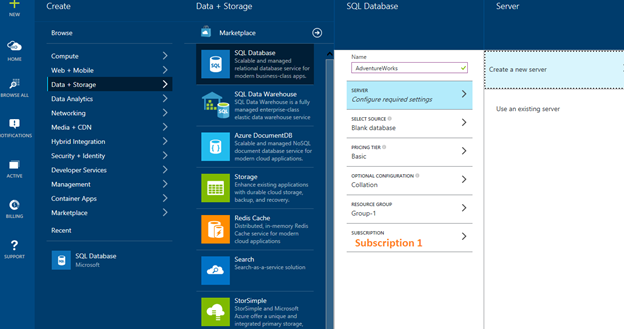
    My first step was to go to the “Create” item and select Data + Storage. As you can see, there are all sorts of options. For this post, let’s create a new database.

    paas_b

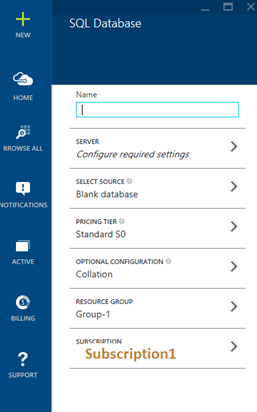
    Selecting “New SQL Database” gives me this set of options. The name is the big item here.

    paas_c

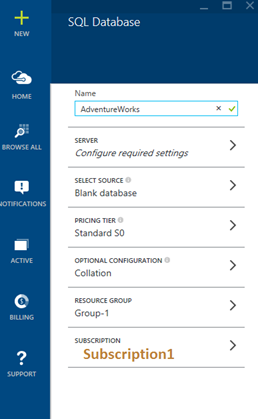
    Obviously I wasn’t very creative with the name:

    paas_d

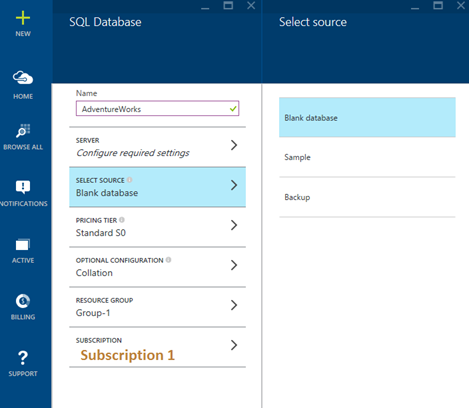
    Next I decided to make this one blank. I wanted to do some testing, so I selected that. It’s nice to be able to create a database from a backup, especially if you are recovering from a “Whoops” mistake.

    paas_e

    With that selected, I had this:

    paas_f

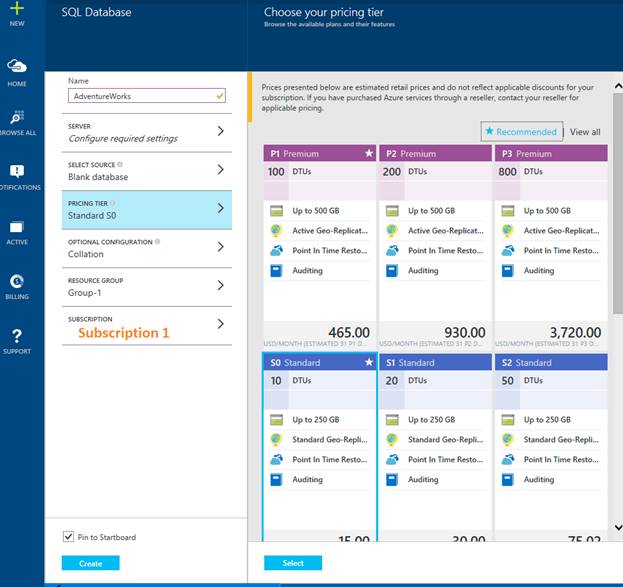
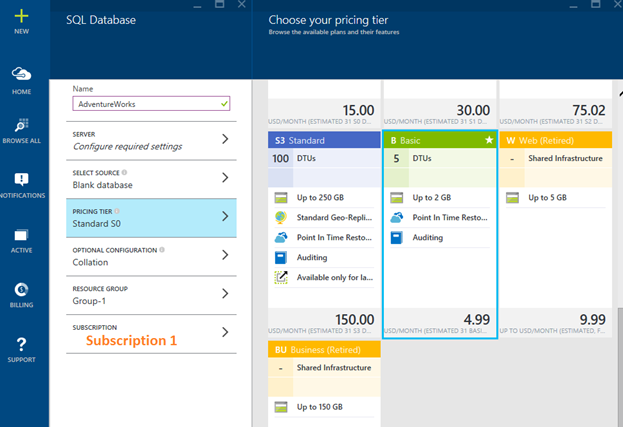
    Now on to the pricing tier. You can go crazy here.

    paas_g

    I went down to a Basic level, since that’s what I really need. A basic, small database for testing. It’s $5/month, but I have credits from my MSDN subscription, so to date, I haven’t paid for any of my testing on the low tier systems.

    paas_h

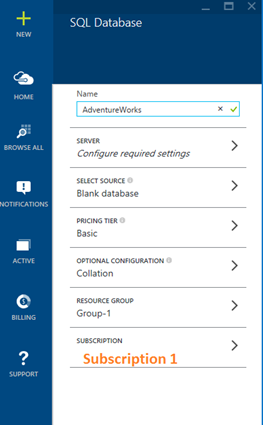
    At each stage, I can see what I’ve selected. This is a good way to get started, but if you needed to do these are any scale or repeatability, learn to do it through PoSh.

    paas_i

    My next step is to decide where this database lives. I need a server, which is strange to me. I want a database as a platform, but I think this is legacy for connection purposes, so I’ll make a new one.

    paas_j

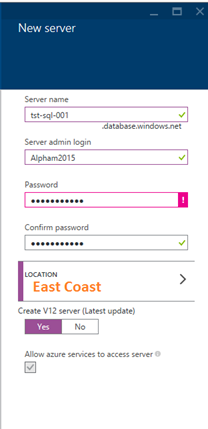
    I decided to make up some generic, boring name. I wasn’t feeling very creative today. I entered a password, but like with any password, I generated this in PasswordSafe first, then entered it here.

    <securityrant> Please use a password manager, use strong passwords, and use separate ones for services. Using the same one for all your Azure stuff and other accounts is a bad idea. </securityrant>

    paas_m

    Once I complete this, it’s listed under my SQL Database as the location for my data.

    paas_n

    Change your collation if you like, but since I’m a unilingual American, this is what I choose.

    paas_o

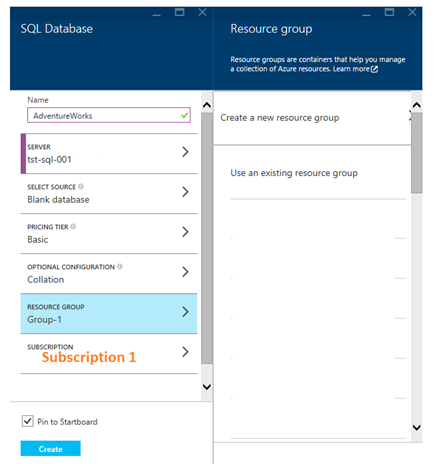
    I also need a resource group. I don’t have any, so I’ll need a new one.

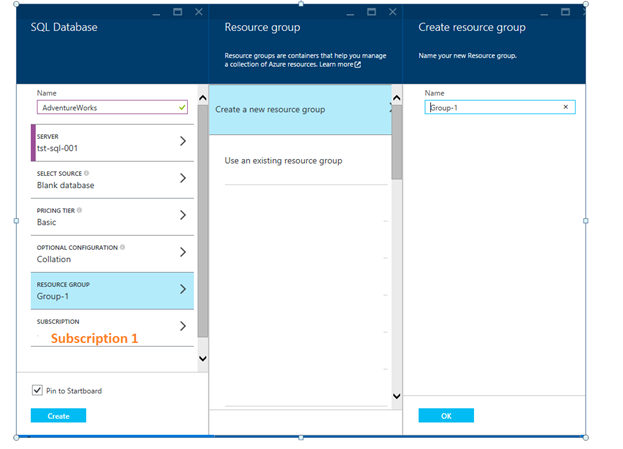
    paas_p

    Again, not creative. If you are doing this for something more than fooling around, spend 2 minutes thinking of some way you’ll classify stuff and use a name that makes sense.

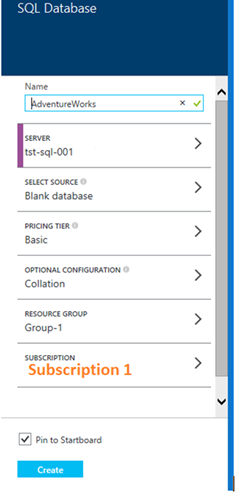
    paas_q

    I think we’re ready to go. Click “Create”.

    paas_r

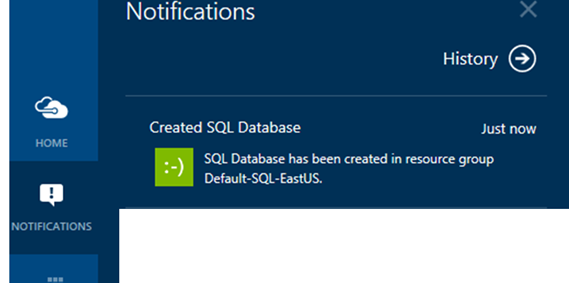
    Once it’s done, you’ll get a notification in the main portal. I do like that the notifications come up at the bottom, but they’re also annoying when they stack up. I’ll sometimes close them because I’m doing something else and not pay attention. However, that’s a “me” problem.paas_s

    I allowed this to create a pin for me, and I can easily see my database here. If you have lots of stuff, you won’t want pins for most of them.

    paas_t

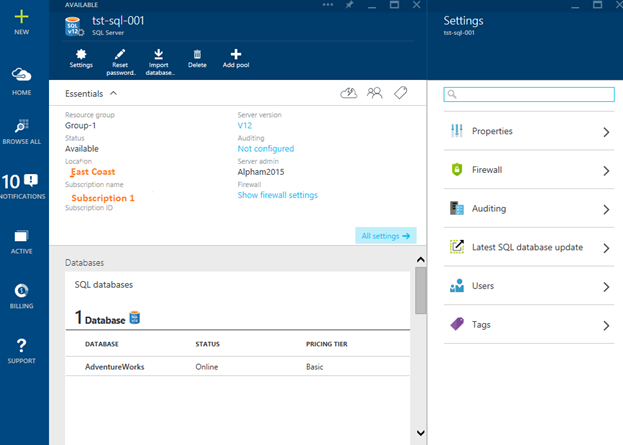
    If I select the database, I can see details.

    paas_u

    I can select “Settings” at the top and get more options. One of which is what I need. Note that the version is v12.

    paas_v

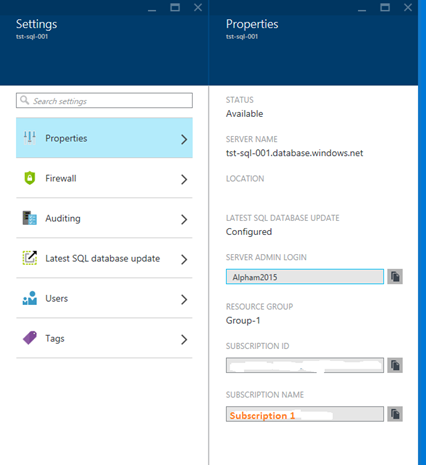
    The Properties item gives me the ability to change a few things.

    paas_w

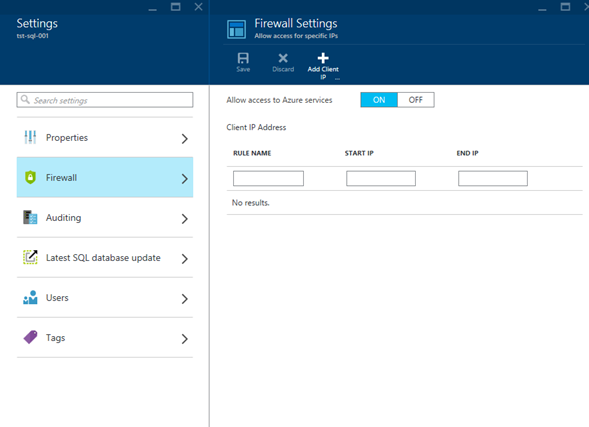
    The Firewall allows me to limit access to specific hosts.

    paas_x

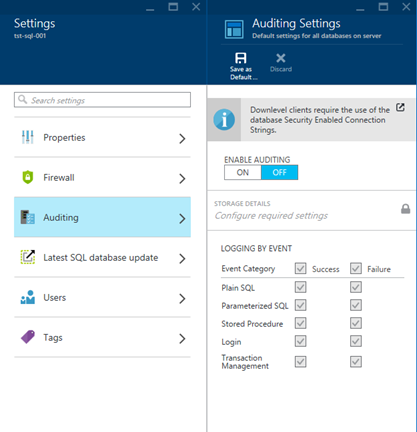
    Auditing has the ability to let you audit by events, success of failure

    paas_y

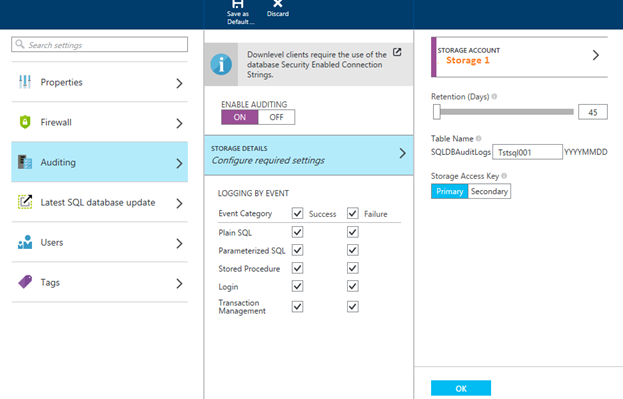
    If I want to audit things, I need a place where I can store the audit data. The cloud charges by everything, so be aware.

    paas_z

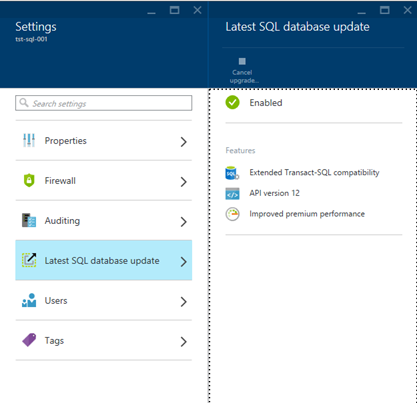
    The item I really care about is the “Latest SQL database update” item. When I pick that I can see the items that will be enabled.

    paas_zc

    If I pick Users and tags, I can specify accounts and labels, but that’s not really important for a test system. Really it’s me using it, so I’ll leave those alone.

    It’s really easy to set up, and worth practicing if you want some cloud experience. You can connect from SSMS and work with the system, which is really SQL Server, but if you have other stuff in the cloud, or an app, you can connect and see what is possible.

    Be aware, however, that you get charged for this stuff. Use your MSN subscription and keep an eye on usage. It’s pretty cheap, but no one wants an unexpected bill. Be especially careful about VMs. Those can really rack up charges.

    paas_zf


    SQLNewBlogger

    This one took awhile. After I completed the process, I immediately deleted the database and started to take screen shots as I went through the steps. The steps don’t take too long, but refreshes on the Portal are sometimes slow.

    This actually sat in my drafts folder as a single sentence (creating an Azure db) and a bunch of pictures. It took me about 20 minutes to load the pictures into Live Writer and then work my way through them, adding notes. I also created a new database as I was writing this to walk through the same steps again (and then deleted it).

    References

    None I used. I’ve done this before and didn’t bother to look around. The Portal does a good job of leading you along.