In Custer this week, camping with the family, so you get Working with People.
Author: way0utwest
-
More Kubernetes Concepts
This post continues looking at my process of learning more about Kubernetes. I’ve been working through the 50 days of Kubernetes (K8s). Now that I had a break from some travel, I went through a few videos in a short period of days. This post combines a few looks at Scenarios, storage, and stateful sets
Scenarios
This was a good look at how one of the founders see the Kubernetes being used. The initial idea was microservices, where many services each live in a container and communicate. Managing lots of containers, and lots of instances of each, is where Kubernetes excels.
The second scenario is the diurnal or cyclical scenario where a load goes up and down each day/night, week/weekend, etc. Having Kubernetes manage the increase and decrease of workload is valuable, and if you’re in the cloud, then you’re not investing heavily in hardware that is unused.
The third is with complex workflows, where one thing, then another, then another happens. I’m less sold here, but I do see that spin up/spin down, and having these workloads/processes in containers rather than on certain machines makes sense.
Lastly, AI/ML places where all parts of your flow can access the Kubernetes API and spin things up and down or move workloads to better hardware, like GPU/FPU concentrated systems, that can help keep things moving.
Good to see the different ways that this might be useful, though I was wondering if I’d see anything database related. I didn’t.
Volumes and Storage
The important thing for database workloads is storage. This is a constant question when I talk containers. What about the disks and storage and how does this work.
This is a basic video, just noting that volumes are objects in K8s. They are attached to pods, but can be mounted (or not) inside containers in the pod. There is temp storage (/emptydir, need to look this one up), but we can also abstract away other storage with Persistent Volume Claims. These are the aspirational storage requirements that the container/pod needs.
I’m not completely clear on these, and the explanation is a little light, so I’ll have to learn more later.
Stateful Applications
The last set of learning for this post. More relevant because SQL is a stateful application. Or so I thought.
This really looks at stateful sets in Kubernetes, which are the ways in which we want orderly copies in a replica set. This means hostnames and DNS entries in stateful sets are ordered, and 0 based indexed. If I have a host of SalesSQL with 3 sets, I’ll get
- SalesSQL-0
- SalesSQL-1
- SalesSQL-2
Likewise, I may have salessql.mydomain.com, but I’ll also have the –0, –1, –2 DNS entries as well. The Kubernetes platform also will scale up and down from the end, adding or removing the next ordered element container.
There can also be volumes associated here, or not, as your stateful application may have the need to use the same volume (like a clustered SQL Server) or separate volumes, like AGs. In any case, it’s a light explanation that I need to know more of.
One thing I didn’t really like is that the data stores were associated as “cloud native storage applications”, not data stored or data platforms. Application developers I think sometimes forget there’s more to data than storage.
-
More MVPs Than Awards
Every year, July 1 is the Microsoft MVP Renewal date and quite a few people received good news that day. I was one of those renewed for another year, and I am honored that Microsoft chose me again. I also congratulate all the others that received the award for the first time as well as those that were renewed.
Not everyone was renewed, and some very popular names were dropped from the list. I don’t mean to leave anyone out, but I did see a couple good friends were not renewed: Kevin Kline and Andy Kelly. Both are extremely talented SQL Server professionals and generous with their time and knowledge with the SQL community. They are truly MVPs to me, as they are to many others.
The MVP program is run by Microsoft, under their rules, and with their discretion about who is awarded and who isn’t. I don’t feel they did anything wrong here as I don’t know what criteria they use or what information they had access to. I also know they have a limited budget and have to make decisions about who to award each year.
The award is an indication that you are providing a lot of valuable contributions to the technical community about some Microsoft product. The amount that is a “lot” is some level decided by Microsoft. There are many people that provide very close to “a lot” of contributions to the community, but they don’t make the cut off. That’s just the way the program works.
Think of the 100m dash in the Olympics. Only three people get to stand on the podium after the final heat. They are the people awarded a medal. Don’t think for a minute that the other five in that heat aren’t fast. They are some of the fastest humans on the planet. They just didn’t make the cutoff for the medal. They are still Olympians and worthy of fans’ praise for their efforts.
The same thing goes for Kevin, Andy, and numerous others that didn’t get renewed. It also applies to even more numerous others that help me, you, and many people in their technical community every day.
There are more individuals out there that act like MVPs than Microsoft can award each year. Remember that fact the next time you read a response to a question you posted. Remember that when you attend the next SQL Saturday or other conference and listen to a speaker that is donating their time to teach you something. Remember that when you read an article by someone at SQLServerCentral or elsewhere. There are lots of MVPs for the data platform out there. Only a few of them get to use the designation from Microsoft, but all are worth thanking.
Steve Jones
Listen to the podcast at Libsyn, Stitcher or iTunes.
-
The Data Request
Spotify implemented a way to get your data from your profile. This looks at the request and initial data download.
The Request
When you go there, you see a “Manage Your Data” section.
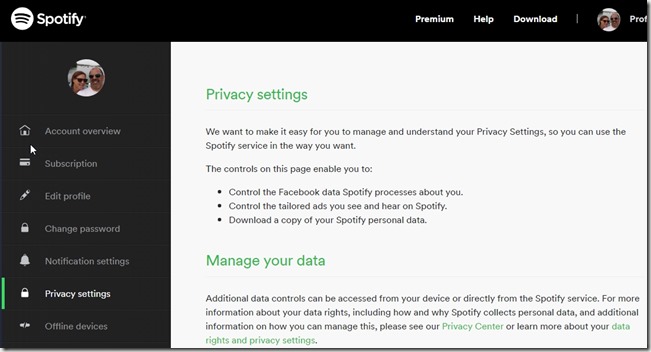
Below this is a “Download your data” section, with three steps. The first is a request to verify your identity. Clicking this will send an email to your registration email. I like the idea of verifying your identity somehow rather than just letting you get the data. Minor security hurdle, but still one.
After clicking on the email, step two lights up and shows you that it can take up to 30 days to get data. Similar to a GDPR request, I guess this sets some expectations if they get overloaded, but for now it’s annoying. We’ll see when the data comes.
Step 3 is the download link, that you can resend.
Overall, a good process to get what might be private data. It will be interesting to see what they keep on me and what songs and artists appear, both in popularity and unpopularity.
Getting the Link
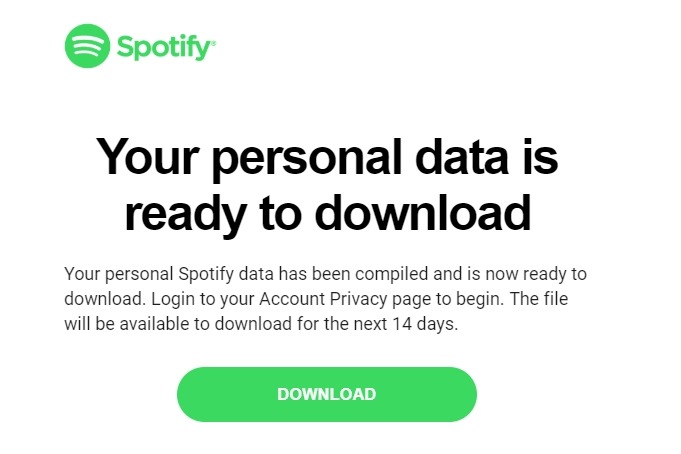
About nine (9) days after sending my request, I woke up and found this in my email:

I clicked the link and went to the same manage data page shown in the first section, but before I could get the download, I saw this. Nice to see they are verifying access to get data.
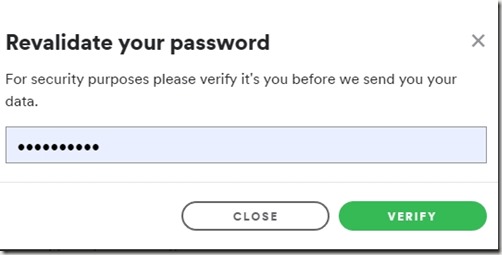
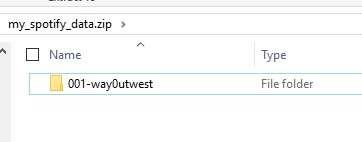
When I verified my password, a file downloaded immediately. As expected, it’s zipped.

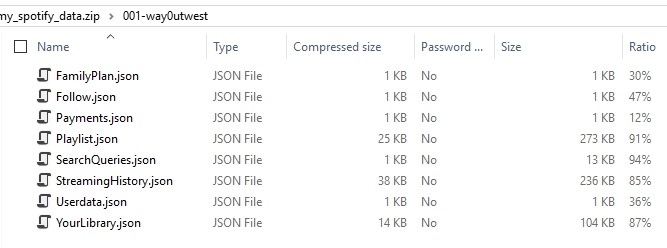
What’s in here? A number of JSON files, of various sizes. There are some items that are less interesting, like the plan and payments.

If I open the playlist.json file, I see this:
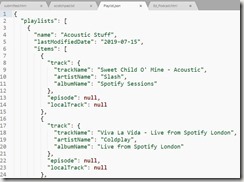
One cool thing here, is that this first playlist is one I created yesterday, the day before I received this link. Meaning, I think the notification was someone processing my request, not the time to get the data. The data was assembled with a process, that used data as of yesterday. I could be wrong, but I have a list of songs in a playlist.
Going on to StreamingHistory, which is where I thought I might see interesting data, I see this:
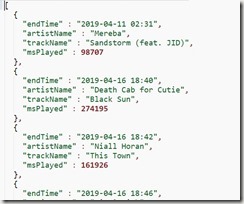
This looks like I only have a bit of history, not a lot. The first row is April 2019, the last row is July 2019, when I got the download. Disappointing, as I’d assume I’ll have a much different set of history this year than last year. I’ll have to load this into a database and try to decode it. That’s for another post.
It is nice to get some of this data, and I wonder what it looks like if I download it again in a week or two. Especially after another trip or two.
If I lose the data, I can go back and get the file again, at least for 30 days.

I’m glad that companies are starting to give us some data, at least for us data people. Certainly most people might just like a visualization of analysis of data, but allowing users to get their data means that *anyone*, or more *anyplace* can do this analysis for you. Opportunities that your data gatherer might not create.
If you use Spotify, I’d be curious what you think of your data. Feel free to write your post and leave me a comment on how you loaded and examined this data. I’ll do some follow-ups on this later.