Author: way0utwest

  • Keynotes in Australia and New Zealand

    I get to do the SQL in the City Summit keynotes in Australia and New Zealand. I’m excited, following the footsteps of Kendra Little and Donovan Brown, who have done them in the US.

    Register today for Brisbane, Christchurch, and Melbourne.

    The talk is on the State of Database DevOps in 2019. It’s likely some things many of you think about, but I’m hoping to inspire you to start adopting better development practices, give you reasons it’s a good idea, and providing some information that might help you get support from your management.

    It’s going to be an exciting tour, and some long days. I’ve got four sessions at each Summit, as well as a session or two the next day at SQL Saturday in each city. Join me for a packed weekend of learning in one of our locations.

    Come see me and register today for one of our Summits:

  • Clearing an Email from the Microsoft Directory

    Years ago I was working on a demo with Microsoft and someone added me to their VSTS (now Azure DevOps) project. Somehow, I got an account in the Live/Passport/Joe-Schmo Azure directory with my red-gate.com email. This hasn’t been a problem for a long time, but recently I had issues.

    At Redgate Software, we use Office 365 for a lot of stuff (email, apps, etc.). Lately I’ve been getting a number of documents to edit in our shared, Sharepoint folders. Mostly this is Kendra’s fault, but as I’ve done more prep stuff for customers, I get links from others.

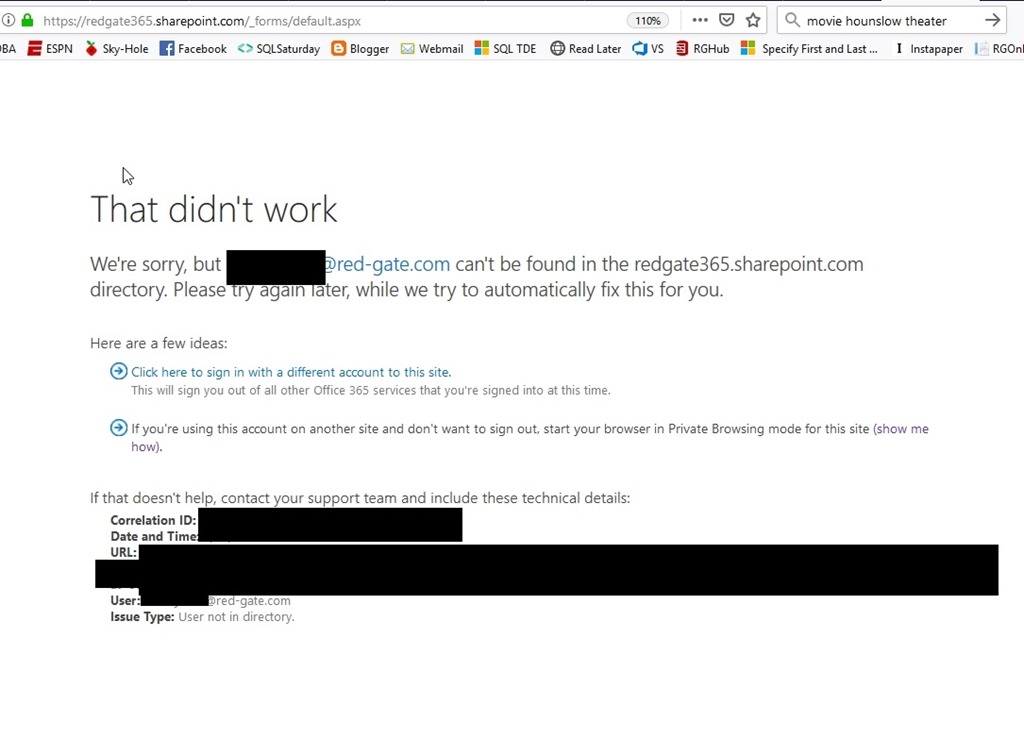
    While I can access them, if I click a link, I get a browser window that opens and tells me that it can’t access the document because I’m logged in with my way0utwestxxxxxx account. That’s true, since I use that for the portal. I click the “sign out and sign in again, and I’ll get taken to the login page.
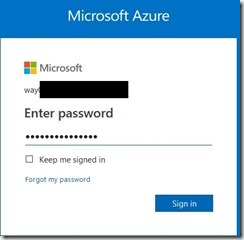
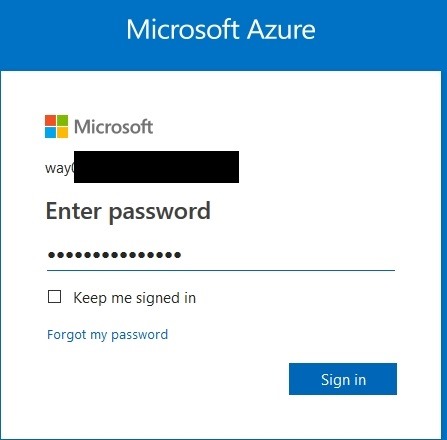
    2019-04-26 14_20_09-Sign in to Microsoft Azure

    However, this is a login for a personal account, not an organization account. As a result, as soon as I enter my password, I get:
    2019-04-26 12_45_25-Sign in is not complete

    That’s true, but it’s also not true. I do have a valid @red-gate.com account that was entered, but this is apparently stuck thinking I’m using a personal account and doesn’t let me change to an organizational account.

    What’s weird is that if I go to a URL, like our info site, or the IT site, I get the option to enter an account. When I do, it goes to the organizational signin.

    The Fix

    I’ve let this go, mostly because I don’t do much document collaboration, but lately it’s been a problem. I finally pinged the IT staff and they gave me the fix.

    • Log into https://account.microsoft.com/profile with the problem personal account.
    • Click on “Contact info”
    • Click on “Manage this email address”
    • Click on “Add email”
    • Create a new email Address
    • Change the new email address to the primary
    • Now remove the old personal email from the account.

    I’d have probably been able to figure all of this out if I’d known about account.microsoft.com. I kept thinking Passport, Live, all the auth services I’ve used in the past.

    Hopefully now I’ll remember if this happens again, or perhaps this will help someone else.
  • What Limits Do You Want in 2019?

    SQL Server 2019 is in development, and likely getting close to being released. I mean, it is named 2019, so I assume we’re down less than 6 months of time before we start deploying it. One of the decisions that Microsoft will need to make before release is what the costs for each edition will be, as well as the hardware limits involved. I assume other items like OS support and feature mix will also be decided, but those are less important to me after SQL Server 2016 SP1. Most features just work on all editions.

    Recently Glenn Berry proposed some new limits. He requests that 2019 Standard edition raise it’s core limit to 64 and the RAM limit to 256GB. These would be raises from 2016, where we were limited to the lessor of 24 cores or 4 sockets and 128GB of RAM. We do get 32GB of RAM for In-Memory objects and 32GB for columnstore as well. There were no changes for SQL Server 2017.

    What do you think? Are these limits that make sense in a world where hardware advances and a “small” system is much larger than anything we used at the turn of the millennium? Since data sizes continue to grow and most of us want (and need) more hardware, is 128GB of RAM crippling to a small database server? Do you think that more cores are needed to run a Standard Edition server?

    I might also point out that raising limits might keep some people on Standard Edition, but it might also get more people to move from SQL Server 2008 to SQL Server 2019, Standard to Standard. At lower limits, when you might be limited to processor and not core licensing, why not stay on 2008 if you can’t get a much faster system?

    Personally, I think that Microsoft ought to raise limits somewhat. I do think 256GB of RAM makes sense, even if that includes the In-Memory and Columnstore usage. For cores, 24 to 64 seems like a lot, but what about 40 cores? Who cares on sockets, let’s make this simple. Cores. These days, no one is going to get 8 sockets at 4 cores each, but if they do, what does it matter? Let them use all of them on Standard Edition.

    Steve Jones

    Listen to the podcast at Libsyn

  • The Other Jobs

    There’s a meme of sorts going around Twitter. It asks for your non-tech jobs, and I’ve seen some good ones from Grant, Kendra, Erin Stellato, and more. There are some interesting ones, and a few that I’m glad I never had to try. My list is here:

    1. Ice bag packer/delivery
    2. Waiter/bartender
    3. Lawn service supervisor
    4. Lay water/sewer pipe
    5. Volleyball coach (current)

    In my youth, I had a few more (newspaper delivery, painter), but I’ve had paying computer jobs since I was about 16, off and on, and I had a lot of restaurant jobs. I’ve actually been a cook, busboy, delivery person, waiter, bartender, and manager. I always enjoyed restaurant work and even had some part time jobs even as I was starting my career in tech. These days I certainly have ranch jobs, usually assigned by my wife, and I do coach competitive youth volleyball over the winter.

    I know most of us have more in our lives than tech, and some of us might even have second jobs now, whether by necessity or for fun. This week I’m curious what other jobs you’ve held and which ones you enjoyed. Perhaps there were some you hated. Let us know how rounded your work history is.

    As I get older, I think about other jobs. Not that I want to leave Redgate or SQLServerCentral, but I’d like to retire at some point and still have something that occupies some time. Volunteering somewhere, with a commitment as a real job, is something I hope to do at some point. Volleyball is great, but one thing I’m looking to try is holding babies at the local hospital. Many of them need companionship when they are born premature or ill and parents need a break. Seems like a good gig to me.

    What interesting job would you try in retirement?

    BTW, I know some of you worry about these as a security question, but I’ve never seen this listed as one of my choices. If you have, then please don’t answer.

    Steve Jones

    Listen to the podcast at Libsyn