Author: way0utwest

  • Badly Trained AI

    Most of us know that data is being used to make more and more decisions inside of all kinds of organizations from retail giants to banks to sports teams. We are constantly asked, or see reports, of data driven decisions. We often need to show some data that supports and explains the rationale for making some choice. As our populace becomes more data savvy, I expect this trend to continue.

    AI (Artificial Intelligence), and the related Machine Learning (ML), are becoming more and more widely used. From mobile phones to autos to trading systems, we regularly see new “AI capabilities” being added to products and services. No business or industry seems immune, and I’m sure many of you are seeing AI being incorporated or feeling pressure to start using some AI in your work. As you work with AI, or start to, you’ll quickly realize the importance of data in your efforts.

    This is true for the cleanliness of data, but perhaps even more important in the tagging of data sets. As Amazon learned, building an AI or ML system, is hard. They scrapped one system that was being used to rate resumes and help their recruiters sort through the volume of applications they received. Why? Because of bias.

    Apparently the system would downgrade women’s resumes for various reasons. To me, this is a perfect example of a principle I’ve had throughout my career: garbage in garbage out. In this case it’s not necessarily bad data that was the problem, but bad tagging of what was a good and bad resume, probably from the internal prejudices of a few people.

    There will be more dangers as we use ML and AI technologies in our work. It won’t be enough that we clean the raw data for training, but also that we clean and properly manage the tagging of what data sets represent the results we are looking for. Like in much of our software, it’s easy for us to only consider the happy path, to only tag those items we think are good results. That is useful, but we might also be unconsciously tagging other results as bad, which appears to have happened to Amazon.

    We can build systems that do a better, more rational job than most humans, but we need extraordinary care to ensure our training data lacks bias. Unfortunately, most people both think they’re not biased and are unwilling to spend extra resources to deeply examine the data. Two things that worry me about the future of our AI/ML systems that will inform us.

    Steve Jones
  • Pro SQL Server on Linux–Install

    As part of my learning goals for 2018, I wanted to work through various books. This is part of my series on Pro SQL Server on Linux from Bob Ward.

    I had an Ubuntu VM setup at home, but it started to flake and eventually stopped responding as a desktop. Since I’m not a Linux expert, I wasn’t sure what to do and really didn’t think it was worth debugging a broken Linux OS. Instead, I moved on.

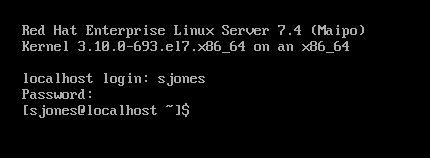
    In the book, Bob uses Red Hat Linux, so I downloaded RHEL and installed it, after going through the process of joining the Red Hat Developer network. If I don’t do this, I only get a 30 day trial, which I didn’t want. I get the process, and understand them making money.

    For a lab, it was a pain. This made me want to go back and just get Ubuntu.

    2018-12-20 09_15_22-RHEL74 Bob - VMware Workstation

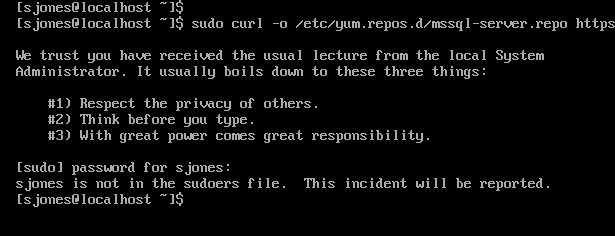
    In following the install instructions, I started with getting the Microsoft registry set up. I got an error when downloading the repo file.

    2018-12-20 12_34_30-RHEL74 Bob - VMware Workstation

    From this link, I added my user with

    usermod –aG wheel sjones

    2018-12-20 12_37_49-RHEL74 Bob - VMware Workstation

    Had to change the network to bridged in VMWare. Not sure why, but this is how I have a few VMs set, so I just matched this.

    Subscription

    I needed to attach my subscription. I started by registering, which was fun. I had to go back to the Red Hat portal, log off and back on.

    2018-12-20 12_48_12-RHEL74 Bob - VMware Workstation

    Then dependency errors. Isn’t yum supposed to resolve this?

    2018-12-20 12_45_08-RHEL74 Bob - VMware Workstation

    The key is that I wasn’t getting updates. I had to run

    subscription-manager attach –auto

    which linked my system to the update system. I can see how Red Hat makes money. This feels as onerous as Windows for management and product key matching. In any case, this allowed the install to proceed:

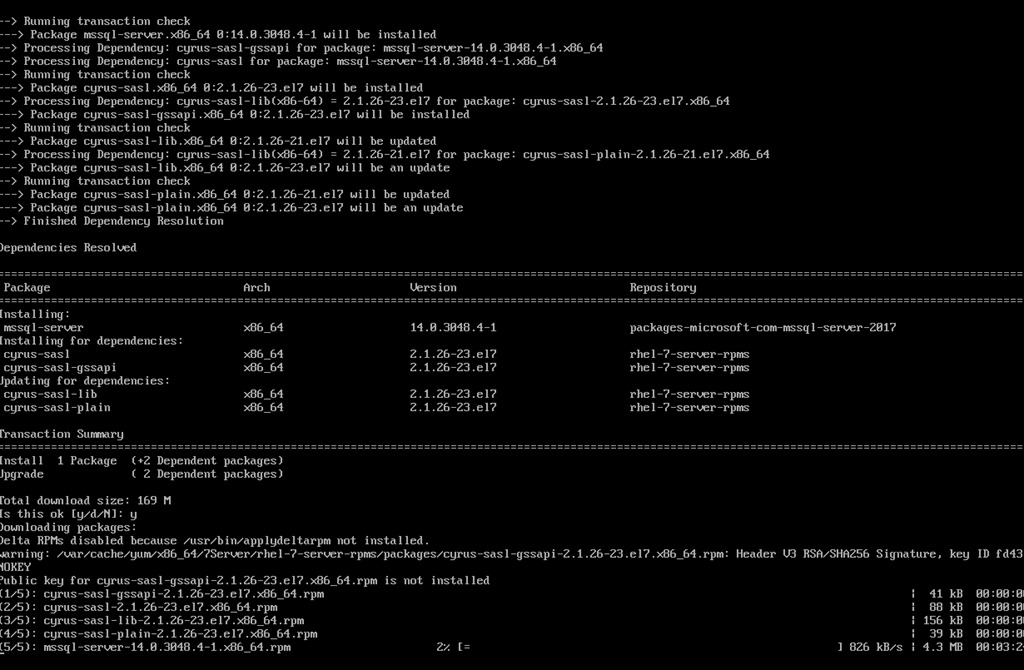
    2018-12-20 12_58_20-RHEL74 Bob - VMware Workstation

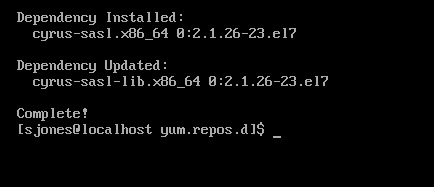
    Eventually this completes, which is a welcome sight.

    2018-12-20 13_02_00-RHEL74 Bob - VMware Workstation

    One note, when trying to get the dependencies, I removed the –y option for the install. Once things worked, I had to answer “y” to a lot of questions, so you’ll want that enabled.

    Configuration

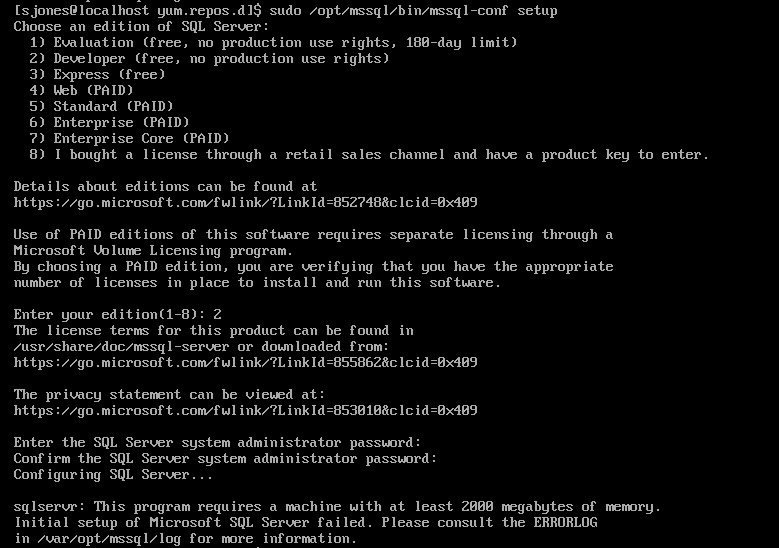
    The next step is to configure your instance. I started this, but it didn’t quite work.

    2018-12-20 13_04_13-RHEL74 Bob - VMware Workstation

    If you look, you’ll see the failure message is that we need 2000MB (2GB) of memory. The VM has 2048, but that’s not enough. I reset this to 3072MB and the config worked.

    2018-12-20 13_07_57-RHEL74 Bob - VMware Workstation

    Validating the Install

    From the book, the first step is to check the service.

    2018-12-20 13_12_04-RHEL74 Bob - VMware Workstation

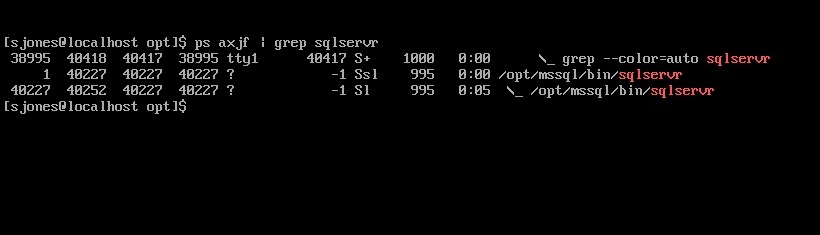
    The the process.

    2018-12-20 13_12_33-RHEL74 Bob - VMware Workstation

    That’s good, so I followed instructions to install tools. This ran off the screen, so I didn’t bother capturing a screenshot, but it worked according to instructions.

    Next, connect to SQL Server and check the version.

    2018-12-20 13_54_05-RHEL74 Bob - VMware Workstation

    Tada. Well, not that exciting. The process was more annoying than I expected or remembered, but most of that appears to be RHEL more than SQL Server.

    However, this was a nice test and project, with no GUI on the system. Looking forward to doing more with this across the month.

  • Republish: MY Data

    As I noted, I’ve been ill. This is being republished to give me another day to get well: MY Data.

  • Automation for Databases–T-SQL Tuesday #110

    tsqltuesdayThis is the day for T-SQL Tuesday #110, a topic picked by Garry Bargsley. Automation has been a cornerstone of most of my career. As much as I work hard, and don’t mind putting time and effort into accomplishing tedious work, I also know that automation makes my life much, much easier.

    And me a far more productive employee.

    Automation is king, so here’s one place I’ve used this in the past.

    Complying with Standards

    One of the big items auditors want to have is proof that this thing happened or didn’t happen. That an employee actually performed some action, with some proof. At one point, we were being audited and I was asked if we checked that all backups were running for all databases.

    Of course, most backups worked, some failed,  and we were aware. More importantly, I could prove it. In our Exchange Public folders, we had a folder for database actions. In here, for each day, was a report from each database server. If there was a question of compliance for any of our sensitive systems, we could give them a link. More importantly, anytime we ran a remediation, we posted a note and the scripts run for the system. That way any backups that failed and were manually run, or other changes, were logged.

    This was a combination of a T-SQL querying system DMVs and DBMail to send out reports to our public folder (and DBAs). Today, if I needed something similar, I might move to PoSh, but likely lots of this is still easy to accomplish in T-SQL. However, I’d really rather not build any more monitoring systems. Too many things to manage, and my time is better spent.

    Now I’d use SQL Monitor and if anything, build my own reports on top of that infrastructure. That way the data gathering, archiving, etc. isn’t something I need, and I can extract out the text reports for auditors, which they like. Plus, with automation, they know that the system is running as intended.