The videos for our SQL in the City 2018 broadcast from last month are up on the Redgate channel in a playlist. If you missed anything or would like to rewatch something, you can do it.
If you’ve got questions or comments, we’d love to hear from you.
The videos for our SQL in the City 2018 broadcast from last month are up on the Redgate channel in a playlist. If you missed anything or would like to rewatch something, you can do it.
If you’ve got questions or comments, we’d love to hear from you.
Better than month 1. Only XE this month.
My first week I got a reminder to spend some time on XE, so I watched a couple modules of Jonathan Kehayias’s Pluralsight course. A lot of review, but I thought I’d start with the basics and Jon knows more about this than anyone I know.
I spent a few days going through this. Some at my desk, but more while riding a stationary bike. This gave me the chance to actually sit and watch without being distracted by other items on the computer.
I got through about a third of the course, but I still have more to watch. I also took about an hour in two sessions to practice a few of the items, explore how XE is setup and build some questions for SQLServerCentral. This allowed me to feel good about the process.
The first couple weeks of February were good here. Unfortunately things didn’t continue. I had travel the last week of Feb and a number of meetings that required prep and I got off track in working through XE.
Even today, as Mar starts, I have missed an hour or learning time.
On the plus side, I did take 3 days of vacation in Feb, which took away work and learning time, but allowed me to recharge a bit. I’ll continue that a bit in March, so it’s possible that I might not quite get what I want here, especially as I have a number of weekend commitments this month.
This is a good lesson, allowing me to realize that I can’t count on adding to my busy schedule without having to make hard choices. Learning has been one of those lower priority items, though I am trying to continue growing in this area.
One sale today, my Getting Started with SQL Server 2016 Administration video. You can get this for $10 today, and it’s an introduction to an overview of what’s in SQL Server 2016, most of which applies to 2017 as well.
Covers basics of administration from install and configuration to security and XE. If you have a junior that’s not worked much with SQL Server, this might help.
Outline:
SSMS 17.5 is out as of February 2018, but the the Vulnerability Assessment (VA) was released in SSMS 7.4
It seems that the Microsoft tools team is trying to build us better tools that come with the platform. There are good third parties that build tools, such as my employer, Redgate Software, but I am glad that Microsoft is also providing a little more value. This is especially welcome in the area of security.
In SSMS 17.4, the upgrade came with one goodie: the VA. This is an analysis that will help you determine if you potentially have issues with your instances and databases. This is an assessment of a database, but there are server implications as well.
Once you install or upgrade SSMS, you can right click on a database and choose Tasks, Vulnerability Assessment.
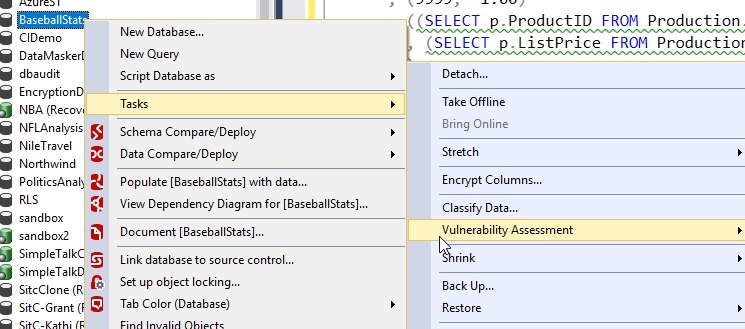
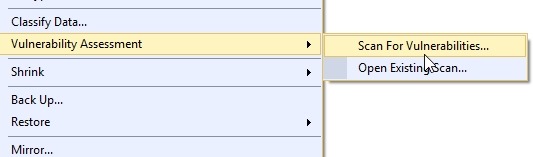
This is actually a menu of a couple items. You have the choice to run a scan or open an existing scan that you might have saved on your system.
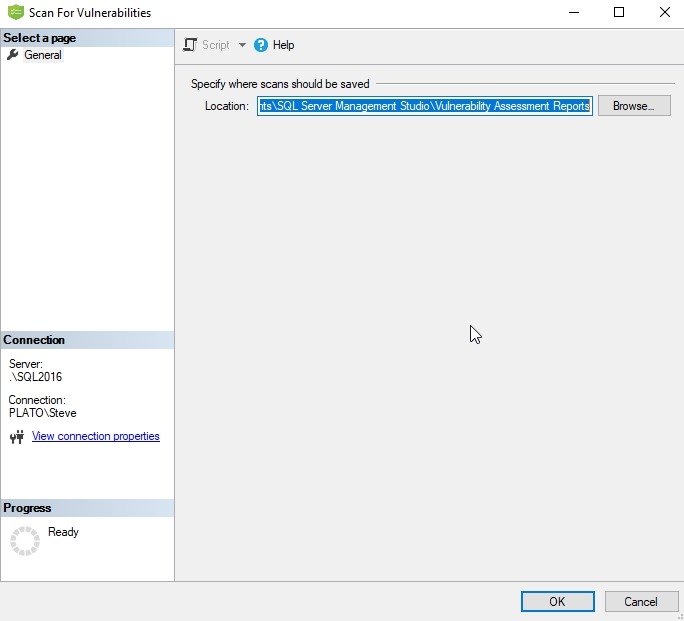
When you run a scan, a new dialog opens that asks you where to save the scan. You can change the path, and once you click OK, the scan runs.
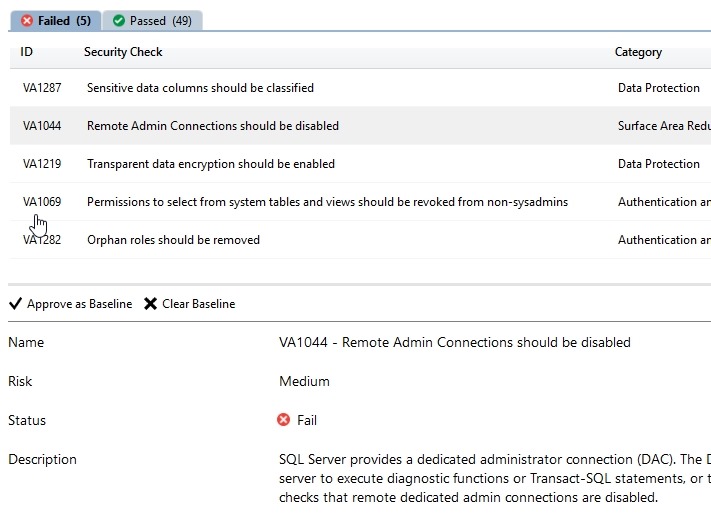
A new tab opens in the query window space with the results of your scan. This gives you the bad news first. Those items you failed. In my case, I had 5 items.
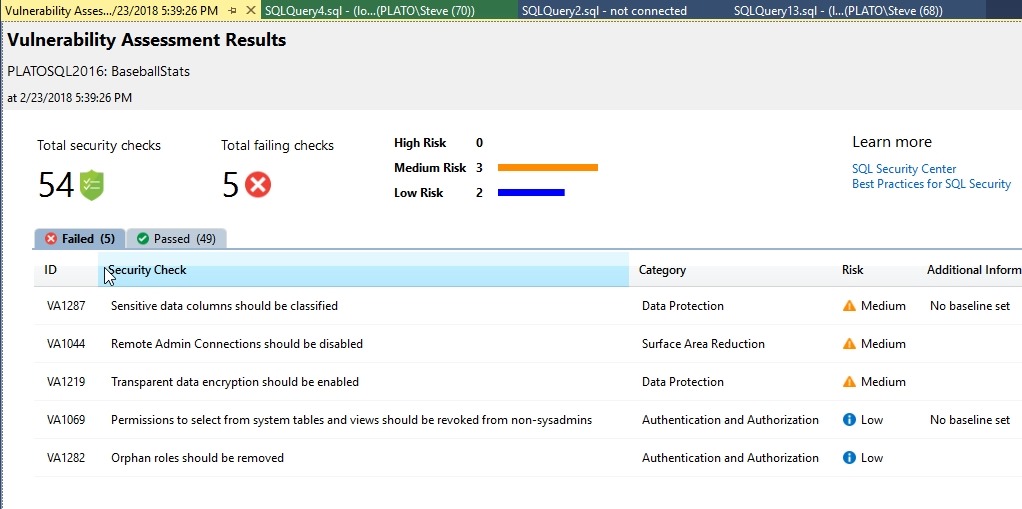
These items are listed as high, medium, or low risk. I haven’t dug into these too deeply, so I won’t comment on the appropriateness, but look for more information at SQLServerCentral soon.
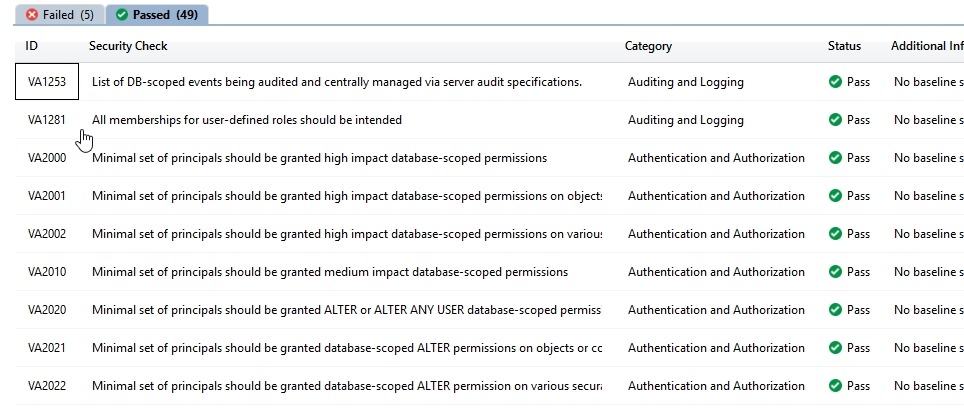
I did better on the passing side, 49 items.
If I pick an item, I can mark this as approved as the baseline setting. For example, on this instance, I want Remote Admin connections.
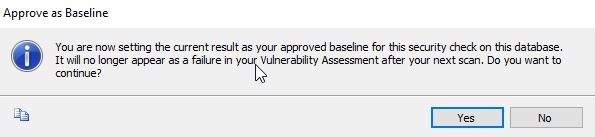
If I click “Approve as Baseline”, I get a dialog. I’ll say yes.
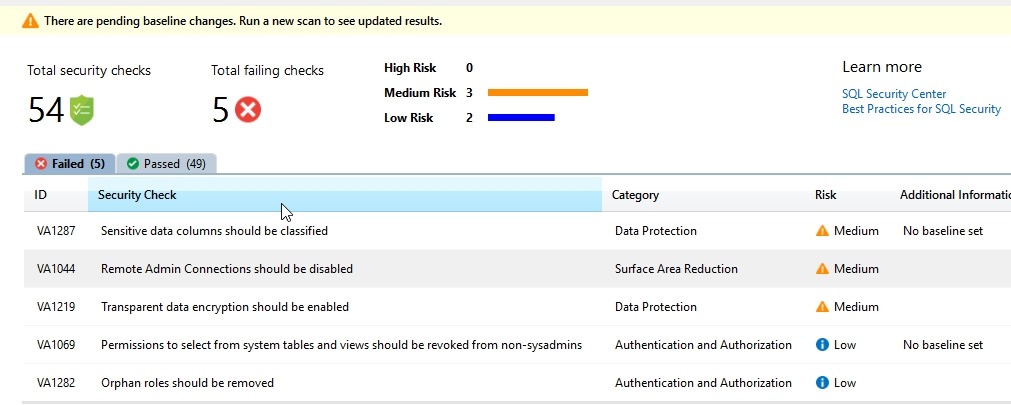
This item now has a baseline marked, or rather, the absence of a baseline removed. I also get a note that there are changes near the top.
If I run a new scan, this issue doesn’t appear.

This is now an item in the Passed tab.

This is simple, and perhaps trivial, but having this built into a tool means that you can now start to see if things change. There is likely lots of opportunity to build on top of this and perhaps aggregate data or make it more consumable. Look for other companies to add to this, but for now, it’s nice that Microsoft is adding security help to SSMS.
You can read more about the Vulnerability Assessment on docs.microsoft.com.

