Category: Blog

  • dbatools and Orphaned Users

    I really like the dbatools project. This is a series of PowerShell cmdlets that are built by the community and incredibly useful for migrations between SQL Servers, but also for various administrative actions. I have a short series on these items.

    One of the common issues that I would run into with refreshing development and test environments are the orphaned users. These are accounts that typically exist in production, but not in development. The logins and users are different in these environments, and often there isn’t a login on the development instance. This creates an orphaned user: one that exists in the database, but has no instance level mapping.

    Cleaning up these users isn’t that hard, often with a removal of the user, mapping to a different login, or repairing this user by adding back the server login.  These aren’t difficult tasks, but the logic to write a script to quickly fix this, especially in a DR situation, may not be handy.

    dbatools can help here with a few cmdlets. I’m not recommending this is any better than the T-SQL, but if you keep dbatools on your instances, this is a quick way to fix things.

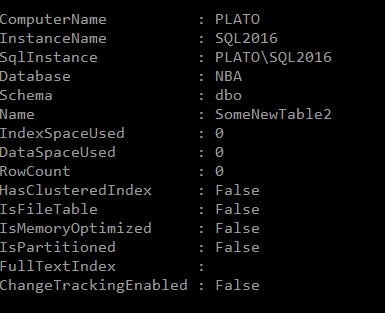
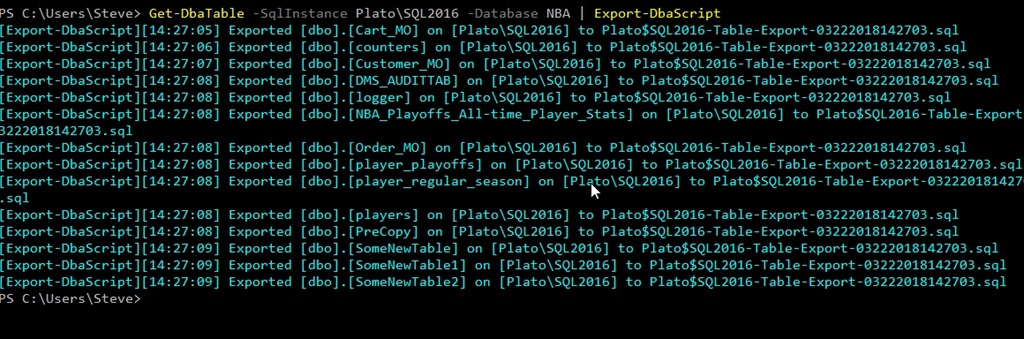
    With Get-DbaOrphanUser, we can quickly get a list of those users that aren’t matched on the restored server. I can limit this to an instance or a database, but it gives me a list of users that I can then pipe into one of a few other cmdlets: Repair-DbaOrphanUser and Remove-DbaOrphanUser. These two cmdlets will do, as the British say, what it says on the tin. They’ll remove or remap the users, which can make it easy to quickly get your users working again.

    Note that you will want to ensure this does what you expect and run with the -WhatIf command to be sure that you aren’t altering users that you don’t want to change.

    This isn’t necessarily the way I’d always clean up users, but as part of a flow that might include automated restores, data masking, and other steps, being able to access orphaned user data and repair users from  PoSh is something I’d certainly consider.

  • Enabling Guest in a Database–#SQLNewBlogger

    Another post for me that is simple and hopefully serves as an example for people trying to get blogging as #SQLNewBloggers.

    The guest account exists in all your databases. This is installed by default, and guest is used to map a login that doesn’t otherwise have access to a database.

    Sound scary?

    It should. This would be bad if any login could connect to any database, potentially reading data using the guest account. Fortunately Microsoft has done two things. First, guest is disabled in all user databases. This is because it’s disabled in model, which is our template.

    2018-02-08 08_51_24-SQLQuery8.sql - (local)_SQL2016.AdventureWorks2014 (PLATO_Steve (74))_ - Microso

    Second, guest is typically assigned no rights. It’s a member of the public role, which also has no rights by default.

    Enabling Guest

    If you want to allow anonymous access for logins through the guest account, it’s easy. Be wary and careful of doing this and be sure you understand what rights have been granted to public if you do this. In general, I’d expect auditors and any compliance/security officers to be against this, but you should check.

    The user exists already, and just needs the CONNECT permission to get enabled. You can do this with this code:

    GRANT CONNECT TO guest

    If you want to remove permission, use

    REVOKE CONNECT FROM guest

    That’s it. Remember, by default this user can’t access any objects. I would recommend you not grant rights to guest, but use roles. Either one of the built in ones, or better yet, create your own role and choose limited permissions.

    SQLNewBlogger

    One of the ways you can showcase your knowledge, show you’re learning, and show you’re motivated to enhance your career is blogging. This post is an example of what you could write, in your own words, about something you’ve learned.

    This one took my about 5 minutes after I’d spent a little time getting guest enabled for a test project.

  • Join me for Masking, Privacy, Protection, and Clones at SQL in the City Feb 28

    Registration is open for SQL in the City 2018. Our first event is Feb 28 and I’ll be heading back to the UK for the event. This time Grant and Kathi will be there and we’ll be joined by the amazing Ike Ellis. This is an event to watch.

    I’ll be covering some GDPR stuff about compliance, with good information that all DBAs and system administrators should know. This is a prove you’re doing what you have decided to do session.

    In the afternoon I’ll also cover some enhancements to SQL Clone in our Privacy bundle that helps you mask data from production and build your dev/test environments in a way that can protect your sensitive data.

    Some Redgate products will be used to show how to accomplish the same tasks, but all of us will be talking about core concepts and ideas that you need to know. We’d like you to consider our software if it provides you with value for the cost, but either way, you will learn about things that we all think are important.

    Register today and I’ll see you in a few weeks.

  • Door Number One for T-SQL Tuesday #99

    tsqltuesdayThis is a good month for T-SQL Tuesday. It’s the end of single digits for this blog party, which is amazing. I can’t believe we’re 99 months in. I’m sure Adam Machanic is proud of his efforts here.

    Aaron Bertrand hosts this month, and he’s given us a choice: door #1 or door #2. I’m choosing door #1.

    Daddy’s Girl

    I grew up in Virginia Beach, going through high school and playing elementary school volleyball where you could only score when you served. I loved the game, and eventually started to play on the beach during the summers at college and after I graduated. The game faded for me as I got married, had kids, and got busy with my career.

    When my daughter was 8, I signed her up for a recreational league. They needed help coaching, and I volunteered. With another parent, we coached the same group of 7 or 8 girls for 4 years, 8 seasons, and had a great time. A few of us parents also got involved in adult leagues, playing at various levels.

    When my daughter turned 13, she moved to a competitive league, as I watched. Across the years, I’ve watched my daughter play and love the game. As she became more independent, I started to spend time helping other teams, learning the modern game with rally scoring, liberos, and more.

    This year I’ve taken on coaching a team of 14 year olds. Two nights a week, some Saturdays, and as I’m doing less traveling for work, I’m spending my weekends coaching at tournaments, and having a great time.  As my body ages, and I spend less time at my own activities, I’ve turned to coaching others, and I love it. It’s a great way for Coach Steve to spend some time away from work.