Category: Blog

  • More #SQLintheCity–Behind the Scenes

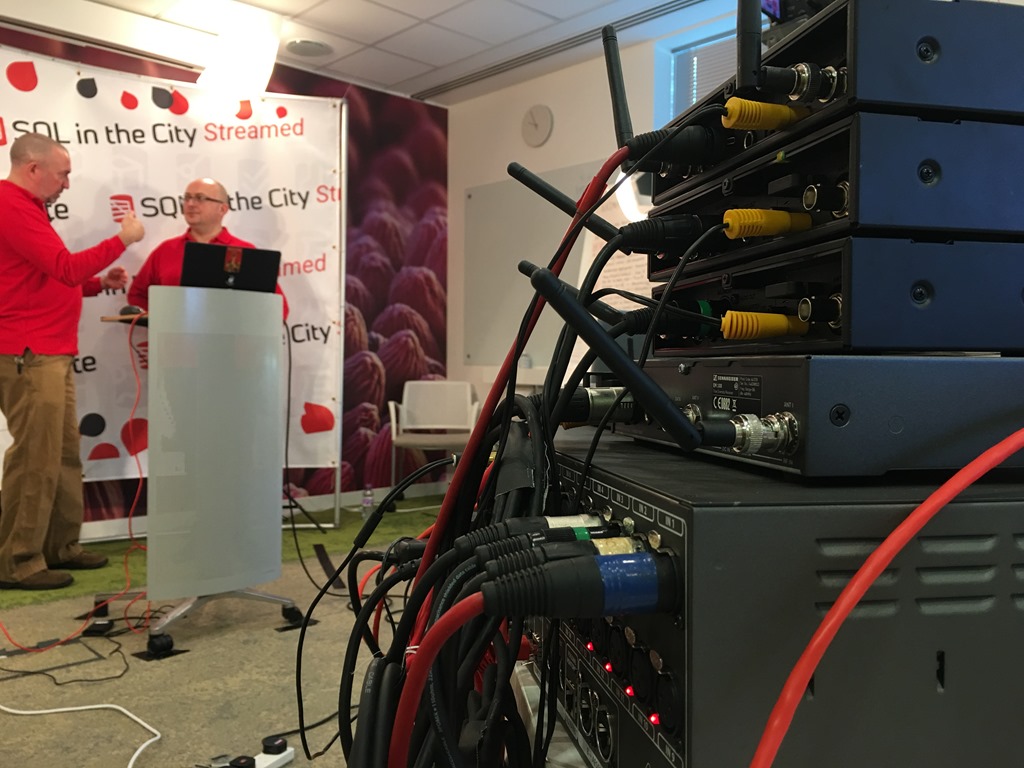
    I posted this, but here it is again. A a shot from our engineer, behind the scenes of my live talk today.

    //platform.twitter.com/widgets.js


    When we decided to stream SQL in the City this year, I wondered how things would go. We’ve debated about a studio at the Redgate office but never built one. However, we did take over a room for this event, one on the top (2nd) floor, in a corner of the building away from most desks.

    We didn’t have a red “on the air” light, but our engineers did put a whiteboard in the hall outside.
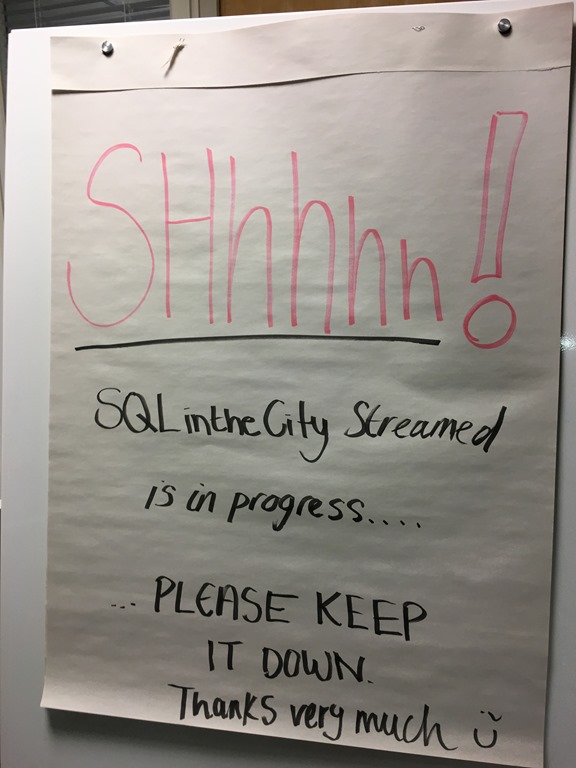
    IMG_0212

    Inside, we had a backdrop and podium for presenters, tape on the floor for our marks, and multiple cameras. Our setup allowed for a few microphones, multiple video feeds, and a few monitors on the wall.
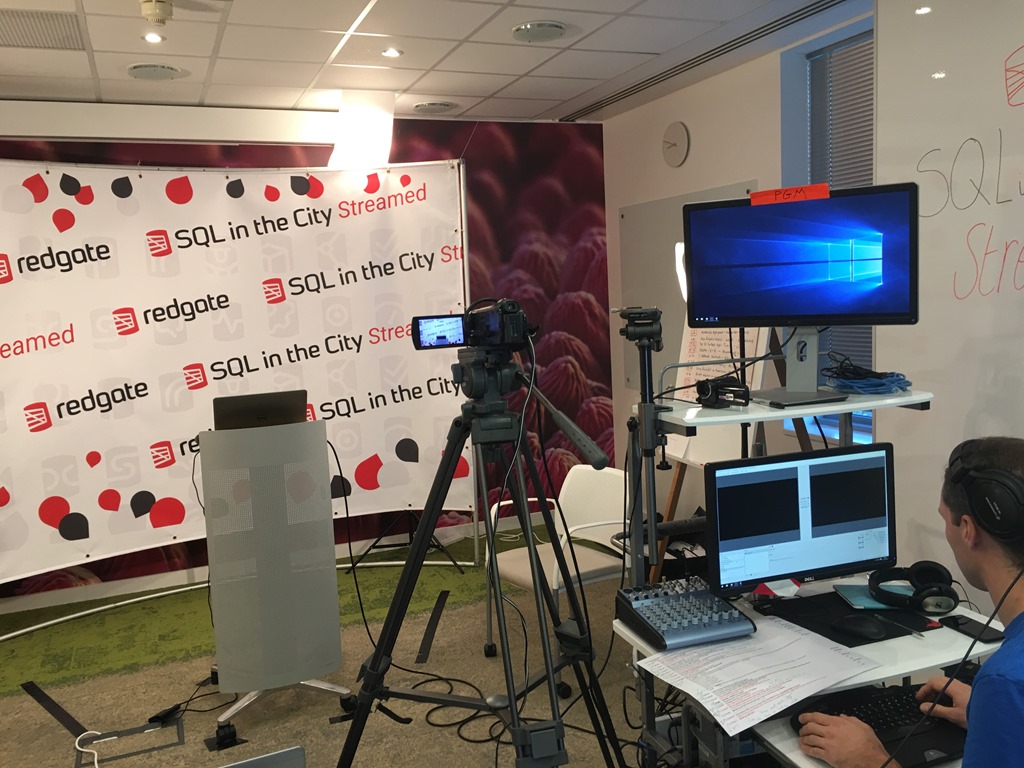
    IMG_0192

    My view from the podium shows a few desks and the monitors on the back wall. One had the live stream, and the other was hooked up to a laptop where Annabel would type questions that we could see (or other notes).
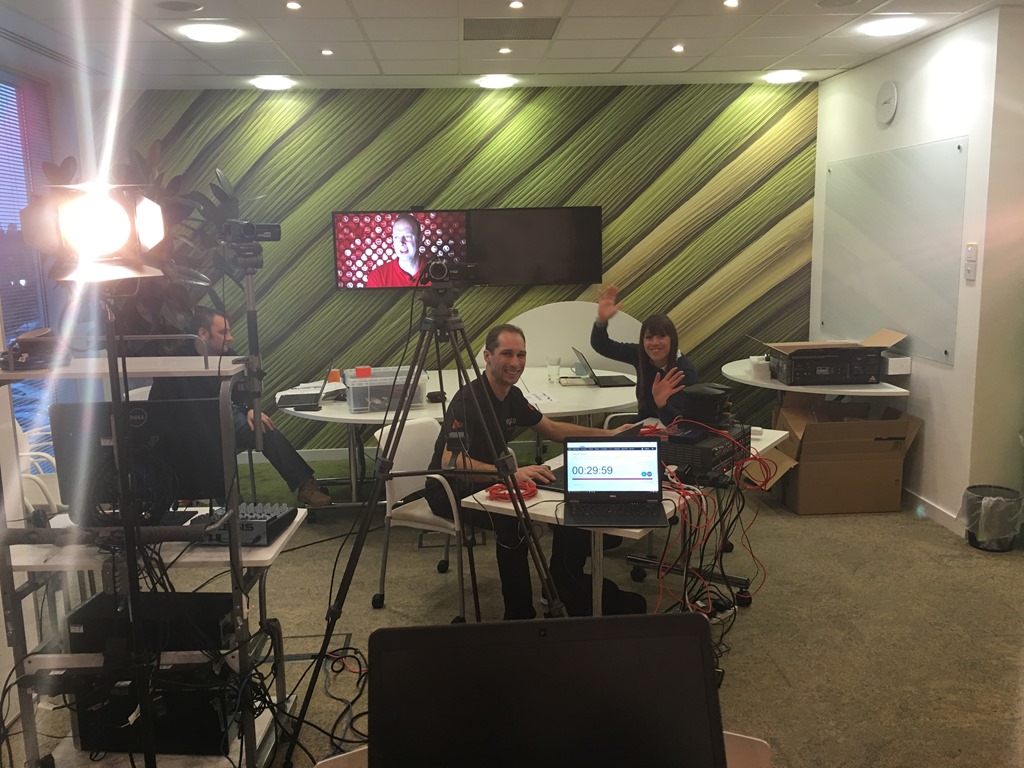
    IMG_0174]

    The event kicked off with Annabel providing an opening each day. Here is the opening segment from Wednesday morning. I watched most of the first day in the room, and then did what most presenters did the second day; I’d work at my desk and then pop in 10 minutes or so before my talk.
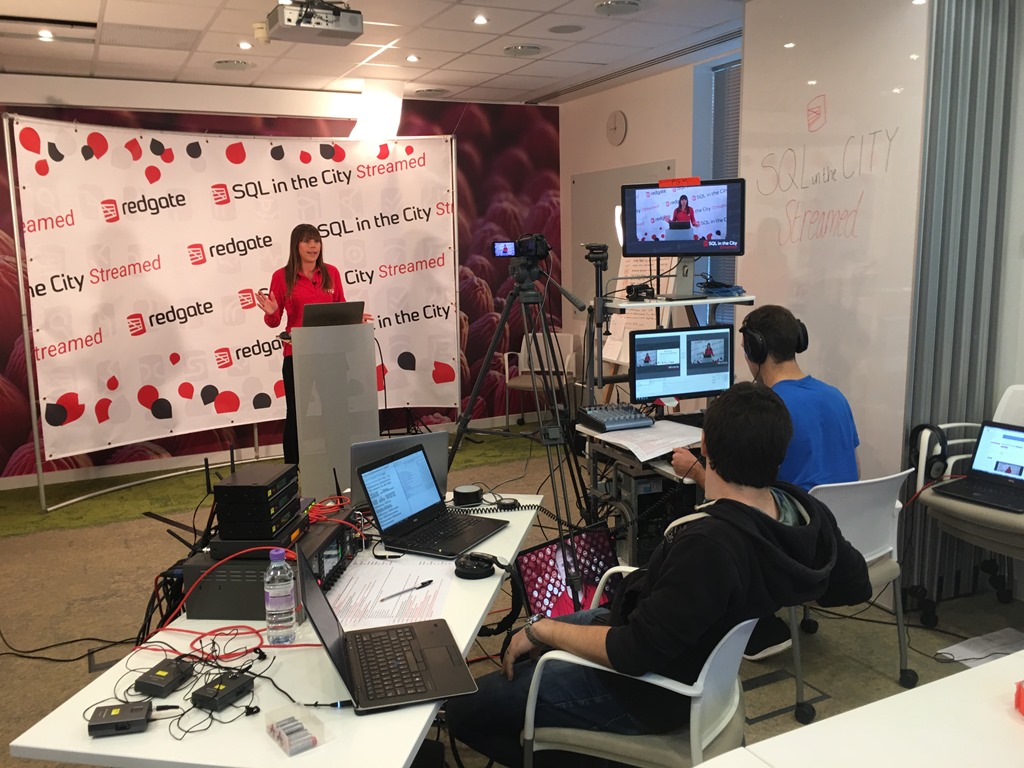
    IMG_0198

    There were lots of wires, and while most were taped down to the floor, we had to be careful about where we walked. I suspect next year we’ll have a better setup. At least, I hope we do, and hope that we actually do more streamed content throughout the year.
    IMG_0201

    I think this was a success, and certainly an easier way for me to present content. It was strange to not have an audience, but it helped to have a few people in the room that were watching and paying attention.

    While I really do enjoy live events and audiences, and I am pushing for a live SQL in the City 2017 in the UK, I also know that streaming and video broadcast is changing for all sorts of media. I’d like to experiment and do more here, and might do some more from home in 2017, but I do hope we’ll have more streaming from Redgate, perhaps even a Redgate TV show running on a regular basis.

  • Please Fix This–T-SQL Tuesday #86

    tsqltuesdayIt’s T-SQL Tuesday time, and this month is an interesting topic. The invite comes from Brent Ozar, and it’s designed to get you to look at SQL Server. I spent some time thinking about this one and getting a post together.

    You can participate as well. Just write a post on your blog, the second Tuesday of the month, link to the invite or leave a comment on their post. If you want to host, contact Adam Machanic.

    Better Checks

    This Connect item was submitted by Erland Sommarskog, and I think it’s one that is worth spending development time on. The title is Add optional checks for more robust development, and I think it’s a great idea. I’m a big fan of testing and ensuring that you meet standards, that silly mistakes aren’t being made in code, and in general, finding ways to improve developer productivity.

    I know that getting errors or failing tests are a pain, but these should drive you to change behavior. If you constantly code “select *”, then you want to get out of the habit. Tests, standards, or other checks are one way to do this.

    This suggestion from Erland, which has quite a few votes, is a good one. Getting some sort of warning from deferred name resolution, is a good thing. Having the ability to prevent, or ignore some of the issues, is important. I’d really like to see all of these checks implemented, with the ability to turn them on/off as needed.

    These don’t take the place of unit tests with something like tSQLt or automated testing, but they are a good start to helping us produce better software.

    If you agree, go vote , and perhaps we can get this implemented.

  • Getting Started Blogging–#SQLNewBlogger

    It’s a new year, and the perfect time for you to start blogging about your SQL Server work. I think blogging is a great way to showcase your knowledge, and over time, this can become as important to your potential employers and clients as your resume or CV.

    This post won’t look at what to write, but rather, how to get started. I’ve divided this up for people that might have written some technical articles and those that haven’t. If you have, feel free to skip the next section.

    Starting From Scratch

    If you’ve never really written a blog or technical piece, I recommend do this:

    1. Create a folder on a shared drive
    2. Open Word (or another WYSIWYG) editor
    3. Begin Writing
    4. Save the post you’ve worked on as 1_SomeTopic.
    5. Repeat, incrementing the number so you get files such as 2_OtherTopic, 3_ReallyInteresting, etc.

    That’s it. Just begin writing. Don’t worry about publishing, don’t worry about anything else. Just get in the habit of putting some thoughts down on paper that talk about the work you do.

    When you get 10 posts, you are ready to move on.

    I would recommend you calculate the average time it takes for you to produce a post. This would be the rate at which I’d look to schedule my posts.

    Choosing a Platform

    The next step when you are comfortable with your writing is to choose a place to publish your work. There are lots of choices, and a good comparison of sites is listed in this article.

    I use WordPress and Blogger/Blogspot for different blogs. I chose two to have a comparison and after a few years, I think WordPress is better. You can certainly download the WordPress software and set up your own site on a VM somewhere, but I don’t think that’s a good place to start unless you want a project. If you want to write, wordpress.com is a nice start. It does enough for me, and it’s easy to let them update the software and just pick a theme.

    I also recommend OpenLiveWriter to write with. I can easily draft posts in a WYSIWYG way, keep the drafts private (and on a OneDrive folder) and then publish to my platform at will. I find this easier than trying to work online. The project looks slightly abandoned for now, but it is stable and useful on the Windows platform.

    Scheduling

    How often should you blog? I think this is a hard question, but I’d blog at the pace that works for me. If you are a new writer, you should have written 10 pieces and tracked the time to produce those. For most people, this is between 2 and 4 weeks for a piece. Some might do 1 a week, but whatever is possible in your busy life is the pace I’d stick with.

    My goal is to blog 3 times a week. Sometimes I can do more, but I don’t usually try to do more. It’s better to schedule out posts and ensure I can maintain some level of consistency than I get my posts out right away. Most of the time I have a couple of posts scheduled a few weeks out because I’m not producing news. I’m showcasing knowledge.

    My advice is to schedule less frequently than you think you should. It’s easier to add in most posts later than try to maintain some pace that causes you stress.

    This should be fun.

    Post Reviews

    No matter what topics you choose or the frequency of your posts, it is important that you do a good job in producing them. That doesn’t mean you need 3 peer reviews and a copy edit, but you should take the time to get some feedback from others on your work.

    If you aren’t an experienced writer, or you worry about the impression your writing makes, then ask a friend, spouse, co-worker, etc. to review a few posts and help you with your grammar, spelling, and the way you communicate the concepts.

    Communication is a skill, and you will get better if you work at it. However, the best way I have found to do this quickly is to get feedback from others.

    Take the Challenge

    Challenge yourself and start blogging today. Even as little as 15 minutes a week can really help you showcase your knowledge, and give you an edge for your next interview.

  • Easy Database Space with dbatools

    One of the things that I’ve seen DBAs query for is free space in a database. In fact, this is one of the most common questions posted on SQLServerCentral by newbies that are trying to manage their instances and ensure they don’t use too much space or run out of space.

    The most common way to do this is with sp_spaceused. This system stored procedure has been around for a long time and is commonly used. However, it’s cumbersome to me. I get two result sets, I get data formatted in both MB and KB, it’s hard to use for multiple databases, and incorporating it with some automated tracking gets annoying. Not hard, just annoying.

    Get-DbaDatabaseFreespace

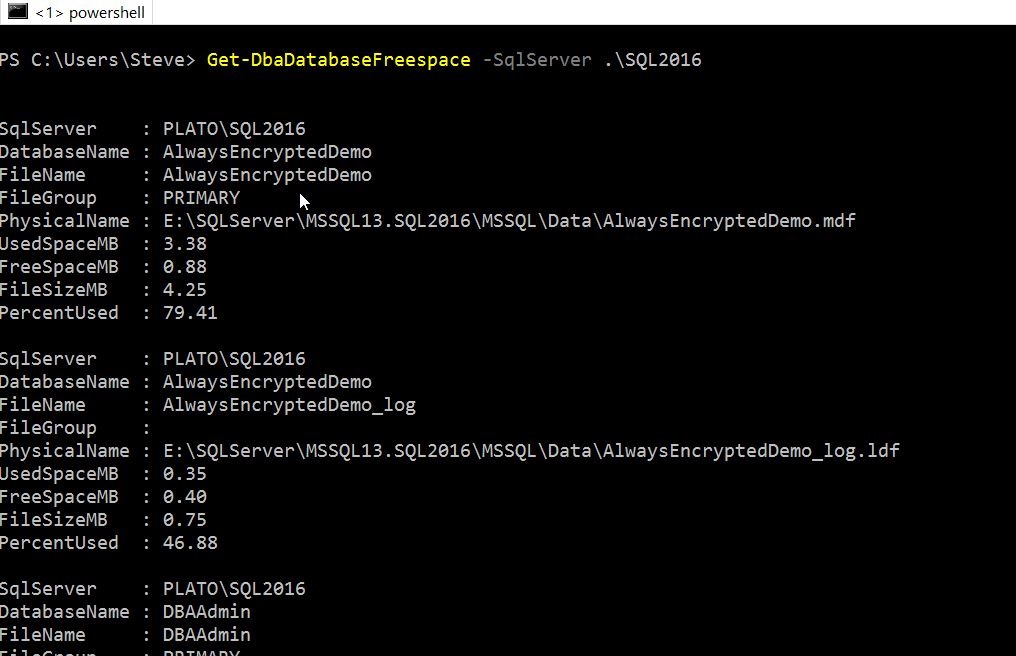
    Enter dbatools. One of the cmdlets included is Get-DbaDatabaseFreespace and this does exactly what you’d expect. This takes the name of an instance as a parameter, and when you run it, you get a bunch of information about your databases and their space usage.

    2016-12-29 09_17_01-powershell

    These are good numbers, but with PoSh, I can easily just get the data I want. For example, I can add a –Databases parameter and see specific databases.

    2016-12-29 09_31_21-powershell

    I can also limit reformat the data in a table and limit what’s returned:

    2016-12-29 09_32_29-powershell

    This flexibility to easily see data is one thing that I like about PosH. I could pipe this into a filter and look for those items that are of a certain size, or have a certain percentage value.

    Putting this into a report, or even an alert that might get sent to DBAs is a great way to keep an eye on space and ensure that you don’t run out of space. Of course, tracking this over time is easier with a tool like SQL Monitor, but for quick checks, this dbatool is very handy.

    If you haven’t played with these, I’d recommend you do this. This collection makes working with SQL Server and PoSh much easier.