Tag: Azure

  • A New PiHole in the Sky

    Last year I set up a PiHole server on my RaspberryPi to help block some ads and malicious stuff (tracking, malware, etc) on my home network. It’s not perfect, but it’s a layer.

    Unfortunately the Raspberry Pi was unstable and would die or lag or restart fairly often. I’d end up with poor performance and that drove me crazy. Eventually I gave up and started to just run normal DNS again. However, I was frustrated with Netflix overseas and decided to set up a cloud version and see if that helps.

    I started the project by looking at a blog post that covers the general cloud setup.

    Creating a VM

    I started by going to the Azure Portal and clicking on a new Virtual Machine. The default I got was actually Ubuntu 18.04 LTS, which is what I’d like.
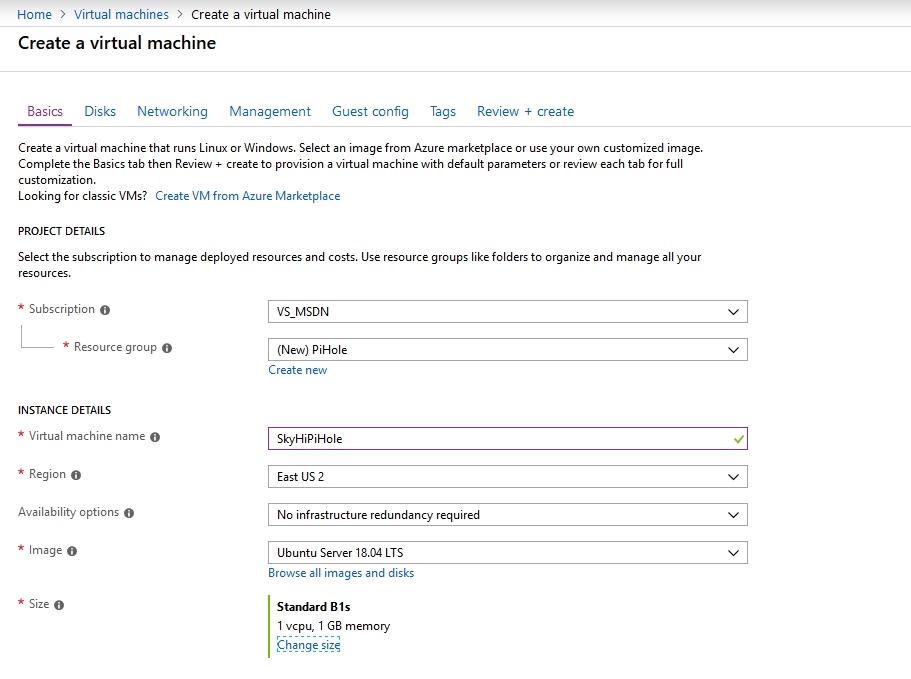
    2018-12-27 12_04_11-Create a virtual machine - Microsoft Azure

    I went with it, giving my new machine the wonderful anme of SkiHiPiHole. I wanted this to be inexpensive, as it uses minimal processing power. I decided to check the various sizes, and if you look to the right, you’ll see that you don’t want to just blindly click the top item. The sizes aren’t ordered by cost.
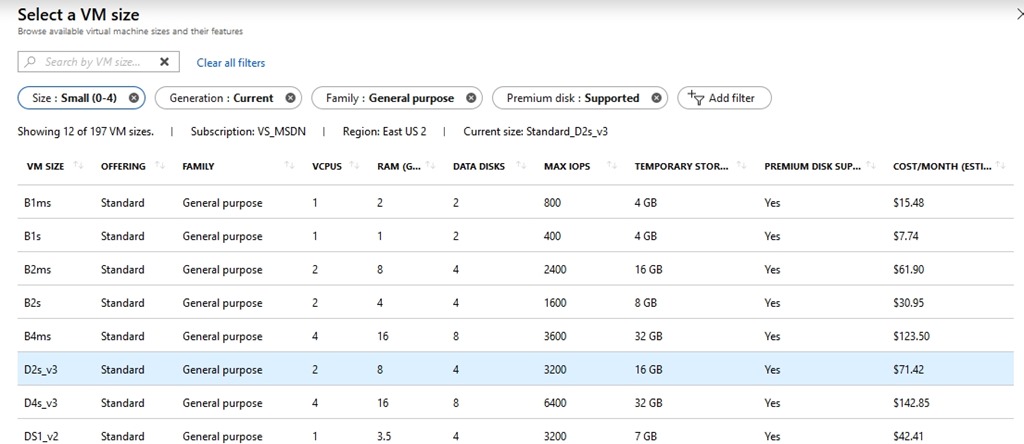
    2018-12-27 12_03_58-Select a VM size - Microsoft Azure

    I picked the B1s, which should eat up about US$8/month. I can spare that as I usually have about $50 credit from MSDN left every month.

    I picked this, and then had to generate an SSH key. I tried this with sshkeygen on Windows, but had issues. I won’t document what I did, but I have PuTTy installed, so I used puttykeygen instead.
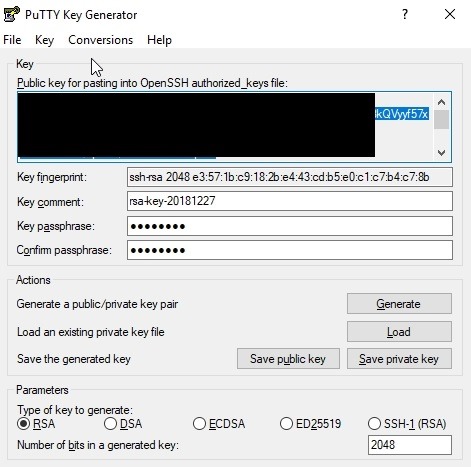
    2018-12-27 12_16_54-PuTTY Key Generator

    I copied and pasted this file into the Portal and then created the VM.
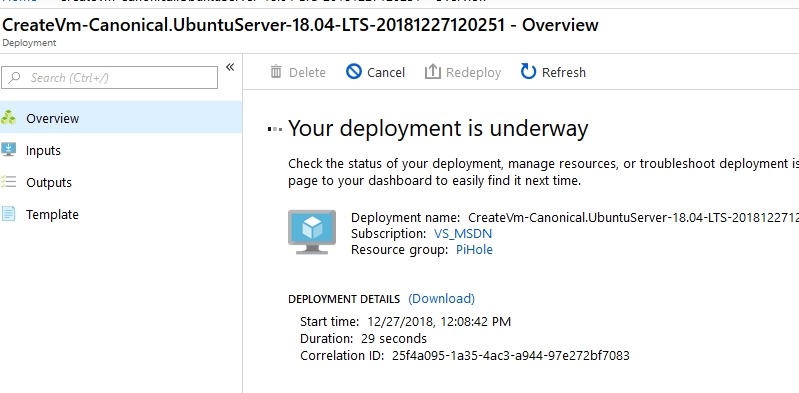
    2018-12-27 12_09_12-CreateVm-Canonical.UbuntuServer-18.04-LTS-20181227120251 - Microsoft Azure

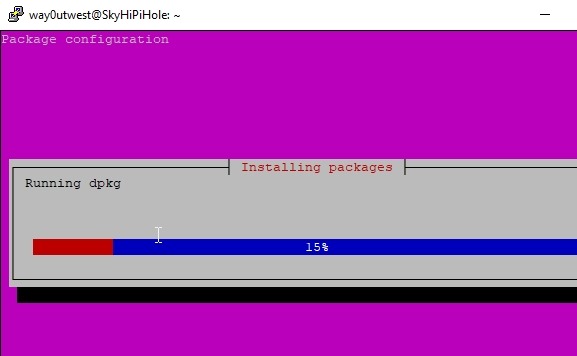
    Once this was done, which was minutes, I connected with PuTTy to complete the install. I updated the OS and ran the Pi-Hole install, according to the blog above. I accepted defaults and then the system ran.
    2018-12-27 12_28_34-way0utwest@SkyHiPiHole_ ~

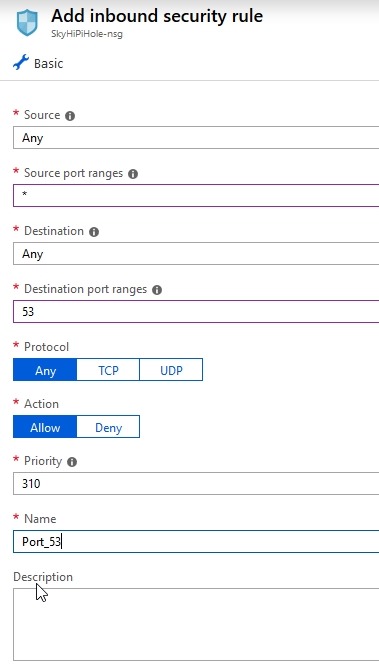
    Once this was done, I went into the Azure Portal for my VM and added firewall rules to let me connect with DNS (53) and for the admin console that’s web based. I limited the latter to my home network, but I can change it on the road if needed.
    2018-12-27 12_38_23-Add inbound security rule - Microsoft Azure

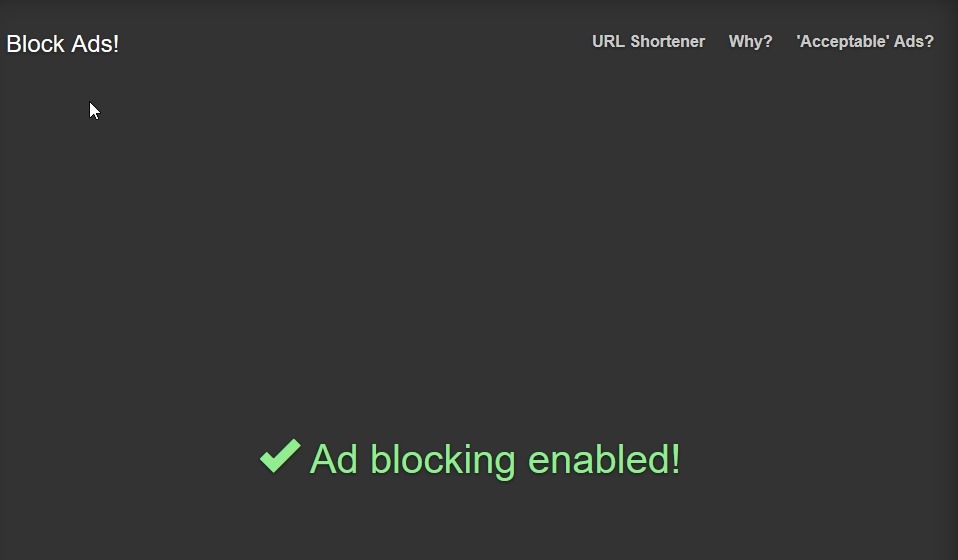
    With all that done, I changed my local DNS settings to use this server and tested it on a few pages.
    2018-12-27 12_56_09-Block Ads!

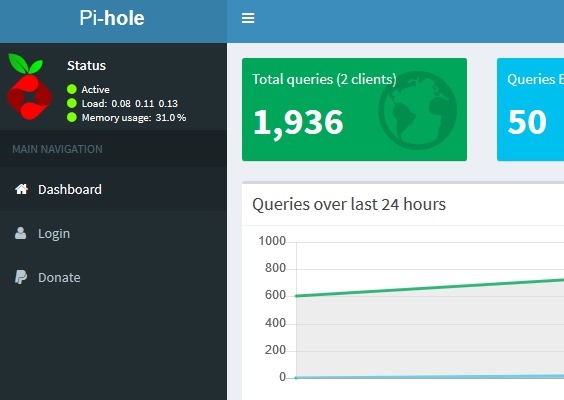
    I could also see the admin panel. Success!
    2018-12-27 12_52_31-Pi-hole Admin Console

    Now we’ll see if this works overseas.

  • Big Data Analytics

    How large is your analytics system? Do you have more than one machine for analytics? Do you have a cluster of machines that run Hadoop in a YARN cluster to analyze your data? Are there hundreds, or even thousands, of nodes that are being used regularly? Some of you might have what you consider to be a large system, but I bet it isn’t as large as Microsoft’s cluster.

    They think they have the biggest YARN cluster, with over 50,000 nodes in a single cluster. This is used to process multiple exabytes of data from their various properties and systems. I certainly haven’t heard of a system this large, and I really wonder what this costs to run. After all, I’d think a 50,000 node cluster has to be a significant cost, though perhaps in the grand scheme of Microsoft’s $100 billion in revenue and $38 billion in expenses, even 100,000 machines can’t really impact their numbers.

    The cluster has essentially been running a private version of Azure Data Lake for years that their internal developers and analysts use to access a common pool of data. In fact, because of their scale needs and the desire to limit the copying of data between clusters, they have contributed back to the Apache Yarn project a number of fixes to help ensure the software can scale to tens of thousands of nodes. There is some discussion of how they’ve allowed YARN to grow to larger scales, and it’s an interesting solution that essentially allows some overbooking of resources, knowing there are always some spare cycles available for processing data. It’s a great test site for Azure Data Lake, and something that more of us might use in the future.

    I doubt may of us would need to work on data sets that large, and I know I certainly wouldn’t want to be responsible for that much of a data lake, I do think these are interesting problem domains that someone should look at. Certainly there are always large organizations and governments that have ever growing pools of data that will likely end up in a data lake of some sort. And who knows, perhaps, the definition of large will continue to grow to the point where 1,000 nodes in a cluster is considered “small”, and it’s what many of our businesses might implement in the future.

    Steve Jones

    The Voice of the DBA Podcast

    Listen to the MP3 Audio ( 3.0MB) podcast or subscribe to the feed at iTunes and Libsyn.

  • The Ever Expanding Data Platform

    This past week was the 2018 Ignite conference from Microsoft, where we had a number of announcements about the data platform. You can rewatch some of the sessions from the event, and I might recommend the keynotes to see some of the demos and positioning of the data platform. That’s the direction that Microsoft is moving their database products, as a complete platform that not only includes SQL Server, but CosmosDB, Managed Instances, Data Lakes, and  more.

    If you’re a SQL Server DBA, it’s time to stop thinking yourself as a SQL Server DBA or developer. Instead, you need to be a data professional, especially on the Microsoft stack. While you might concentrate on SQL Server and live in SSMS, you ought to be aware of the growing options for working on the Microsoft stack. Azure Data Studio, which Grant wrote about this week, ought to be a tool you investigate. You also ought to be looking at the latest version of SSMS, which had it’s v18 move into a public preview this week. With these tools being free, companies ought to be moving away from the older versions that shipped with SQL Server 2014 and earlier. Instead you should at least be on a v17 version of SSMS. Talk to your IT group and give it a try today. It works fine with all your SQL Server versions, from 2005 through 2017.

    Microsoft is certainly hoping you’ll run more workloads in Azure, and that’s where the data platform is growing. CosmosDB, which I think has a lot of promise for various types problem domains, or even as a companion to SQL Server for certain types of data. There is an increase in their SLA to 5 9s, which is both impressive and ambitious. I know very few on-premises instances that get by with 5 9s across multiple years, leaving aside the ability to get 10ms write performance in the SLA. The is also multi master replication and support for the Cassandra API. While I haven’t done much with CosmosDB, it is on my radar to experiment with as a data store option.

    Managed Instances will be generally available on Oct 1, just a couple days away. While I wasn’t sure that this product would catch on, I’m not surprised that some companies would like to get away from managing most of the stuff around the database and stick with the data. To me, this, more than anything else, can mean that DBAs at larger companies need to be managing data, security, and more, without worrying too much about the basics of backups and HA. Even threat detection, something few of us are good at, is handled by Azure. The restore demo in the keynote is truly impressive. I’m not sure many of us would want to, or be able to, architect those speeds. At least not as easy as provisioning an Azure Managed Instance.

    There are lots of other announcements, which you can read. The one really interesting thing for me was the Data Box announcement. I’ve had more than a few people be concerned about the initial loads of data into an Azure database or data lake. I’ve had that concern, and actually been part of a company that FedEx shipped a rack of disks as part of a SAN to a DR site because of bandwidth constraints. The Data Box is a device that you can order and fill, shipping this back to Azure for loading. It comes in 40TB, 100TB, abd 1PB sizes. That is truly stunning to me. Drop ship 1PB if you have the need. You can even see a picture of it from Argenis Fernandez for some idea of size.

    It’s an exciting time to be a data professional, and Microsoft’s data platform continues to grow. I don’t know that any of us will know more than a tiny bit about most of the platform, but I certainly plan on increasing my knowledge in a few areas to become better aware of how they work and what they are capable of. I might not be able to use them well, but I can at least have enough knowledge to have a conversation about the technology and have an idea of whether it might solve a problem that I run into at work.

    Steve Jones

  • Azure DevOps

    I’ve been a fan of Visualstudio.com and VSTS for some time. I moved most of my demos to this platform a couple years ago and I’ve been pretty happy with it since then. There is tremendous flexibility in how you can use automation and dashboards to build software and coordinate the activities of your team.

    The VSTS system underwent a rebranding and reorgnaization renently. The various pieces of the system were renamed a part of Azure DevOps, with the different parts being given new monikers such as Azure PipelinesAzure Boards, and more. This was combined with an initiative from Microsoft to better support open source projects by giving them unlimited build minutes for public Github repositories on a variety of platforms such as Windows, OSX, and Linux.

    I’m not a bit fan of name changes, as I think that if the software performs well and provides value, it will succeed. However, marketing people need work, too, and management inside a company often rearranges things to put their own mark on a project. I’m actually glad the marketing effort was ramped up as I think the Microsoft platform based on TFS for tracking work, version control, builds, and releases has become a fantastic platform for anyone building software. That’s not to take away from some other products like Bamboo and Octopus Deploy, which might work better for you. If they do, they plug into the Azure DevOps platform easily.

    If you haven’t tried Azure DevOps, I’d urge you to give it a try. There’s an all day recording of various parts of the system being used to produce software that will show you how to get started and use the system. I’m sure there will be more information and talks this week from Ignite. There aren’t a ton of database tools, but there are some add-ons from various companies to help you build and deploy databases alongside your application software.

    While there are challenges with databases, I’d argue that incorporating a known process will increase reliability and lower risk for making changes. This won’t help you build better code. That’s something you still need to ensure your developers are doing. This system just helps ensure simple, silly mistakes aren’t made and everyone knows exactly how your changes will be deployed to your production environment.

    Give Azure DevOps a try today and see how you can build a smooth, repeatable, reliable process for your software.

    Steve Jones

    The Voice of the DBA Podcast

    Listen to the MP3 Audio ( 4.0MB) podcast or subscribe to the feed at iTunes and Libsyn.