Tag: Azure

  • Serverless Databases

    I wrote about serverless applications recently. Not a lot of people are using serverless technology for their code, but a few have had a lot of success. It seems like a move that makes sense, though there are some challenges in managing the code when you deploy functions or snippets instead of an entire codebase. I worry a bit about tracking billing, usage, versions, and deployment pipelines with serverless, but I know things will get better over time.

    Now Microsoft Azure has included a new option for databases: Azure SQL DB Serverless. This is a SQL Server database that bills you for the compute cycles used by the second. This works by essentially pausing your use of the database processing when clients are not accessing the system. You are still billed for storage all of the time, which makes sense, but storage is cheap. The system also has quite a few automatic scaling features, many of which aren’t as simple to understand as I might hope.

    How many times have you purchased a server (or rented one) and found it is barely used, trundling along at 10-20% CPU? I’ve done that quite a few times, especially when I had no idea of the workload early on. Later, it’s often not been worth my time to try and consolidate the database on another machine. Often this is often a fear based response where the cost of the machine is already gone, and I don’t want to take the chance that a burst in workload will overload another system.

    For sporadic use applications, serverless databases might be a good fit. I can avoid paying for compute during low periods, such as overnight. I’m essentially renting a machine at specific times and not at others, but the compute layer gets provisioned as I need it. That seems like the ideal situation for a lots of apps, assuming I can run them in the cloud. There are some restrictions in preview, such as the inability to pause the system unless there are 6+ hours of no activity, but I’m hoping that changes. Six hours seems like a long time.

    The one thing I think about this database service is that it will require longer timeouts and more resilient applications that can handle a warm-up period if the computer layer has been shut down. I also worry a bit about cache and the buffer pool. If you’ve ever dealt with servers that regularly restart, there is a bit of a slow period as the buffer pool fills and code is compiled. Perhaps Microsoft has ways of saving off some of these states, perhaps capturing plans in the Query Store that can avoid excessive compilations on restart, but I do worry that slow starts will increase user complaints and tickets filed. Those costs might not be worth the savings from shutting down your database resources.

    Steve Jones

    Listen to the podcast at Libsyn
  • Moving to Serverless for Azure SQL DB

    After the announcement of Serveless Azure SQL Datbase at //build/, I decided to give it a try. I have some Basic databases, so what would Serverless mean for me? I was wondering as the Basic dbs are cheap and moving to Serverless means moving to Gen 5, larger machines.

    Let’s try this.

    Reconfigure an Existing Database

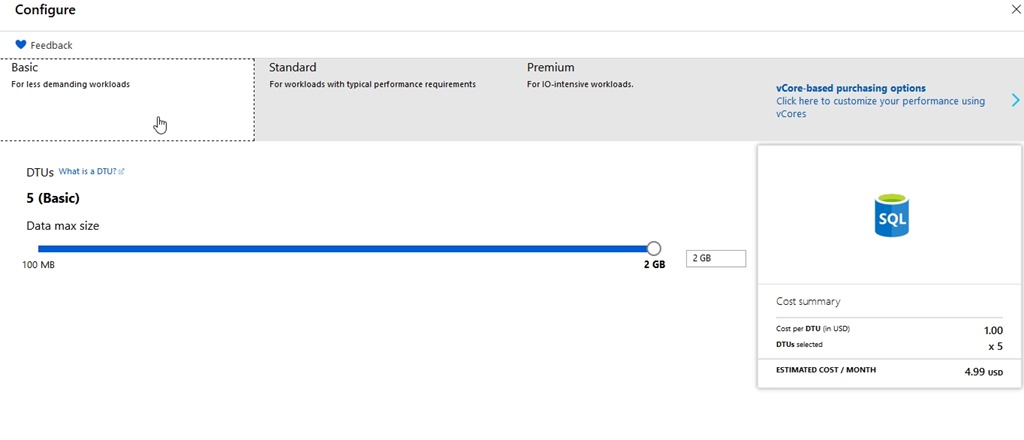
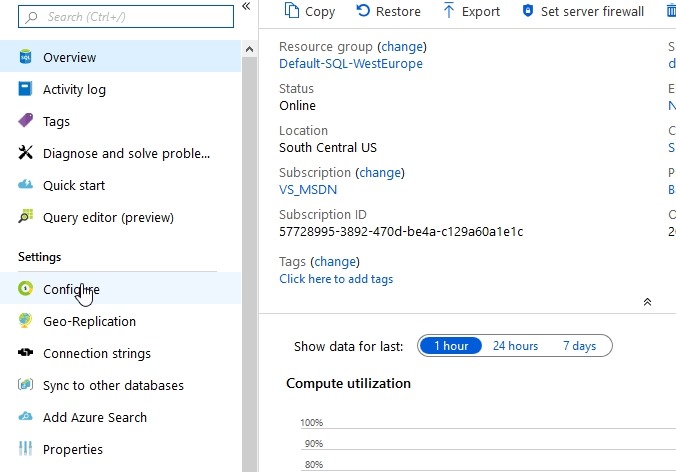
    I’ll pick one of the basic test databases I have and look for the sizing. It’s under Configure, which is where my mouse it in the image below.

    2019-05-06 16_07_02-SQLPatches - Microsoft Azure

    Here’s my database config and cost. For my little dev/test environment, this makes perfect sense. I’m paying $4.99 a month in virtual cost. Since I get $150/month as part of my subscription as an MVP, I can afford to put up 5 or 6 of these test databases for different things without worry.

    2019-05-06 16_07_36-Configure - Microsoft Azure

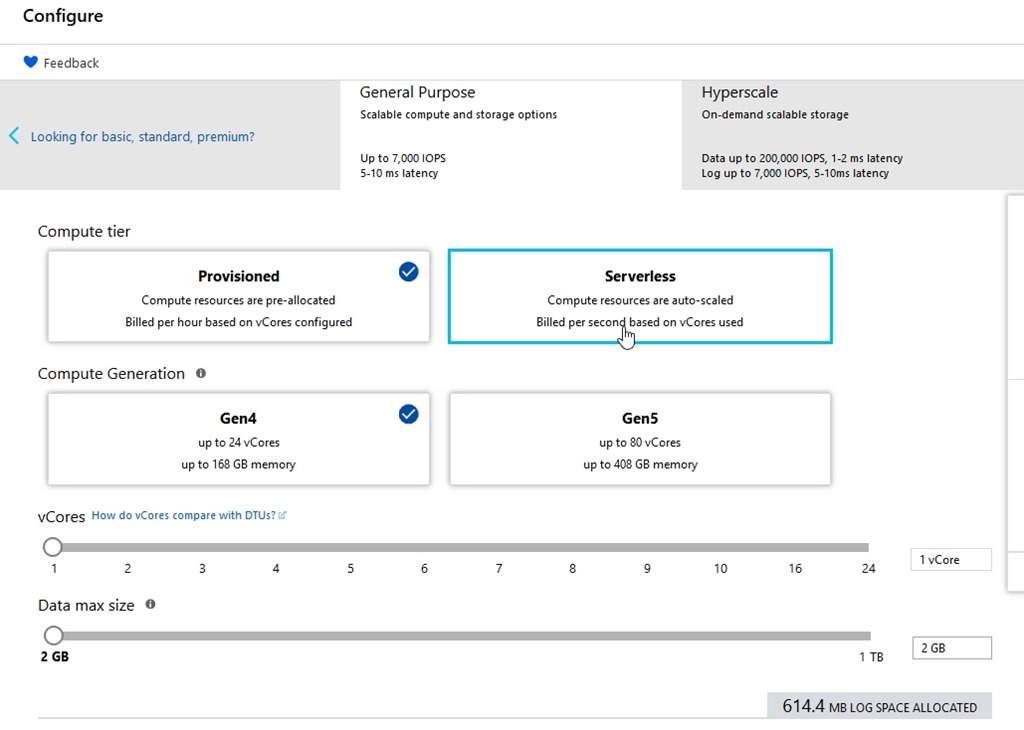
    After I click the vCore pricing, I get new options. I can see Serverless in here.

    2019-05-06 16_07_49-Configure - Microsoft Azure

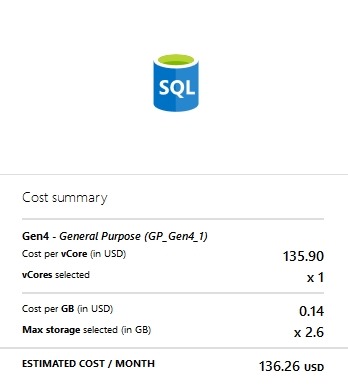
    For dev/test (for me), that’s a lot. I don’t want this kind of bill every month.

    2019-05-06 16_07_58-Configure - Microsoft Azure

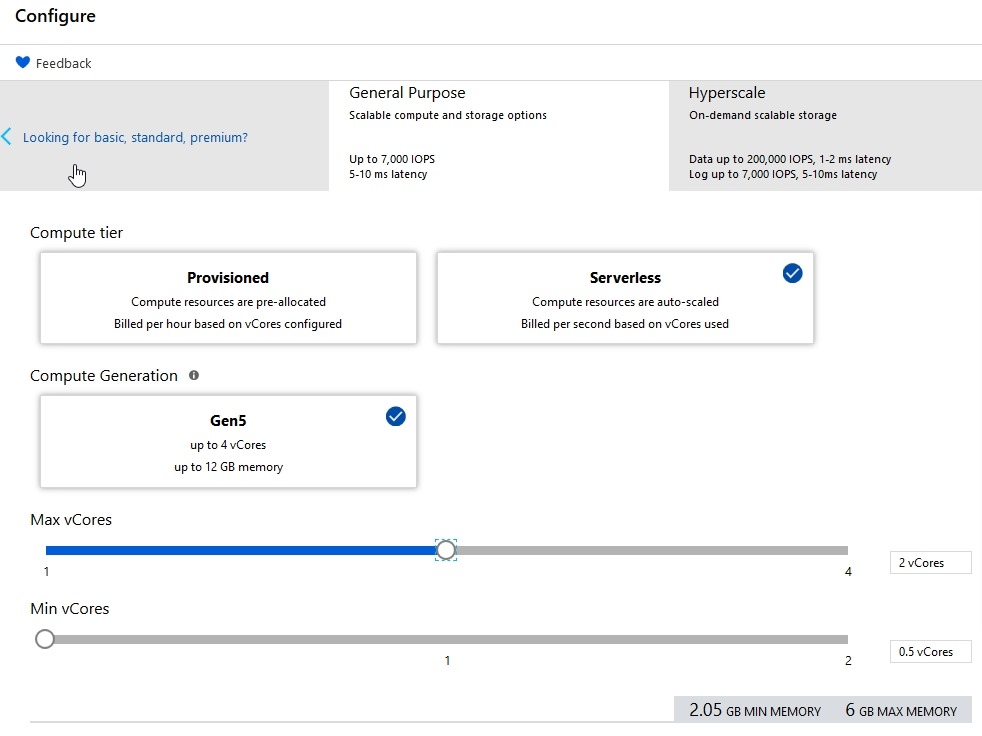
    Let’s change to serverless.

    2019-05-06 16_08_14-Configure - Microsoft Azure

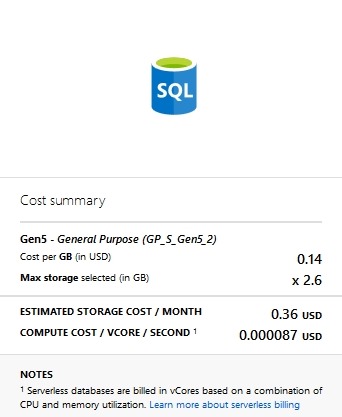
    That cost changes

    2019-05-06 16_08_19-Configure - Microsoft Azure

    That’s more affordable. I think that’s worth trying.

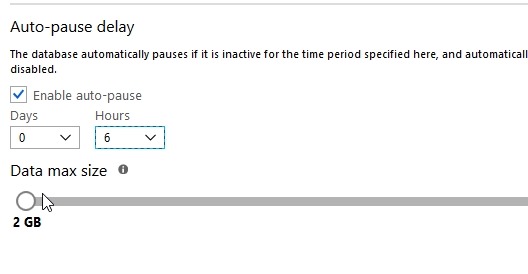
    The last thing to set is the Auto-pause delay. This is the amount of inactive time that we set before the db shuts down. We don’t want this shutting down after a few seconds of inactivity, presumably because there is overhead to shutting down and restarting. I’d expect that most people would want tens of minutes or hours before stopping.

    I hope so, because when you scroll down, you see this:

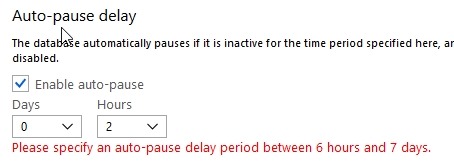
    2019-05-06 16_11_49-Configure - Microsoft Azure

    However, that’s the minimum you can set.

    2019-05-06 16_02_12-Configure - Microsoft Azure

    Six hours seems crazy, but still, it’s better than nothing. I hope this changes after the preview period to something more like 1 hour. Perhaps this is to gather additional telemetry during preview, but we’ll see.

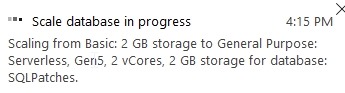
    I click “Apply” and see this:

    2019-05-06 16_15_53-Configure - Microsoft Azure

    If I go back to the overview, I see one of the cool things about Azure.

    2019-05-06 16_16_37-SQLPatches - Microsoft Azure

    I can still use the system as I’m making changes. That’s not normally what happens with IaaS or my own systems.

    Is It Worth it?

    We’ll see. I’ll check the bill next month, while making it a point to access this database and do some work. I’m guessing my bill will go down, which is good, but I’d also expect that this database will perform better than my previous one because it’s much larger.

    This is an interesting idea, but we’ll see how it goes.

  • Can Azure Stack Reduce Software Development Costs?

    There’s a piece, called The Real Value of Azure Stack, that caught my eye recently. This seems a little promotional, as lots of vendors are mentioned in the piece, but the gist of the piece is that one of the largest line items for most enterprise IT shops is software development and maintenance. Part of Microsoft’s strategy to address this is with Azure Stack, a hybrid solution that allows you to build a platform in your data center that can extend to the cloud if you need it.
    Software development is hard, and from what I can see now, Azure Stack still doesn’t have a great data story. While one can develop against SQL Server, PostgreSQL, MongoDB, etc., these databases instances used would be the same standalone services that we would use without Azure Stack. The platform does provide some features that smoother the use of SQL Server or MySQL, but it’s a far cry from the Azure SQL Database or Azure MySQL Database offerings or even CosmosDB. I hope to see those on Azure Stack at some point, perhaps with lower performance capabilities and promises.
     That doesn’t mean that there aren’t advantages to Azure Stack because there are. The consistent development platform, the use of functions, known VMs or App Services mean that your developers can build and test things inside your data center or in the cloud, knowing that these services will run smoothly when deployed on Azure Stack. I’d expect that we will see container and k8s support at some point as well, which will further help us smooth the process of moving software from one machine to the other.
    I don’t know of any customers for Redgate that are using Azure Stack right now, but I am hopeful to meet some and see the system in action. I don’t hear about it often, but every time I do, I get a little excited. I think this is the type of platform that could get more people interested in writing more cloud native software, with all the requirements to build more fault tolerant, resilient and scalable applications.
    Of course, moving to Azure Stack is likely most beneficial for new applications. While existing ones might port into an IaaS infrastructure and reduce some sysadmin costs, I doubt that there would be significant savings without a lot of development work that takes advantage of more modern software frameworks. There likely isn’t going to be any software maintenance savings on those old thick client applications or ASP websites.
    If any of you are moving to Azure Stack, let me know. I’d be interested in your experiences.
    Steve Jones
    Listen to the podcast.
  • Pushing SQL Change Automation Code to Azure DevOps

    Making changes on your own system for a SQL Change Automation project is great, but if you’re the only one using the project, it might feel like a lot of overhead. I’d argue it isn’t and it’s a better way of building software, but that’s a separate discussion.

    For most of us, we need to get a good copy (and backup of code) as well as share this with others. In the previous article, I was making changes in my own SQL Change Automation project. I was committing these to a local git repo and now I want to put them into another place. This article will look at moving my repo to the cloud.

    Enter Azure DevOps

    I love Azure DevOps as a software development platform. It has everything I need, hundreds of extensions, and I can easily replace parts of it with other technology if I want. I could use my own git repo locally (or at BitBucket) and still build/release with Azure DevOps. I could use the Azure DevOps repos and build my software with Team City. Or release it with Octopus Deploy.

    I have flexibility.

    For me, I’m going to stick with Azure DevOps in this series, and I’ll show you how to add a project to Azure DevOps.

    Sign In to Visual Studio

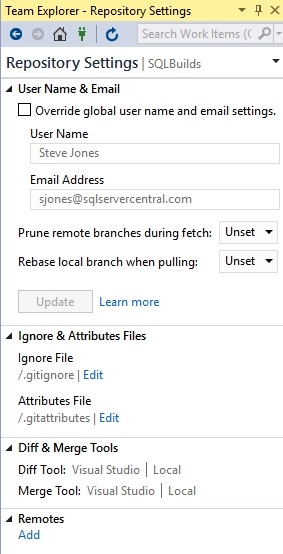
    When I created this project, I used a git repo as the default from Visual Studio. However, as you can see, I didn’t add any remotes.

    2019-02-28 16_11_35-SQLBuilds - Microsoft Visual Studio

    I did log into Visual Studio at some point when I started it, and since I’ve used this before, I have a number of connections to different services. You can see below my connections in Team Explorer.

    2019-02-28 16_12_31-SQLBuilds - Microsoft Visual Studio

    If you go to dev.azure.com/name, you can see your organization. For me, this is https://dev.azure.com/SteveJonesRedgate/. When I log in, I see my organization, and a list of projects.

    2019-02-28 16_18_38-Projects - Home

    In the upper right is a “create project” button, and I’ll click that. When I do, I get a blade to enter some data. I can do that, and I’ll make this public, so anyone can see it.

    2019-02-28 16_19_25-Projects - Home

    The project is created, and I get a welcome screen. For now, let me ignore this and go back to Visual Studio. If I click the Sync item in Team Explorer, I’ll see this:

    2019-02-28 16_22_46-SQLBuilds - Microsoft Visual Studio

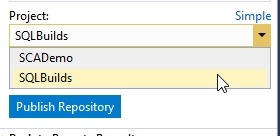
    VS sees my account. If I click advanced, I can see the projects, and I’ll select the one I just created.

    2019-02-28 16_23_10-SQLBuilds - Microsoft Visual Studio

    When I click publish, this moves the repo up to the web. If I return to my project online, I can click “Repos” and see the code.

    2019-02-28 16_24_19-SQLBuilds - Repos

    This is the structure as my local VS project. If I had make a screen shot of the before, this would be an empty space online, with instructions for connecting local repos, adding files, and more.

    A Backup Copy

    From here, I can continue to do local development and push/pull as necessary between my local project and the online repo at Azure DevOps. I can set up branches and do more. This is also my backup in case my local storage crashes. From here I can pull down copies of my code if needed.

    In the next article, we’ll look at how we get code from this repository onto another machine.