Tag: hardware

  • Sizing New Servers

    I ran across a post this week from Joe Chang on server sizing. It’s short and talks about some of the issues that you might consider when looking at a single socket v multi-socket systems. What first caught my eye, however, was the opening sentence: “Standardizing on 2 and 4 sockets systems for servers has been an established practice going back to 1996”.

    I think that’s been my experience overall. For most of my early career, we often did purchase 2 or 4 socket systems. A few times I had 8 sockets, but hardware costs and licensing were high. When VMs became the preferred method of building servers, we tended to just ask for 2 or 4 vCPUs. If the system ran slow, we just doubled the vCPUs.

    Time has moved one and hardware has advanced at incredible rates. These days licensing by core has really changed the way that I look at hardware. I couldn’t tell you how many sockets servers have, as I’d likely just ask for a VM with x CPUs (and lots of RAM) allocated. Whether the system was 1, 2, 4, 8, or more sockets wouldn’t be a consideration. In fact, I’ve somewhat given up on trying to track which CPUs have what cores and what the best choice is. I take the simplistic view of a core is a core and the hardware geeks will figure out how to get those into my VM.

    I wonder how many of you actually worry about the hardware in your system beyond gross layout? Do you dig into tracking which CPUs need to be inside a physical box, the type of RAM layout, the drives (beyond size and count)? Or are you like me. Your system is JBOC (just a bunch of cores), JBOR (just a bunch of RAM), and JBOD. If things run slow, after fixing code, I usually JWM (just want more of something).

    Certainly there is a need for someone to pay attention to hardware details, perhaps if for no other reason than to ensure that price/performance is being considered and there are spare parts available. For me, as a data professional, I’ve tended to just look at the performance needed from a system and ask for that. Even in my last position as a DBA, my concern was the SQL Server process and how it worked, limiting my hardware concerns to knowing the CPU count, RAM size, and number of disks. I’ve abstracted away hardware for the most part, focusing on a higher level of the system.

    For those times when I do care about hardware, such as when laptop shopping, a simple query of a few colleagues or a tweet nets me enough information to make a choice. After all, that’s what friends are for.

    Steve Jones
  • Sizing New Servers

    I ran across a post this week from Joe Chang on server sizing. It’s short and talks about some of the issues that you might consider when looking at a single socket v multi-socket systems. What first caught my eye, however, was the opening sentence: “Standardizing on 2 and 4 sockets systems for servers has been an established practice going back to 1996”.

    I think that’s been my experience overall. For most of my early career, we often did purchase 2 or 4 socket systems. A few times I had 8 sockets, but hardware costs and licensing were high. When VMs became the preferred method of building servers, we tended to just ask for 2 or 4 vCPUs. If the system ran slow, we just doubled the vCPUs.

    Time has moved one and hardware has advanced at incredible rates. These days licensing by core has really changed the way that I look at hardware. I couldn’t tell you how many sockets servers have, as I’d likely just ask for a VM with x CPUs (and lots of RAM) allocated. Whether the system was 1, 2, 4, 8, or more sockets wouldn’t be a consideration. In fact, I’ve somewhat given up on trying to track which CPUs have what cores and what the best choice is. I take the simplistic view of a core is a core and the hardware geeks will figure out how to get those into my VM.

    I wonder how many of you actually worry about the hardware in your system beyond gross layout? Do you dig into tracking which CPUs need to be inside a physical box, the type of RAM layout, the drives (beyond size and count)? Or are you like me. Your system is JBOC (just a bunch of cores), JBOR (just a bunch of RAM), and JBOD. If things run slow, after fixing code, I usually JWM (just want more of something).

    Certainly there is a need for someone to pay attention to hardware details, perhaps if for no other reason than to ensure that price/performance is being considered and there are spare parts available. For me, as a data professional, I’ve tended to just look at the performance needed from a system and ask for that. Even in my last position as a DBA, my concern was the SQL Server process and how it worked, limiting my hardware concerns to knowing the CPU count, RAM size, and number of disks. I’ve abstracted away hardware for the most part, focusing on a higher level of the system.

    For those times when I do care about hardware, such as when laptop shopping, a simple query of a few colleagues or a tweet nets me enough information to make a choice. After all, that’s what friends are for.

    Steve Jones


  • Hardware Wrestling

    A few weeks back I had some issues. They were related to this:

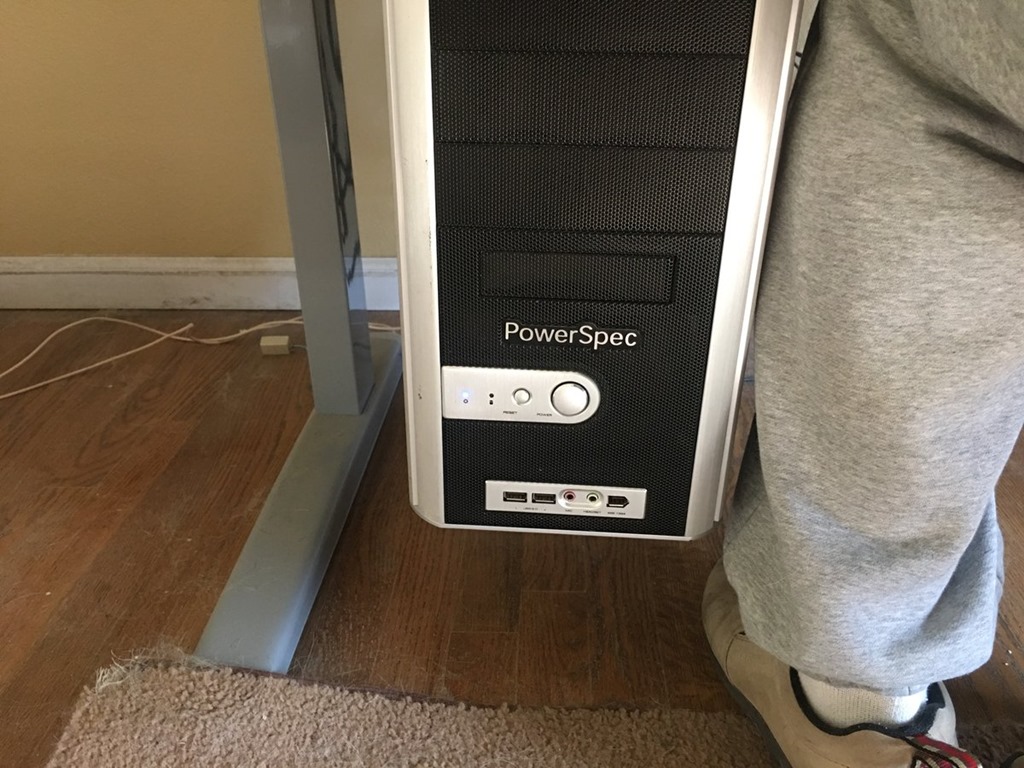
    Computer at ankle level

    My standing desk was down and as you can see, the power button for my machine is on the front, just above ankle level. In a few years of working, this hasn’t been an issue. However, my daughter has a puppy this year, and while she’s in school, the dog is home. Normally my wife is outside with the dog, but when bad weather strikes, they are inside.

    The dog can be a bit trying at times, and in this case, she comes to sit near my chair, looking for attention. When she did that last month, she leaned on the power button and shut Windows down. Not so bad, but the third time this happened, as I was prepping for a webinar 30 minutes ahead, I had a little panic.

    That incident let to me deciding I need a new case. I didn’t have a great way to move the case, so I got some advice and purchased a Fractal Design R5 case on a recommendation from Glenn Berry (b1 | b2 | t). Maybe overkill, but it’s a nice looking case, and the power button is on top Winking smile

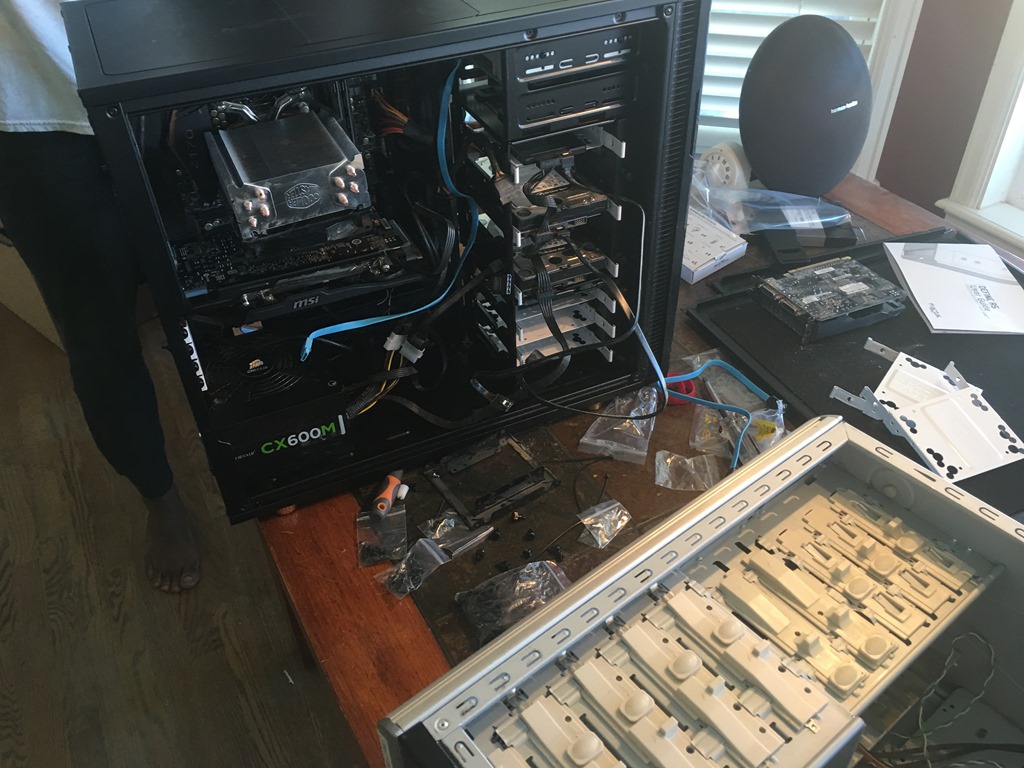
    I got it home and promptly traveled for a few weeks. No real time to do much, but I did eventually get ready to move all the pieces and parts. I put the old and new cases on the table and started moving things. My middle son helped, and eventually we had the parts transferred.

    IMG_2995

    And nothing happened. No boot up, no fans, nothing. We looked and found quite a bit of thermal paste on the CPU, some of which leaked on the side. A good lesson for me, don’t use much paste. However, we we cleaned things, we ended up bending some CPU pins.

    No worries, annoying, but I could afford a new motherboard, so I grabbed one. And then went out of town again.

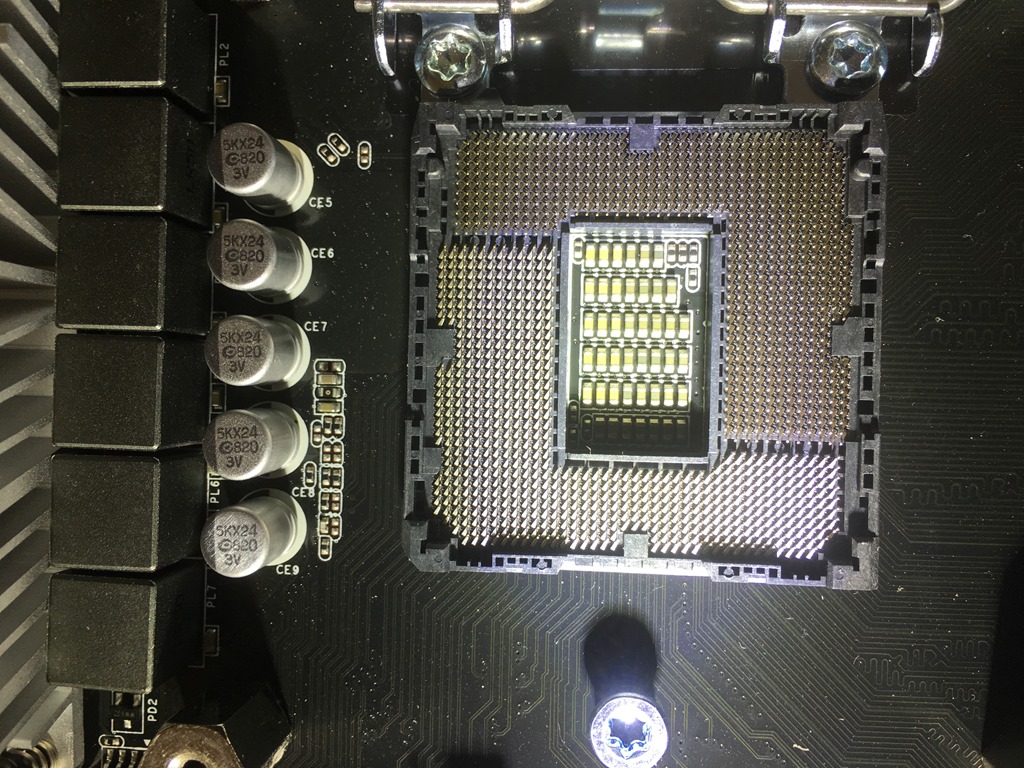
    When I got back, I replaced the motherboard, but no booting still. I even took a picture and tried to be sure the CPU slot was OK. I had to, since I couldn’t see the pins.

    IMG_3098

    I even got another CPU and tried that, but it didn’t boot. At this point, I dragged things over to Glenn (he’s close by) and we decided the motherboard must be bad. I returned the CPU and got another new motherboard, which I installed last weekend, and everything worked. From the go, things booted.

    I added a new SSD in the process, and somehow had to remap some drives to different letters to get my Windows install working. I have some other minor issues, VMs that thought they’d been moved, Windows Search service acting up, and general funkiness with new hardware, but it seems things have settled.

    I’m not a big hardware guy, but it was interesting to take apart and put together a computer. I rarely do that, and while it’s a touch exciting, it’s also a pain. I prefer my hardware to just work.

    The puppy is cute, and she’s fun, but demanding at times. Here’s my view of the TV, trying to finish up Stranger Things one night.

    IMG_3131

  • The Most Wanted Upgrade

    I replaced the case on my desktop recently, though not without a few struggles. A damaged motherboard in the move, and then a DOA replacement caused me a bit of a headache while troubleshooting. Fortunately, I was able to get a few minutes with Glenn Berry to find the issues. Things are back up and running now, which is good. I like my desktop and I’m more comfortable doing most of my work there.

    The process got me thinking about upgrades, especially when I got a look at Glenn’s newest machine. He hasn’t published details, but he did post a few results for his Intel Optane 900p PCIe cards. He also dropped a picture on Twitter of his Threadripper CPU. That’s quite a Task Manager display for a desktop workstation. I don’t know that I need that much power, but it’s still impressive and exciting. Seeing a recent picture of Andrew Kelly’s 38″ 4K monitor for his new workstation has me drooling a little, even though I don’t really need more hardware.

    It’s Black Friday, and while I doubt many of you are out shopping for yourselves, I do wonder if there are upgrades that you’d be excited to get. If someone were to gift you some computer hardware, what would you want? It could be hardware or software, desktop, mobile, whatever type of upgrade you’d want. Let me know today what you wish someone would give you for a present.

    I’m not an enthusiast. I think my son spent almost as much on his video card upgrade as I did for a motherboard, CPU, and RAM. However, I did get a little excited in looking at the various options in the Denver Microcenter store last week. From 3D printers to CPU water coolers to fancy video cards, I was tempted by no shortage of high end hardware. I don’t really need anything, and even passed on adding RAM to my desktop. 32GB works great for me, and while I might squeeze a touch more performance out of another 16 or 32, I don’t really need it.

    I am tempted by a set of larger, high resolution monitors. The idea of a couple of large, 38″ monitors that would spread work across my desk is tempting. Probably overkill and silly, but enticing. If I were to really dream about some upgrade, I’d like to get some faster internal 3D storage for my system. I hate waiting for programs to start, and getting some faster internal NVMe storage to replace a legacy 1TB HDD and get my system moving quicker.

    At heart, I’m a practical computer user, but I can appreciate the effort that some people put into build their systems. I’m just not sure that I’d want any of the fancy RGB lighting or as many cores in my video card as I have in my CPU. I’m also quite pleased with my mobile devices, so I don’t want an upgrade there, though I wish I could get a device with a different (bigger) battery.

    You might feel different and perhaps you can change my mind today. What cool upgrades would you make if cost were not an issue?

    Steve Jones

    The Voice of the DBA Podcast

    Listen to the MP3 Audio ( 4.0MB) podcast or subscribe to the feed at iTunes and Libsyn.