Tag: hardware

  • Technology Advances – mSATA external case

    I had an SSD die last year. It was one of my traveling SSDs, where I keep spare copies of my VMs and presentations. Fortunately I didn’t need the backup that trip, and when I got home, I switched out to the second drive and carried that along.

    I wasn’t planning on replacing the SSD too quickly, but when I saw a sale from Crucial over Christmas, I ordered a new mSATA drive. I hadn’t really paid attention to the format, thinking this would be similar to my other small SATA drives, but it wasn’t. It’s a card, as in a small SD card sized device.

    I can’t believe how small a 512GB drive has become.

    I also ordered an external case for is, a Sabrent one that was highly rated on Amazon. Here is the collection of the case and drive. For scale, my Bluetooth headset is in the picture.

    Photo Jan 09, 10 20 04 AM

    When I opened the case, it’s essentially a card that slides out. The mSATA card clips in there, much like a memory stick.
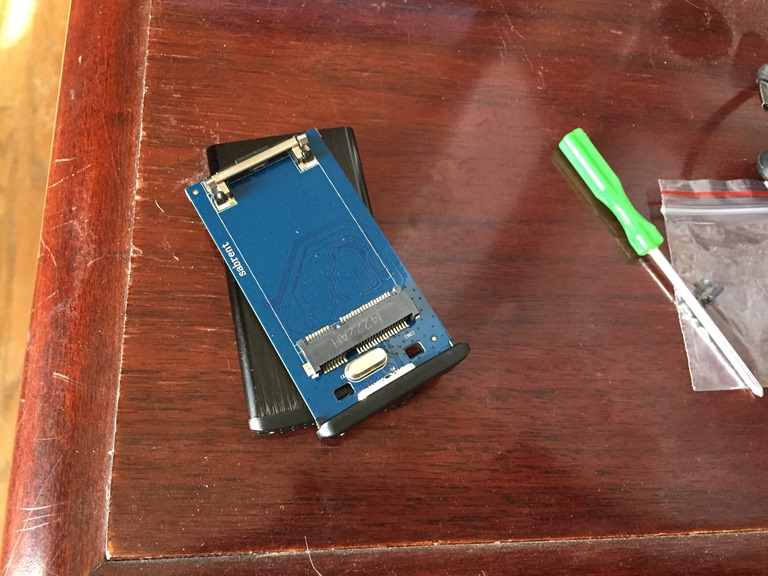
    Photo Jan 09, 10 20 20 AM

    Once I clipped it in, I slipped the insert back in the case and used two tiny screws (almost eyeglass size) to lock things together.
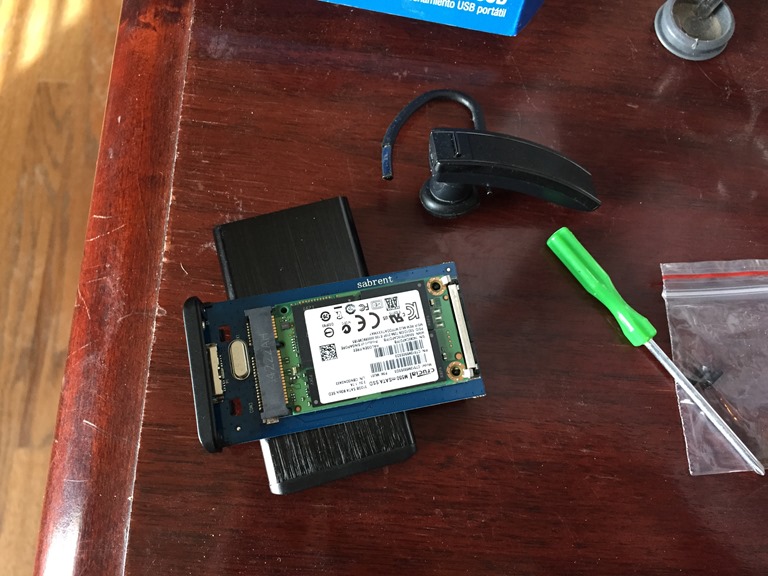
    Photo Jan 09, 10 21 02 AM

    The connection to a computer is with a USB3->SATA cable, the same format as my previous drives. That cable might be the bulkiest part of this ensemble as the drive could really be seen as 1/4 the size of my iPhone 6.

    My desktop recognized it right away and things look good. I didn’t do anything with that as I’m planning on sliding it into my new laptop and then using that 128GB drive as my backup on the road for talks and the main VM I need.

    I’m still considering grabbing a small PC like a Gigabyte BRIX as a spare device for me to present from. I’d love a tablet like the Surface Pro 3, but until I find an ultrabook or convertible with 16GB, I’m limited on choices.

  • Just In Time

    I’m glad my new laptop shipped and should be arriving shortly. I saw this on my current Lenovo

    alptop

    I had taken my laptop downstairs and noticed the battery was low. I grabbed the adapter, plugged it in and didn’t think about it. However when I disconnected the power, I got the “low battery” message again. I was surprised as the machine had been plugged in for a few hours. When I hovered over the battery icon, I saw the tip above.

    I’ve tried removing and replacing the battery, and I guess the battery could be dying, but on a previous Lenovo, when I got this it meant a motherboard issue. The internal connectors weren’t working anymore and apparently the repair guy had seen this quite a few times over the years on laptops. As they age, apparently this is one area that fails.

    Replacement of the motherboard for that machine was $1000. It looks like it’s $500-600 for this one, and with all the wear and tear I’ve put on this machine, it’s time to just replace it.

    I suspect with all the presenting and traveling I do, I should be happy with about a 2 year refresh cycle.

    Now I just need to hustle and get my new machine here and set up. I should have two weeks for prep before I travel to Germany for the SQL Konferenz. Fingers are crossed.


  • Hardware Upgrades 2015

    I wrote awhile back that I ordered a new laptop, and I’m excited to have that coming. However, I had a few more upgrades to add to the machine, and I decided not use to use Toshiba to add them.

    These are a few items I’ll use for speaking in 2015, and I’m excited to get a better demo setup for showcasing SQL Server and Red Gate tools.

    Memory

    I can’t demo on less than 16GB of RAM. It’s disappointing as there are soooooooooooo many more choices for hardware if I could use 8GB, but I can’t. One of our demo VMs needs 6GB, and really wants 8GB. I used Grant as a testbed in a few places, and even when he built his own VM, stripping things down, it didn’t run well.

    I ordered the laptop with the base 4GB from Toshiba, and went to Crucial for a memory upgrade. For $100 less, I got a 16GB kit for the machine. There might be better choices than Crucial, but they’ve always worked well for me and I like them.

    Hard Drive

    I need disk space to keep a few demo VMs handy, and the 128GB that comes with the laptop isn’t enough. A 512GB from Toshiba was $400. I found an end of the year deal from Crucial for an mSata drive at $270. Hard to beat that, so I’ll put that in the machine once it arrives.

    External Storage

    I didn’t want to throw away the 128GB drive away, so I also grabbed a small enclosure from Amazon that will allow me to use that 128GB SSD as a backup for my main demo VM. I can connect it to any other laptop (likely Grant’s in an emergency) and work from there.

    Travel Wi-Fi

    I’ve been trying to be more economical, and looking to potentially carry two machines for demoing things. Ideally I want a small enclosure PC that I can run demos on, and connect to it over RDP. The first step here is to get a small router.

    I found a small travel router, with two LAN ports that I’ll be testing in that capacity. If that works well, I may end up trying to get a tablet of some sort as my backup machine for classes and training, some of which we are looking to start in 2015.

  • Toshiba Portege Z30

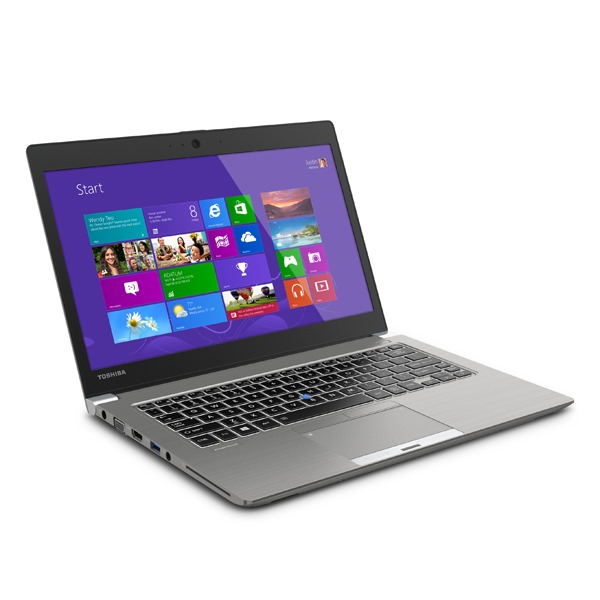
    My co-worker, Grant, got a new laptop a couple months ago. He’s had some bad luck with machines breaking, and as a result, he got a Toshiba Portege Z30. I had the chance to see it last month in Washington DC, and it’s a nice machine. It’s got all of the things I like:

    • Core i5
    • 16GB
    • thin and light (2.6lbs)

    Those are really my requirements, but it goes a bit further. It’s got a nice touchscreen that looks great. It has a tiny AC adapter, along with a touch pointer in the keyboard. I went with a Lenovo last time mainly because of that little touch device that lets me use the mouse without moving my hands.

    It’s about a pound lighter than my Lenovo, but with a better screen and about a pound less AC adapter weight. I thought, “that’s a nice machine, good for Grant.” I thought that I’d wait and see what was coming out in 2015 and if there might be a better tablet/convertible in the new year with 16GB of RAM.

    Then my machine crashed.

    It actually just died twice on the road trip and a couple more times at home. It would power off for no reason. Fortunately I had no corruption, but with this machine being a bit dated and having been on dozens of trips, it’s getting old. I was thinking of a replacement in 2015, and the crashes accelerated my timeline.

    z30

    I like Grant’s machine, and it has the added bonus of us having the same hardware, which should make it easier for us to get support from each other and our IT group. I ordered one, and am hoping it will arrive in January in time to let me spend a few weeks with it before my trip to Germany.