Tag: Linux

  • More Linux than Windows

    Not for me. I definitely have more Windows running than Linux. Well, at least if you count minutes. If we’re counting instances of kernels, there might be times I have more running with Linux kernels in containers. However, on most days I have 1 or 2 Linux systems running and 3-4 Windows ones.
    That’s not the case in Azure, where the majority of instances are on Linux, not Windows. Microsoft announced this recently, noting that the use of Linux is growing for them. If you follow their work in the development area, this isn’t surprising. They are doing more and more OSS integration with their products or with other work. We have VS Code and Azure Data Studio, as well as .NET Core, running on Linux.
    We’ve had PowerShell on the Windows platform for over a decade. In that time, it has improved and grown, and become a default way for many people to manage their systems at scale, or certainly, in a consistent way. I’ve been surprised with how pervasive PowerShell has become. That’s why I’ve been surprised in the last year at //build/ and other conferences when I see Microsoft employees promoting bash as the new thing.
    I have nothing against bash, though I was more a korn shell person in University. I do like working in it at times, and I find myself doing that more and more. What I don’t like is a push away from PowerShell, especially as I’ve just started to get comfortable with -eq and -gt. I hope that as Microsoft moves towards more Linux versions of tools that they continue to keep PoSh as a first class citizen, on all platforms.
    Linux lost the desktop war. I’m pretty sure that’s the case, as I haven’t seen a Linux laptop or desktop in years. I see lots of MacOS, but more Windows, especially with the amazing hardware advances manufacturers have made in the last 4 years with the 2-in-1 format. However, I start to wonder if Linux will win the server war, or at least, become a much larger percentage of the back ends in the next ten years. I think it might, handling .NET and SQL Server loads in many cases.
    Steve Jones
  • Generating an SSH key on Windows

    I needed an SSH key. First I needed to the WSL subsystem, and once I had that working, I could do the work I needed to do: get an SSH key.

    There is a utility to help with this on Linux, called ssh-keygen. You run this at the command line and get two files output. These are the public and private keys. I knew how to do most of this, but what I wanted to do was get a custom filename. There are two ways to do this.

    First, you can just enter ssh-keygen at the command line. The system will then prompt you for the filename, with id_rsa as the default.

    2019-03-27 12_27_17-sjones@Plato_ _mnt_c_Users_Steve_.ssh

    The other way is with the –f parameter. In this case, I use this because I want to specify this as an RSA key as well as set the bit size.

    2019-03-27 12_26_16-sjones@Plato_ _mnt_c_Users_Steve_.ssh

    In both cases, I now have new ssh keys I can use to connect to servers, once I add them to the server itself.

    2019-03-27 12_28_19-.ssh

  • Adding bash to Windows 10

    Awhile back I added the Windows Subsystem for Linux to my machine, rebooted, and promptly forgot about it. After all, I’m doing more PoSh these days and bash isn’t something I need. Until I needed it.

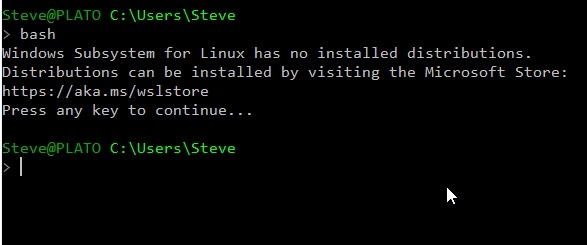
    I went to start it, thinking it was there, and got this:

    2019-03-27 12_00_46-cmd

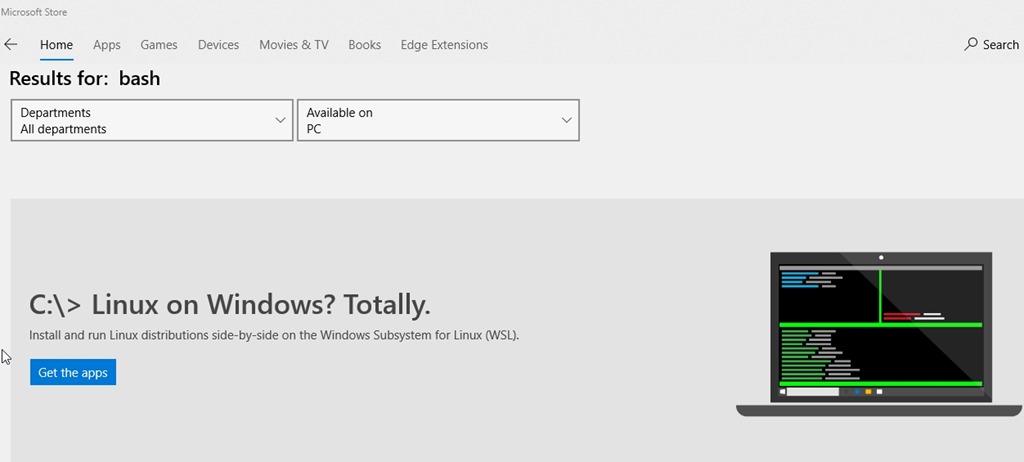
    I’d written about this before, but I was really using the git bash shell and not the Windows one. So, off to the store. I search Bash and get this.

    2019-03-27 12_00_19-Microsoft Store

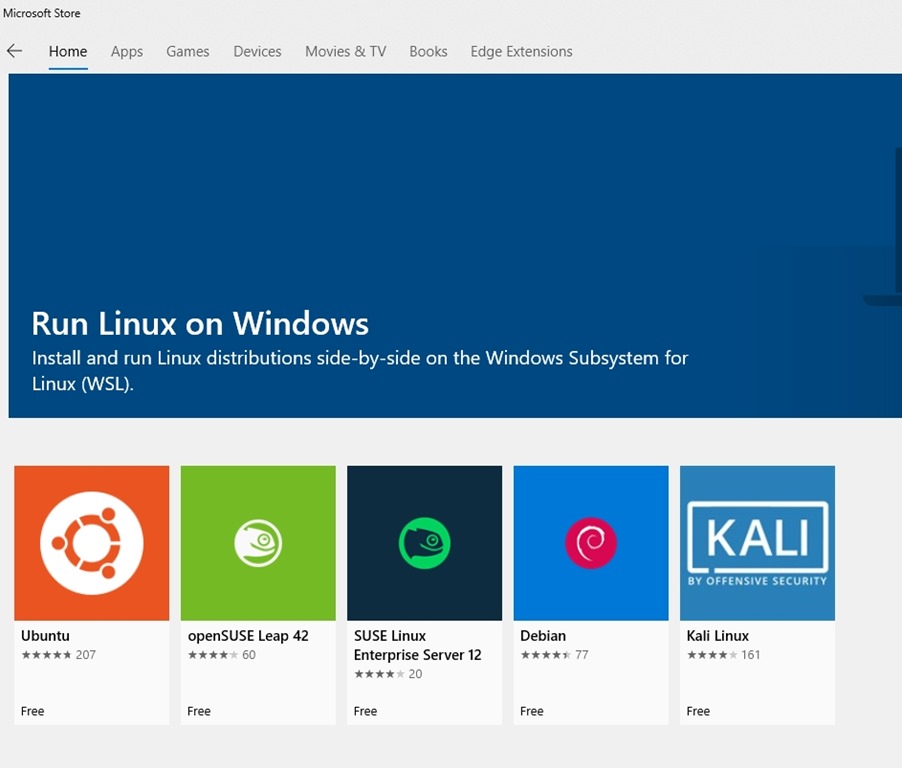
    However, now I have decisions to make after clicking the button.

    2019-03-27 12_00_28-Microsoft Store

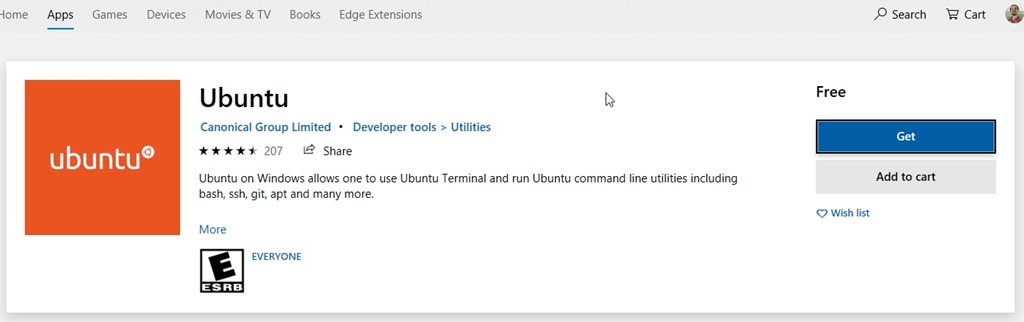
    I’ve done some Redgate and Ubuntu work, so I chose Ubuntu. This leads me to more buttons to click.

    2019-03-27 12_00_38-Microsoft Store

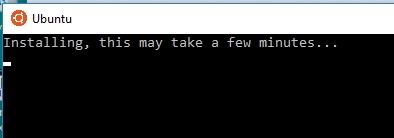
    Once installed, I clicked the “Launch” button from the store and get this. I guess it isn’t really installed.

    2019-03-27 12_05_08-Ubuntu

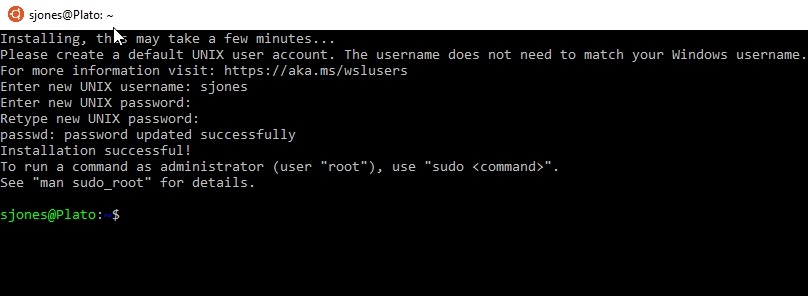
    Once this completes, I need to create a user. After all, this is really a Linux installation running inside Windows. I give a user and password.

    2019-03-27 12_08_04-sjones@Plato_ ~

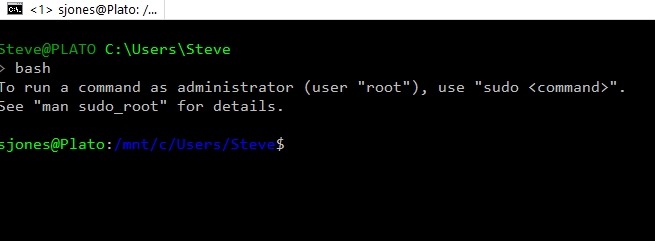
    Now I’m good. In a normal command prompt, this works.

    2019-03-27 12_08_14-sjones@Plato_ _mnt_c_Users_Steve

    Very cool. Now on to other work.

  • Pro SQL Server Linux–Moving to Linux

    As part of my learning goals for 2018, I wanted to work through various books. This is part of my series on Pro SQL Server on Linux from Bob Ward.

    It’s not until Chapter 10 that we get back to Linux specifics. Most of the chapters in the middle are general SQL Server items that are good to know, but not are useful for experienced SQL Serve professionals. They’re worth skimming as you might learn some things you didn’t about the features.

    In Chapter 10, the focus is migrating to Linux. Bob presents a number of options, including one I hadn’t heard of: the DEA. This is the Database Experimentation Assistant, and I hadn’t heard of it. I don’t do a lot of migrations as I start and stop on SQL Server, but this allows you to do some A/B testing of upgrades. I’m sure it’s not perfect, but that’s something that is definitely needed.

    Most of the chapter is about versions, from Oracle, or from PostgreSQL. The Oracle parts walks through the migration, while the PostgreSQL part tries to show where features in SQL Server exist or don’t in PostgreSQL. In a number of places, Bob found projects that provide some functionality in PostgreSQL that is in SQL Server, but didn’t test things.

    The last chapter of the book deals with containers, and that was one of the more interesting things for me to read. I’ve been on a bit of a container kick, digging in more and more, so I was curious to see how Bob described and talked about the technology. I think he did a good job, but I still think a couple courses I’ve watched on Pluralsight from Nigel Poulton really covered this well, so perhaps I glossed over this a bit.

    I liked that Bob includes lots of code and links to help you get started, so if you read this book, spend time on containers. They’re the future, and for now, Linux containers rule.

    Overall Review

    I learned a few things about SQL Server from the book, but far too much of it was basics and beginning SQL Server stuff, not Linux stuff. It was a good refresher, and I’m not disappointed in the time I spent, but I was hoping for more stories and more Linux.

    The lesson really is that SQL Server is SQL Server, with few differences on the platform. As Bob mentions, you shouldn’t care about the platform and just pick what works.

    The basics of SQL Server did make this hard to read, and as a result, I started strong at the end of December and hit a lull for almost two weeks where I wasn’t motivated to skim through basic T-SQL, security, etc. I realized around the 20th that I was running out of time and crammed a bit in.

    If you don’t have a lot of experience with SQL Server, this is good. If you know SQL Server, but want to know Linux differences, I might recommend digging into some of the more specific Linux blogs, or the SQLServerCentral Stairway series.