Tag: software development

  • Accept Failure

    Today’s Editorial was originally published on Feb 22, 2012. It is being re-run as Steve is out of town.

    We don’t expect ourselves to be perfect, do we? Is there ever any project you tackle that you might not complete? Is there a doubt that it might not work as expected, or that it may need substantial rework? I think that the vast majority of projects I undertake have some level of risk involved, and while I might understand that, I’m not sure I ever believe I will ever fail.

    Most things that I’ve built in technology don’t work the first time, and in fact, I expect that. I have learned from mistakes, corrected the problems, and usually finished them with some level of success. That’s the way that so many of us in technology approach our jobs. We start building, find issues, and then fix them.

    However you cannot every eliminate the risk that something will fail. There are times we need to abandon the project or abandon the work done and rebuild the software from scratch. Those failures should be learning opportunities, and should allow developers to improve their work. From my perspective it seems that too many managers, however, view failures as events that have to be avoided. Perfection and success are the only possible outcomes that are acceptable. One slip up and you may get fired.

    It seems that’s what managers think about their career, so they continue to push down dead end roads, and throw more resources at a project to recover some small level of success.

    We will always make mistakes. The true failure should come from failing to learn from the mistakes and improving your future work. If management cannot tolerate these setbacks, this problems, and allow for them, then the work will not only continue to be substandard, but people will spend more time worrying about avoiding blame than actually looking to improve their skills.

    I can’t tell you when work should be abandoned, or a project is hopeless, but every project ought to be examined periodically for this situation, especially when it is apparent that it is in trouble. You can’t save all projects, but you can learn to let some of them go, or change the situation, before it becomes a bigger problem than it is.

    Steve Jones


  • Great Developers

    This editorial was originally publised on March 12, 2012. It is being re-run as Steve is on vacation.

    Is a great software developer worth 100 average ones? On one hand I think there are some good arguments that it’s not true. One developer certainly can’t write the amount of code that 100 average ones can. However there’s another way to look at things. A great developer can do things that the 100 will never think of, or never consider. He might not write the code that does as many things as 100 people, but I think a great developer could easily write code that performs a hundred times faster than the code 100 developers write.

    That’s why you always have an open position available for a great developer. If one is available, and they rarely are, you hire them if they want to work for you. You can always find things for them to do, and they can make improvements in code that your other 5, 10, or 20 developers will never come up with. I’d make sure they fit in your team and get along with others. You can get less work done if you have someone that is too difficult to deal with or too critical of others. While a great developer can accomplish things that others can’t, or won’t, they can’t do all the work.

    Ultimately I think that managing great developers is hard, and they are unlikely to stay with your company for a long period of time. However they are rarely available, and for a few years, they might jump start the evolution of your software, and potentially build something that makes your software great. I’d always have an open spot in my team for a great developer, and hire them as soon as they came available, if I thought they would fit in well with the rest of the team.

    Steve Jones

  • The Complexity of Branches

    Branching code is hard.  Well, branching isn’t hard. Just right click in some GUI or or type “git branch” and off you go. The actual branching of code is pretty simple and painless. In some sense, branching might be too simple in today’s tools as developers are almost encouraged to branch in a VCS and “test something” quickly without a lot of thought.

    Even merging has become easier, with tools to visual code changes, and automatic merging in many cases. Despite the hassles of merging, it often isn’t too difficult, which can mask the complexity of branching.

    However branching can easily devolve into a nightmare of multiple versions of code, with various developers unsure of the impact of their changes on a merged code base. This is especially true in a large code base where many developers each have their own branch where they work. With pressure from multiple individuals to patch bugs, add features, and streamline performance, I’ve met developers that end up building changes in three or four branches at the same time.

    Merging all the work together, into the correct main branch, becomes tricky.  We’re all human, and I’ve seen developers merge a change into the wrong branch. Tools try to limit this, but it still happens. The more branches that are in use, the more time that ends up getting spent on the administrative action of reconciling code differences rather than building new code (or fixing old code).

    Understanding our code is hard enough, without adding the additional complexity of versioning multiple files and objects. My philosophy has always been to limit branches as much as possible, usually only allowing one, or at most, two, per team. We have also endeavored to merge back changes every few days, just to limit the amount of time spent performing merge reconciliations. I’d rather have developers have the pain of merging daily on a shared branch than dealing with branch merges less frequently (usually more complex merges).

    We’ll always have mistakes made, but using automated testing and continuous integration builds on all branches can help limit the number of obvious mistakes that break code. This won’t prevent bugs, but our tests can help reduce the number of bugs, especially regression bugs, over time. At least, they can if we use testing on all branches, all the time.

    Steve Jones

    The Voice of the DBA Podcast

    Listen to the MP3 Audio ( 3.2MB) podcast or subscribe to the feed at iTunes and LibSyn.

  • What is the True Version of Code?

    As I’ve been working on more development tasks, I regularly hear from developers that a version control system (VCS) is the “true” version of our code. We should always look to a VCS for the actual code that we need to work with. I believe that, and I think it’s true.

    However I heard a DBA say that the true version of the code is always in production. That’s what’s being executed, especially in the database world. There is some truth here as well, but in my mind this speaks to a broken process. This means we have a more chaotic, and less “engineered” way of producing our software. Perhaps more importantly, we don’t have a good source from which development can proceeed.

    Certainly hot fixes need to occur, and there are times that you can’t wait for a set of changes to be made in development, tested, approved, and then deployed to production. I think you can overcome most of this, but there may always be cases where this happens, so I don’t think we should  argue about how fast a software deployment pipeline we can build.

    Instead I’d say that production changes should always be fed back to the VCS. Our code is an ever changing set of files that we can only really keep track of by using a proper VCS. We should be able to track back the view of production at any point in time to a set of versions for our files in a VCS.

    Certainly some of you have gotten by for years, perhaps your entire career, without a VCS. However I’d argue that isn’t a good position for your organization. What habits and skills you have could easily be lost if you leave, and your memory isn’t a point of record. A stable system, a VCS, should note the state of our systems, both in development and production.

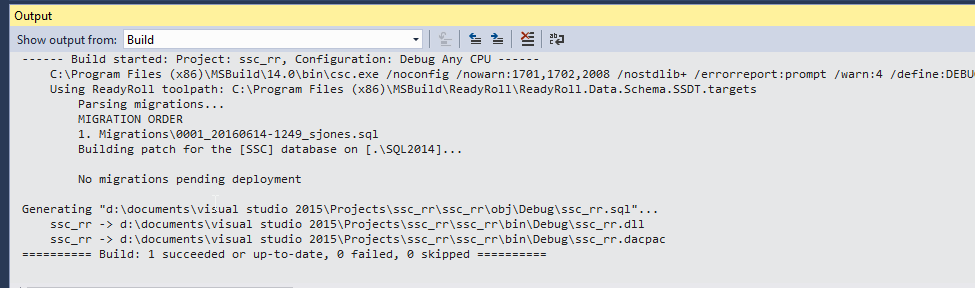
    And if you’re worried about the cost of a VCS, there are plenty of free (as in beer) ones. I recommend Git, but there are plenty to choose from. In terms of overhead, certainly you can use tools like SQL Source Control or ReadyRoll, but even without those tools, using a VCS really just requires building some habits. If you aren’t willing to change your workflow slightly, there’s probably no way you will ever ensure your environment is under control in the long run. However, if you do change to a VCS, I think you’ll find it’s well worth the effort.

    Steve Jones

    The Voice of the DBA Podcast

    Listen to the MP3 Audio ( 3.2MB) podcast or subscribe to the feed at iTunes and LibSyn.