Tag: software development

  • Scary Deployments

    I was listening to a web developer talk about some fundamental changes in a web platform. In this case, an older system was being replaced completely with a new one, and as one of the reasons, the developer showed some typos that had existed on the old site for years and hadn’t been fixed. The reason? This quote:

    “Very few people understand how the entire system works that are still in the building … The thought of deploying [changes] brought people to tears.”

    That can’t happen. Ever. We can’t be afraid to touch systems. When this happens we get paralyzed, and we don’t do good work. Or we’re not a good fit for a project. Or perhaps, we’ve got a bad attitude.

    I’ve worked in a few companies where developers were afraid to touch a system. It’s amazing how quickly this attitude becomes contagious, even scaring management from considering change. In today’s world, where it seems to need to change and respond to a changing world, that seems like a recipe for decline, not growth.

    One of the founders at Redgate mentioned that if something is hard, we should do it more. If touching software is hard, document and test more. If deployment are scary, then you should work to reduce the fear and problems, using the power of computing and scripting to mitigate risks and smooth the process out. That’s a large part of what DevOps is about. Reducing the risk and issue of moving software from the development to production environments.

    Don’t let yourself be scared by software or deploying changes to a system. Have confidence and make things better.

    Steve Jones

    The Voice of the DBA Podcast

    Listen to the MP3 Audio ( 2.5MB) podcast or subscribe to the feed at iTunes and Mevio . feed

  • Building locally from VSTS

    One of the things that you need with a Continuous Integration server is that ability to build your software on some computer system and verify things work. With Visual Studio Team Services, using Visual Studio online, this seems to be a challenge.

    The VSTS team has thought of this and includes the ability to target your builds on a hosted system in the VS cloud, where you don’t need anything installed. However the hosted build agents and servers have a limited amount of software that’s supported. SQL Server isn’t on that list.

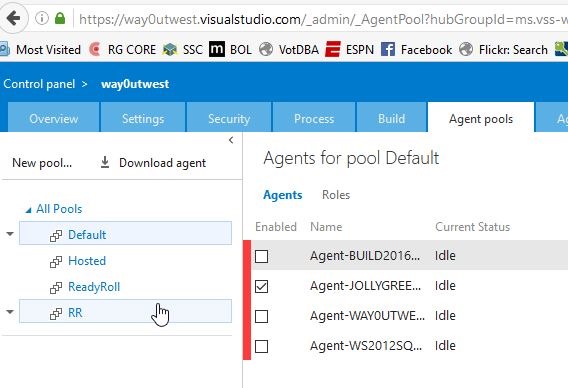
    However, there is another option. If you go to the control panel for your account, and click the Agent Pools tab, you’ll see something like this.

    2016-06-28 18_03_29-Agents for pool Default - Microsoft Team Foundation Server

    Notice the “Download agent” link. That’s what you want. As you can see, I’ve been testing and I have agents actually setup and registered on 4 machines. Here I’m going to add a fifth.

    Once I download the file, I’ll extract it to see a list of files and folders.

    2016-06-28 18_01_52-agent

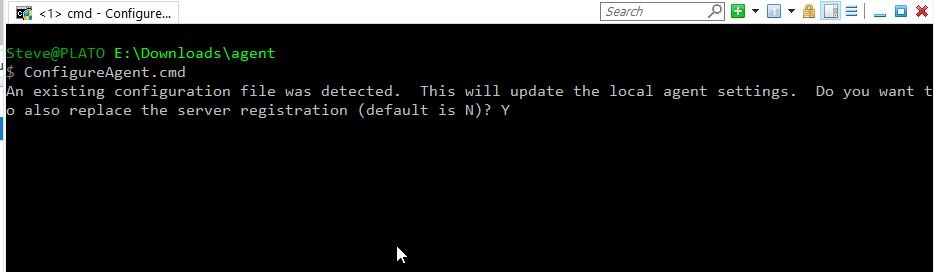
    What I first want to do is configure the agent, so I’ll enter ConfigureAgent from a command prompt. Note, I need to do this as an administrator level command prompt.

    2016-06-28 18_08_35-cmd - ConfigureAgent.cmd (Admin)

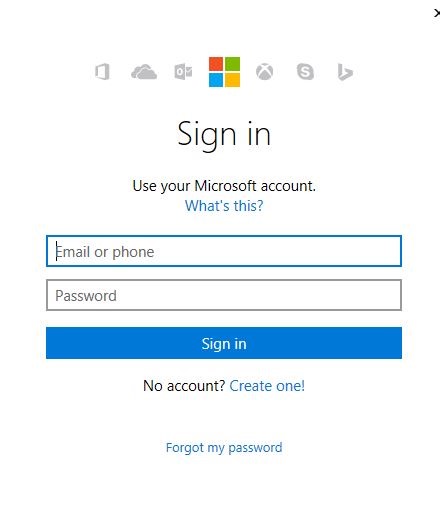
    In my case there are some settings, but I’m overwriting them as I rebuilt my machine. Once I hit Enter, I then get the chance to Authenticate.

    2016-06-29 09_18_49-

    After this, the old Agent appears. However, since I’ve rebuilt and rename this machine, I’ll change it. I answer a few more questions about configuring the agent properties. At the end I’ll also authenticate to the Azure cloud once again.

    2016-06-29 09_21_09-cmd (Admin)

    Now that things are configured, I can run the agent. I could set this as a service, but I prefer to know the agent is (or isn’t running) and see the output. I have set this as a service before, and it works fine.

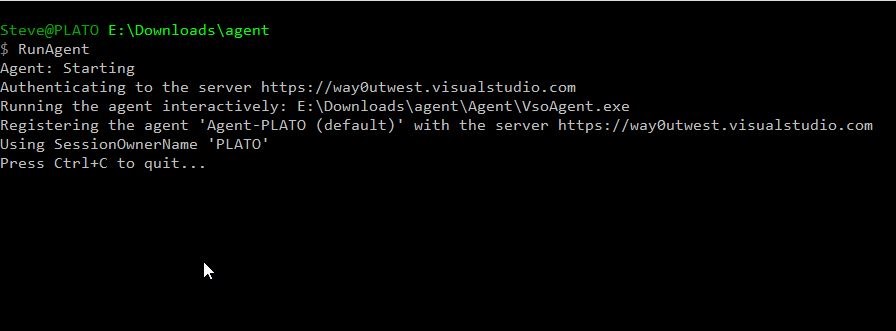
    All I have left to do is RunAgent.cmd and I have an agent running locally that takes instructions from VSTS.

    2016-06-29 09_26_45-cmd - RunAgent (Admin)

    If I go back to my control panel, I see a new agent.

    2016-06-29 09_32_41-Agents for pool Default - Microsoft Team Foundation Server

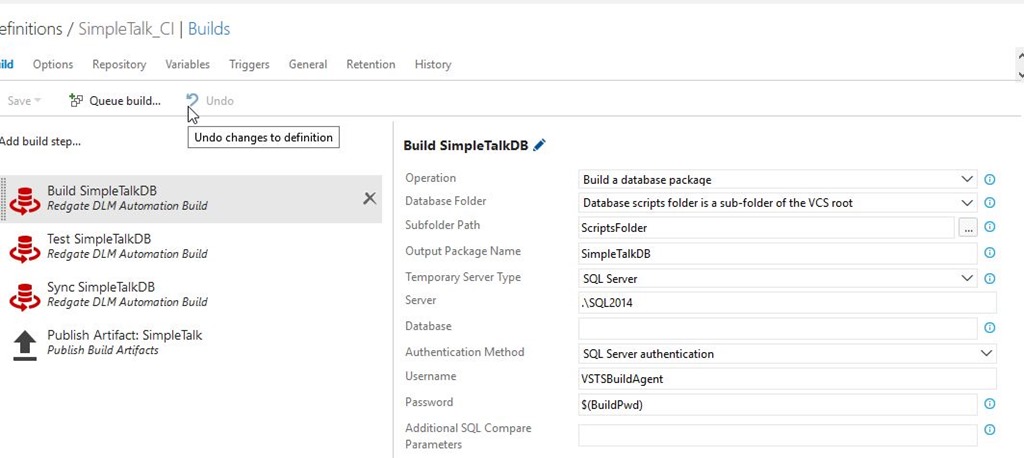
    I can also trigger a build. I happen to have one setup for a project that points to local instances. Here’s the build definition, which uses the VSTS Extension from Redgate to build a database.

    2016-06-29 09_34_05-Microsoft Visual Studio Team Services

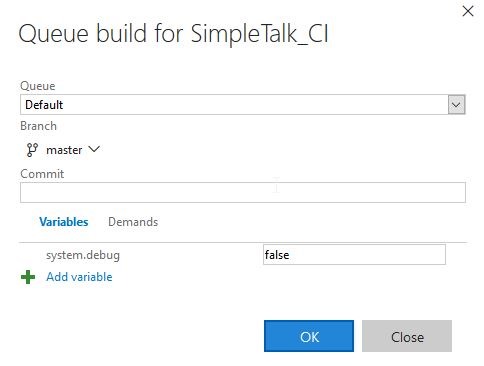
    I can click “Queue Build” and a build will start.

    2016-06-29 09_34_18-Microsoft Visual Studio Team Services

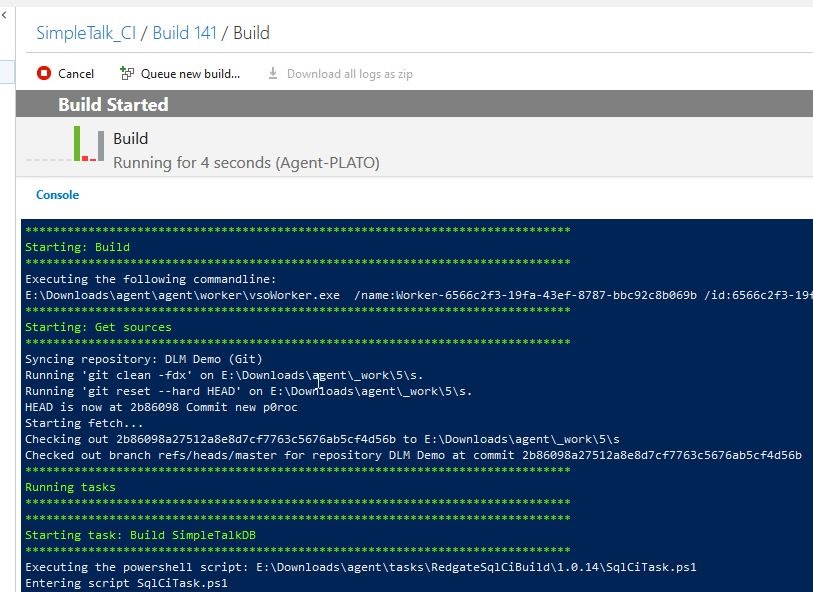
    I see the build running in the console:

    2016-06-29 09_34_31-cmd - RunAgent (Admin)

    And online in VSTS if I want. The Build Agent sends logs back to the VSTS service as it’s working.

    2016-06-29 09_36_19-Microsoft Visual Studio Team Services

    This is a basic way to get a VSTS build working on your local machine with an agent. There is a lot more to configure if you need to, and if you need multiple agents, you can certainly pay for them with a different VSTS plan.

  • The Bad Data Shutdown

    I’m a car guy. I like cars, I like driving, and I’ve spent a lot of time and money over the years on vehicles. I’ve swapped and enjoyed a few dozen automobiles as part of my life. If you are on Twitter, you might occasionally see @BrentO and myself go back and forth on some car topic, usually Porsche related. This usually results in an hour or so of life wasted on dreaming of a new car (including getting distracted while writing this piece and pasting that last link in, where I spent quite some time drooling over the Macan).

    Recently there was an issue with the navigation system in Lexus vehicles. Apparently bad data was sent during a software update, which is not exactly what you want to happen in a car. I’ve had a few modern vehicles, some of which would be quite handicapped if they onboard computer were frozen or rebooting. In my current vehicle, this would cause issues with climate, navigation, entertainment, and potentially other systems. After all, I suspect many things from door locks to speed control are all integrated together. Certainly the drivetrain is as an open door will automatically shift my car from drive to park, at least at low speeds.

    As we move to more drive by wire, bad data or bad software that disrupts the computer systems could be very dangerous. It’s not just updates, but this could even be some internal Denial of Service issue from a USB device or bluetooth connection. In this case,  Lexus acknowledged the problem, which I’m glad to see. The Internet ensures that problems can be reported from many users quickly and very publicly. That makes it hard to deny a widespread problem.

    Delivering updates across wireless links is great. It’s cheaper for everyone, saves time, and owners appreciate convenience. However, moving to this model often requires some sort of continuous delivery (CD) process, which should also allow for rolling forward, and releasing fixes for problems. However, if the updates you deliver cause the system to cease functioning, then this doesn’t help. At the last, your QA system needs work and you don’t have a well designed software delivery process.

    Various companies are getting better at delivering updates to our systems without downtime, but there’s still work to be done. The smaller your domain of clients, the easier this is. For many of us that work on small systems, an application server or two and a database, we can certainly get much better at ensuring our updates are tested, and more importantly, that we can quickly deploy a second patch if we find an issue. That requires engineering a process that is known and stable, with the ability to respond quickly. For larger systems, with many clients, you need a really solid engineering and deployment process.

    Above all, however, no matter what your deployment mechanism for updates, you need to be sure that any data you include is at the quality level you’d expect would be delivered to you.

    Steve Jones

    The Voice of the DBA Podcast

    Listen to the MP3 Audio ( 4.7MB) podcast or subscribe to the feed at iTunes and LibSyn.

  • Better ReadyRoll Script Naming

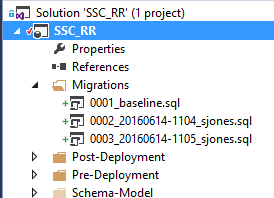
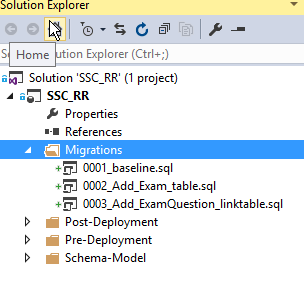
    One of the things that I like about ReadyRoll is that the product will automatically build new scripts that are named in a sequential order. This usually results in a few scripts that look like this:

    2016-06-14 11_05_15-Movies & TV

    As you can see, these scripts aren’t very intuitive. In fact, if you get lots of scripts, this starts to look fairly complex and confusing. What about something more like this:

    2016-06-14 11_08_13-Movies & TV

    That’s easier to read and understand. I’d also have a better idea of what happens in each script. How can I do this? It’s easy.

    Add an Object

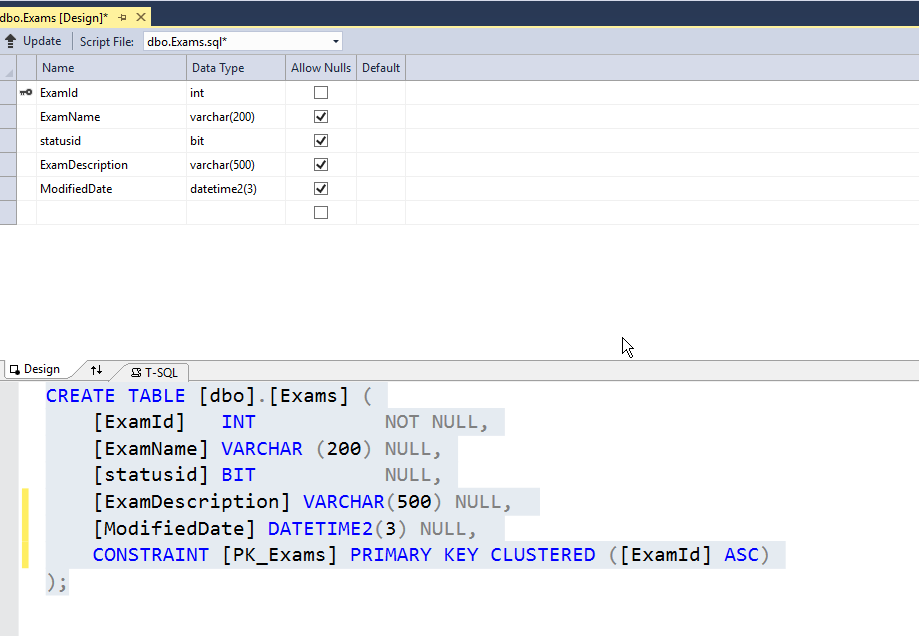
    First, let’s add an object in ReadyRoll. I’ll alter my Exams table to add a few columns. To keep this simple, imagine I want to add a modified date and a short description. I could do this in SSMS, but I’ll open the designer in VS. Here’s the table.

    2016-06-14 11_10_30-Photos

    I’ll make my changes.

    2016-06-14 11_11_01-Photos

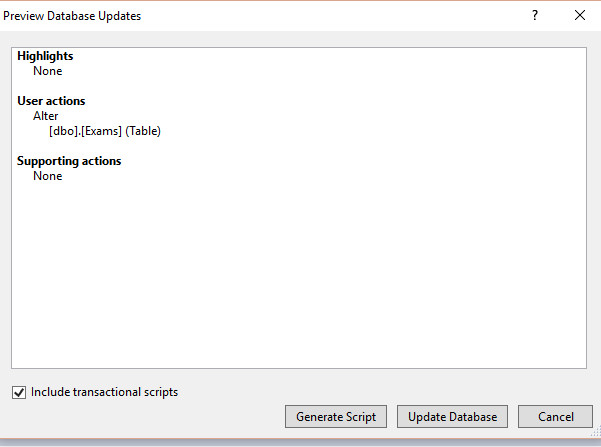
    Now, I click the “Update” button in the upper left. When I do this, I get a Generate script item. I could do other things, but I like to do this and see my script before applying it to the dev database.

    2016-06-14 11_12_04-Movies & TV

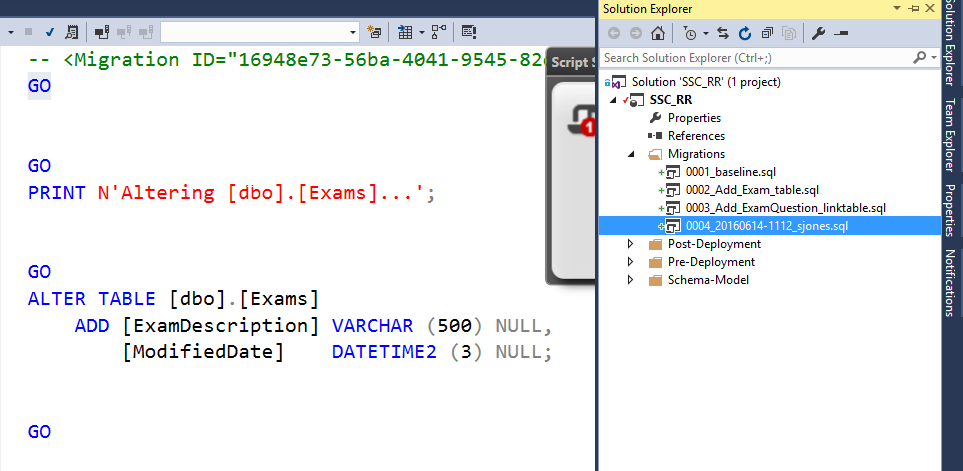
    I click Generate, and I get the script. Notice, it’s named with some random number (after the 0004) on the right.

    2016-06-14 11_12_34-Photos

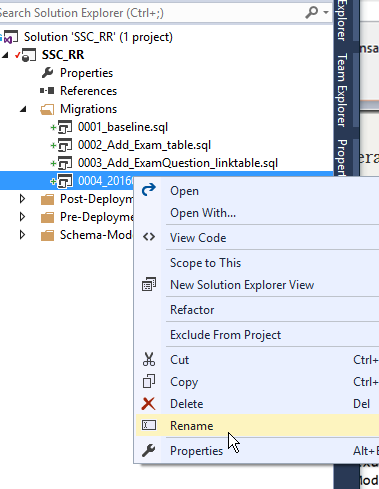
    If I right click the script, I can do all the normal file operations.

    2016-06-14 11_13_32-Photos

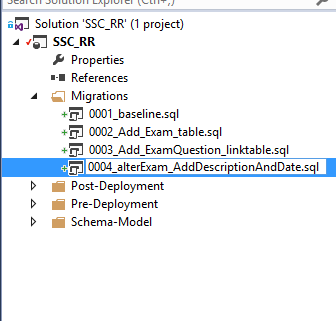
    Let’s give this a more descriptive name. It’s taken me a long time from my 8.3 name days, but I’ve learned to take advantage of file names to make them descriptive. A few bytes in a name is cheap.

    2016-06-14 11_13_58-Photos

    That’s it.

    ReadyRoll does use the first characters in front of the underscore (_) to order scripts, so I don’t want to change those. I could, but in this case, I need script 4 to come after script 2 at the very least.

    After the underscore, I can do whatever I like. In this case, I can see the changes being made to my database, just reading down the scripts and seeing how things will occur. I always have the detail in the code, but at a high level, I can see the changes.

    I’m sure if you adopt this technique, you’ll find that it’s much easier to manage scripts and track what’s happening to your database.