Tag: software development

  • Custom Column in SQL Data Generator

    This is a series on SQL Data Generator, covering some interesting scenarios I’ve run into. If you’ve never tried it, SQL Data Generator is a part of the SQL Toolbelt. Give it a try today with an evaluation today.

    One of the interesting things with Redgate’s SQL Data Generator (SDG) is that it allows the user of custom data patterns for your columns. The user of regular expressions (RegEx) is used, which is something I find many SQL Server DBAs don’t really work with often.

    While there are plenty of RegEx tutorials out there, I wanted to give some simple ideas here that I’ve used to make slightly more realistic data.

    Help

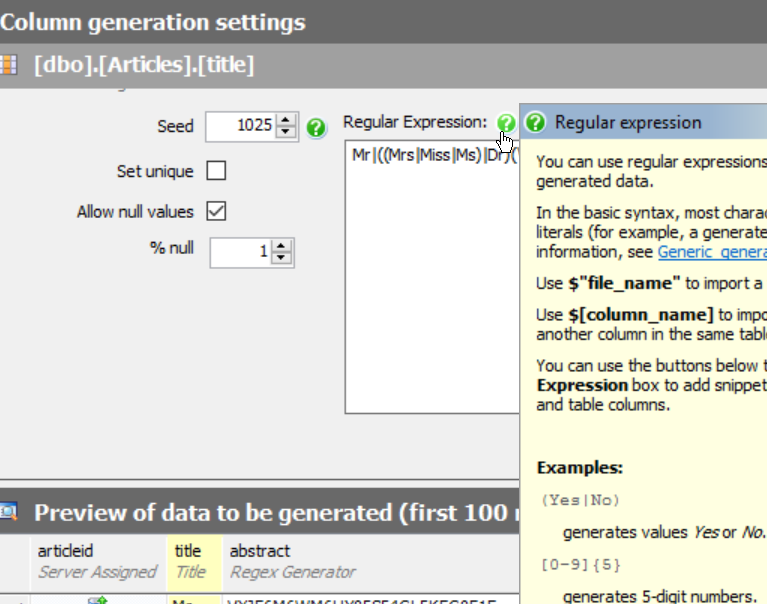
    There’s a help icon available if you choose a column in one of your tables and have a regular expression selected. In this case, I can see there are a few different suggestions for the “title” column.
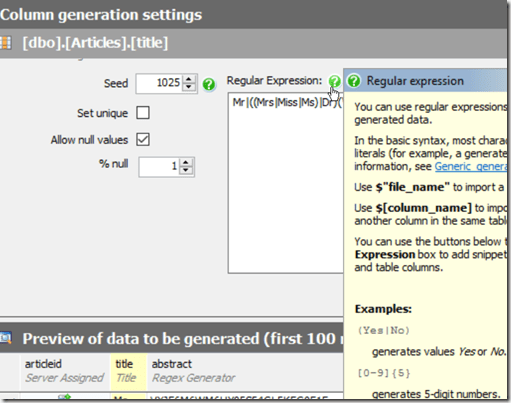
    2015-08-28 09_30_34-

    SDG guesses that title is a Mr/Mrs/Ms field, but it’s not. I really need something that looks like the title of an article. If I scan through some of the articles on SQLServerCentral, I see titles like:

    In this case, there are a few patterns. SQL Server appears in a few places, Some articles user a “top x” type of format. The word lengths vary, and are in the 6-12 range. Around six or so words are in many titles.

    Building a Regular Expression

    I could certainly do something like this, which just gives me a few words made up of random letters, of the specified lengths.

    [A-Z]{3} [A-Z]{5} [A-Z]{7} [A-Z]{4}

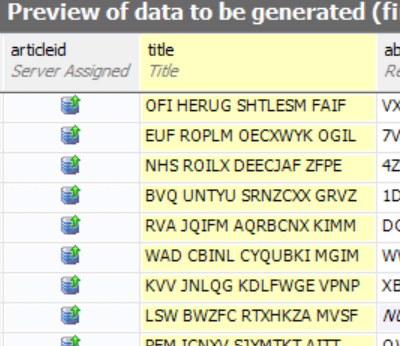
    I’ve got a 3 letter word, then a 5 letter one, then 7, then 4. All upper case, all random. That gives me results like this:
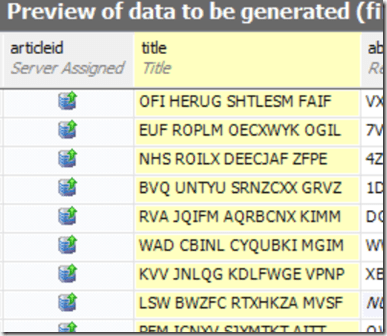
    2015-08-28 09_38_37-SQL Data Generator - TestSDG.sqlgen _

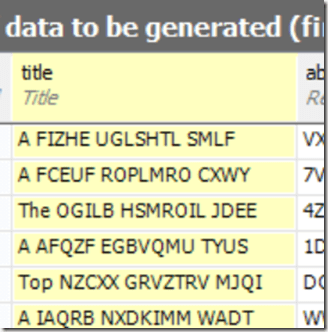
    Not quite what I want. I’d rather have some words at the beginning like “A”, “The”, or “Top”. I can do that with literals.I enclose those in parenthesis rather then brackets.

    (A|The|Top) [A-Z]{5} [A-Z]{7} [A-Z]{4}

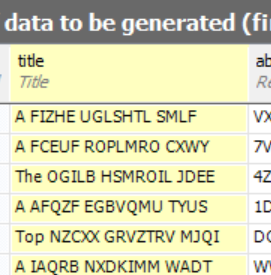
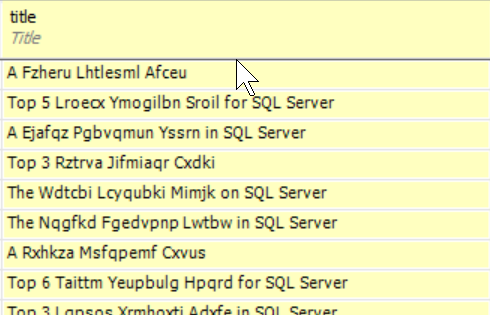
    This gives me something slightly better.
    2015-08-28 09_41_23-Get Started

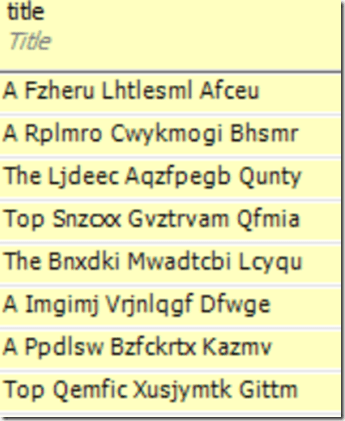
    Not perfect, but better. Let’s clean up the words themselves, following some capitalization rules for titles. In this case, we’ll use a pattern like this:

    [A-Z]{1}[a-z]{5}

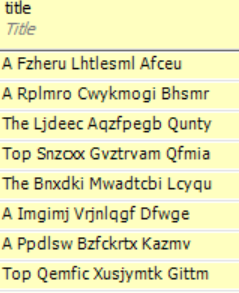
    Now I see something a bit better. This doesn’t make complete sense, but it does look like random word structures.
    2015-08-28 09_43_20-SQL Data Generator - TestSDG.sqlgen _

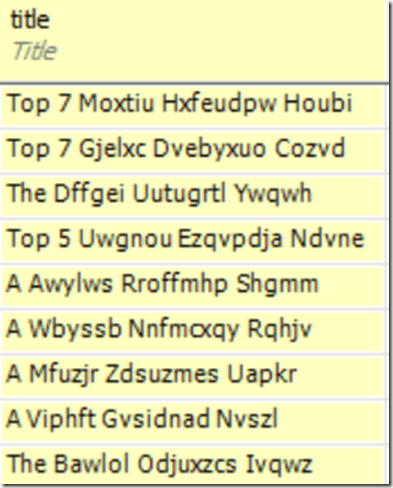
    Let’s change the “Top” item to include a number. I can do that, but changing just the part of the OR (|) that includes Top. I’ll do that like this:

    (A|The|Top [3-7]{1})

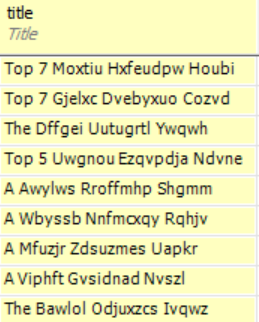
    Now I see a number, randomly from 3 to 7, when Top comes up.
    2015-08-28 09_46_20-SQL Data Generator - TestSDG.sqlgen _

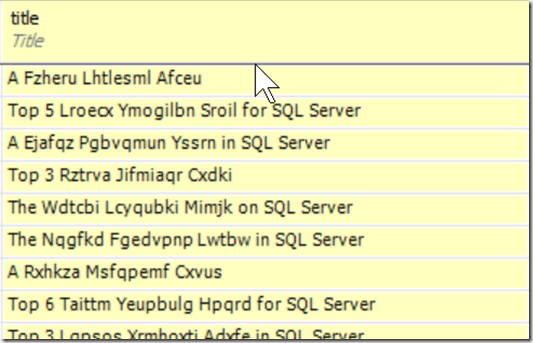
    This still isn’t great. How about if I include SQL Server at the end? I’ll use a space, or something with SQL Server.

    ( |(in|for|on) SQL Server)

    That shows me a random addition to SQL Server a the end of some titles.
    2015-08-28 09_48_31-SQL Data Generator - TestSDG.sqlgen _

    Getting better. I can even use the space or something to get the versions of SQL Server.

    ( |(in|for|on) SQL Server ( |2005|2008|2012|2014))

    Now I see some interesting titles. What if I want real words instead of random ones? There’s nothing wrong with random data for testing, but if I’m actually trying to compare data values in queries, it’s hard to focus on and remember random patterns. I could use the same OR values.

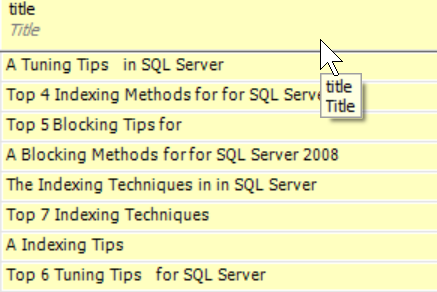
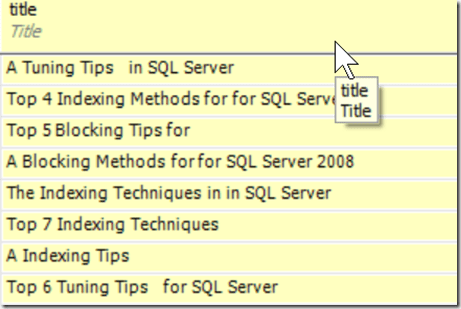
    (A|The|Top [3-7]{1}) (Blocking|Indexing|Tuning|T-SQL) (Tips|Techniques|Methods) (for| |in) ( |(in|for|on) SQL Server ( |2005|2008|2012|2014))

    Now I get some interesting, and perhaps memorable titles.
    2015-08-28 09_53_41-SQL Data Generator - TestSDG.sqlgen _

    Have Fun

    For much of our development work, the data itself doesn’t matter, but if needs to be easily discerned if you want to ensure that it’s easy to examine in queries. While random values work fine, I find them hard to deal with.

    I like the idea of using random words. Often the results are still nonsense, but they can be fun to work with. They remind me of a set of magnets my kids have on the fridge. Each is a word that will get randomly combined with others for humorous sentences.

    You can do the same thing with some RegEx and SDG.
  • Better Test Data Domains with SQL Data Generator

    This is a series on SQL Data Generator, covering some interesting scenarios I’ve run into. If you’ve never tried it, SQL Data Generator is a part of the SQL Toolbelt. Give it a try today with an evaluation today.

    I’ve been working more with SQL Data Generator (SDG) because it solves some problems that many software developers have with test data. Often each developer needs to create their own set of test data, with these being the common actions:

    • Use a backup of production, perhaps old.
    • Randomly insert a few values each developer comes up with
    • Use random data from SDG, a new project each time.
    • Load a known data set from production or test systems

    While I think small amounts of random data work well, I think the data should reflect (somewhat) the types of data in production. Totally random strings don’t work, but similar words, structures, etc. make sense.

    However having a consistent set of data for each developer is a great idea. SDG can consistently generate data sets, but to make them meaningful, you might want to have control over the types of data inserted.

    Using Real Words

    I talked about the difference between random words and real words. However, what if you want to include specific types of items?

    Let’s evolve some data. If I have a varchar(500) column, SDG defaults to this:

    [A-Z0-9]*

    Which gives me this:

    2015-08-28 10_03_55-New notification

    That’s not great if I wanted to examine specific rows and determine if they were being returned by a query. This is just too random and hard to verify.

    However I have options. For example, I could use the “Insert File List” item. This gives me a list of files that could be helpful. In this case, let’s choose “Color”.

    2015-08-28 10_05_33-SQL Data Generator - Fun_Article_Titles_Words.sqlgen

    I see this in the RegEx box.

    ($”Color.txt”)

    Now my test data looks like this:

    2015-08-28 10_06_14-

    What’s in “color.txt”? Let’s see. The file is under the Data Generator 3 folder, in a Config location. I see lots of XML and text files.

    2015-08-28 10_08_09-Config

    If I open Color.txt, I see what I expect.

    2015-08-28 10_08_17-Get Started

    Now, let’s experiment. Let’s create a SQL Server file. I’ll put values in like this:

    2015-08-28 10_08_17-Get Started

    I need to change permissions on the config folder to allow saving, but I put it there.  I also had to close and re-open SDG to pick up the new file.

    Now I’ll add that to the RegEx box.

    2015-08-28 10_15_44-SQL Data Generator - Fun_Article_Titles_Files.sqlgen _

    That’s cool. What if I made a file with a number of random words in it. Like a dictionary of sorts. I could do this. I create dictionary_small.txt.

    2015-08-28 10_22_10-Get Started

    Now I include that a number of times.

    2015-08-28 10_23_17-New notification

    Those are some great descriptions. I’m sure I could have fun with this in other ways as well. Let’s create some good and bad data for a cleaning operation.

    2015-08-28 10_28_38-New notification

    The ability to include data from flat files is a great option in SDG for putting together a data set that developers can actually use, understand, and count on for loading up new databases or tables, especially when creating quick code branches to test something out.

  • Building Rollback Scripts with SQL Compare

    SQL Compare is a core product from Redgate and I’ve got a series on some of the interesting things I’ve found. Download a trial today if you haven’t tried it.

    There’s a neat switch in SQL Compare that lets you build rollback scripts. It looks like this:

    sc_button-switch

    I’ve used this before to help with deployments, as many of you have. The idea is that when you finish with your code in your dev environment, you run a comparison with production, doing something like this:

    sqlcomparedeploy_a

    I’ve set the source as my development place, and the destination as production. I click “Compare Now”, get a script that will deploy the changes from development to production, and save it. I can use that script as part of my deployment process.

    However as soon as I’ve saved that script, I return to this screen, and I click the “Switch” button at the bottom.

    sqlcomparedeploy_b

    If you look closely, you’ll see that my source (on the left) and destination (on the right), have changed places. This means I’ll now generate a script that takes my production environment and generates the script to get back production from development.

    This is a rollback script.

    It doesn’t work in all situations, and you really have to think about what you’re changing, but if you’re just doing views/procedures/functions, this is a great way to get that quick rollback script that you store alongside the deployment script in case things go badly.

  • Here’s a Reason to Document

    A search engine for code

    This editorial was originally published on Feb 17, 2006. Steve is traveling in the UK this week and we are re-printing some old pieces.

    A new search engine, Krugle, set to launch next month, is supposed to focus on code. Mostly open source code, but also places like SQLServerCentral.com, which has scripts and other types of code available. Wired has a good article on the idea behind this search.

    It’s an interesting idea, though given the types of comments and the wide range of ways that things are described, I wonder if it will work. I know that we get lots of posts in the forums that I easily find answers for using Google when other don’t. I suspect that I am just searching on better terms than others. Course that doesn’t always work for my own questions, so perhaps it’s a second set of eyes that really help.

    However this also depends on the actual coders spending some time to properly describe their system. That’s always a difficult task. But even assuming that they will describe their code well, how will you know if it will “plug in” easily to your system? I’ve seen lots of code that wouldn’t easily integrate with something I was writing.

    And if I checked out 3 or 4 of these incompatible, or not easily integrated systems, from a search engine, I’d be tempted to just write my own. Actually I think lots of developers write their own code, or build on a base and then do everything themselves because it takes so long to integrate disparate code at times.

    Still it’s a great idea and I hope it works.

    Update Jul 13, 2011: Has anyone used, or is using, Krugle?