Tag: SQL Prompt

  • Prompt in ADS

    Ever since VS Code and Azure Data Studio came out, people have been asking for SQL Prompt to port over. I’ve been right there with you, though unsure of the value, given how UI dependent Prompt is for users.

    Things have changed.

    sql-prompt_early-access_social-graphic_1200x630

    There’s an EAP program, with an early look at the formatting part of Prompt in ADS.

    I’ve been using this for a few weeks, and it’s different, but it works well. All my styles from SSMS are ported and linked, and it’s a quick set of keystrokes, albeit different ones, to format code.

    I’m curious to see what others think, so join the program if you want formatting in ADS and are willing to give some feedback.

  • Cleaning up the [NOT] NULL for Columns with SQL Prompt 10

    SQL Prompt 10 is out and there are a few interesting things that have changed in the product. One of these is the Quick Fixes, inspired by some other IDEs that help developers learn to fix their code.

    This post looks at one of the most common things developers ignore, and I’m guilt of this in many of my demos and code.

    Defining Columns

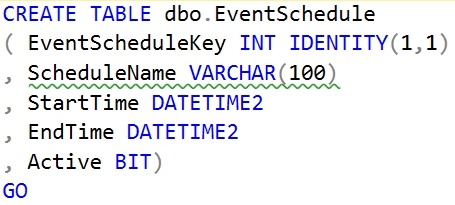
    When I create a table, I often will write some code like this:

    CREATE TABLE dbo.EventSchedule
    ( EventScheduleKey INT IDENTITY(1,1)
    , ScheduleName VARCHAR(100)
    , StartTime DATETIME2
    , EndTime DATETIME2
    , Active BIT)
    GO

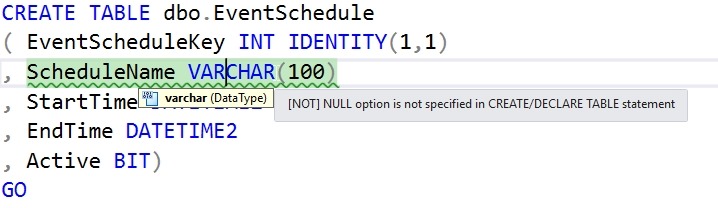
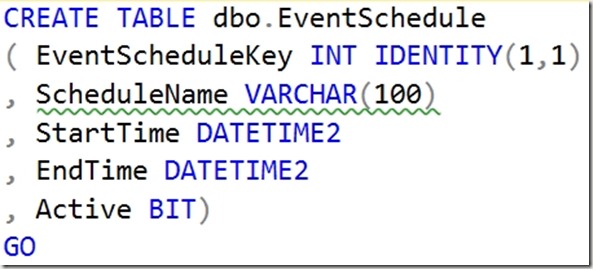
    This looks fine, and it works. However, it’s a SQL code smell, and it’s something that you should avoid. The problem with this code, is that I haven’t specified the nullability setting for the columns. I am assuming a default for my database, which has worked for me, but as I work with a more diverse set of customers, I know this isn’t a good practice.

    SQL Prompt 10 actually catches this. If I screenshot the code, I can see the green squiggly that notes there’s an issue.
    2019-11-13 15_00_11-SQLQuery3.sql - Plato_SQL2017.sandbox (PLATO_Steve (60))_ - Microsoft SQL Server

    That’s a code analysis item that our software has flagged. If I hover over the area, I see this:
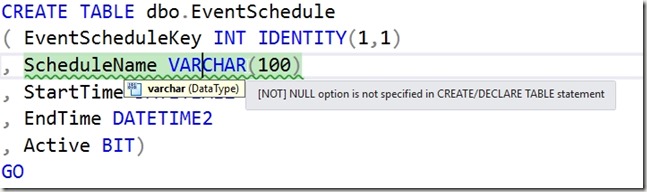
    2019-11-13 15_02_49-SQLQuery3.sql - Plato_SQL2017.sandbox (PLATO_Steve (60))_ - Microsoft SQL Server

    That’s good, but if I’m a junior developer, what do I do? What does this mean? One of the very nice things with SQL Prompt 10 is that we provide some guidance, similar to what Visual Studio does.

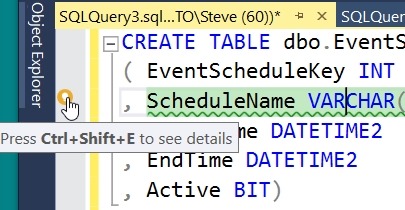
    Look on the left of the image below. I’ve put the cursor on the line with the green squiggly. There’s a little yellow light bulb in the margin. This is a note that we provide a fix here. You can click the keyboard or the yellow icon.
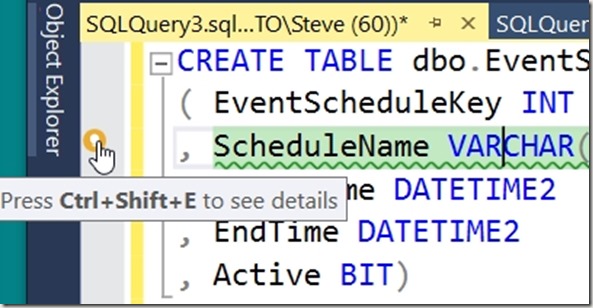
    2019-11-13 15_07_30-SQLQuery3.sql - Plato_SQL2017.sandbox (PLATO_Steve (60))_ - Microsoft SQL Server

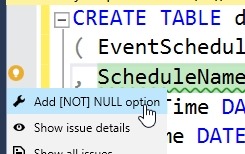
    When you do this, you will see that there a few choices. I can fix this (the wrench or spanner icon), get the details for this code issue (the eye icon) or see all issues in my code.
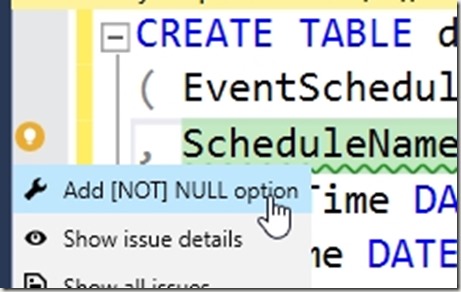
    2019-11-13 15_07_42-SQLQuery3.sql - Plato_SQL2017.sandbox (PLATO_Steve (60))_ - Microsoft SQL Server

    If I click the “fix” icon, I’ll see this:
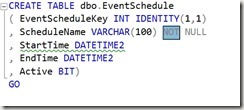
    2019-11-13 15_07_49-SQLQuery3.sql - Plato_SQL2017.sandbox (PLATO_Steve (60))_ - Microsoft SQL Server

    NOT NULL has been added, but the NOT is highlighted. I can hit <enter> and this will stay there, or hit Backspace and remove the NOT. Either way, I get the code cleaned up.

    At least some of it. You see the next green squiggly on the line below.

    SQL Prompt continues to be one of the best productivity tools for developers working with SQL Server. If you have it, look for the quick fixes, and code smell squiggly lines. If you haven’t, download a trial today and see how it will help you become a better T-SQL developer.
  • Getting Started with SQL Prompt 10

    This week we released SQL Prompt 10, which is an exciting milestone for us. I remember when I discovered this little gem for Database Weekly and sent it over to Redgate as something they might want to buy. They did and have made dramatic and amazing improvements over the last decade+.

    I’ll have a few notes on new features, some of which have been leaking out in v9 already. We’ve started to get away from holding all features until a new release and slowly trickling them out, sometimes as experimental feature flagged items.

    There is a new Welcome window,which I think is a nicer way to show off a feature than the tool tips. I can see a few things at a glance, have some links, and get this back from the SQL Prompt | Help menu at any time.

    2019-11-08 08_31_30-SQL Prompt - Welcome - Microsoft SQL Server Management Studio

    I think SQL Prompt is the best intellisense tool for SQL Server, and many people agree. If you’ve never tried it, you can get an eval today and see what you think. If you already use it, know that we’re still investing in the tool and driving it forward for the new data platform on SQL Server 2019.

  • A Clean Values Clause with SQL Prompt

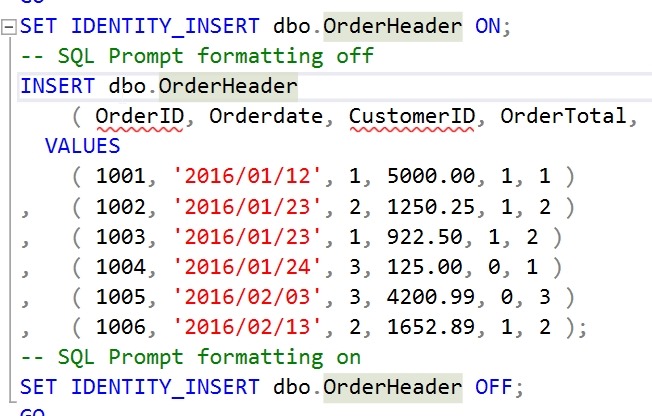
    I’ve had this code in a snippet for a long time:

    2019-04-25 12_33_20-00_endtoend_initialsetup.sql - 192.168.1.35.sandbox (sa (60))_ - Microsoft SQL S

    I appreciate the markup to prevent SQL Prompt from doing this, which used to always happen.

    2019-04-25 12_34_33-00_endtoend_initialsetup.sql - 192.168.1.35.sandbox (sa (60))_ - Microsoft SQL S

    I can’t tell you how many times I’ve used CTRL+Z to undo that format, add the markup, and format again.

    A few months back. I was talking with someone and noticed this:

    2019-04-25 12_35_32-SQL Prompt - Formatting styles

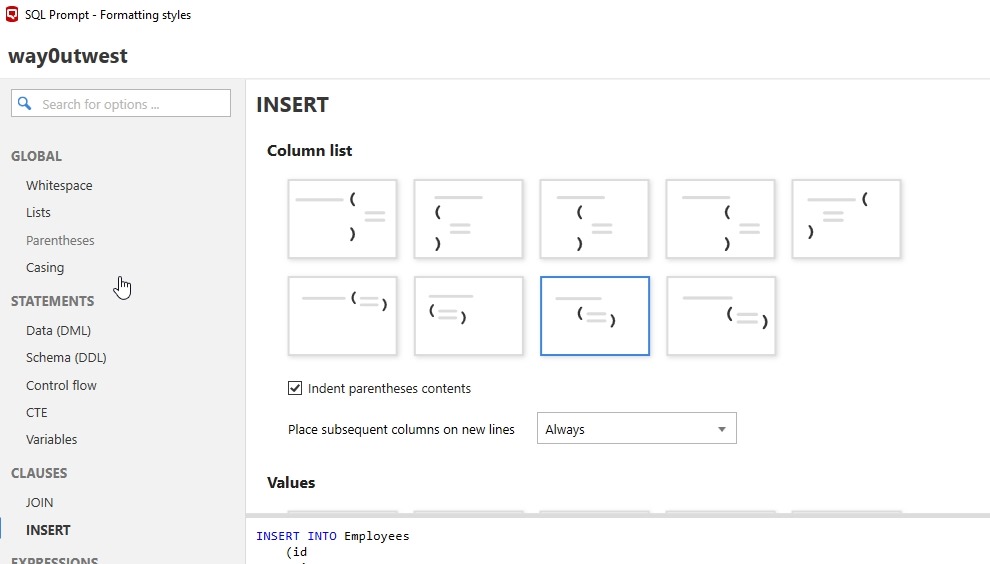
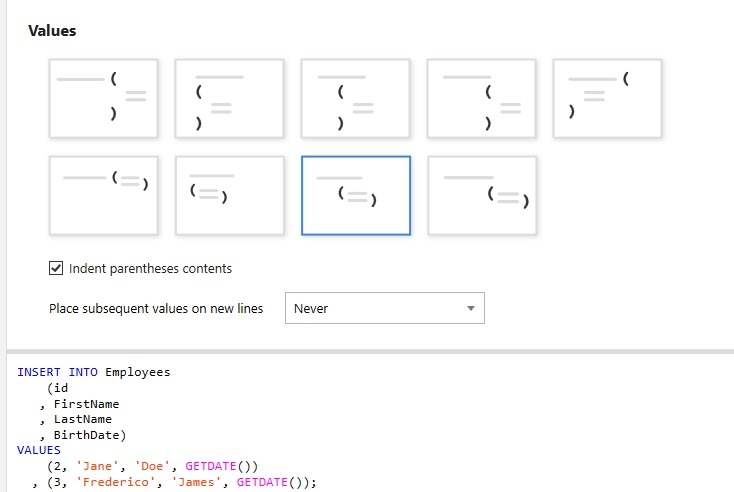
    A new option for formatting called “INSERT”. This allows you to specify how you want to insert column list to appear. What’s even better, is at the bottom it says “Values”. Scroll down and you see options for separately formatting the VALUES clause, which I use all the time.

    2019-04-25 12_35_39-SQL Prompt - Formatting styles

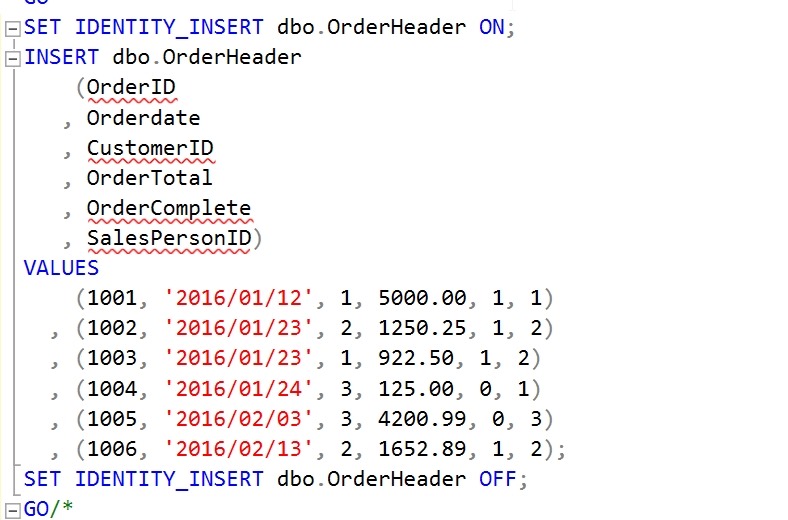
    Now I can format easily without worrying my VALUES clause will get spread all over the page.

    2019-04-25 12_37_14-00_endtoend_initialsetup.sql - 192.168.1.35.sandbox (sa (60))_ - Microsoft SQL S

    SQL Prompt is amazing. If you haven’t given it a try, download an eval today. If you have the Toolbelt, you ought to be using this every day.