Tag: sql server

  • The Principle of Least Privilege – Skill #3

    This series of blog posts are related to my presentation, The Top Ten Skills You Need, which is scheduled for a few deliveries in 2011.

    Secure by Default

    SQL Server doesn’t give logins or users any rights by default. That means when you add a login or user to the SQL Server instance, the user cannot access any of the data or objects in the instance until you grant rights.

    That’s not the model that so many people have learned in many applications where once a user has access, they can view anything. This leads to many administrators and developers thinking something is wrong when they create a new login and data cannot be accessed.

    So they start by granting one of two rights initially: sysadmin or db_owner.

    That’s a huge mistake, and leads to security issues down the road if the database contains any type of sensitive information.

    The Principle of Least Privilege

    There’s a security tenet that is known as the principle of least privilege. This essentially means that any user is only allowed to the minimum amount of access needed to accomplish their job. A few examples of what this means in practice:

    • If a user is supposed to only use the HR application to add new employees, they shouldn’t have administrator access.
    • If a web application provides read only views of sales data, the account it uses to access SQL Server should only have read (SELECT) access, and no rights to change data (no INSERT/UPDATE/DELETE)
    • A manager that only maintains an employee’s address information in a self service situation should have read/write access to the address data, but not the salary data, name data, or any other employee data.
    • A developer that is allowed to back up a particular database from the production systems to restore this on the development server should not have system administrator access to production. They should have backup rights only for the database(s) the developer needs.
    • An auditing application that writes to an audit table needs INSERT rights on the table, but not UPDATE, DELETE, or SELECT.

    There are many more examples, but the basic idea is that you grant the rights needed, not every right.

    In Practice

    It feels like a lot of work to deal with roles, or think about the rights needed. It’s really not. Set up a role when someone needs access and grant the rights they need to that object. If they need more rights, grant more rights.
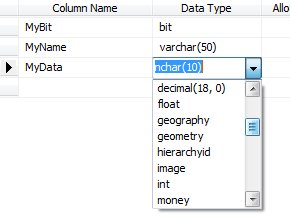
  • The Growth of Data Types

    What data types will use the most space in the future?

    In the relational databases we have all different types of data that we store. We have the basic types of integers, character data, dates and times, and more. As the RDBMS platforms have evolved, we have also added spatial, XML, and other types of data that build on these base types. By classifying them as different types, even if we are storing numbers, or characters, we can more efficiently work with these data types.

    As the world changes and expands, I think we will end up with more and more data that takes advantage of different data types, and perhaps even adds more. This week, I wanted you to look forward, and predict what changes we might see in our data storage in the future.

    What types of data do you think will occupy the most space in our future databases?

    Will we see more video files in our databases? More audio, spatial, or will plain numeric data continue to dominate the majority of the space we use in our data files? I used to think that numeric data would dominate, but the sheer sizes of some of the binary data types, along with the increasing use of these formats in applications makes me think that some type of binary data will dominate in the future.

    Steve Jones


    The Voice of the DBA Podcasts

  • SQL Server Backups – When is it current?

    I saw a post recently where someone was asking about the restore sequence for a series of backups. The scenario was this:

    1. Full backup starts at 3:00am, and takes 30 minutes
    2. Log backup 1 starts at 3:05am, and takes 2 minutes
    3. A second log backup starts at 3:35 and takes 2 minutes

    What do you restore?

    The short answer is that it doesn’t matter. If you use NORECOVERY (Always use NORECOVERY) and restore the logs in order, SQL Server will sort things out. If the transactions from backup 2 (the log backup from 3:05) are in the full backup, they won’t be applied twice and the system will let you know.

    The same thing occurs for the second log backup. This is why SQL Server uses the Log Sequence Numbers. They ensure that SQL Server can track which transactions occurred when and in which order.

    When is the full backup consistent?

    If we are wondering when the full backup is complete, or at what point during your system’s life is the full backup going to return you to, it’s easy.

    It is consistent as of the time when the data reading portion of the full backup is complete. We don’t necessarily know when that is, but at that point, the full backup will copy enough log records to get consistent to that point in time. If it’s a lot of log records, it’s possible that this is quite a bit of time before the backup completes and the timestamp goes on the backup file.

  • Computed Columns and UDFs

    I wrote about the basics of computed columns and also using CASE in a computed column recently, but there’s a better way to implement a computation, and reuse the code. You can include a UDF in a computed column.

    UDFs are a great way to encapsulate your code into an object that can be included in stored procedures or even computed columns. The basic definition of a UDF is that it’s a function (as in other languages), but it’s designed to be included in other code, unlike a stored procedure. They’re very similar, but there are a couple types of UDFs:

    * The CLR UDFs can be scalar or table valued.

    For computed columns, you can use a UDF as well. Let me set up a couple tables here and a function. First I’ll set up a table similar to the one on SQLServerCentral that holds user points, add some data, and then create a quick function that calculates the sum of a user’s points.

    CREATE TABLE points
    ( USERID int
    , ItemID int
    , points tinyint
    )
    GO
    INSERT INTO points SELECT 1, 1, 2
    INSERT INTO points SELECT 1, 2, 1
    INSERT INTO points SELECT 1, 3, 1
    INSERT INTO points SELECT 2, 1, 1
    INSERT INTO points SELECT 2, 2, 1
    INSERT INTO points SELECT 2, 3, 2
    INSERT INTO points SELECT 2, 4, 1
    
    CREATE FUNCTION UDF_GetUserPoints
    ( @UserID int
    ) RETURNS int
    AS
    BEGIN
     DECLARE @sum INT
    
     SELECT @sum = SUM( points)
       FROM Points
       WHERE UserID = @UserID
       
    RETURN @Sum
    END
    

    If I run the function by itself, I can get the sum of each user’s point total.

    SELECT dbo.UDF_GetUserPoints(1) AS 'points'
    UNION 
    SELECT dbo.UDF_GetUserPoints(2) AS 'points'
    ------------------------*/
    points
    -----------
    4
    5

    Now let’s go back and set up the user table. I could alter this table if it existed, but in this case I’ll add the points as well as a calculated value for the user’s points. As long as I’m not asking for lots of user’s from this table, this technique is probably OK. Otherwise, I might have a big performance issue. (no SELECT *s from this table)

    CREATE TABLE UserProfile
    ( UserID INT
    , UserName VARCHAR(200)
    , points AS dbo.UDF_GetUserPoints(USerID)
    )
    go
    INSERT INTO userprofile SELECT 1, 'Steve'
    INSERT INTO dbo.UserProfile SELECT 2, 'Andy'
    

    Note that I’m not adding a value for the points column. This is a computed column, so I ignore it in inserts.

    SELECT TOP 10  UserID ,
            UserName ,
            points 
     FROM dbo.UserProfile
    
    UserID      UserName      points
    ----------- ------------- -----------
    1           Steve         4
    2           Andy          5

    Here the values are calculated from the other table, pulled from my UDF in the computed column.

    Not necessarily a great technique, and I would be careful about using this. Since this function is non-deterministic, we can’t persist the values in the table, so this means that any access of this table for the points column would result in the function execution for the row. Potentially a performance issue.

    If you want to see this idea in action, there’s a similar video on UDFs in Computed Columns at SQL Share as well that covers the topic.

    Disclosure: I am a part owner in SQL Share

    .