Tag: sql server

  • Starting with Azure

    I’ve been meaning to do this, and I finally had the chance recently to start working with Azure. Red Gate is investing in cloud tools, and more development tools, so it’s something I need to work on.

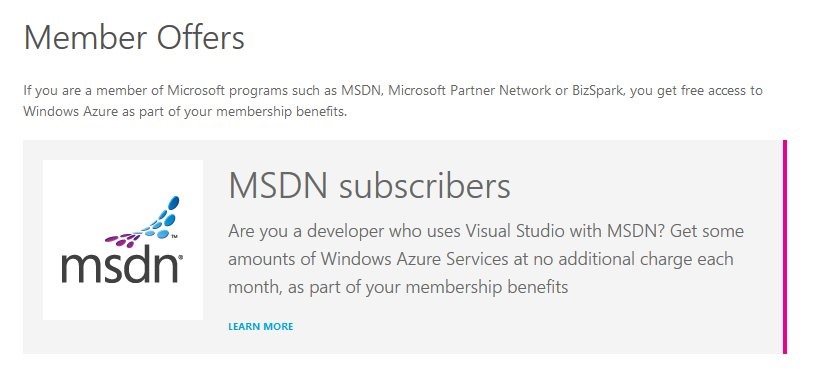
    I went to the Azure page, and noticed a “Member Offers” link.

    azure_a

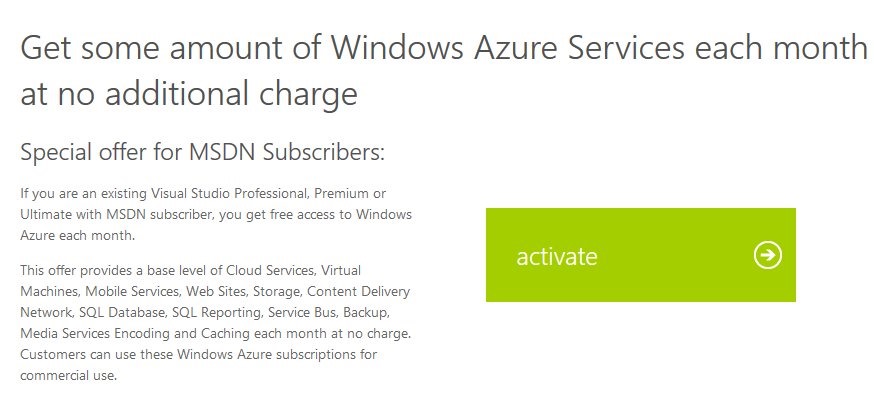
    When I clicked through, I could see the benefits. Below this screen shot is the list of stuff you get, depending on your MSDN subscription. You can see the exact benefits on the MSDN benefits page.

    azure_b

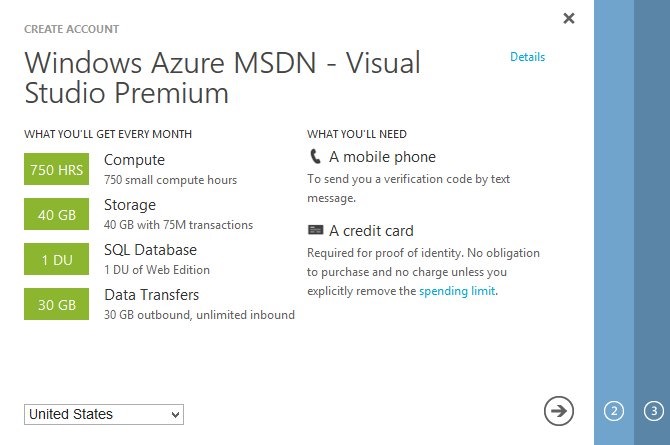
    I clicked the activate link and was taken to the Windows Live login page. After signing in, I got a page that asked me to create an account. It listed my specific benefits and the requirements for an Azure account.

    azure_c

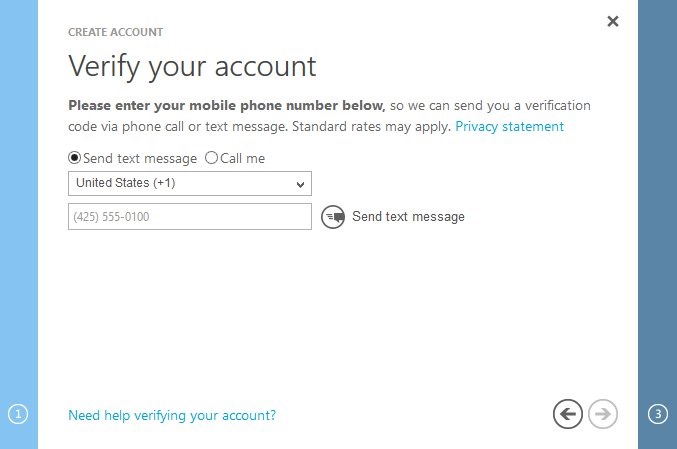
    Since I have a mobile phone and a credit card, I clicked the arrow to proceed. The first thing is to verify your account with a mobile phone. I assume this gives me some sort of two factor authentication as well as a way for them to reach me for billing issues.

    azure_d

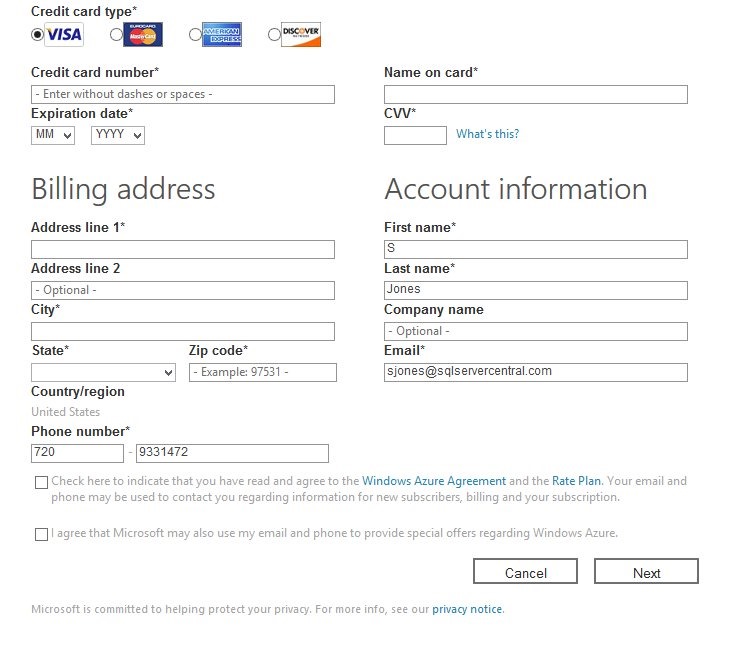
    After receiving a text and entering it, I was taken to the billing area. I know this freaks many people out, however I’ve had a number of friends use the MSDN subscription trial and not been billed after 5 or 6 months. I’ve had a few that have been billed, but it’s been low amounts, in the $5-10 range. Grant Fritchey (b | t) is one of them, and with all the writing he’s done on Azure, some presentations, and research for Red Gate, he hasn’t had issues.

    It’s your career, it’s worth $5 a month. If you find you’re spending more, shut stuff down. I’d give it a try, however, if there is any chance your career will include work in the cloud.

    azure_e

    Once you enter a credit card, they’ll get to work.

    azure_f

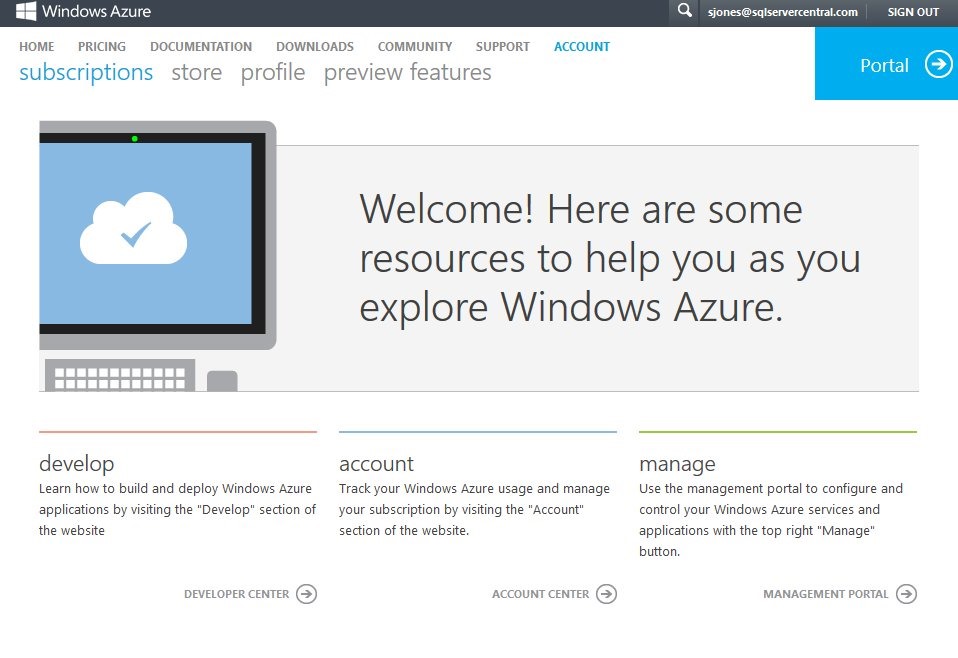
    The welcome screen gives you lots of options. I’m sure I’ll end up here quite often across the next few months as I try to be sure that I’m not running up my cost. I can expense it back to Red Gate, but I do try to spend wisely.

    azure_g

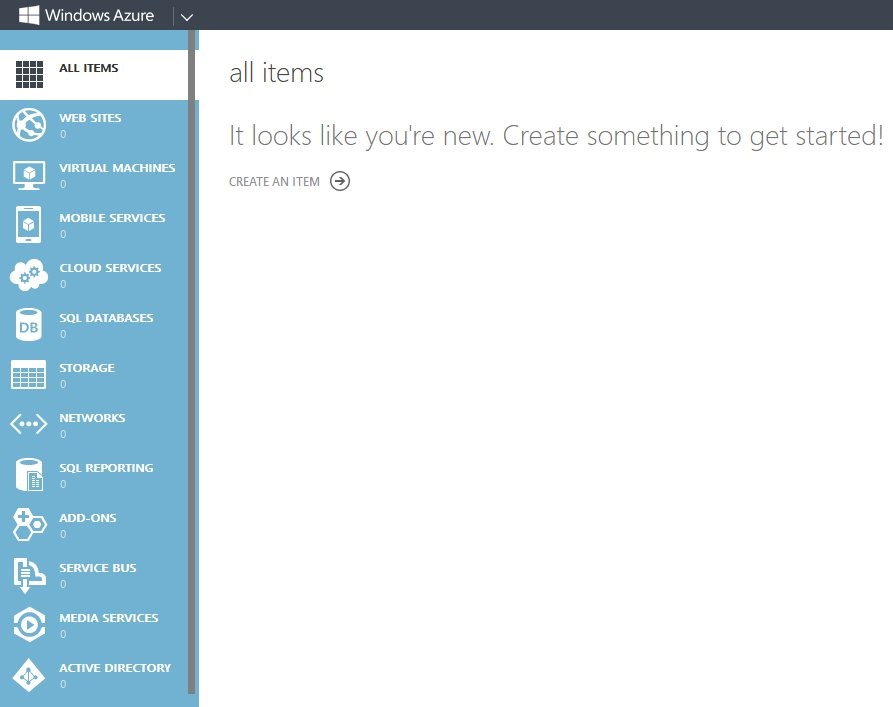
    What now? There’s lots of options.

    azure_h

    I have a few things in mind, but I’ll probably start with a few light experiments based on some presentations I’ve seen. Buck Woody has a nice set of resources to get me started, and I’ll likely give one of these a try.

  • The Challenger

    Are any of the other database challengers really competitors to SQL Server?
    Are any of the other database challengers really competitors to SQL Server?

    There’s a lot of competition among database platform vendors. Once a platform is chosen, companies rarely change, and with good reason. The cost of the people building your application accounts for most of the resources you expend on a database system. Re-training, or replacing, is often cost-prohibitive. That hasn’t stopped many companies from looking to less expensive alternatives to SQL Server, like MySQL, but I’m not sure the license savings offset all the other costs, including potential performance declines from mis-configured systems.

    SQL Server has had a few competitors over the years that tried to provide compatibility and enable easy or seemless migration from SQL Server to a new database engine, but none of them seem to have been very popular.

    NuoDB is the latest, providing a NewSQL, distributed cloud database that has many of the features that developers look for, but is built to integrate easily with .NET technologies, including Visual Studio, has LINQ and Entity Framwork compatibility, and runs on the Azure and AWS platforms. The company hopes it will replace SQL Server as the preferred database in the Azure IaaS cloud.

    I don’t know that many companies want to migrate their applications to a new platform, but I do know that there might be situations and problem domains where platforms other than SQL Server make sense. If the compatibility is close enough to limit the amount of code that has to change, it’s worth looking at. The problem for this challenger, and many others, is that SQL Server has grown to include many other features, like SSIS, that companies find compelling.

    Ultimately I think it’s easier to stick to as few platforms as possible to allow your staff to build expertise in optimizing their code and configurations for a platform. Developers and administrators don’t often become experts, but I’m not sure the situation is any better if you give them an additional platform to work with.

    Steve Jones


    The Voice of the DBA Podcasts

    We publish three versions of the podcast each day for you to enjoy.

  • Adding Data to Filestream with T-SQL

    I’ve written on how to enable Filestream and how to add a filegroup, but I haven’t touched the Filestream impact on your tables. This post will look at the table side of Filestream and how you get your binary data into the database.

    Let’s assume you have a filestream enabled database. If you look at my File and Filegroups post, you’ll see how to do this. Given that, we now need to create a table and add data to it.

    Creating a Table with Filestream

    Filestream doesn’t have a separate entity like Filetables. Instead, the Filestream attribute is added to a column in a table, much like the identity property.

    I’ll create a simple table that holds Filestream data.

    CREATE TABLE FSDemo
    (
        id UNIQUEIDENTIFIER ROWGUIDCOL NOT NULL UNIQUE
      , name VARCHAR(20)  
      , jpg varbinary(MAX) FILESTREAM
    );
    go

    Here we are creating a basic table that has an ID and name, which are essentially meta data for our filestream data. You could have any amount of information in this table, but the Filestream data is stored in the jpg field, where we have a varbinary(max) datatype, and the FILESTREAM attribute on the table.

    I could have a more complex schema, such as the Production.Document table in Adventureworks2008 (shown below)

    CREATE TABLE [Production].[Document](
        [DocumentNode] [hierarchyid] NOT NULL,
        [DocumentLevel]  AS ([DocumentNode].[GetLevel]()),
        [Title] [nvarchar](50) NOT NULL,
        [Owner] [int] NOT NULL,
        [FolderFlag] [bit] NOT NULL,
        [FileName] [nvarchar](400) NOT NULL,
        [FileExtension] [nvarchar](8) NOT NULL,
        [Revision] [nchar](5) NOT NULL,
        [ChangeNumber] [int] NOT NULL,
        [Status] [tinyint] NOT NULL,
        [DocumentSummary] [nvarchar](max) NULL,
        [Document] [varbinary](max) FILESTREAM  NULL,
        [rowguid] [uniqueidentifier] ROWGUIDCOL  NOT NULL,
        [ModifiedDate] [datetime] NOT NULL
        );


    Adding Data

    To add data to this table, we have a variety of choices using T-SQL. It’s possible to use an application, and pass in parameters that are streamed to the table, but for the simplicity of this example, let’s show two ways in T-SQL.

    First, let’s look at a direct insert. I can CAST my data to varbinary, and then insert it into the table. I have a small image that looks like this:

    circle

    It’s a simple circle, very small. The actual data in this image is this:

    0xFFD8FFE000104A46494600010101006000600000FFE100684578696600004D4 D002A000000080004011A0005000000010000003E011B00050000000100000046 01280003000000010002000001310002000000120000004E00000000000000600 000000100000060000000015061696E742E4E45542076332E352E313000FFDB00 43000201010201010202020202020202030503030303030604040305070607070 706070708090B0908080A0807070A0D0A0A0B0C0C0C0C07090E0F0D0C0E0B0C0C 0CFFDB004301020202030303060303060C0807080C0C0C0C0C0C0C0C0C0C0C0C0 C0C0C0C0C0C0C0C0C0C0C0C0C0C0C0C0C0C0C0C0C0C0C0C0C0C0C0C0C0C0C0C0C 0C0C0C0C0CFFC0001108000A000D03012200021101031101FFC4001F000001050 1010101010100000000000000000102030405060708090A0BFFC400B510000201 0303020403050504040000017D010203000411051221314106135161072271143 28191A1082342B1C11552D1F02433627282090A161718191A25262728292A3435 363738393A434445464748494A535455565758595A636465666768696A7374757 67778797A838485868788898A92939495969798999AA2A3A4A5A6A7A8A9AAB2B3 B4B5B6B7B8B9BAC2C3C4C5C6C7C8C9CAD2D3D4D5D6D7D8D9DAE1E2E3E4E5E6E7E 8E9EAF1F2F3F4F5F6F7F8F9FAFFC4001F01000301010101010101010100000000 00000102030405060708090A0BFFC400B51100020102040403040705040400010 277000102031104052131061241510761711322328108144291A1B1C109233352 F0156272D10A162434E125F11718191A262728292A35363738393A43444546474 8494A535455565758595A636465666768696A737475767778797A828384858687 88898A92939495969798999AA2A3A4A5A6A7A8A9AAB2B3B4B5B6B7B8B9BAC2C3C 4C5C6C7C8C9CAD2D3D4D5D6D7D8D9DAE2E3E4E5E6E7E8E9EAF2F3F4F5F6F7F8F9 FAFFDA000C03010002110311003F00E97FE0E87FF82CA7ED35FB04FED85E09F03 FC2BD6A5F87BE1097408B5C4D523D2ADAF1BC41746795248CBDC4722F970848C1 8940399373E43478FD75FF00827CFC68F177ED17FB0FFC2AF1D78F3461A078C7C 59E19B2D4F57B110B42B14F244199846DF346AFC384392A1C024E335E95E2EF87 BE1FF880968BAF687A3EB6B612F9F6C2FECA3B916F27F7D3783B5BDC60D6C5007 FFFD9

    I can insert this data directly into my table:

    INSERT INTO FSDemo(ID, name, jpg) 
    Values (NEWID()
          , 'circle.jpg'
          , 0xFFD8FFE000104A46494600010101006000600000FFE100684578696600004D4D002A000000080004011A0005000000010000003E011B0005000000010000004601280003000000010002000001310002000000120000004E00000000000000600000000100000060000000015061696E742E4E45542076332E352E313000FFDB0043000201010201010202020202020202030503030303030604040305070607070706070708090B0908080A0807070A0D0A0A0B0C0C0C0C07090E0F0D0C0E0B0C0C0CFFDB004301020202030303060303060C0807080C0C0C0C0C0C0C0C0C0C0C0C0C0C0C0C0C0C0C0C0C0C0C0C0C0C0C0C0C0C0C0C0C0C0C0C0C0C0C0C0C0C0C0C0C0C0C0C0C0CFFC0001108000A000D03012200021101031101FFC4001F0000010501010101010100000000000000000102030405060708090A0BFFC400B5100002010303020403050504040000017D01020300041105122131410613516107227114328191A1082342B1C11552D1F02433627282090A161718191A25262728292A3435363738393A434445464748494A535455565758595A636465666768696A737475767778797A838485868788898A92939495969798999AA2A3A4A5A6A7A8A9AAB2B3B4B5B6B7B8B9BAC2C3C4C5C6C7C8C9CAD2D3D4D5D6D7D8D9DAE1E2E3E4E5E6E7E8E9EAF1F2F3F4F5F6F7F8F9FAFFC4001F0100030101010101010101010000000000000102030405060708090A0BFFC400B51100020102040403040705040400010277000102031104052131061241510761711322328108144291A1B1C109233352F0156272D10A162434E125F11718191A262728292A35363738393A434445464748494A535455565758595A636465666768696A737475767778797A82838485868788898A92939495969798999AA2A3A4A5A6A7A8A9AAB2B3B4B5B6B7B8B9BAC2C3C4C5C6C7C8C9CAD2D3D4D5D6D7D8D9DAE2E3E4E5E6E7E8E9EAF2F3F4F5F6F7F8F9FAFFDA000C03010002110311003F00E97FE0E87FF82CA7ED35FB04FED85E09F03FC2BD6A5F87BE1097408B5C4D523D2ADAF1BC41746795248CBDC4722F970848C18940399373E43478FD75FF00827CFC68F177ED17FB0FFC2AF1D78F3461A078C7C59E19B2D4F57B110B42B14F244199846DF346AFC384392A1C024E335E95E2EF87BE1FF880968BAF687A3EB6B612F9F6C2FECA3B916F27F7D3783B5BDC60D6C5007FFFD9
          );
    go

    The other method I can show is a direct insert, streaming from the OPENROWSET command. Here I’ll pic an image on my system and insert it.

    INSERT INTO FSDemo(ID, name, jpg) 
    Values (NEWID()
          , 'uma.jpg'
          , (SELECT * FROM OPENROWSET(BULK N'C:\Users\Steve\Documents\SampleData\Uma.jpg', SINGLE_BLOB) AS CategoryImage)
          );
    go

    Now if I query the table

    SELECT
      id, name, jpg
     from FSDemo;
    go

    I see my data.

    Capture_027

    When I look at this in Management Studio, I see the actual hex data, which isn’t easy to understand. I need another way to extract this data and render it. However I can show one more quick demo here. Let me take an XML document and insert it:

    declare @list XML
    select @list = '
    <Lists>
      <Groceries Store=''Safeway''>
        <Item>Milk</Item>
        <Item>Eggs</Item>
        <Item>Bread</Item>
      </Groceries>
      <Drinks Store=''Tipsys''>
        <Drink>Fat Tire</Drink>
        <Drink>Klinker Brick Cabernet</Drink>
        <Drink>Patron</Drink>
      </Drinks>
      <Ranch>
        <Item>electric fence ribbon</Item>
      </Ranch>
    </Lists>'
    ;
    INSERT INTO FSDemo(ID, name, jpg) 
    Values (NEWID()
          , 'sample.xml'
          , CAST( @list AS VARBINARY(MAX))
          );
    go

    Once this is done, the data is in binary, as I see from the selection from the table.

    Capture_029

    However if I cast this result back, I get the data as expected.

    Capture_028

    Hopefully this helps you to understand how to insert data into a Filestream table. In another post, I’ll look at how you can extract this data for rendering.
  • Does TDE really work on MDF files?

    Yes, it does. However, let’s prove it. First let’s create a database, a table, and enter some data:

    -- create a database
    CREATE DATABASE TDE_Primer
    ;
    GO
    -- create and populate a table
    USE TDE_Primer
    go
    CREATE TABLE MyTable
    ( myid INT
    , myname VARCHAR(20)
    , mychar VARCHAR(200)  
    )
    ;
    go
    DECLARE @i INT = 65;
    WHILE @i < 92
     begin
      INSERT mytable SELECT @i, 'Steve Jones', REPLICATE(CHAR(@i), 200);
      SELECT @i = @i + 1;
     END
    ;
    GO
    SELECT * FROM Mytable;
    go

    If I look at the table, I see my name with lots of data:

    Capture_030

    Now let’s detach the database and examine the results with a hex editor:

    -- detach database
    USE [master]
    GO
    EXEC master.dbo.sp_detach_db @dbname = N'TDE_Primer'
    ;
    
    GO

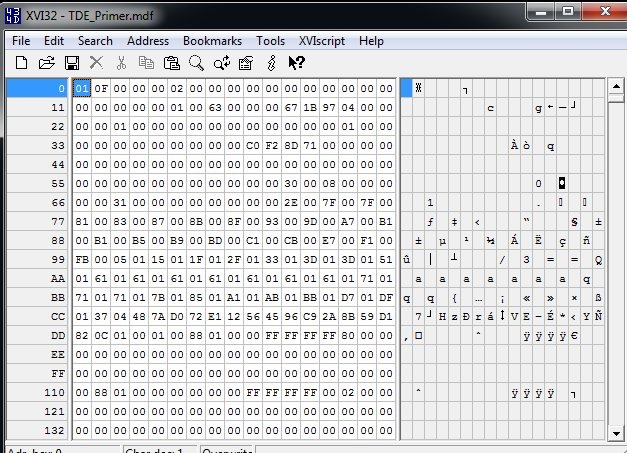
    I use XVI32 as an editor. It’s free, and you can download it. If I open up my MDF in this utility, here’s what I see:

    Capture_031

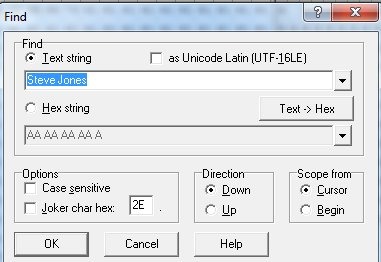
    If I search for my name:

    Capture_032

    I find it:

    Capture_033

    This is what I expect, and you should as well. Even without SQL Server, your data files are readable, which is why you must protect them.

    Now let’s attach the file and enable TDE.

    USE [master]
    GO
    CREATE DATABASE [TDE_Primer] ON 
    ( FILENAME = N'C:\Program Files\Microsoft SQL Server\MSSQL11.MSSQLSERVER\MSSQL\DATA\TDE_Primer.mdf' ),
    ( FILENAME = N'C:\Program Files\Microsoft SQL Server\MSSQL11.MSSQLSERVER\MSSQL\DATA\TDE_Primer_log.ldf' )
     FOR ATTACH
    GO
    
    USE TDE_Primer
    go
    SELECT * FROM mytable
    ;
    go
    
    -- begin encryption setup
    -- from http://msdn.microsoft.com/en-us/library/bb934049.aspx
    USE master;
    GO
    -- create master key for master
    CREATE MASTER KEY ENCRYPTION BY PASSWORD = 'AlwaysU$eaStr0ngP@ssword4This'
    ;
    go
    
    -- create certificate to secure TDE
    CREATE CERTIFICATE TDEPRimer_CertSecurity WITH SUBJECT = 'TDE_Primer DEK Certificate';
    go
    
    USE TDE_Primer;
    GO
    -- Create DEK
    CREATE DATABASE ENCRYPTION KEY
    WITH ALGORITHM = AES_128
    ENCRYPTION BY SERVER CERTIFICATE TDEPRimer_CertSecurity;
    GO
    
    -- backup TDE cert
    USE master
    ;
    go
    BACKUP CERTIFICATE TDEPRimer_CertSecurity
     TO FILE = 'tdeprimer_cert'
      WITH PRIVATE KEY (
                   FILE = 'tdeprimer_cert.pvk',
                   ENCRYPTION BY PASSWORD = 'AStr0ngB@ckUpP@ssw0rd4TDEcERT%')
    ;
    go
    
    -- check encryption status
    SELECT
        db.name,
        db.is_encrypted,
        dm.encryption_state,
        dm.percent_complete,
        dm.key_algorithm,
        dm.key_length
    FROM
        sys.databases db
        LEFT OUTER JOIN sys.dm_database_encryption_keys dm
            ON db.database_id = dm.database_id;
    GO
    
    -- enable encryption
    USE TDE_Primer
    ;
    GO
    ALTER DATABASE TDE_Primer
      SET ENCRYPTION ON;
    GO
    -- check encryption status
    SELECT
        db.name,
        db.is_encrypted,
        dm.encryption_state,
        dm.percent_complete,
        dm.key_algorithm,
        dm.key_length
    FROM
        sys.databases db
        LEFT OUTER JOIN sys.dm_database_encryption_keys dm
            ON db.database_id = dm.database_id;
    GO
    -- TDE_PRimer and tempdb encrypted
    
    -- detach database again.
    -- detach database
    USE [master]
    GO
    EXEC master.dbo.sp_detach_db @dbname = N'TDE_Primer'
    ;
    
    GO

    I won’t go into all the code, but this encrypts the database, backs up the certificate and then detaches it again. There are a few other things, but I cover them in another post.

    Now let’s open up the file in the hex editor again.

    Capture_034

    It looks the same. It’s not in the image, but just below this you can see the database name. There is a header, which is not encrypted. However when I search for my name, it fails.

    Capture_035

    If you scroll further around, you’ll see that most of the file is now encrypted.

    Capture_036

    Play with this and prove to yourself that TDE does really encrypt things.