Tag: sql server

  • Disabling Resource Governor

    I had known that the Resource Governor is always running in modern versions of SQL Server. It’s core to the operation of the SQLOS, though it can’t be used to do anything unless it is enabled.

    You can read more about it if you have Enterprise Edition, and I’ve thought it was a good start to controlling and throttling the resources inside SQL Server. I’d like to see it expanded, and I do like the CAP addition in 2012.

    However I wasn’t aware you could prevent someone from enabling Resource Governor. Apparently you can, as shown in this blog: Disabling Resource Governor permanently (somewhat). Amit Bansal shows that if you set trace flag 8040, the Resource Governor cannot be enabled. This prevents changes by junior administrators, developers, etc. that might not be aware of the consequences of their actions.

    Personally for me, I’m not sure I like this. To me this is a case where you don’t have trust among your staff, or good communication, or perhaps something else. None of those are good situations.

    I don’t know that I’d ever use this, but you can read Amit’s post for more details.

    Note that this doesn’t remove Resource Governor, and your DAC still resides in the internal pool, which always has guaranteed resources.

  • The Command Shell

    Security holes are all around. Are there any in xp_cmdshell?
    Security holes are all around. Are there any in xp_cmdshell?

    Recently I heard a few people arguing over the use of xp_cmdshell in a particular situation. One person was adamant that there was a security risk in using this feature. Many of you probably feel the same way, and even the SQL Server platform has recognized there could be dangers with this feature and has it disabled by default, as part of the secure by default installation.

    However the security around this procedure has been improved over the years. Non system administrators cannot execute xp_cmdshell by default. Administrators can open up access using a proxy account, but this requires specific configuration changes by administrators. This means that a lot of the danger of using xp_cmdshell for administrative tasks has been removed.

    Or has it? This Friday I wanted to poll you and find out what you think. Many of you are creative in how you use SQL Server and will think of possibilities that many of us would not consider.

    Is there a security risk in allowing xp_cmdshell to be used by members of the sysadmin role?

    I’m not looking for potential issues if a proxy account exists. Instead I’m asking if there are real dangers in allowing administrators to use this tool? I assume you trust your administrators and they will not maliciously use this tool to cause issues in your SQL Server. Let us know how you feel this week.

    Steve Jones


    The Voice of the DBA Podcasts

    We publish three versions of the podcast each day for you to enjoy.

  • Toggle Switches

    More toggle switches mean more decisions, but also more control. Are they worth it?
    More toggle switches mean more decisions, but also more control. Are they worth it?

    When SQL Server 7 was released, it was touted as a self-tuning, self optimizing database platform requiring much less attention from a DBA. The product had relatively few tuning options and limited information available about how it processed queries. DBAs were worried about losing their jobs, though as history has shown us, the concerns were overblown. There was plenty of work for DBAs then, and that has continued through the current SQL Server 2012 release.

    However the number of tuning options, and the wealth of information exposed by SQL Server to developers and administrators has grown tremendously over the years. We have DMVs and DMFs, many more tuning options, new hints, isolation levels, and more that enable the DBA to manage SQL Server fairly in a very granular way when they want to do so. From what I understand, there are still less options than other platforms have and often the best advice I seen given from various people is to write more efficient code and let SQL Server still determine the optimal plan for query execution.

    This week, I’m curious how you feel about the tuning and configuration options in SQL Server. The downside of the additional options in other platforms is that there are more choices to make, more DBA decisions, and more administrative overhead in regularly, and constantly tuning these systems.

    Do you want more toggle switches in SQL Server?

    I don’t mean two position switches, like the physical ones used on the Apollo command module, but rather just switches you can use in SQL Server. These could be database or instance level, sp_configure settings, they could be query hints, they could be session options. Do you want more options, or do you think we have a lot to work with already?

    Personally I like the idea that we can change behaviors, but I’d really prefer that the defaults were well set and somewhat self-tuning for most installations.

    Steve Jones


    The Voice of the DBA Podcasts

    We publish three versions of the podcast each day for you to enjoy.

  • Customizing SSMS – Bigger Queries

    This is a short series on some customizations in SSMS to make it visually more appealing.

    As a presenter, I’ve learned how to change the way Management Studio (SSMS) looks to make it easier for people to see the screen on a projector. I had wrongly assumed that so many people knew many of these tricks, which is a poor attitude on my part. That should be especially apparent as I saw a presentation recently where the speaker didn’t know how to make things easier to see.

    Here’s another item I saw someone struggle with recently, the query font size.

    The Default View

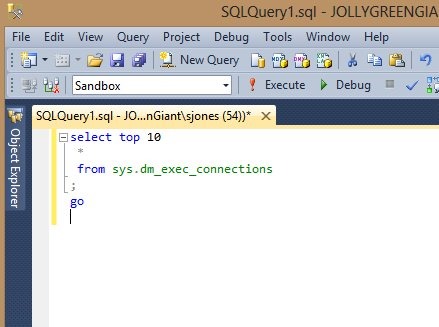
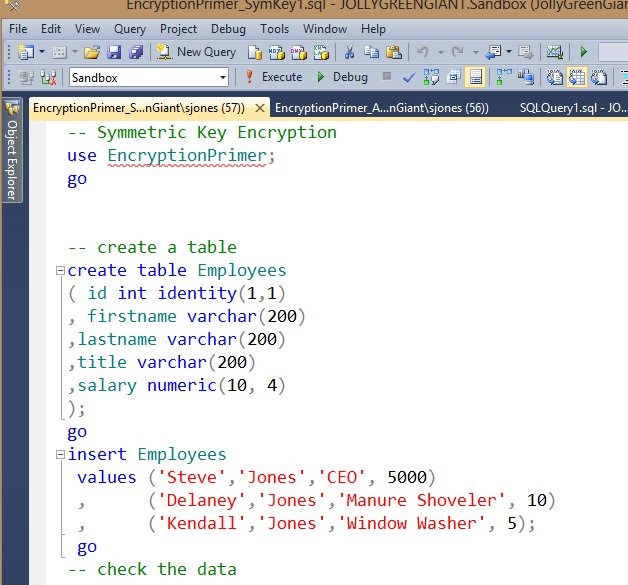
    When you install SSMS, this is what you often get, and how your queries look:

    ssms_f

    Not easy to read, especially for these old eyes. When someone uses the default settings in SSMS and presents on a big screen, I am usually struggling to see, sometimes even when I sit in the front row.

    Customizing

    You can make SSMS easier to read for yourself in a couple ways. The first is the quickest, but it’s a change for only the current SSMS execution. If you close and re-launch it, things will return back to the previous settings.

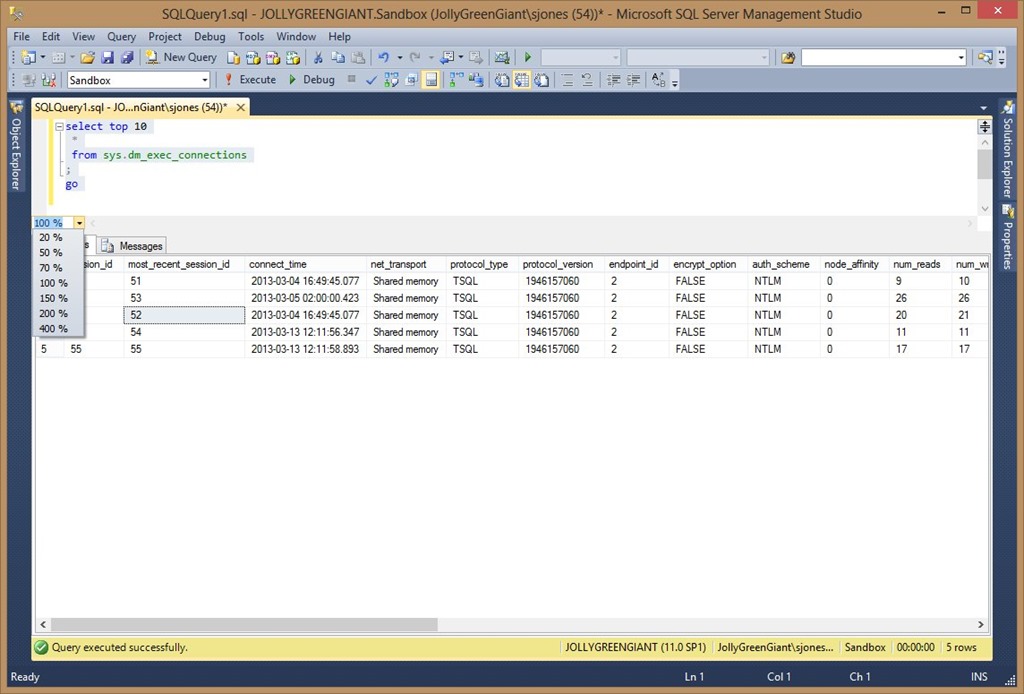
    If you look below the query and above the results, there’s a drop down that says 100% in it.

    ssms_g

    If you click that, you’ll get a drop down of some percentages you can choose.

    ssms_h

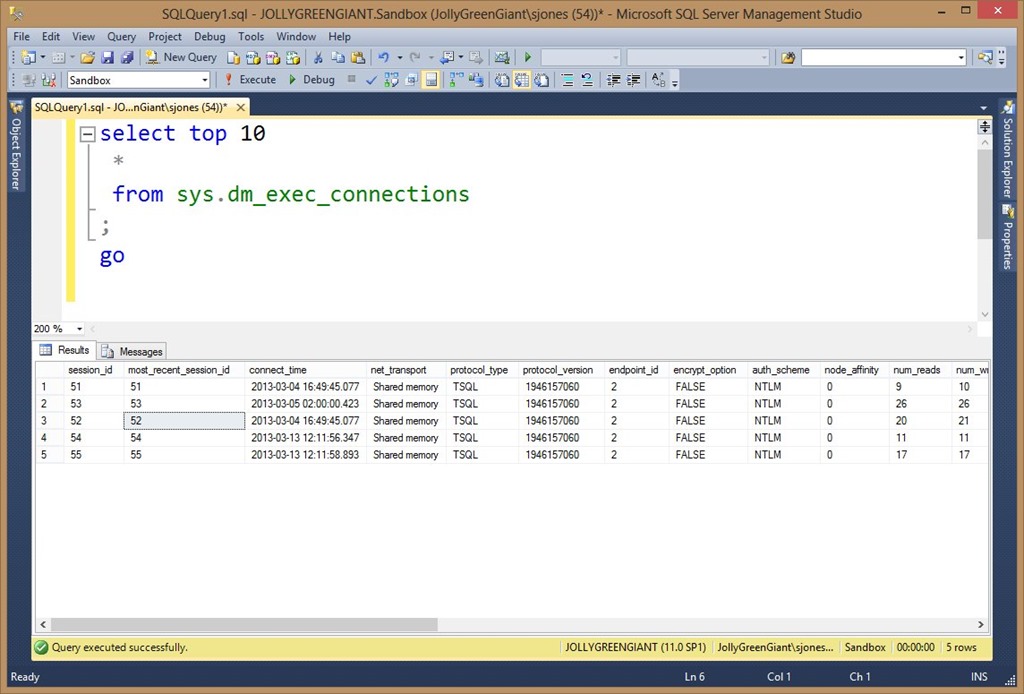
    These percentages will change the size of the query pane. For example, if I choose 200%, you can see things are much easier to read. The query pane is much better than the results. This is great for quick changes when you are presenting.

    ssms_i

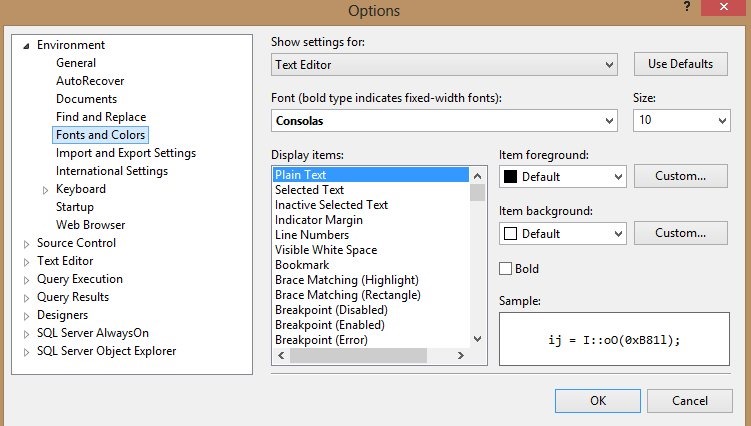
    For permanent changes, this is what I quickly do. Go to the Tools menu at the top of SSMS and select Options. You will get this dialog:

    Capture_002

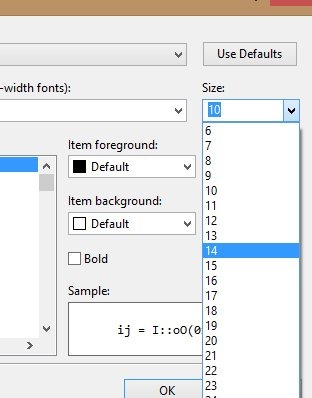
    I’ve selected “Fonts and Colors” from the left already, but once you do that, there’s a “Size” drop down on the right. Choose that.

    Capture_003

    I usually set that to 14 and it looks good for me. A balance of large size, but still being able to get lots of code on the screen.

    Capture_004

    This make it easier to read your code. In another post I’ll talk about results.