In my experiments with the Flyway CLI (fwcli), I’m finding some interesting behavior, some of which is catching my by surprise.
This post looks at the baseline command and the issues with not having one. I also cover a naming issue. This is a bit long, but I wanted to document what happens as I experiment. I’ll condense down what a baseline does in another post (or two or three).
The Scenario
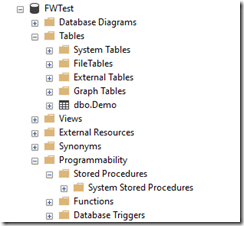
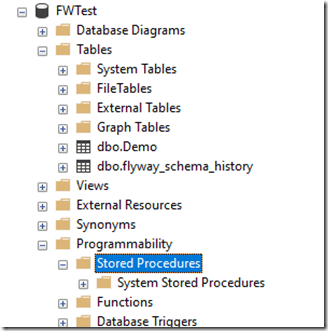
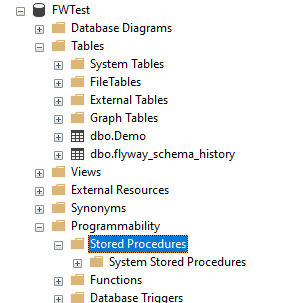
I created a FWTest database and put a small table in it. I can see in my Object Explorer (OE) that there is just one table. Assume there are no views, functions, etc.
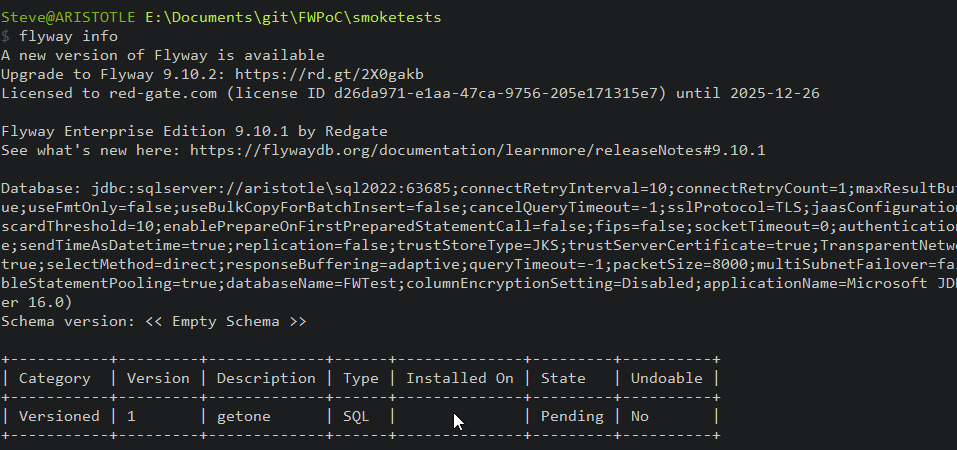
My flyway.conf file points here, and if I run Flyway Info, I see the results below. The only important part is the “schema version”, which is empty, and the table, which shows one versioned migration called getone.sql.
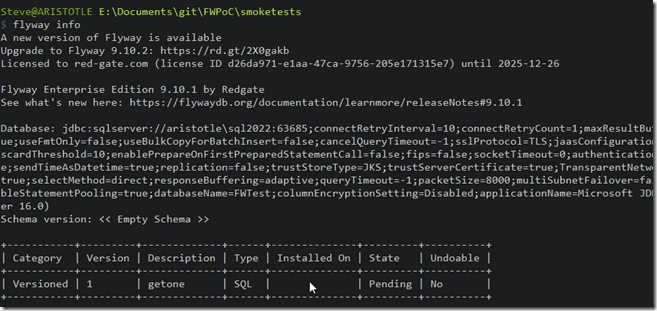
The migration is in my SQL folder, which is below the location of the flyway.conf file. The configuration file is in the smoketests folder and it has only two lines uncommented: 1 for the SQL Server connection string and one for the location of the migrations, which is the SQL folder. The relevant lines are:

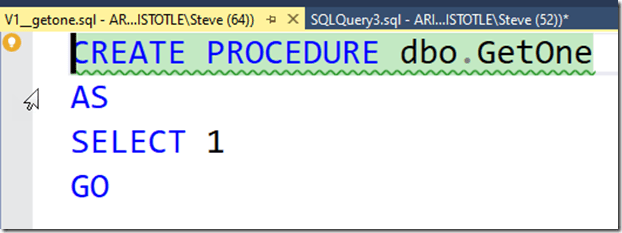
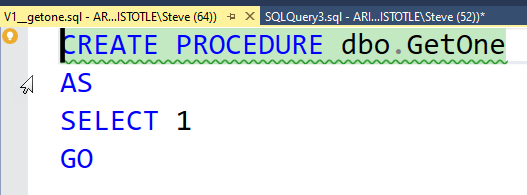
That’s the basic start. I’ve got a database, and I created a new script. The script in the file is shown here:
Running Flyway
Now, I have a migration script I want to apply to a new database. What happens if I run flyway migrate. Will this create my procedure? Let’s see.
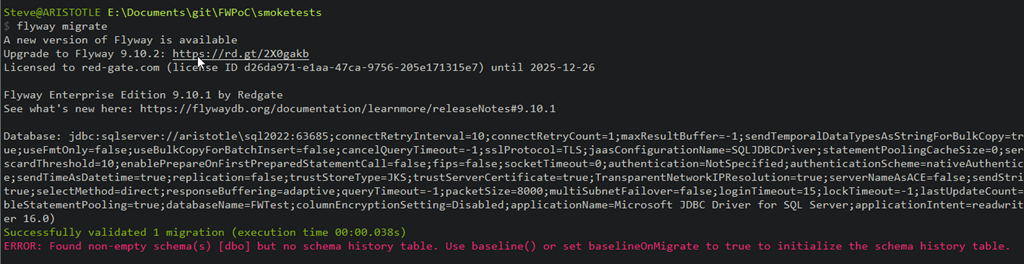
The output shown below runs and give me a green line and a red like. One success, one error.
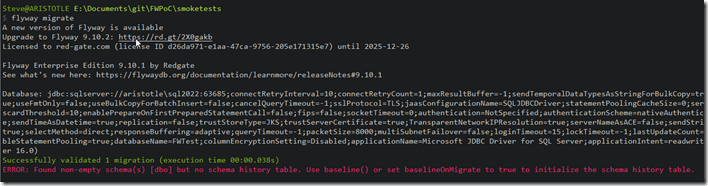
The success is that the script was named correctly, so it passed validation.
The error is that there is no flyway_schema_history table. This is where all Flyway activity is tracked inside the database. Without this, there’s nowhere to stick the data on script execution.
The error does note that we need to run flyway baseline or set the baselineonmigrate option to true. The default for this is false.
Adding a Baseline
Let’s do the baseline thing. The documentation for baseline is very poor (as of Dec 2022) in my opinion. I’ve sent a few notes around the company, as I think this needs to be cleaned up.
In any case, this will do a couple things. First, it creates the flyway_schema_history table (under dbo for SQL Server) as the place to store history for Flyway. Next, it will add a row as the baseline version for this database. I don’t have a baseline script, a “B” script, but that’s OK. I don’t need it for now.
Let’s try this. I’ll run this on my database and we see the results below. I’ve captured the text, ignoring the licensing and connection string part. The results are really here:
Creating Schema History table [FWTest].[dbo].[flyway_schema_history] with baseline ...

Successfully baselined schema with version: 1
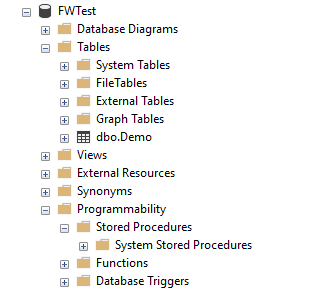
This shows me we have created the table and added a baseline of version 1. If we look in the database, we see this: the new table, but no proc.
If I run flyway info, I see these results (again, ignoring the licensing and connection stuff).

What I see in here is that my database version 1 is baselined with no scripts. However, the getone.sql script is noted as a versioned script but ignored because of the baseline.
The baseline is supposed to be a level that includes all scripts up to that number. It’s not well explained in the docs, but this means that any scripts up to the baseline are assumed to have been executed in the database. This is the baseline. The baseline.sql script also is supposed to include the contents of all previous migration scripts, but as my test showed, I don’t need that.
The Problem with Baselines
The thing I have to know here is that this baseline version means no scripts at this version or lower will be executed. Since my script was a v1 script, it gets ignored, as you see below:

Why this says 2 migrations, I don’t know. There’s only one script. I assume this is counting the non-existent baseline script.
However, nothing migrated, and my procedure isn’t created.
Be aware, that you want baseline scripts and other scripts to have discrete numbering.
Summary
Getting started with Flyway means we need a baseline to get going. We can do this without a script, but we do need to run flyway baseline, or set an option. I’ll look at those two items in a future post.
I also need to be careful with naming of scripts, as a script that matches the numbering of the baseline will not get executed.



 Voice of the DBA